PSA: Avoid One UI 9 Beta if You Rely on Sideloading Apps [UPDATE]

SammyGuru is reader-supported. We have affiliate and sponsored partnerships, so we may earn a commission when you buy through links on our site — at no extra cost to you. Learn more.
UPDATE: I am not sure how, but I think Google’s Advanced Protection might’ve been enabled automatically. This very well could be an isolated incident. Prior to the One UI 9 Beta, I was able to sideload apps just fine. After updating, the ability to sideload apps was no longer possible. I had no indication this would happen, so I have forwarded a suggestion to the beta team.
If you find yourself in the same predicament, go to Settings, then Google Services, tap on “All services,” scroll down to “Advanced Protection,” and disable it.
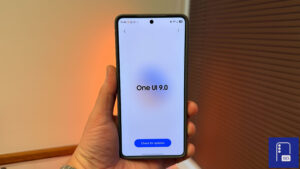
Samsung officially opened the beta program for One UI 9 for the Galaxy S26 series two weeks ago, packing it with new features and an improved user interface.. Just like with all betas, you can expect bugs, a risk of data loss, and the usual disclaimers. But if you’re someone who relies on sideloading apps (APKs), One UI 9 beta might not be for you. At least, for now.
You can’t install any APK files on One UI 9 beta
After I installed the One UI 9 beta, I wanted to see how close I could get to transforming my Galaxy S26 Ultra (review) into a desktop alternative. I had a MagSafe cooler, a docking station, and a monitor all set up and ready to go.
I was eager to test out GameNative, an app that gives you access to your Steam library and the ability to play your games anywhere. After I installed One UI 9 Beta 1, I went through One UI as usual to spot any key differences. This led to discovering an unfortunate bug.
Welp, turns out you cannot install APK files on One UI 9 beta.
I tried different APK files, redownloaded them, and even tried forcing the installation pop-up by opening it in another window. Restarting the device didn’t work, nor did trying to install the APK from the downloads page on Samsung Browser.
You may be thinking, “it’s probably Auto-Blocker!”. It is not, I disabled that before installing it. Even if enabled, no warning comes up. Installing APK files isn’t possible.
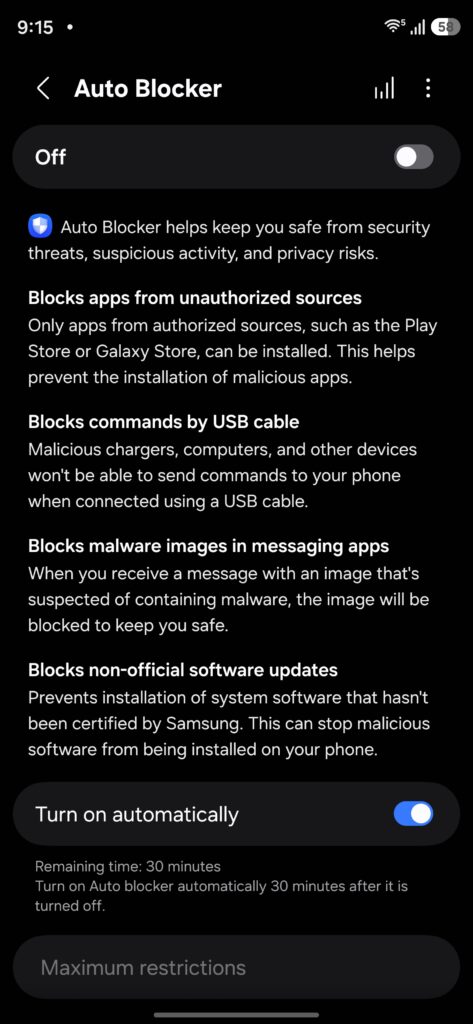
I reported this bug almost ten days ago, hoping I’d get a response before the second beta was released. It is still “under review,” even with the release of the second beta.
Installing the second beta, it has the same issue. You won’t be able to sideload any APK files with One UI 9 beta running on your Galaxy S26 phone. If sideloading is a big deal for you, I recommend avoiding this beta until the issue has been resolved.

Written by
Aladdien FadhelAladdien Fadhel provides Samsung reviews and in-depth analysis for SammyGuru. By tracking the development of One UI and exploring Samsung's product roadmap, he delivers insights designed to benefit both the manufacturer and the user. A dedicated tinkerer, Aladdien prefers fine-tuning his current hardware to maximize its potential rather than opting for an immediate upgrade.

Follow us on Google Discover & set us as a preferred source in Google News
Share this Post
___________________________


New Blog Posts
___________________________
Gemini in Google Sheets Now Supports 28 Additional Languages
This update makes Gemini in Sheets more useful globally

Google’s AI Overviews May Be Sending Users Straight to Rivals
Google AI suggests DuckDuckGo as a way to avoid AI-heavy search
Samsung is Testing Android 17-Based One UI 9 for These Galaxy Devices
More devices should appear with test builds soon