Galaxy A26, XCover 7 Grab April 2026 Security Update
SammyGuru is reader-supported. We have affiliate and sponsored partnerships, so we may earn a commission when you buy through links on our site — at no extra cost to you. Learn more.
Samsung has been quite consistent with the April 2026 security patch rollout. After covering many flagship, midrange, and tablet devices, the update is now reaching more budget and rugged models. Recently, the Galaxy A26 and Galaxy XCover 7 have started receiving the April 2026 security update in select regions.
Samsung expands April 2026 update to Galaxy A26 and XCover 7
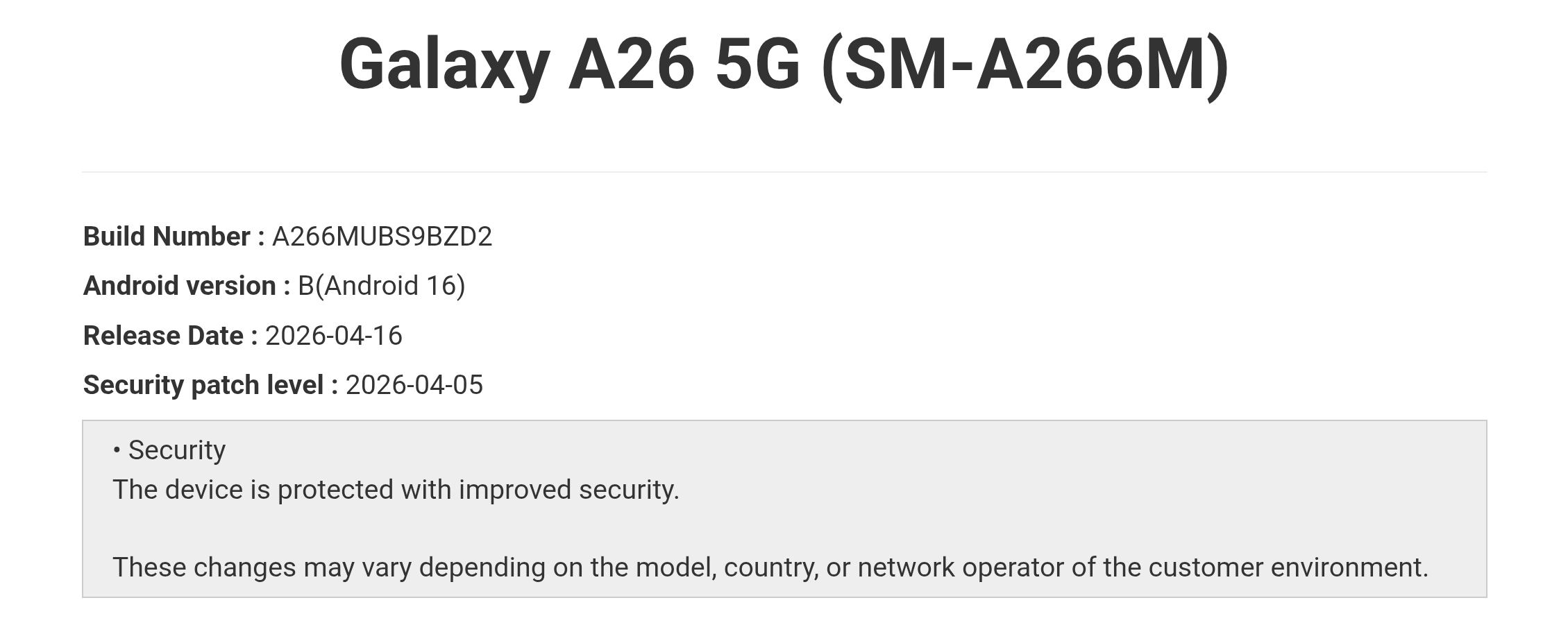
Starting with the Galaxy A26, the device is now getting the April 2026 security patch in Brazil. The rollout has begun for the SM-A266M variant, with other variants expected to follow soon. The update carries the firmware version A266MUBS9BZD2, and should expand to more regions in the coming days.
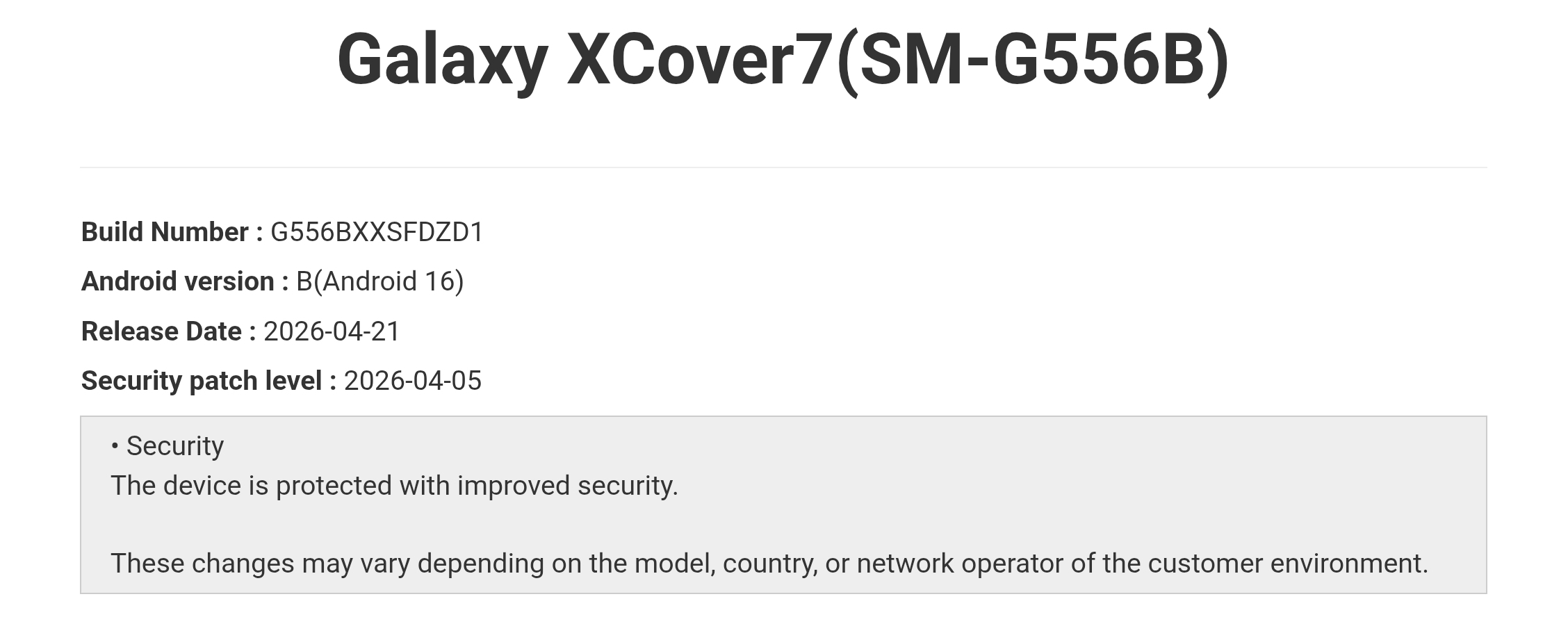
On the rugged side, the Galaxy XCover 7 Pro received the update earlier, and now the standard Galaxy XCover 7 is joining the rollout. The device is picking up the April 2026 patch in regions like Europe, Malaysia, Thailand, and Vietnam. It comes with the firmware version G556BXXSFDZD1.
The April 2026 security patch fixes 47 vulnerabilities identified by Samsung, Google, and their partners. While it does not bring any major new features, it improves security and overall system stability. Keeping your device updated ensures better protection and a smoother experience.
Looking ahead, both devices are expected to receive the Android 16 QPR2-based One UI 8.5 update over the next few months. The rollout could begin around June, though we do not have official confirmation yet. This release brings a refreshed Galaxy experience with design improvements across the system. You can also expect several new features and functional enhancements.
If you own any of these Galaxy devices, you can check for the update by going to Settings > Software update > Download and install. Once downloaded, tap Install now. If you do not see any updates yet, wait a few days and check again. Since updates are released in batches, not everyone may get them immediately.

Written by
Mohammed KhatriMohammed Khatri is a tech writer at SammyGuru focused on Samsung's software side — tracking One UI updates, internal builds, and which Galaxy devices are next in line. He also covers early device leaks, certifications, and retail listings. Beyond tech, he has a keen interest in finance and automobiles, and enjoys exploring the latest trends and developments in both industries.

Follow us on Google Discover & set us as a preferred source in Google News
Share this Post
___________________________


New Blog Posts
___________________________
Samsung’s Biggest AI Investment Yet May Be Worth $648 Billion
Samsung may move chip expansion beyond Seoul with huge AI investment
Qualcomm May Have More Snapdragon 8 Series Surprises in Store
New 3nm processors have come to light
Galaxy S22 Gets June 2026 Update in the US, All But Confirming One UI 8.5 Isn’t Coming
The S22 lineup wasn’t expected to receive a software update this month