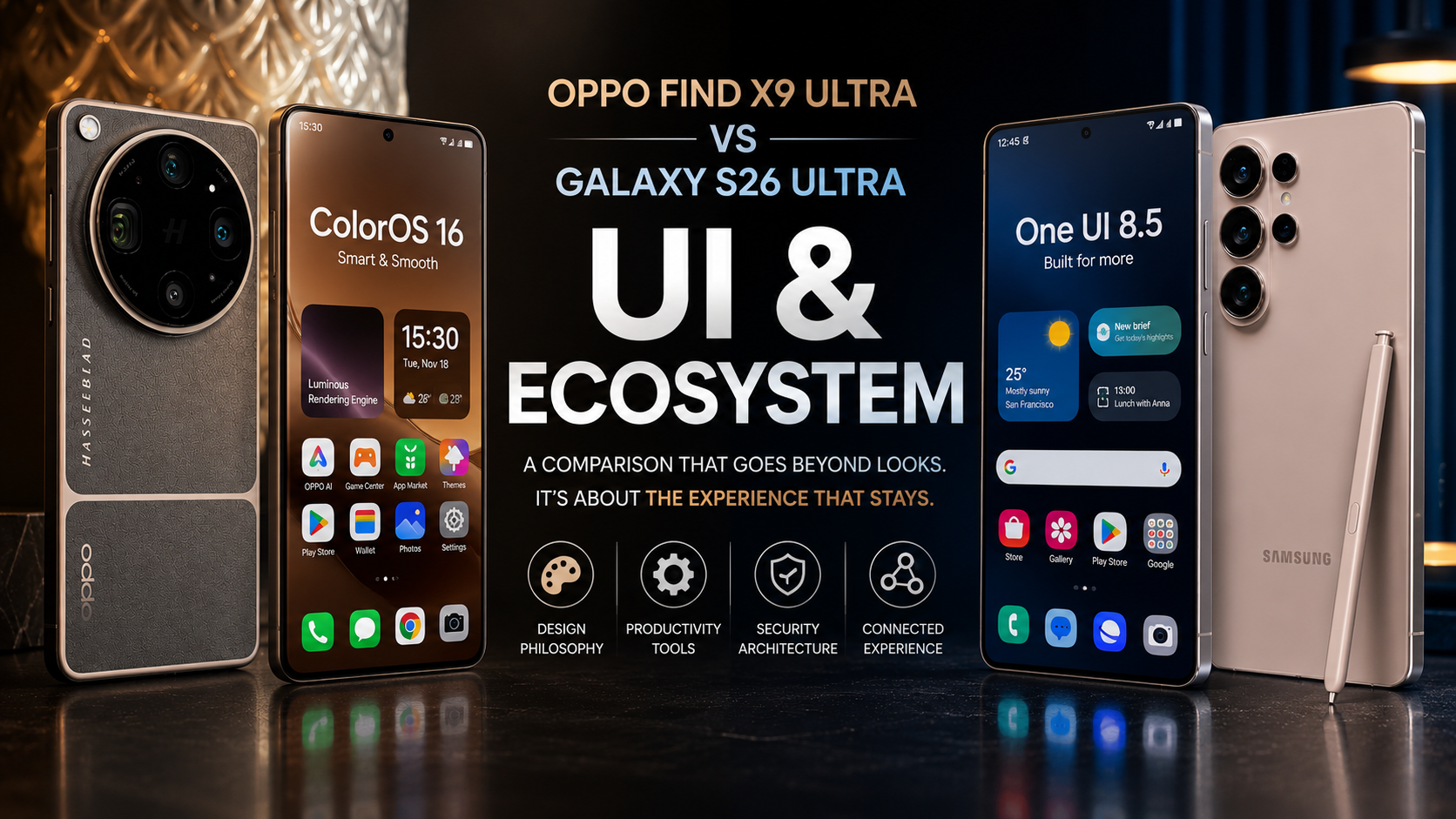
OPPO Find X9 Ultra vs Galaxy S26 Ultra: UI and Ecosystem
SammyGuru is reader-supported. We have affiliate and sponsored partnerships, so we may earn a commission when you buy through links on our site — at no extra cost to you. Learn more.
In this article
- Identity: Android Is the Foundation, Not the Brand
- Samsung Messages: Identity Under Pressure
- Animations: Where OPPO Creates the Better First Impression
- Productivity: Where One UI Becomes More Than an Interface
- Samsung DeX: A Different Category
- Security: The Layer Most Users Never See
- Secure Folder and Private Share
- Ecosystem: The Whole That’s Larger Than the Parts
- UI and Ecosystem Verdict
- Current Comparison Standing
- Related Deals
Software rarely wins smartphone comparisons. Cameras, batteries, and charging speeds dominate headlines because they’re easy to measure. UI and Ecosystem work differently. They shape every interaction long after new hardware excitement fades, and the comparison between the OPPO Find X9 Ultra and Galaxy S26 Ultra proves that point.
Both phones boot into Android 16. Within hours, though, they stop feeling like the same platform. One UI and ColorOS share a foundation, but each company builds on it differently. Samsung chases long-term identity and ecosystem depth. OPPO chases visual polish and immediate elegance. That distinction explains everything that follows.
Identity: Android Is the Foundation, Not the Brand
Android itself isn’t a brand identity. It’s the operating system manufacturers build on top of. The interface layered over it becomes the brand’s real identity.
Apple proves this best. iOS and Apple’s identity are the same thing. Every animation, every first-party or third-party app, every connected device reinforces one design language. Even ideas borrowed from elsewhere become unmistakably Apple’s own. That’s why leaving Apple’s ecosystem feels harder than joining it.
Most Android makers never reach that cohesion. They chase trends instead of building something distinctly theirs. The result looks competent but feels borrowed.
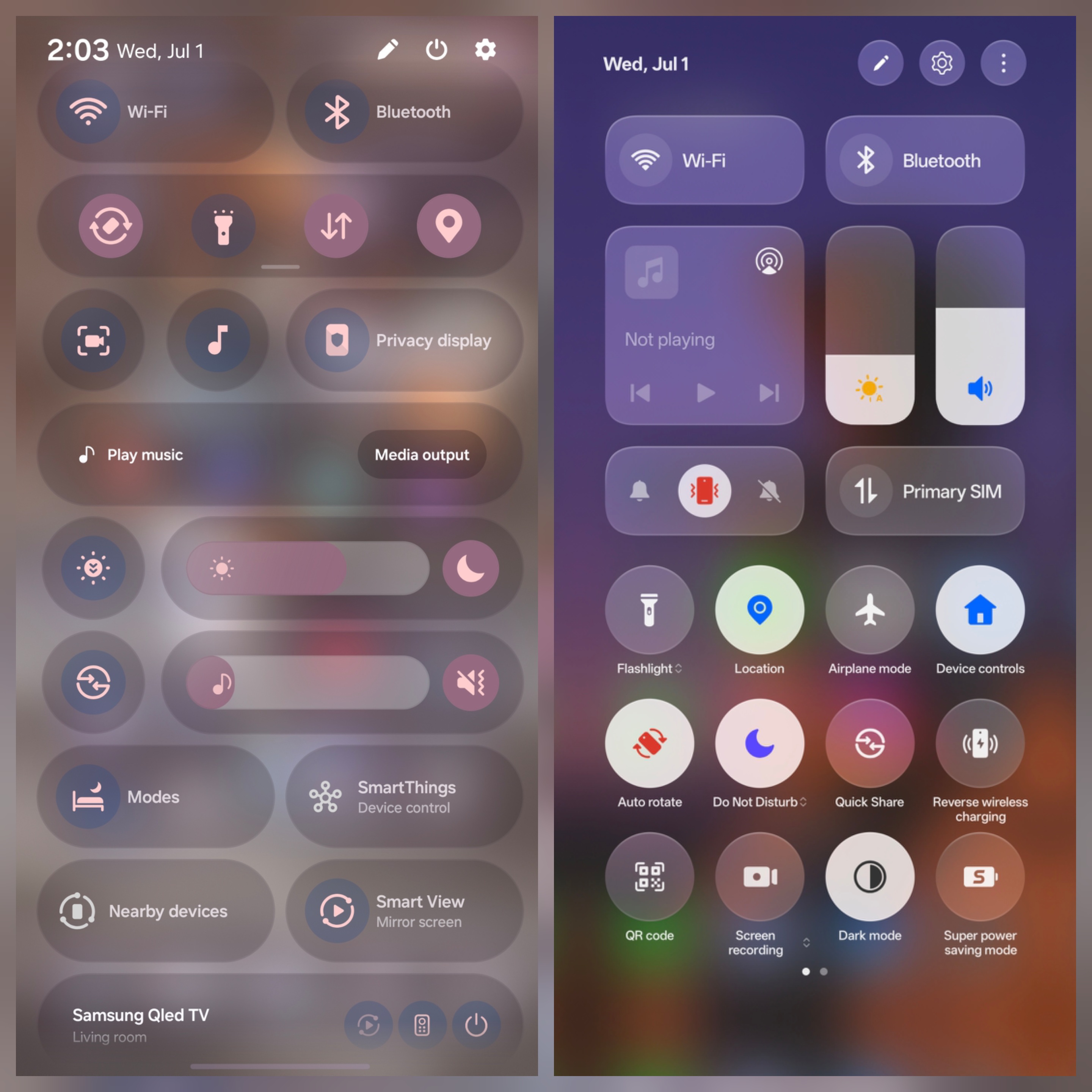
Samsung’s One UI has spent years building its own visual language. Typography, navigation, first-party apps — though third-party apps still struggle to match that same identity — and interaction philosophy all reinforce something recognizably Samsung’s. It isn’t flawless. But every major update refines that identity instead of replacing it.
ColorOS tells a different story. OPPO built one of Android’s most polished interfaces, yet its visual language increasingly echoes an iPhone. That familiarity eases the transition for iOS switchers. It also makes ColorOS feel less like its own identity, and more like someone else’s.
Samsung Messages: Identity Under Pressure
Brand identity sounds abstract until something tests it directly. Samsung is discontinuing Samsung Messages in the United States, with a confirmed shutdown in July 2026. Galaxy S26 devices already can’t download the app.
The backlash arrived fast and felt genuinely personal. Galaxy owners across forums and tech outlets called the move “dumb,” “sad,” and “annoying.” And that’s not because its replacement, Google Messages, is missing features. Users are unhappy because they are losing a decade-old piece of what made Galaxy feel like Galaxy.
That reaction proves identity isn’t abstract. Users rarely resist improvement. They resist losing the familiarity that made them choose the platform in the first place.
One UI 8.5 and the One UI 9 beta keep building that identity forward. But the Messages decision shows what happens the moment part of it dissolves. Samsung’s first real advantage in this comparison starts here.
Animations: Where OPPO Creates the Better First Impression
Animations get mistaken for overall software quality. They aren’t, though they earn real credit. Smooth motion creates an instant emotional response, making a device feel faster before anyone digs deeper.
ColorOS 16 delivers some of Android’s finest animation work. OPPO rebuilt its rendering framework rather than just polishing motion curves. The Luminous Rendering Engine keeps app launches, scrolling, and transitions smooth even under heavy load. That consistency is what separates real engineering from animations that only look good in ideal conditions.
Samsung has closed the gap. One UI 8.5 feels noticeably smoother than older Galaxy software. Good Lock lets users tune motion speed and gesture behavior further than ColorOS allows. Power users get more control here.
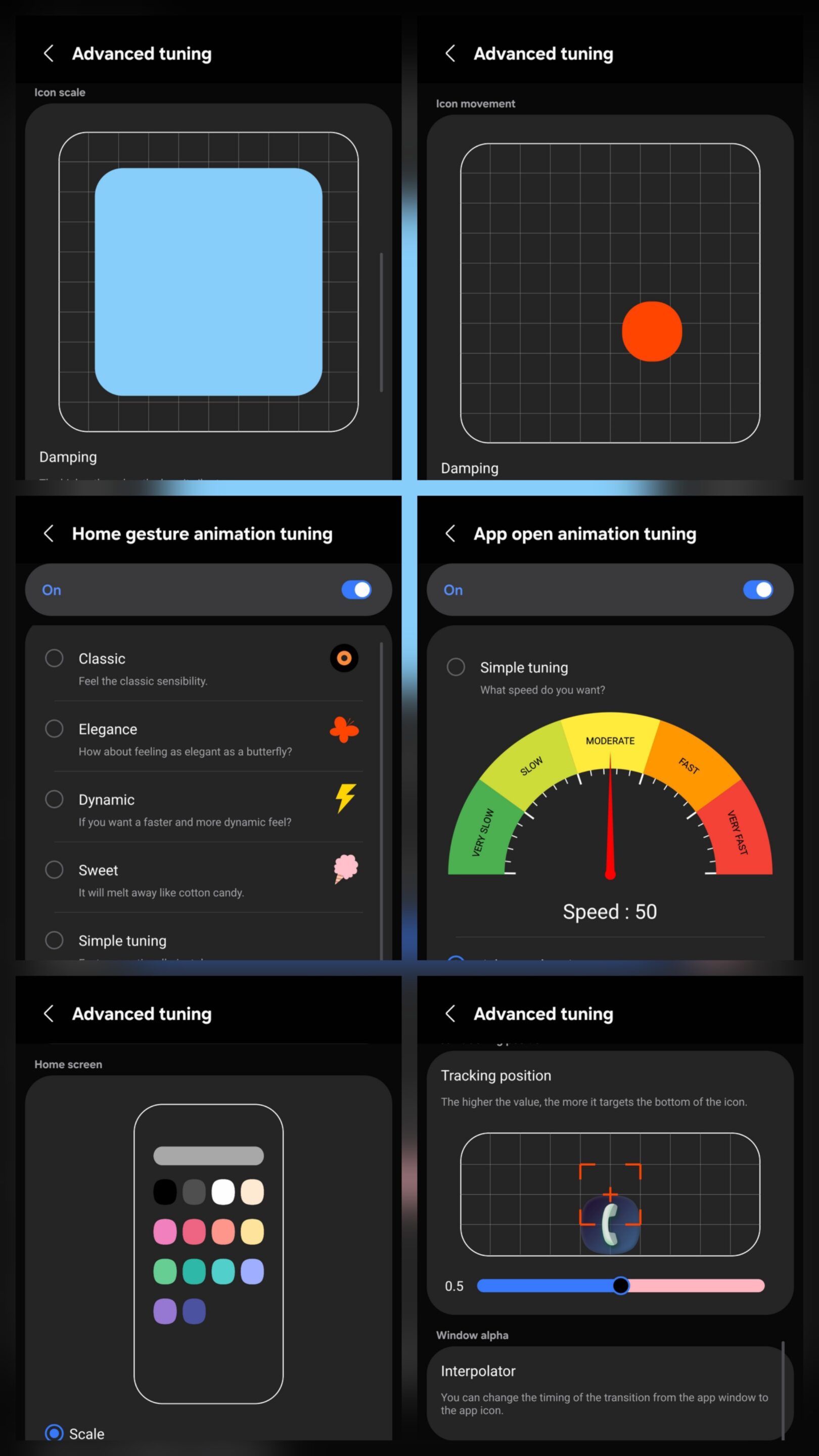
Out of the box, though, ColorOS still wins this round. Animations shape the first impression. They don’t define what the operating system becomes over time.
Productivity: Where One UI Becomes More Than an Interface
Many Android makers add features one at a time. Samsung builds systems that connect to each other, and that’s the real substance behind One UI’s productivity edge.
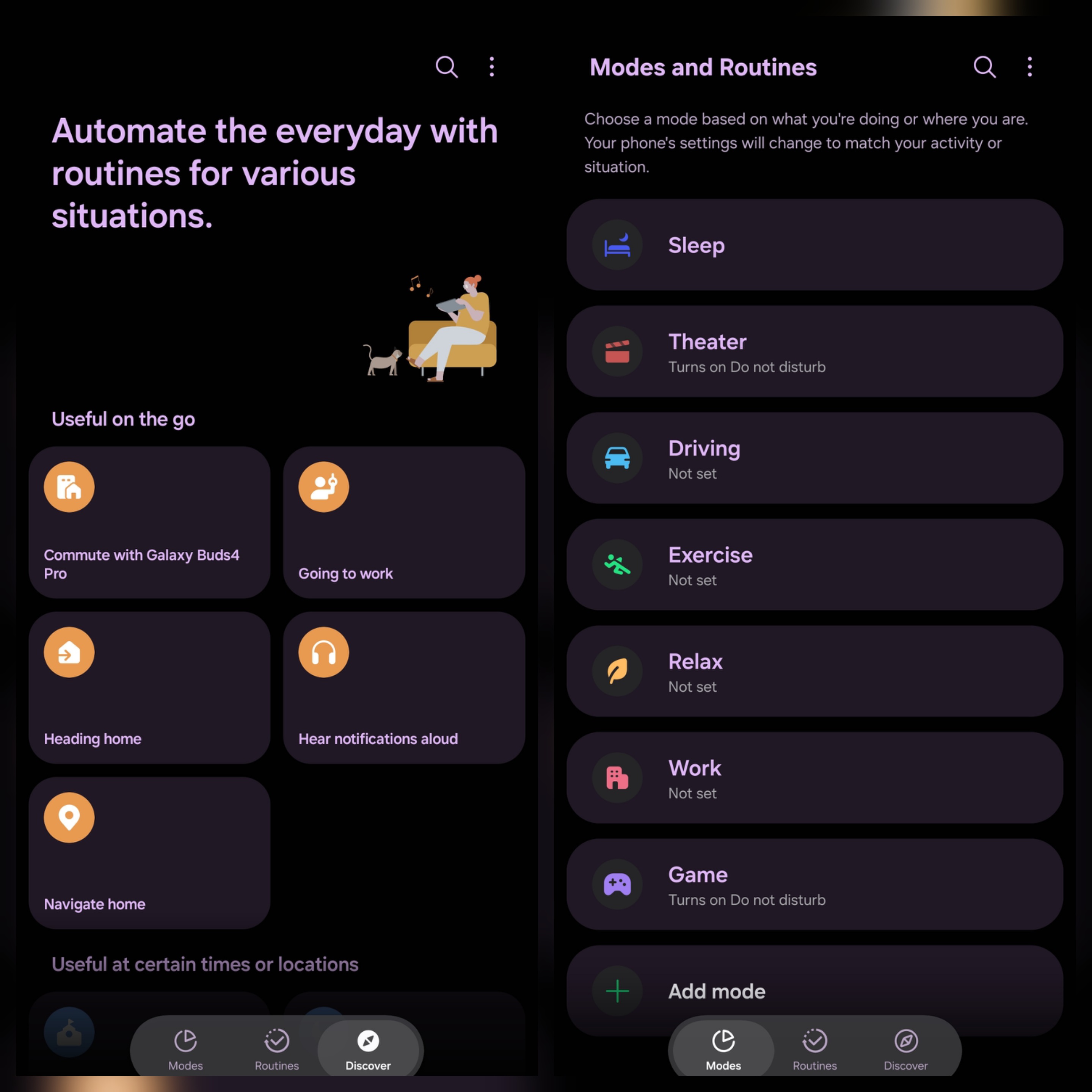
Modes & Routines automate daily behavior across the whole OS. Location, time, connected devices, and usage patterns can trigger full sequences of actions without manual setup. One Hand Operation+ turns edge gestures into shortcuts that feel invisible within days. Swipe from the left at an angle, and an app opens. Swipe from the right, and the camera launches — faster than any menu, and consistent across every app.
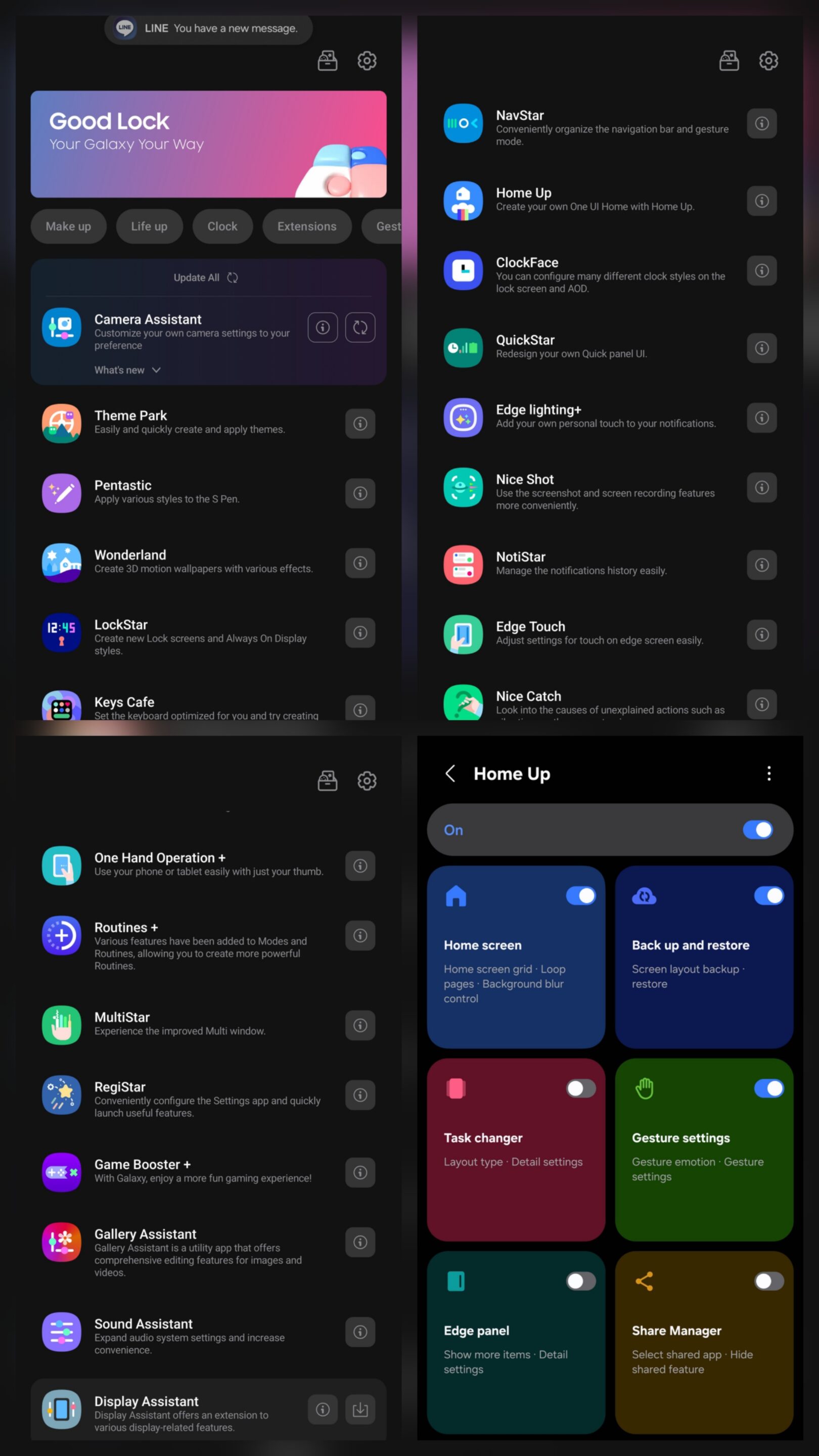
Good Lock pushes customization into nearly every layer of One UI — navigation, lock screens, notifications, camera settings — all without root access. For many power users, it feels like part of the OS itself.
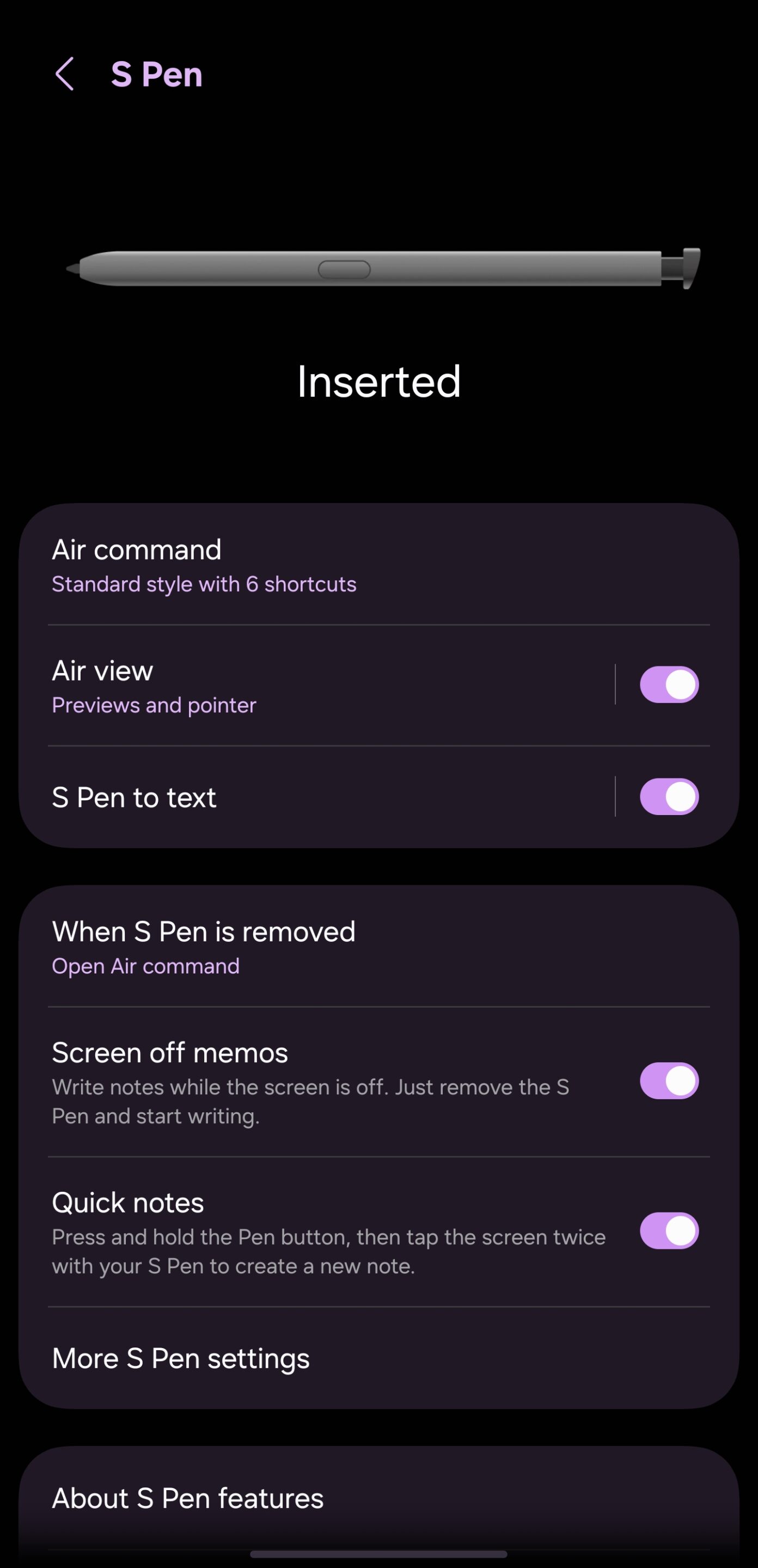
The S Pen keeps that philosophy alive, though it’s worth staying accurate. The Galaxy S26 Ultra’s S Pen still lacks Bluetooth. Samsung says usage of those remote features sat near 1%. That’s why they were removed, and it isn’t changing. What remains still works: handwriting recognition, AI Select, Air Command, and precision annotation all function as real daily tools. For most users, the S Pen still offers something no competitor here can match.
Samsung DeX: A Different Category
Samsung DeX belongs in a category ColorOS doesn’t compete in at all. Connect the Galaxy S26 Ultra to any display, wired or wireless. One UI becomes a real desktop environment with resizable windows, a taskbar, and drag-and-drop files. As of this year, DeX supports up to four independent desktop spaces, each running multiple apps. The phone keeps working normally alongside it.
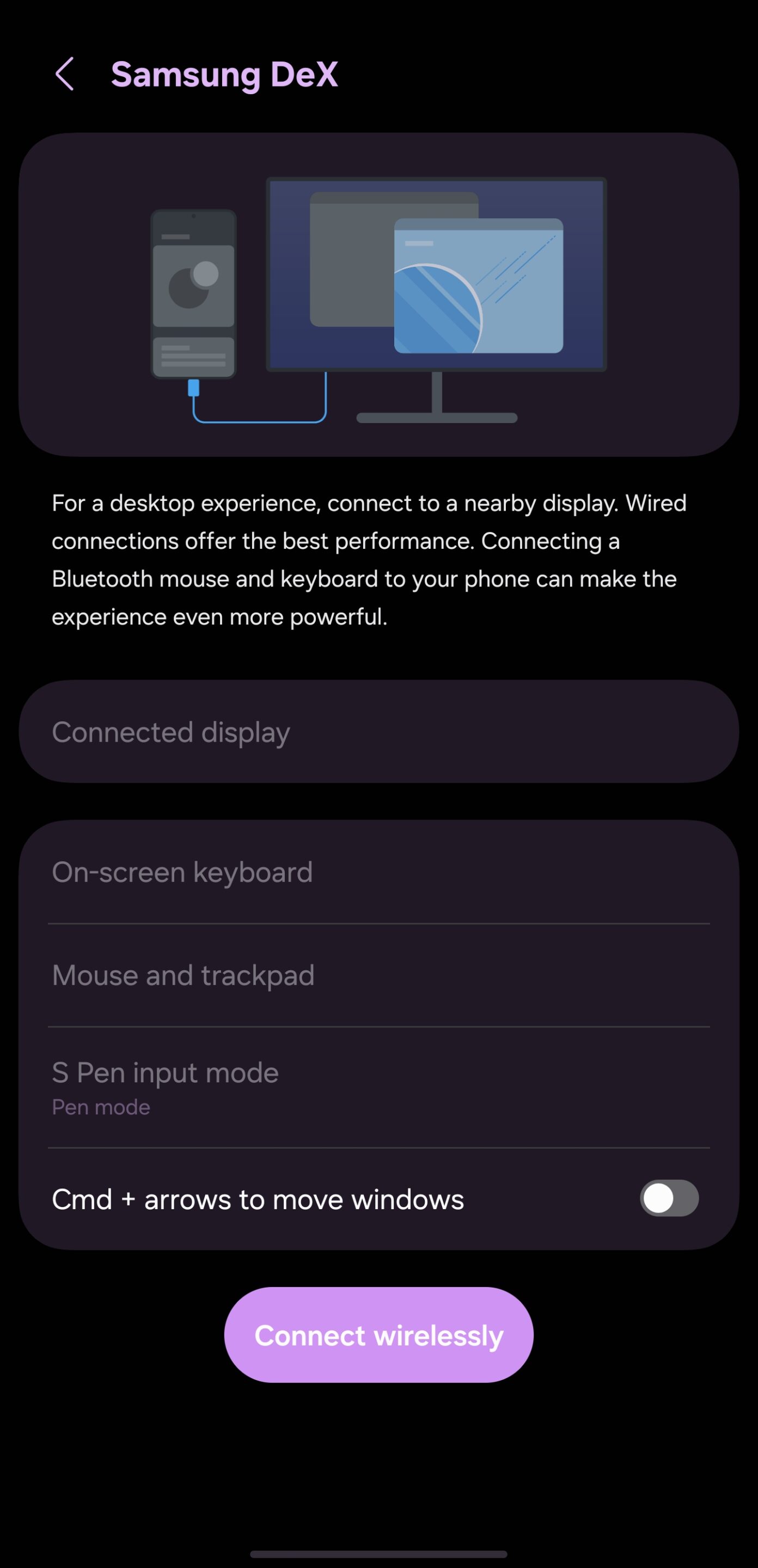
Android’s own desktop mode is still catching up to this. For Samsung, DeX isn’t a side feature. It’s nearly a decade of engineering that turns a phone into a genuine laptop replacement for real daily work.
OPPO’s everyday interface is excellent. But One UI still offers more depth for anyone who wants their phone to adapt to them.
Security: The Layer Most Users Never See
A mature OS proves itself by what it protects quietly, not just what it shows. Samsung builds security in layers rather than inside one app. Knox operates from the hardware level up. Its Vault component isolates credentials, PINs, and biometric data in a separate space, protected even if the main OS gets compromised.
Samsung enables Auto Blocker by default since One UI 6.0. It blocks unauthorized app installs, screens messages for malicious image payloads, and stops software pushed through USB. That last part guards against charging-station-style attacks most people never hear about. 2026 updates extend Auto Blocker toward qualified third-party app stores while keeping its core protections intact.
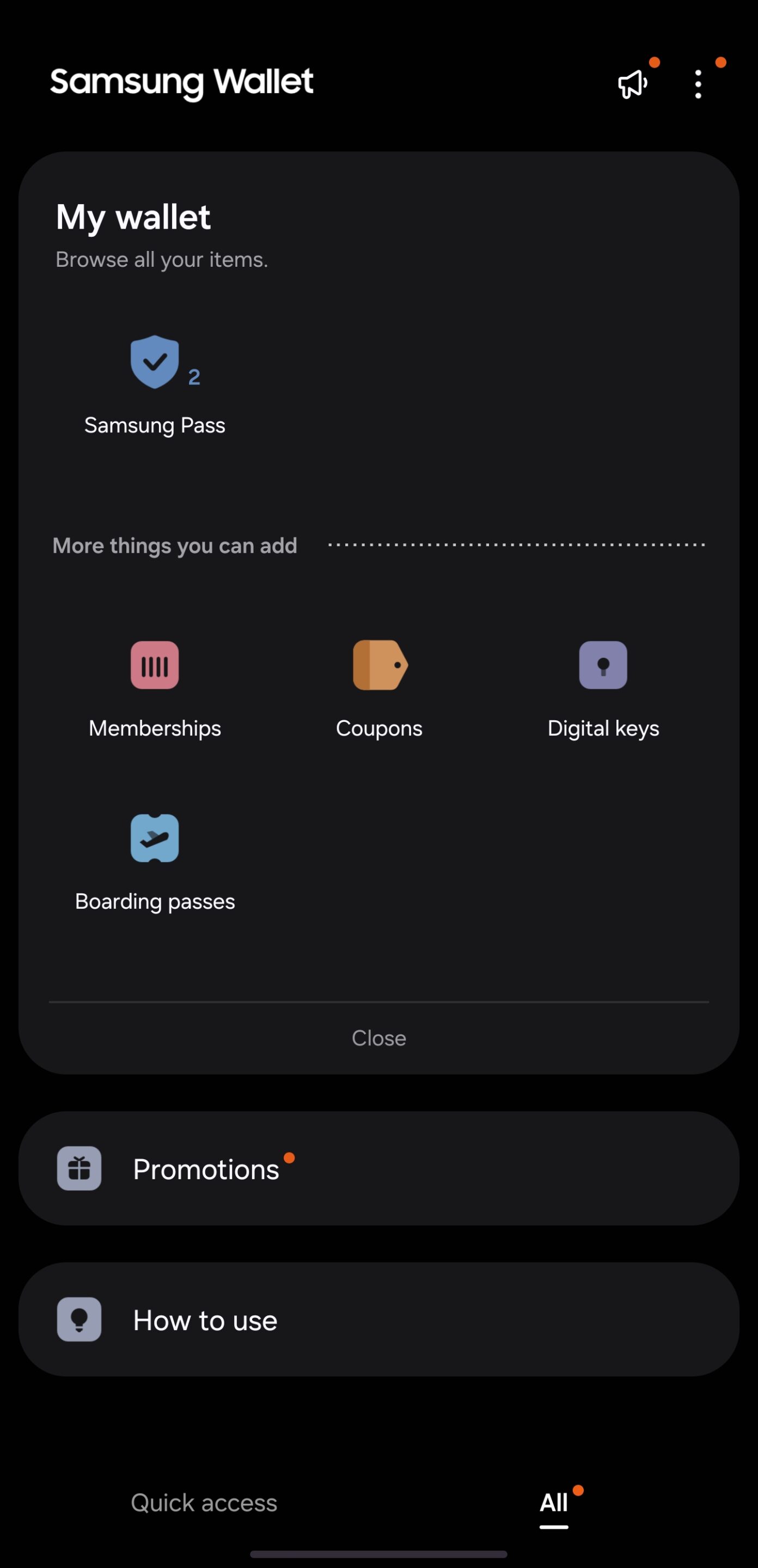
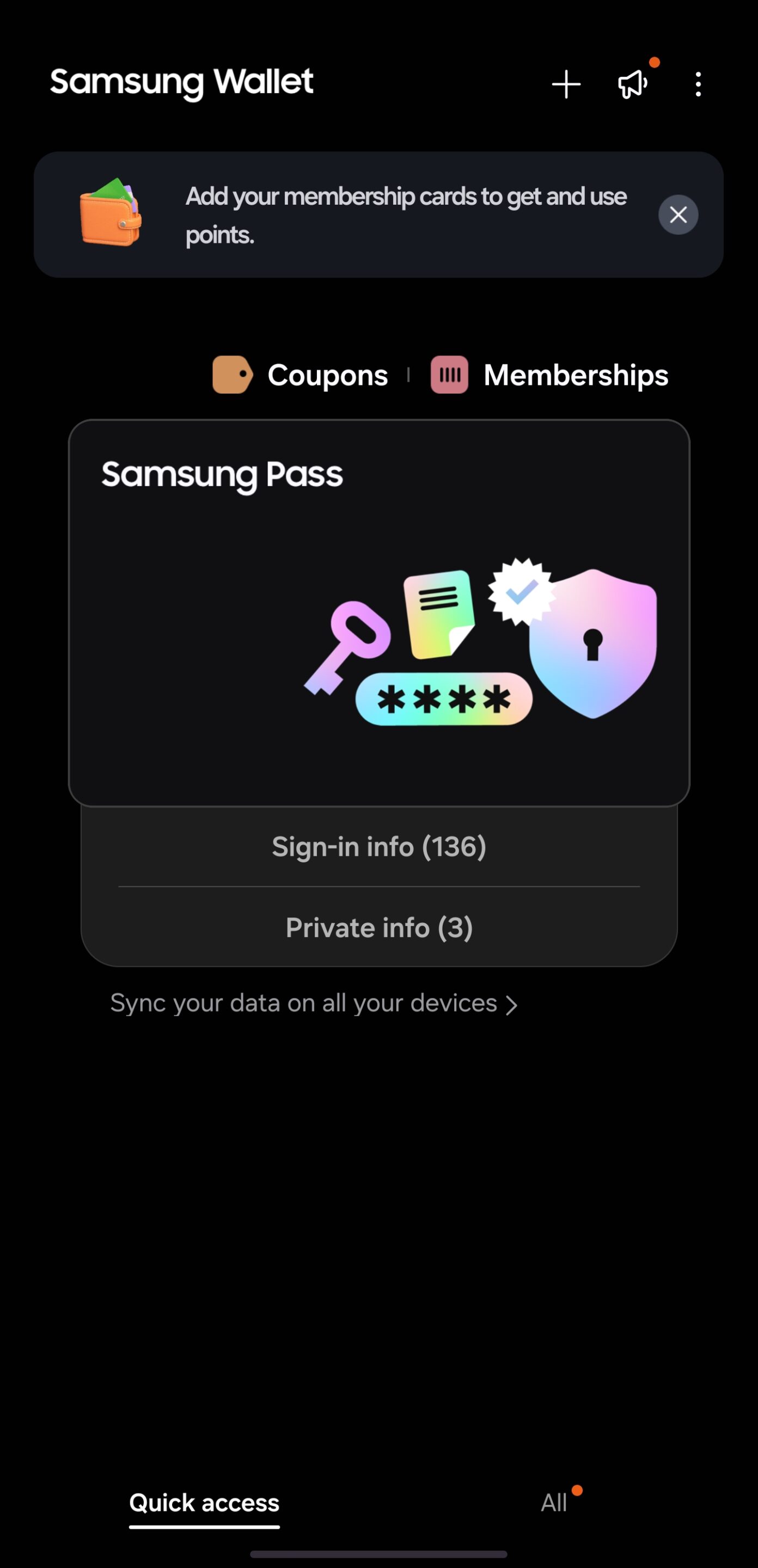
Samsung Wallet builds on that same foundation, folding Pass directly in. It handles passwords, payment cards, digital car keys, and ID documents through biometric authentication backed by Knox’s hardware isolation. Google’s Password Manager travels more easily across platforms. But Samsung ties identity, payment, and physical access into one hardware-secured layer. That makes leaving the ecosystem feel like losing infrastructure, not swapping an app.
Secure Folder and Private Share
Secure Folder creates an isolated profile that works like a second device. Sensitive apps and files stay fully separated, with their own lock, their own installs, and their own data.
Private Share applies the same thinking to file transfers. It encrypts content, supports time-limited access, and lets users revoke permissions after sharing. These aren’t enterprise-only tools. They shape how everyday users think about what their phone holds, and who can reach it.
OPPO’s security has matured considerably. Samsung, though, has reached a point where its security framework strengthens the OS itself, rather than sitting beside it. That same depth extends further. Samsung Internet, Samsung Health, and the rest of Samsung’s first-party suite follow the same pattern of integration rather than convenience alone, though each deserves its own closer look elsewhere in this series.
Ecosystem: The Whole That’s Larger Than the Parts
An ecosystem’s real test is how completely it disappears into daily life. It comes down to how little friction exists between the device and everything connected to it.
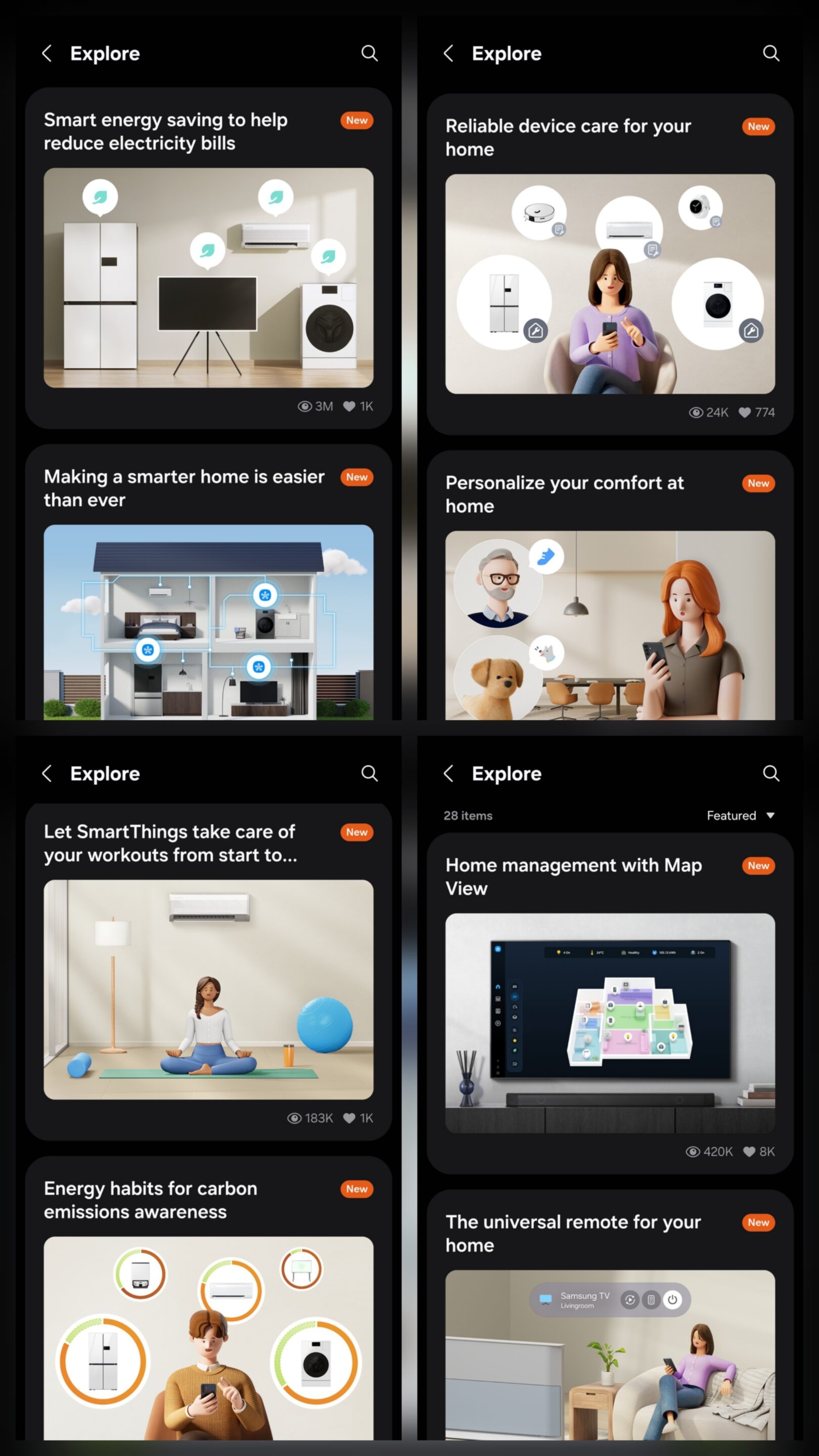
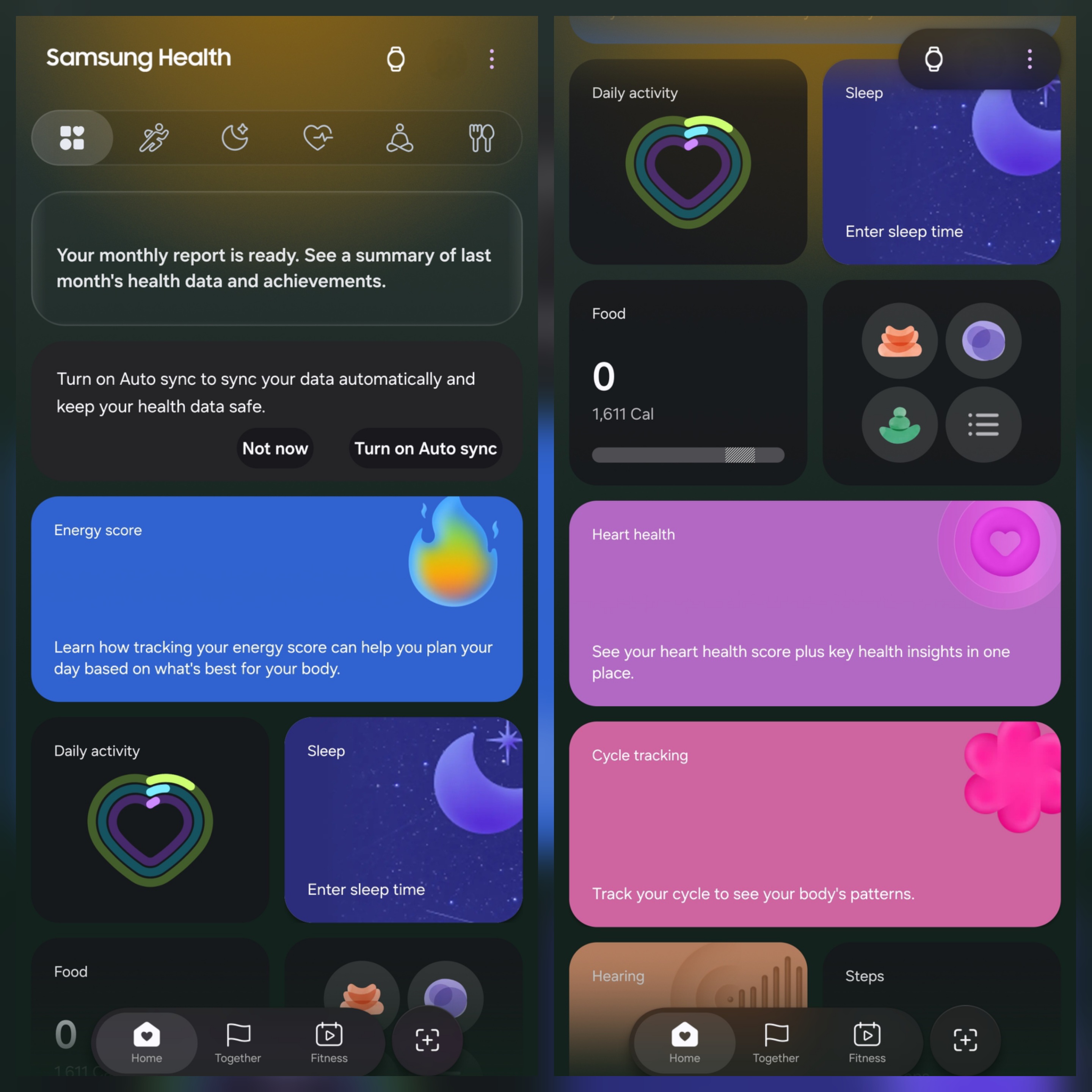
Samsung’s ecosystem runs at genuine scale. SmartThings connects tablets, watches, earbuds, TVs, and appliances under one framework. Its Find feature extends tracking through SmartTags and a network of Galaxy devices acting as offline find-nodes. Quick Share and Private Share offer more granular control than most rivals.
The one honest gap is Galaxy Book. Samsung’s laptop lineup remains uneven across markets, so the full continuity experience isn’t equally available to every owner.
OPPO’s ecosystem deserves real credit too. O+ Connect has matured into a genuine cross-platform bridge. File transfer, shared clipboard, and screen mirroring work with Mac, Windows, and iPhone — connectivity that once required third-party tools. Combined with OPPO’s tablet, watch, and earbud lineup, the ecosystem has grown meaningfully.
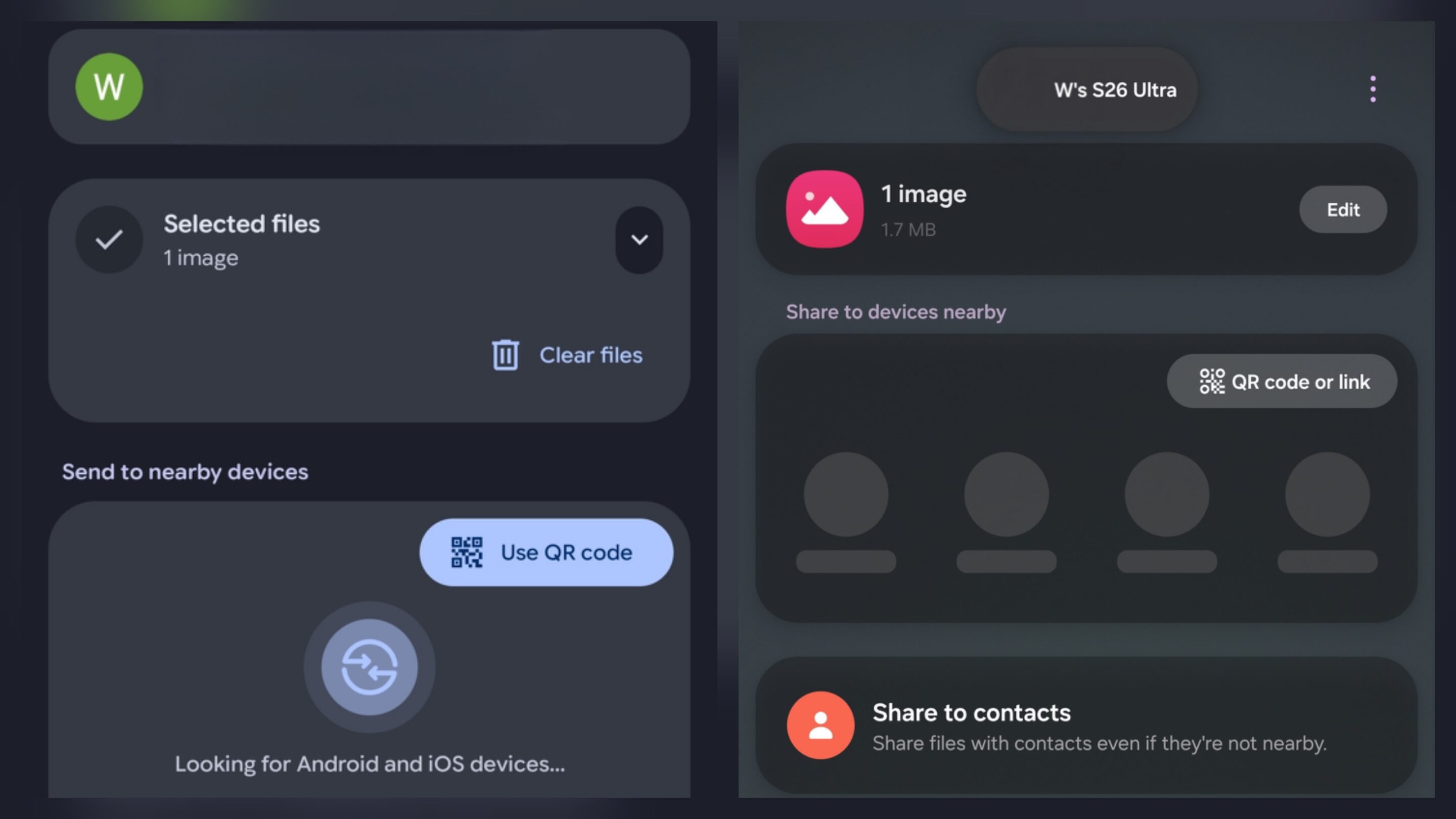
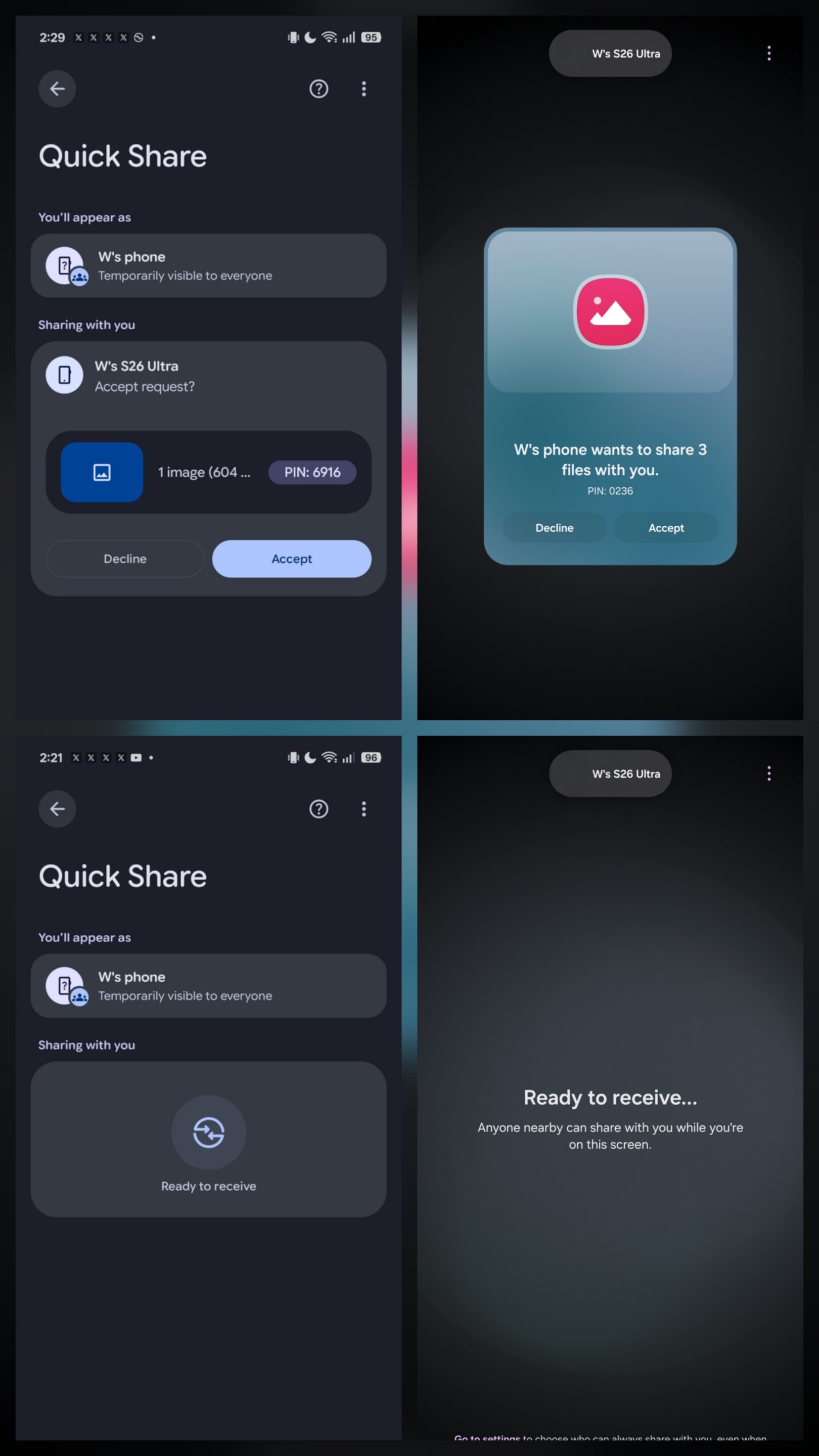
Quick Share itself makes the identity point concrete. It began as Samsung’s technology and still shows it — nearby detection, QR, and link sharing all adapt to the situation. OPPO’s version narrows that down to QR sharing alone, styled through Google’s own visual language rather than a distinct ColorOS identity.
The real difference is establishment versus momentum. Samsung’s ecosystem is fully formed, gaps and all. OPPO’s is building fast, with real engineering behind it. Both understand where this is heading. Only one is already there at scale.
UI and Ecosystem Verdict
UI and Ecosystem reveal something hardware comparisons miss. Smooth animations impress instantly. Powerful cameras grab attention. Faster processors win benchmarks. None of that determines whether a phone still feels worth choosing after two or three years.
Software does — and more specifically, identity does.
OPPO built one of Android’s most visually accomplished experiences. ColorOS 16’s animation engineering is real. Its cross-platform work is genuine progress, and its elegance holds up under daily use, not just demonstrations. That deserves saying plainly.
Samsung, though, built something larger than an interface. One UI connects productivity, customization, layered security, and mature first-party services into one platform. That platform compounds in value the longer someone owns it. Identity creates familiarity. Productivity creates loyalty. Ecosystem creates the kind of ownership neither a better camera nor a smoother animation can replace.
Samsung delivers all three more completely than OPPO does right now and adds one point to the overall scorecard.
Current Comparison Standing
This series tracks what genuinely shapes years of ownership, camera behavior, endurance, charging, usability, and software refinement — rather than isolated wins.
After Telemacro Capability, Zoom Performance, Design, Camera Usability, Pre-order and Unboxing, Battery Architecture, Standby Efficiency, Charging, Auto Mode Photography, RAW Photography, Special Modes, Slow Motion, Action Video Mode, Auto Video, Pro Video, and now UI and Ecosystem, Samsung narrows the gap again. OPPO leads 16 points to Samsung’s 15, a single-point margin entering the final categories.
What began as a camera comparison has become something bigger — two different visions of what a smartphone is for. OPPO keeps pushing hardware boundaries while refining one of Android’s most fluid software experiences. Samsung keeps proving that long-term ownership depends on software depth, ecosystem maturity, and brand identity as much as any camera spec.
Portrait, Display Quality, Audio Performance, and Performance Experience remain ahead, each carrying real weight for the final outcome. The camera categories showed how hardware sets the ceiling. UI and Ecosystem show something just as important: software decides how much of that ceiling users actually want to reach for, every single day.
Related Deals


Follow us on Google Discover & set us as a preferred source in Google News
Share this Post
___________________________


New Blog Posts
___________________________
Samsung to Supply TVs to Visually and Hearing Impaired Users
It plans to begin deliveries from the end of July
Samsung Is Removing Vascular Load from Galaxy Watches in the US
Why can’t US users enjoy health features like others? Annoying!
Galaxy A08 Picks Up Wi-Fi Alliance Certification
One more certification in