OPPO Find X9 Ultra vs Galaxy S26 Ultra: Which Camera App Is More Practical?
SammyGuru is reader-supported. We have affiliate and sponsored partnerships, so we may earn a commission when you buy through links on our site — at no extra cost to you. Learn more.
In this article
- OPPO focuses on speed and simplicity
- Creative tools feel built into the experience
- Samsung takes a deeper approach
- The stock camera app is only the beginning
- Expert RAW becomes its own photography system
- Samsung gives control, while OPPO gives immediacy
- One-handed usage reveals another difference
- Zoom interaction says a lot about both systems
- Both systems need setup, but only one feels fragmented
- This is where everything connects
The OPPO Find X9 Ultra and Samsung Galaxy S26 Ultra go neck on neck in several key areas, especially camera performance. But before HDR processing, zoom quality, or RAW output even enter the conversation, users interact with something far more immediate: the camera app itself. From layout and responsiveness to shooting modes and overall usability, here’s how the two flagships compare before image quality comes into the picture.
OPPO focuses on speed and simplicity
In real-world usage, the best camera system is not always the one with the most features. Sometimes, it is simply the one that helps you capture the moment faster. And after using both phones extensively, OPPO and Samsung reveal two very different approaches to how mobile photography should actually feel in daily use.
The Find X9 Ultra immediately feels easier to understand. The interface is cleaner, features feel more connected, and navigating through the camera app takes very little effort. But the interesting part is not just the simplicity. It is how quickly the camera disappears during daily use.
After a short time, you stop thinking about where features are located because the app naturally guides you through the experience. Modes, filters, and creative tools all feel connected instead of behaving like separate systems stacked on top of each other.
That changes the shooting experience more than people realize. You spend less time adjusting settings or searching through menus, and more time actually taking photos. This is where OPPO becomes very smart. The camera app reduces hesitation.
Creative tools feel built into the experience
One of OPPO’s biggest strengths is how naturally creative features fit into normal shooting. Modes like Master Mode, XPan, Long Exposure, and Action Mode can all be surfaced directly into the main camera interface instead of feeling hidden behind technical layers. The result feels surprisingly different in real-world use. Creative photography starts feeling casual instead of technical.
XPan mode is probably the best example. It does not feel hidden away like a special enthusiast feature. Instead, it feels like part of the camera’s personality, sitting naturally beside normal photo modes instead of forcing users into a completely separate workflow.
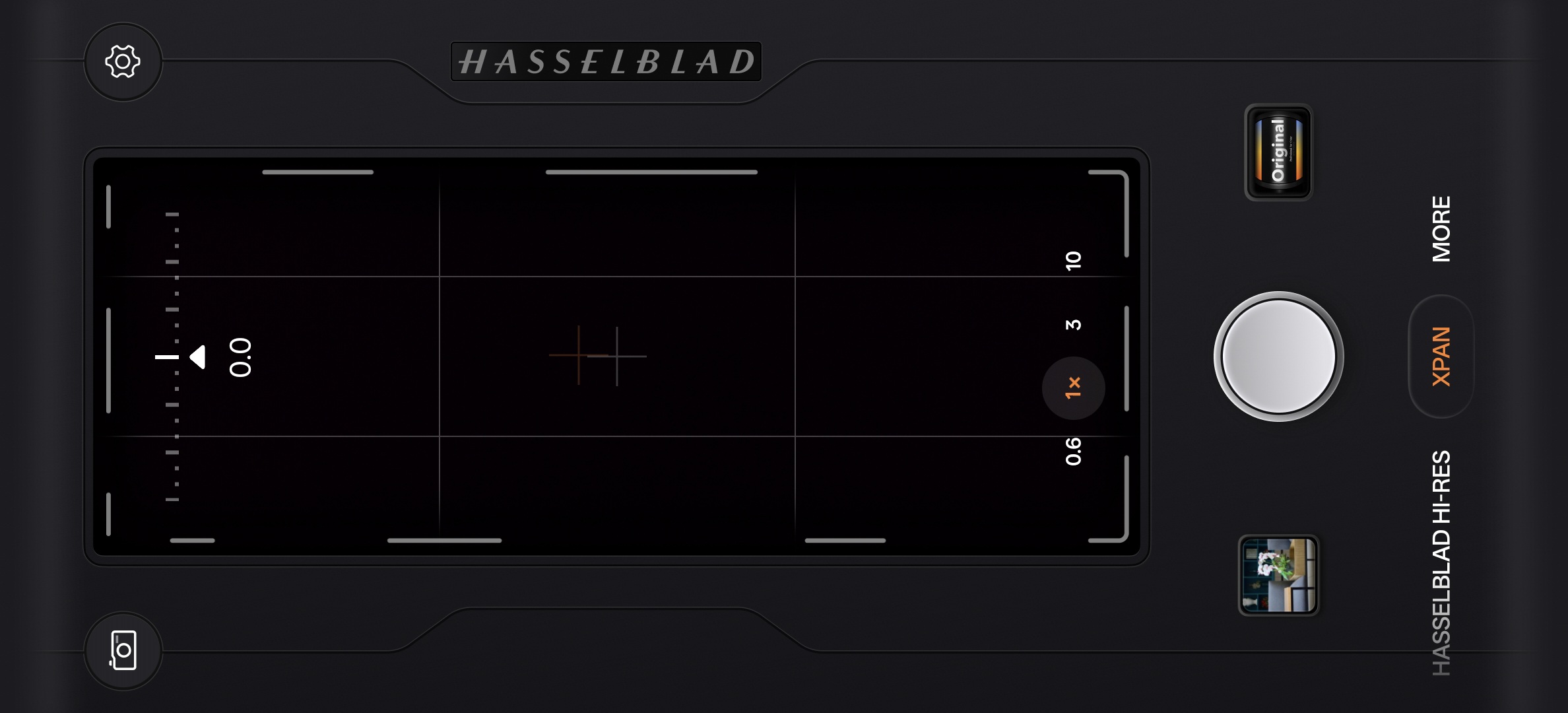
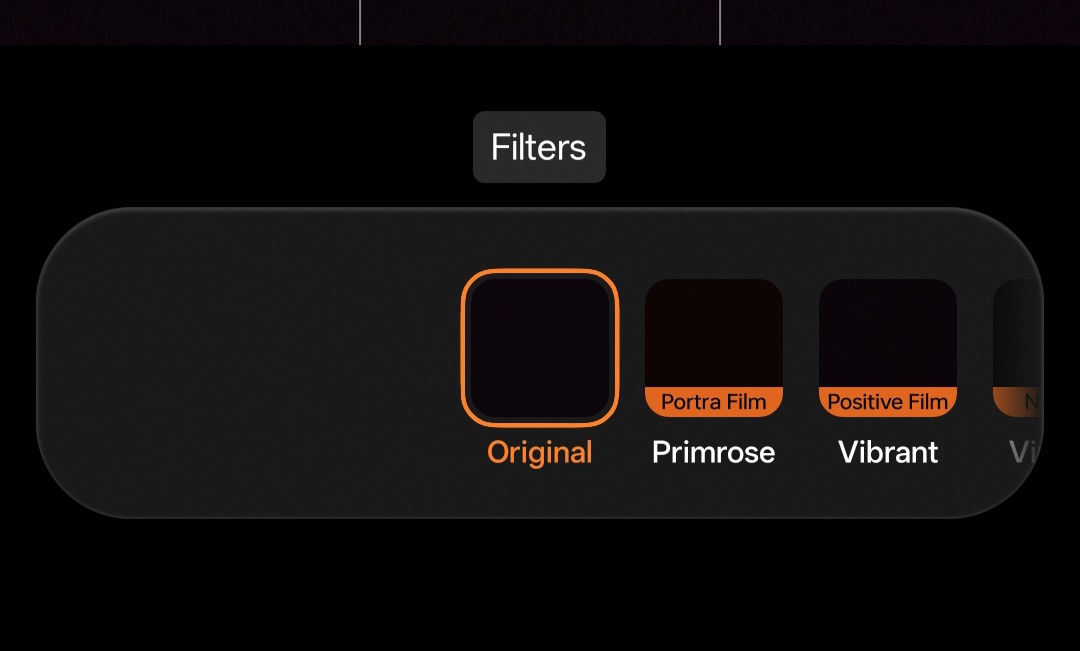
The same applies to OPPO’s filters. Unlike many smartphone filters that simply feel decorative, OPPO’s filters feel high-quality, intentional, and cinematic. They almost encourage users to think differently about the scene before pressing the shutter instead of relying on editing afterward. And honestly, that changes the emotional feeling of the camera app itself.
Samsung takes a deeper approach
Samsung approaches mobile photography very differently. At first glance, the Galaxy S26 Ultra camera app feels familiar and easy enough for casual users. Most people can simply open the app, point the camera, and get excellent results immediately.
But once you move beyond standard photography, Samsung’s ecosystem starts expanding into multiple layers. And this is where things get interesting. Samsung is not really building one camera app. It is building an entire photography ecosystem around the camera experience.
The stock camera app is only the beginning
Inside the main Camera app, Samsung already includes a large amount of functionality. Pro Mode lives directly inside the stock camera and allows standard pure RAW capture, something many smartphones still require third-party apps to achieve properly. That alone already gives users more manual photography control than most brands offer by default. But Samsung goes further.
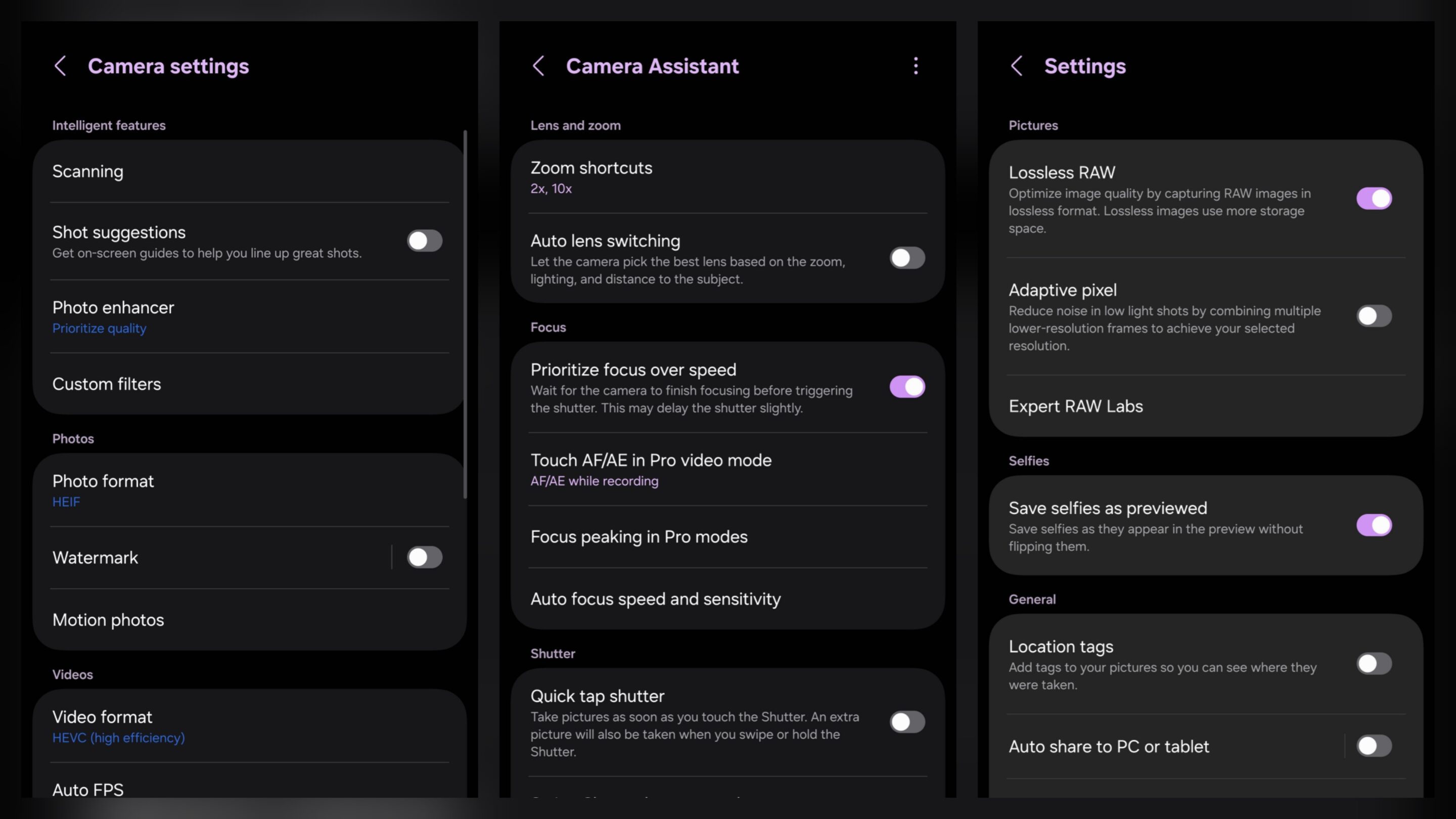
The second layer comes through Camera Assistant, a separate downloadable module that gives users deeper control over how the camera behaves. Lens switching, shutter response, focus priority, zoom shortcuts, transition speed, image softening, video softening, and much more can all be adjusted individually.
That level of behavioral control is rare on smartphones. And it reveals Samsung’s real direction. The company is not simply adding more features. It is allowing users to customize the camera system itself.
Expert RAW becomes its own photography system
Then comes the third layer: Expert RAW. Unlike OPPO, Samsung separates its advanced computational RAW workflow into a standalone app. Once installed, Expert RAW unlocks additional shooting tools and Labs features that go far beyond normal smartphone photography.
Features like Astrophoto, ND simulation, Multi Exposure, Virtual Aperture, and advanced long exposure tools all live here instead of inside the stock Camera app. The flexibility is genuinely impressive. But it also changes the experience.
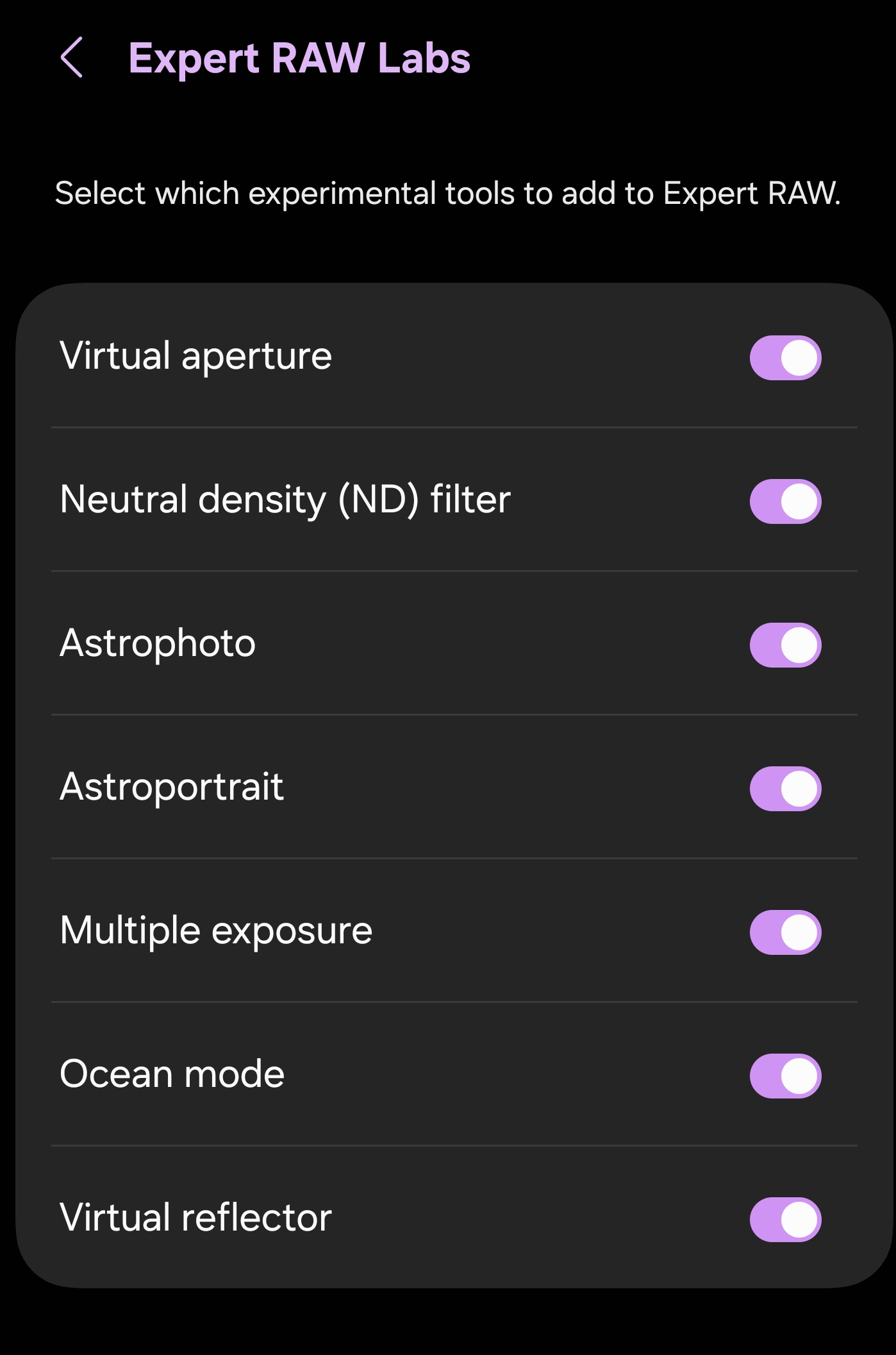
Samsung’s system starts feeling expandable rather than immediate. Users move between multiple photography environments depending on the type of shooting they want. For advanced users, that depth becomes extremely powerful. Still, for casual users, the ecosystem can sometimes feel more fragmented than OPPO’s simpler approach.
To Samsung’s credit, both Camera Assistant and Expert RAW still remain connected to the stock camera experience after setup. You can open the main app and still access the other two without going back. If Samsung allowed users to pin Expert RAW directly into the main camera bar through the More section, it would have enabled much faster access to its pro-grade camera pp. Hopefully, this is something the company will consider in the future.
Samsung gives control, while OPPO gives immediacy
This is the real divide between the two experiences.
Samsung rewards users who enjoy customizing settings, exploring workflows, and controlling how the camera behaves in different situations. The deeper you go into Samsung’s ecosystem, the more powerful it becomes.
OPPO takes the opposite direction. The Find X9 Ultra focuses on reducing friction. Creative tools stay connected to everyday shooting, which makes experimentation feel fast and natural instead of technical. You do not feel like you are entering another photography system just to become creative. You simply shoot differently.
One-handed usage reveals another difference
Ironically, despite Samsung’s more advanced ecosystem, One UI handles one-handed shooting better during long sessions. Most controls stay closer to the bottom half of the display, making adjustments easier without constantly changing your grip. On large phones like these, that optimization matters more than people expect.
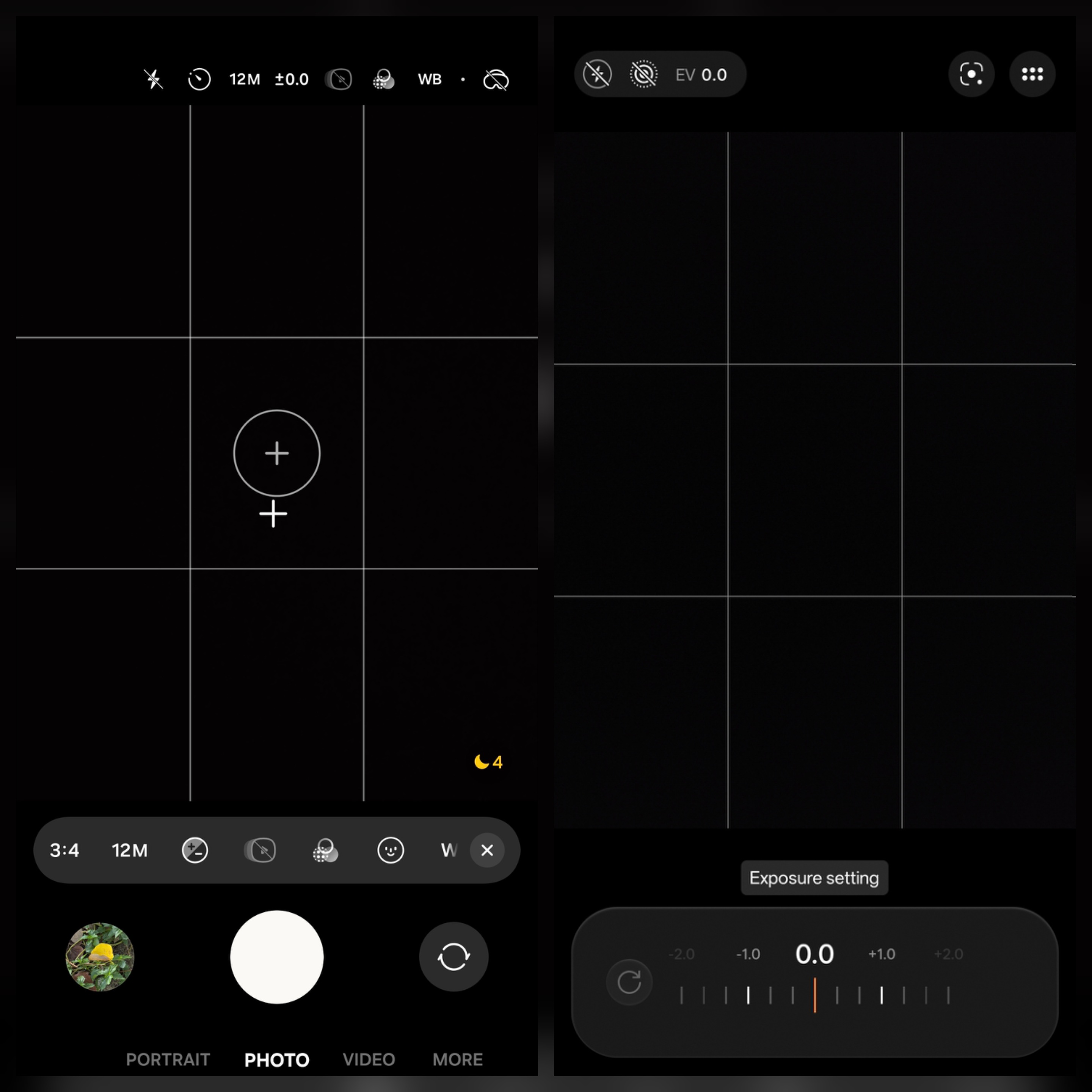
OPPO behaves differently. The interface feels cleaner and visually lighter, but some controls still require more upward movement before returning downward again. It never becomes uncomfortable, but Samsung’s layout feels slightly more optimized for repeated one-handed use.
Zoom interaction says a lot about both systems
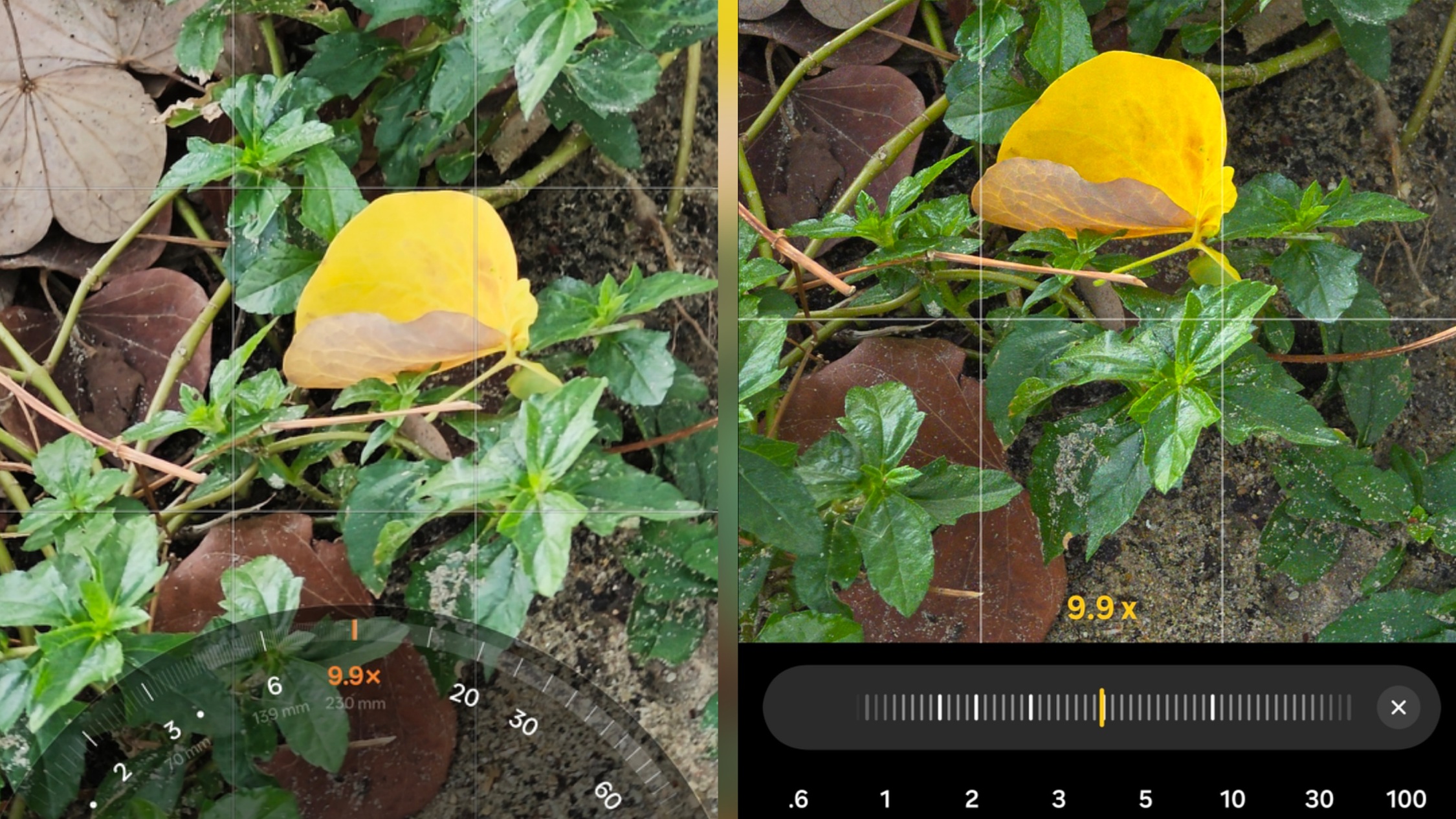
Even the zoom controls reveal how differently both companies think about interaction design. On the Find X9 Ultra, zooming feels smooth, fluid, and predictable. Fine adjustments are easier to control, making it much easier to stop exactly where you want between focal lengths. The movement feels natural and continuous.
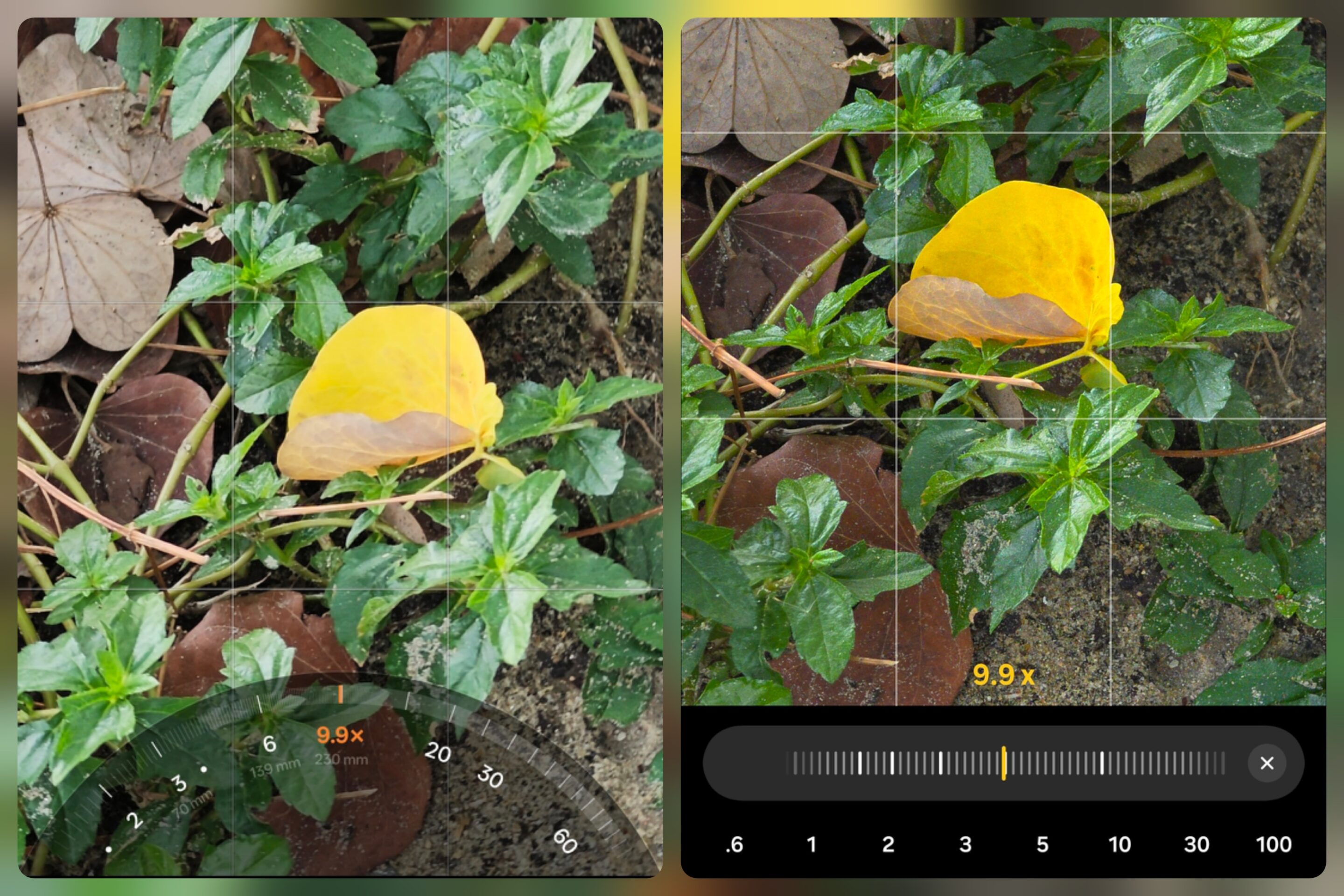
Samsung behaves more aggressively. The Galaxy S26 Ultra zoom bar itself feels smooth, but stopping precisely where you want can feel less predictable. Once your finger moves, the system tends to jump faster between zoom levels instead of allowing the same level of fine control.
Ironically, one of the smoothest ways to control zoom on Samsung is to use the volume buttons instead of relying completely on the default slider. This is one category where OPPO clearly wins. The smoother zoom interaction simply makes photography feel easier.
Both systems need setup, but only one feels fragmented
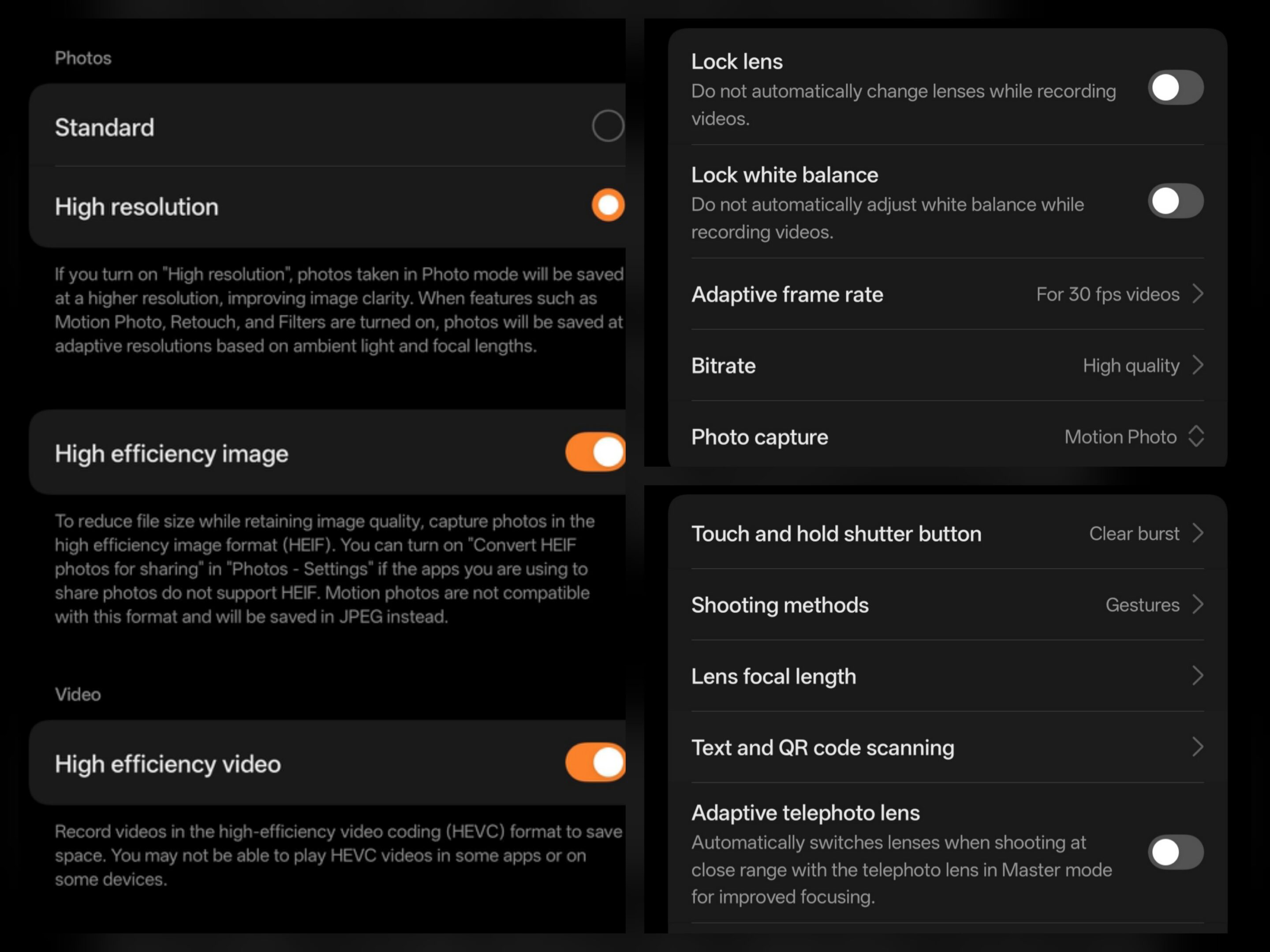
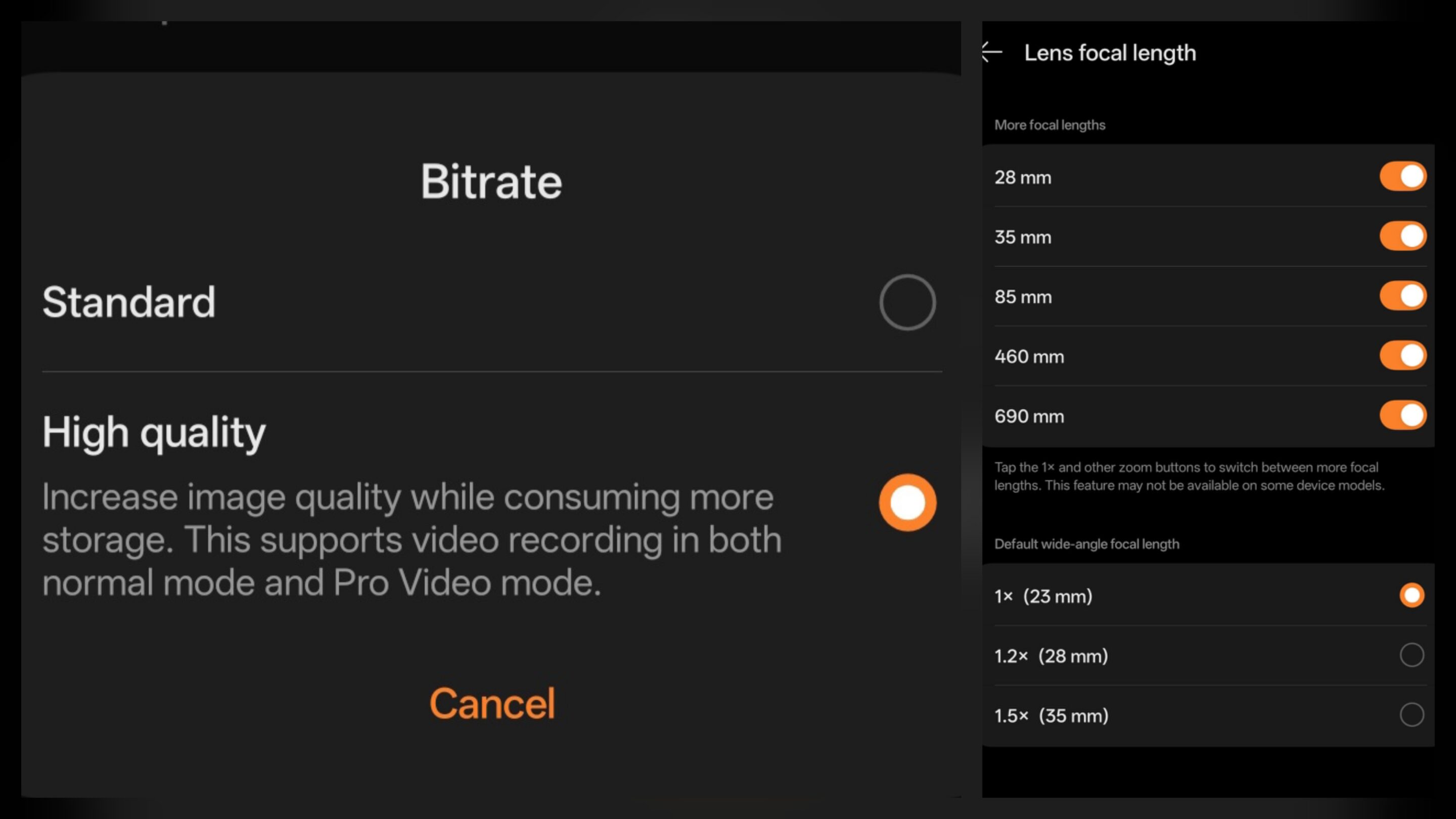
Neither phone delivers its best camera experience completely out of the box. The Find X9 Ultra still benefits from enabling settings like High Resolution photos, High Bitrate video, HEIF/HEIC format, Composition Assistant, Adaptive Frame Rate, and disabling Adaptive Telephoto for more consistent lens behavior.
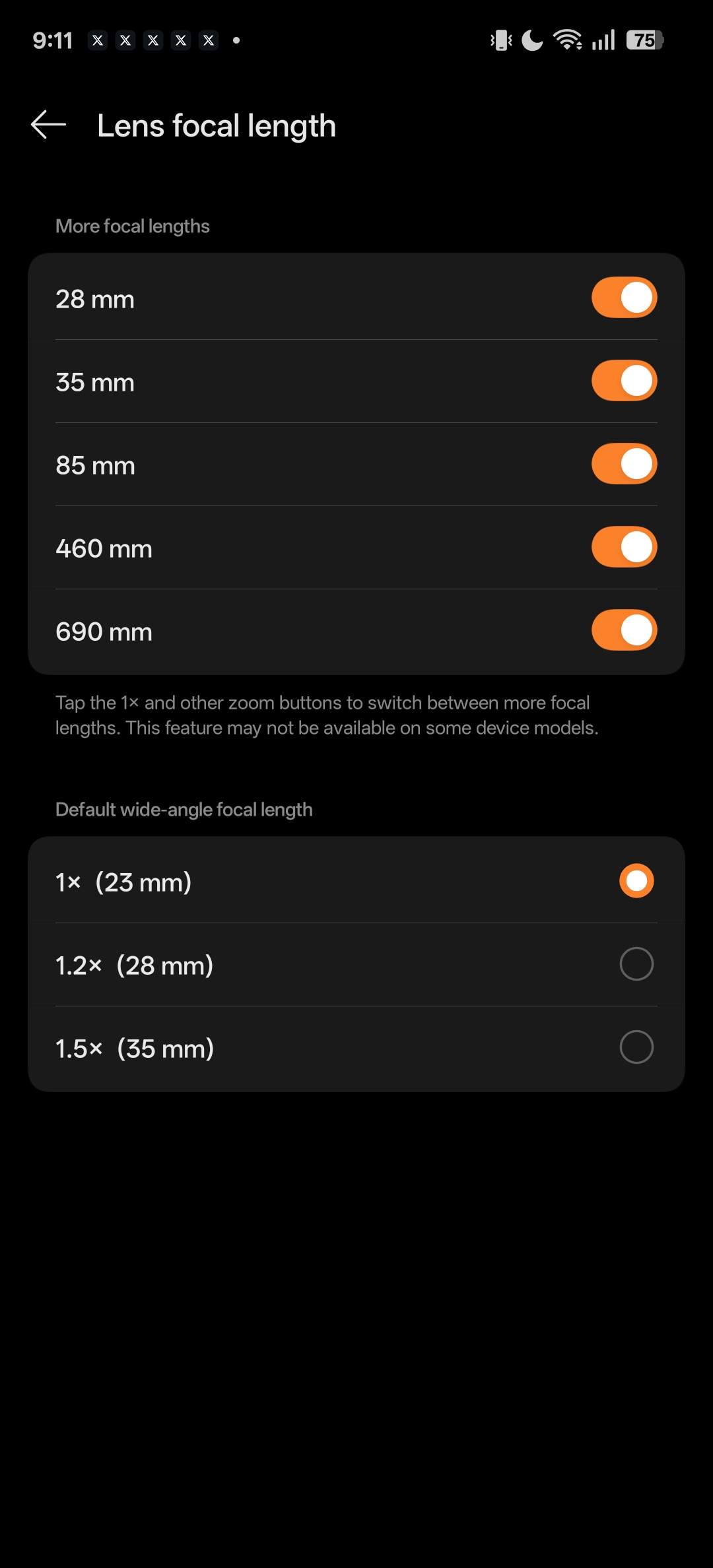
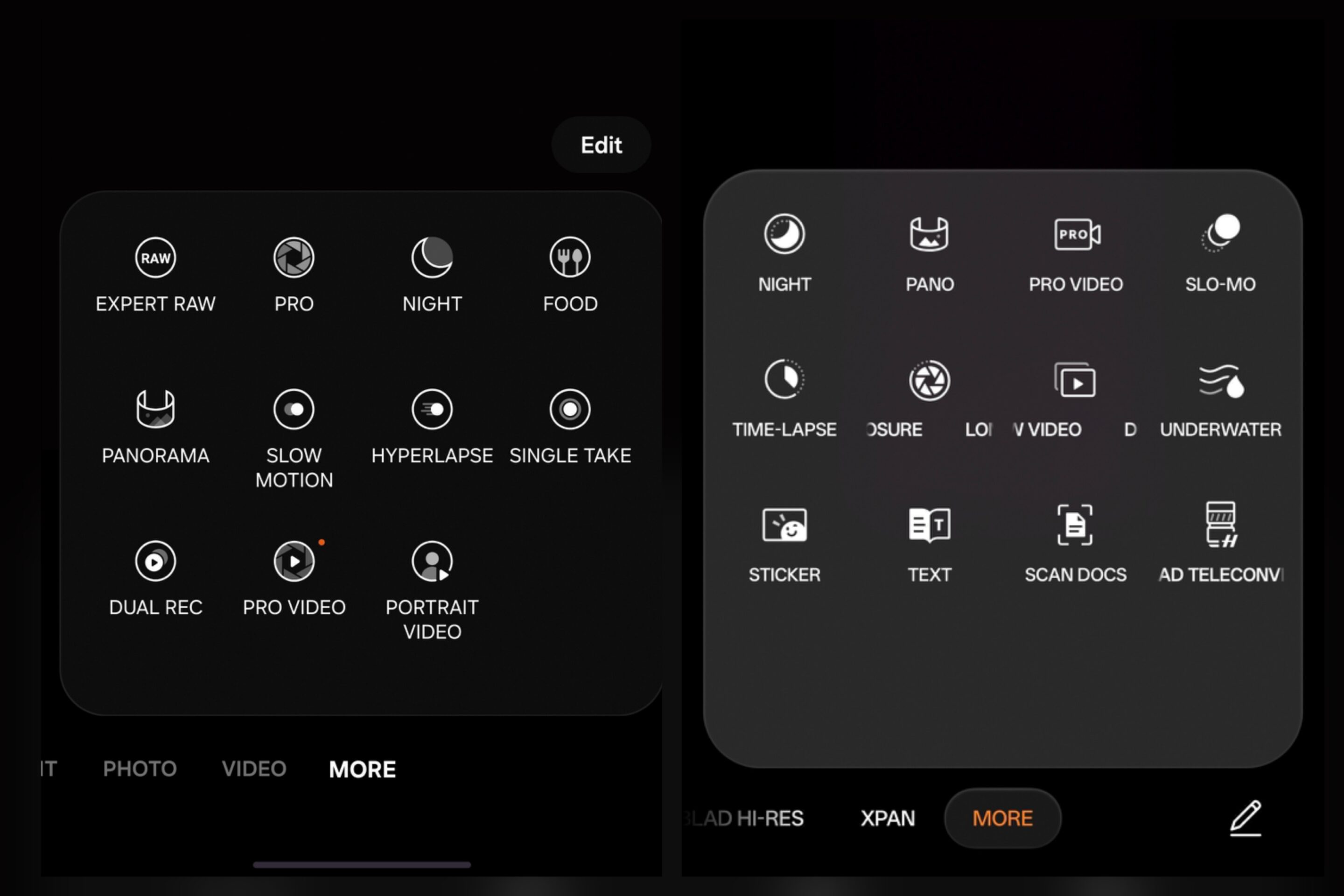
Samsung also requires setup, especially once Camera Assistant and Expert RAW enter the experience. But Samsung’s ecosystem keeps expanding over time. Camera Assistant evolves separately. Expert RAW evolves separately. New features continue appearing across multiple layers of the photography ecosystem. That creates more complexity for users and takes more time to fully optimize for the best experience.
Meanwhile, OPPO feels more self-contained. Less fragmented. Less workflow-heavy. Less mentally demanding during daily use. And honestly, that changes long-term usability more than specs alone suggest.
This is where everything connects
For pure practicality and speed, OPPO wins naturally. The interface flows better, creative tools feel more connected to everyday shooting, and the camera stays out of the way more often. The experience encourages users to capture moments first instead of configuring systems first.
I would comfortably rate the Find X9 Ultra around 8/10 for practical usability alone. But OPPO earns the extra half point because XPan mode and the filter system genuinely improve the creative identity of the camera instead of feeling like optional effects added afterward. That brings OPPO to 8.5/10.
Samsung starts differently. Out of the box, the experience feels more layered and slightly more complicated. In pure simplicity and accessibility, it lands closer to 7.5/10 initially.
But once fully configured, Samsung reveals one of the deepest smartphone camera ecosystems currently available. The combination of pure RAW capture, computational RAW, Camera Assistant tuning, Expert RAW tools, and advanced workflow flexibility creates a system that scales far beyond casual photography.
That depth earns Samsung back the full point. Which also brings the Galaxy S26 Ultra to 8.5/10. And honestly, that draw feels right. Samsung may offer a deeper photography ecosystem overall, especially for users who enjoy control, customization, and advanced workflows. But OPPO still wins the practical camera experience. The Find X9 Ultra simply creates less distance between seeing a moment and capturing it.


Follow us on Google Discover & set us as a preferred source in Google News
Share this Post
___________________________


New Blog Posts
___________________________
Samsung SDI Inks Major AI Data Center Battery Contract
The firm supplies its cylindrical cells to Simplo Technology
The One Thing I Hate Most About Samsung’s One UI Beta Brogram
No, it’s not bugs or software stability!
Samsung Eyes More DRAM Price Hikes Amid Supply Crunch
This comes as shortages continue across several memory products