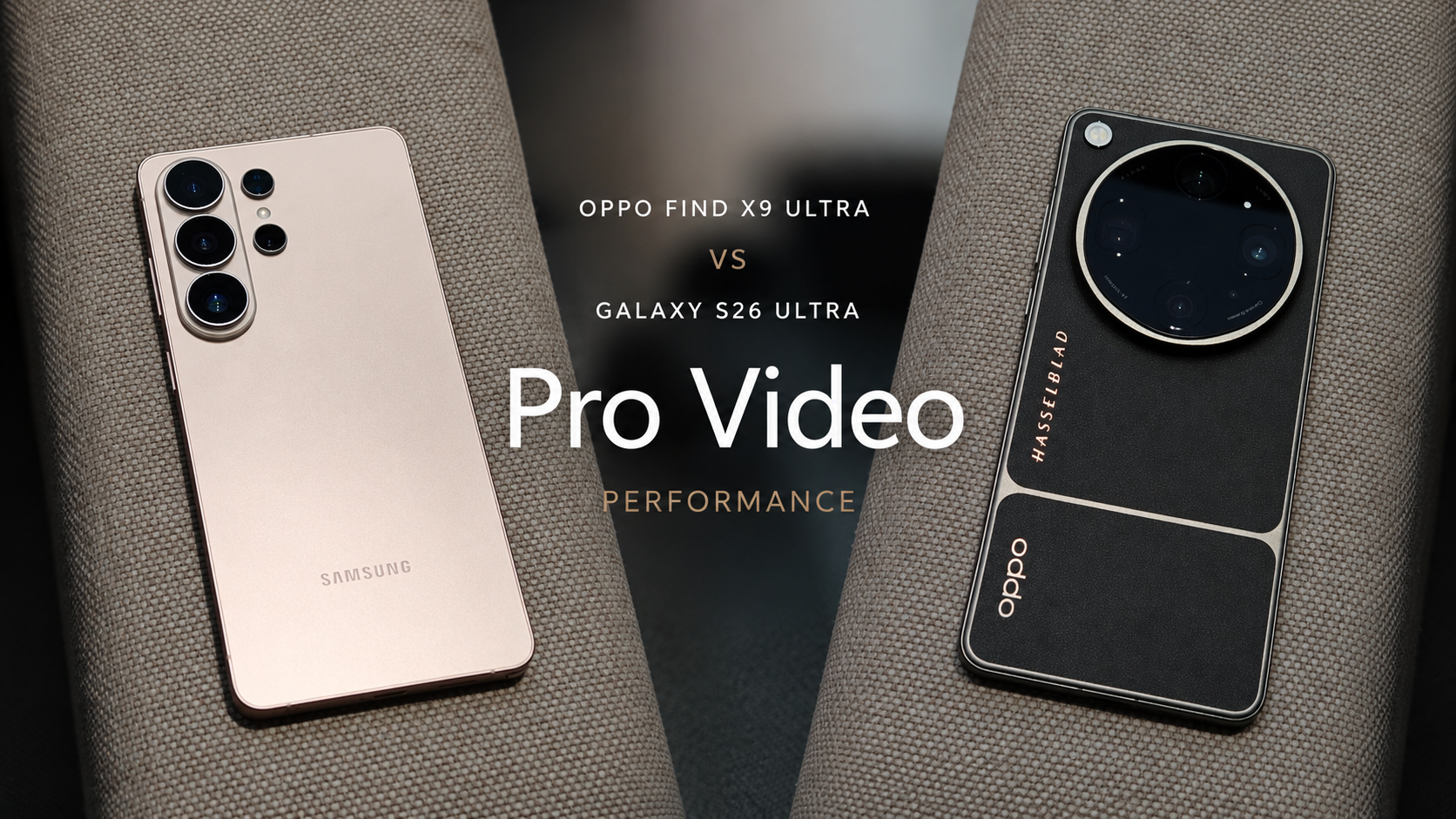
OPPO Find X9 Ultra vs Galaxy S26 Ultra: Pro Video Performance
SammyGuru is reader-supported. We have affiliate and sponsored partnerships, so we may earn a commission when you buy through links on our site — at no extra cost to you. Learn more.
In this article
- Image Quality: Samsung Steps Back to Move Forward
- Stabilization: Some Things Don’t Change
- Lens Switching While Recording: The Deepest Divide
- Highlight Control: Where Automation Still Matters in Manual Mode
- Professional Creator Workflow: Samsung Builds for After the Shoot
- Pro Video Performance Verdict
- Current Comparison Standing
- Related Deals
The Auto Video comparison between the OPPO Find X9 Ultra and Galaxy S26 Ultra established two clearly separated philosophies. OPPO delivered the stronger image quality, while Samsung countered with the more complete recording system. Pro Video performance, however, doesn’t follow the same script.
Pro Video mode dismantles that separation almost immediately because the moment both devices move out of automatic processing and into manual control, Samsung’s image quality changes in a way that reframes the entire conversation. That shift is where Pro Video becomes genuinely interesting.
Image Quality: Samsung Steps Back to Move Forward
The biggest revelation in Pro Video isn’t a new feature or a hidden specification. It’s what Samsung stops doing. Moving from Auto Video into Pro Video fundamentally changes how the Galaxy S26 Ultra renders footage.
The processing pipeline becomes noticeably less interventionist overall. Sharpening is reduced, textures resolve more naturally, and fine detail survives without the over-processed edge enhancement that makes Auto Video footage feel worked on rather than captured. The result is footage that feels considerably closer to what the hardware is actually capable of producing.
That single behavioral change dramatically reduces the image quality gap OPPO established in Auto Video. The Find X9 Ultra continues delivering outstanding footage across its telephoto system, particularly in more demanding lighting where hardware strength is hardest to hide.
But Samsung is no longer being held back by its own processing decisions. Across multiple testing scenarios, the Galaxy S26 Ultra produced footage that matched OPPO directly. And in certain scenes with favorable conditions, it edged marginally ahead despite carrying comparatively smaller telephoto hardware.
The most important distinction to understand here is that the hardware hasn’t changed. The sensors are identical to what they were in Auto Video. What changed is the software behavior around them, and that change is enough to shift image quality from a clear OPPO advantage into a genuine contest. Image quality in Pro Video belongs to Samsung by a narrow but real margin.
Stabilization: Some Things Don’t Change
Pro Video mode changes many things about how these two cameras behave, but stabilization isn’t one of them. Samsung continues to deliver the more reliable stabilization system across every focal length, just as it did in Auto Video. Handheld walking shots remain composed and predictable. Lens-to-lens consistency holds regardless of which focal length is in use. Users can trust the result before the record button is pressed, which is precisely the kind of behavioral reliability that professional recording situations demand most.
OPPO’s stabilization remains capable but uneven. The 3x camera inconsistencies that appeared in Action Video and carried through Auto Video are still present in Pro Video. They remain visible with and without Ultra Steady enabled. That gap between potential and output remains the most persistent frustration in the Find X9 Ultra’s video system. Professional contexts amplify inconsistency rather than hiding it, and Samsung holds this round as clearly as it did before.
Lens Switching While Recording: The Deepest Divide
This is where the comparison shifts decisively, and where the gap between these two phones reveals something fundamental about how each manufacturer defines professional.
Samsung’s Pro Video mode locks the recording to the lens selected before the record button is pressed. Switching from ultra-wide to primary, from primary to 3x, or between any other focal length requires stopping the recording completely, selecting the new lens, and resuming from scratch. The footage is preserved, but the continuity is gone, and in unscripted situations, continuity is often the footage.
OPPO takes a fundamentally different approach. The Find X9 Ultra allows seamless lens switching across all four cameras — ultra-wide, primary, 3x, and 10x without interrupting recording, behaving identically to how it functions in Auto Video. A single clip can evolve naturally from wide to telephoto and back again as the scene demands, with no break in footage and no interruption in the moment being captured.
The gap between those two approaches is not a convenience difference. It is a philosophical difference about what professional recording should require on a modern multi-camera smartphone. Real recording situations, such as live events, documentary moments, travel footage, and unscripted human behavior, do not pause while an operator stops recording, selects a new lens, and resumes.
The ability to follow a scene continuously as it changes is one of the defining characteristics of a professional smartphone video workflow, and it is available on one of these phones inside Pro Video and absent on the other. A professional video system should adapt to the scene.
OPPO understands this more completely right now, and this round belongs to the Find X9 Ultra clearly.
Highlight Control: Where Automation Still Matters in Manual Mode
Pro Video’s shift toward manual control reveals an unexpected trade-off in Samsung’s system. The more restrained processing pipeline that improves Samsung’s Pro Video image quality also leaves less margin for error when automatic exposure encounters difficult lighting.
In mixed sources, bright windows, and high-contrast outdoor scenes, highlights clip more aggressively than they do in Auto Video, requiring more immediate manual intervention through ISO, shutter speed, or EV compensation to recover detail before it is lost. Professional users are accustomed to making manual adjustments. What they rely on, however, is a stable automatic foundation to adjust from rather than a starting point that already requires correction.
OPPO’s automatic foundation in Pro Video is more forgiving. The Find X9 Ultra preserves highlight detail more consistently without immediate manual intervention, giving users a wider margin before correction becomes necessary. During fast-moving shoots where pausing to dial in exposure is not always practical, that margin translates directly into more usable footage from moments that cannot be repeated.
Samsung offers greater depth of manual control overall, while OPPO delivers the more reliable automatic starting point. In unpredictable shooting conditions, where the recording starts matters as much as the controls available to adjust it.
Professional Creator Workflow: Samsung Builds for After the Shoot
If OPPO owns the recording experience, Samsung owns everything that happens after it. The Galaxy S26 Ultra offers one of the most complete professional creator workflows currently available on a smartphone. Inside Pro Video, users can record in APV alongside Standard Log and HDR Log recording, while previewing LUTs live during filming. That combination allows creators to visualize their intended look before recording begins while maintaining significantly greater flexibility during editing.
Samsung’s most significant post-production advantage, however, appears in how Log footage is handled after recording ends. Log files are preserved as untouched master recordings, while LUTs can be applied and changed non-destructively directly inside the Gallery app. Different grades can be previewed, adjusted, and swapped without touching the original footage.
For creators who iterate through color approaches or deliver to multiple specifications, that workflow removes an entire layer of file management that typically requires dedicated desktop software.
OPPO’s approach is more constrained in this area. Log footage recorded without a LUT stays in Log until graded externally. If a LUT is applied during recording, it is baked directly into the saved file. The original Log master does not survive. That creates a creative commitment at the moment of recording that Samsung’s system simply does not require.
Both approaches can produce professional-quality results. However, Samsung’s non-destructive structure gives creators more room to work and more freedom to change direction later. Post-production workflow belongs to Samsung, and the margin here is not narrow.
Pro Video Performance Verdict
Pro Video tells a different story from Auto Video. It exposes that Samsung’s imaging system is capable of delivering considerably more than its Auto Video mode typically reveals. Processing restraint, APV support, Standard Log and HDR Log recording, live LUT preview, non-destructive color grading, and stabilization that holds across every focal length combine to make the Galaxy S26 Ultra a genuinely capable production tool stronger across more dimensions here than the Auto Video comparison suggested.
And yet OPPO earns the verdict.
The lens switching capability is the deciding factor not because it outweighs every other element in isolation, but because of when it operates. Professional filmmaking is a capture discipline before it is an editing discipline. The moments that define footage happen during recording, and they do not wait for a camera operator to stop, switch lenses, and resume.
Samsung’s decision to lock lens selection before recording begins is a huge constraint in exactly the conditions Pro Video mode is designed for. Paired with OPPO’s more forgiving highlight behavior during fast-changing situations, the Find X9 Ultra’s capture experience holds a structural advantage that Samsung’s post-production depth cannot fully reverse. OPPO adds one point to the overall scorecard.
Current Comparison Standing
This series tracks what genuinely shapes long-term ownership camera behavior, endurance, charging flexibility, usability, and software refinement rather than isolated specification wins. After Telemacro Capability, Zoom Performance, Design, Camera Usability, Pre-order and Unboxing, Auto Mode Photography, RAW Photography, Special Modes, Slow Motion, Action Video Mode, and now Pro Video, OPPO extends its lead to its widest margin yet.
OPPO holds 16 points to Samsung’s 14, a two-point gap that reflects something this comparison has been building toward across multiple categories. Samsung continues to demonstrate the most refined post-production ecosystem and software infrastructure available on any Android flagship today. OPPO continues to remove limitations from the act of capturing footage itself.
Portrait Photography, Display Quality, UI and Ecosystem, Audio Performance, and Long-Term Software Experience remain ahead, and each carries genuine weight in the final outcome. The clearest insight Pro Video leaves behind is one that extends well beyond this comparison: the definition of a professional smartphone video system is still being written.
Hardware capability, codec depth, and software maturity have always defined the conversation. Increasingly, workflow architecture the decisions embedded in what a camera can and cannot do during the act of recording is becoming the dimension that separates capable flagships from genuinely professional ones. That shift may matter more to the next generation of smartphone creators than any specification on a product page.
Related Deals



Follow us on Google Discover & set us as a preferred source in Google News
Share this Post
___________________________


New Blog Posts
___________________________

Quick Share and AirDrop Found Vulnerable to Nearby Wireless Attacks
The good news is that most of the flaws have already been patched
Breaking: Samsung Officially Teases New Galaxy Z Fold 8 (Wide)
“New Shape. New Joy” it is!
When I Get Galaxy Glasses, I’ll Want the Galaxy Ring Too
The Ring finds its perfect match