
Google Messages Rolls Out Real-time Location Sharing

SammyGuru is reader-supported. We have affiliate and sponsored partnerships, so we may earn a commission when you buy through links on our site — at no extra cost to you. Learn more.
While Google Messages offers most modern chat features, it has long lacked one key tool: real-time location sharing. The company has now finally brought live location sharing capability to conversations. The feature is currently rolling out widely to users in both the stable and beta channels.
Google Messages now lets users share real-time location
Google Messages already offers a way to share location using a Google Maps link. Of course, this is a useful feature, but it lets users send a static, one-time location. Thankfully, you can now share your live location, allowing others to see your movements in real time. This comes in handy in several situations, like meeting mates in crowded spots or letting family know you’ve arrived safely.
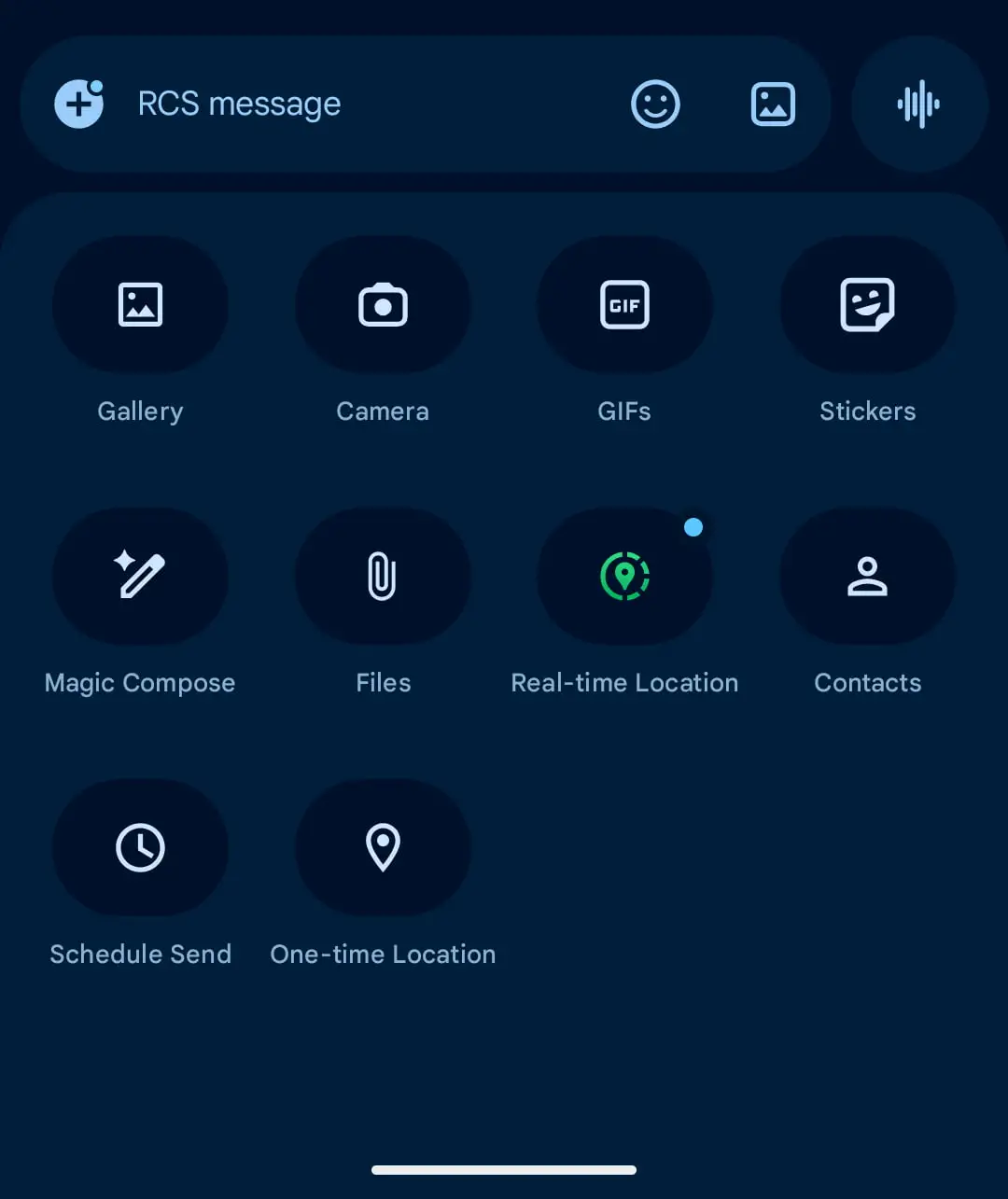
To use the feature, you need to tap the “plus” menu in a conversation. Now, you will see a new “Real-time Location” option. Selecting it opens a live map interface with options to choose the duration for shared location. These include For 1 hour, Today only, Until you turn this off, and Custom duration. Note that the last option lets you set a specific time period for sharing, but it cannot exceed 24 hours.
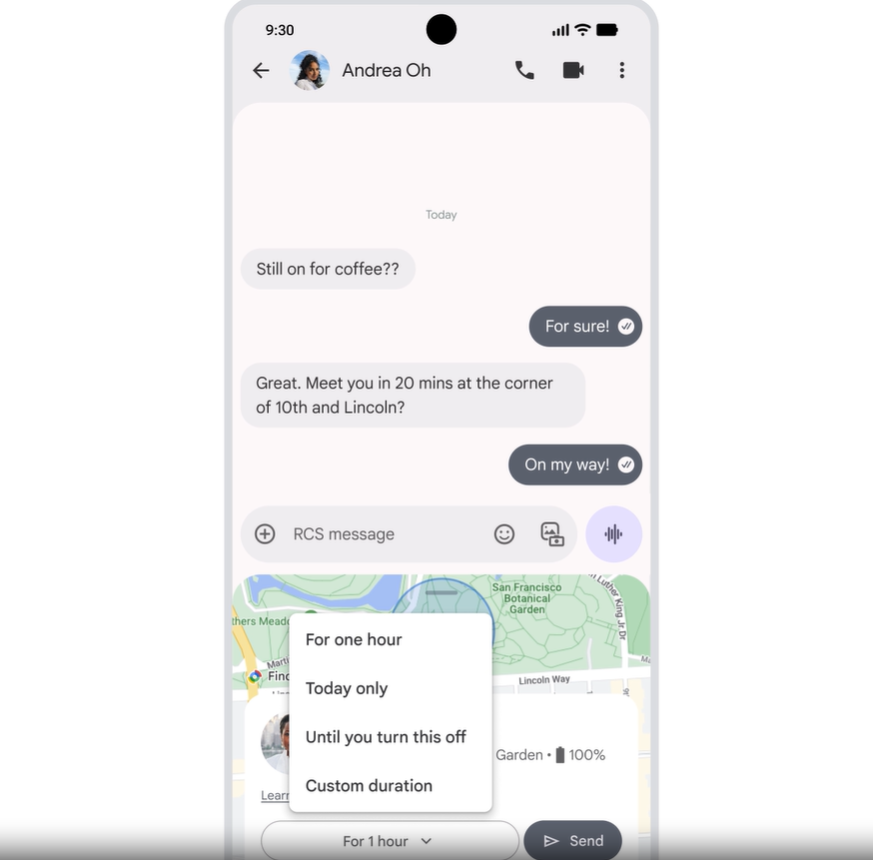
Once you tap “Send,” the app will add a live map to the conversation thread. The recipient can open it to view your location in real time. They will see a prompt “See my real-time location,” for easy access. So, now you don’t need to switch to another app to share your live location.
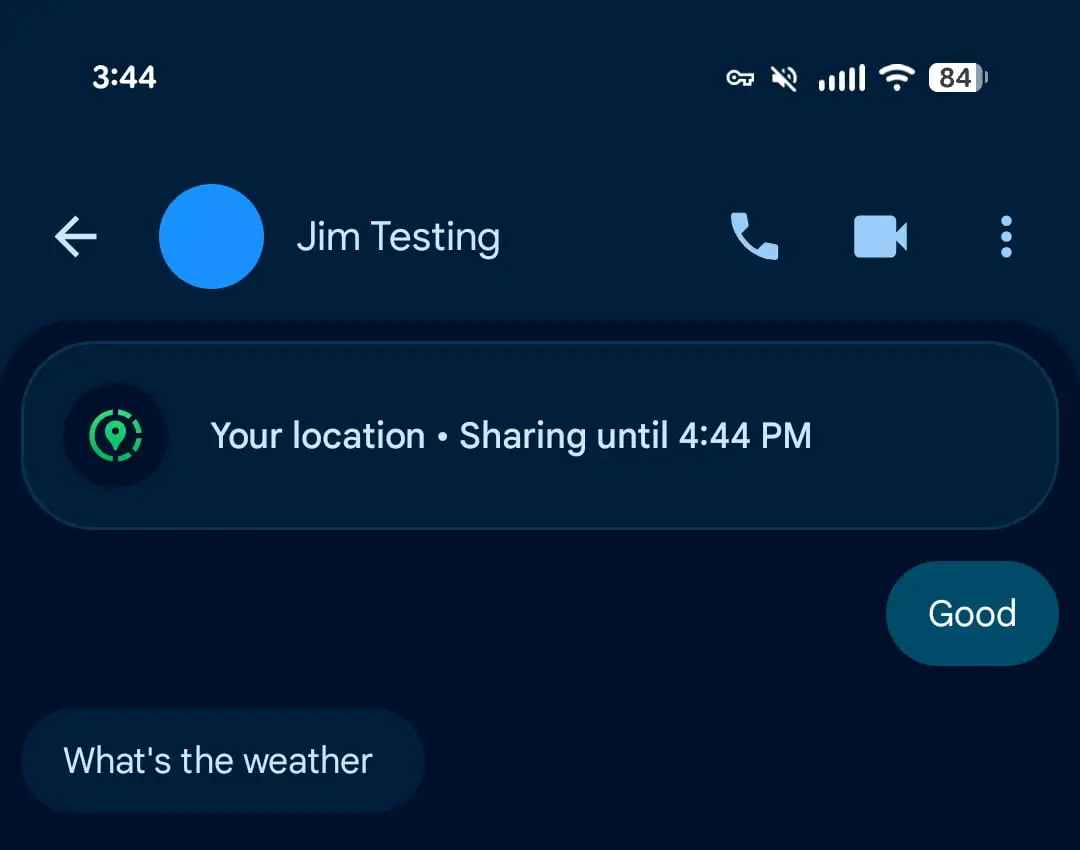
The good thing is that Google has also focused on privacy and transparency. You will see a banner below the app bar when location sharing is active. It shows who you are sharing with and how long it will continue. As such, you remain aware that your location is being shared and can stop it at any time if you no longer want to.

Written by
Binay KonwarBinay Konwar started his blogging journey in 2014 and has since written plenty of tech articles. At present, he is working as a News Writer at SammyGuru, covering everything about Samsung. He holds a Master's degree in Mathematics, but his real passion lies in tech and writing. In his free time, he enjoys playing chess and watching movies.

Follow us on Google Discover & set us as a preferred source in Google News
Share this Post
___________________________


New Blog Posts
___________________________

Samsung Quietly Listed a New Entry Level 990 PCIe 4.0 SSD
It drops DRAM for HMB

Samsung’s First Bone-Conduction Earbuds May Be Called Galaxy Able
Name hidden no more

Samsung Accidentally Confirms Galaxy Watch 9 and Galaxy Watch Ultra 2
Coming very soon







