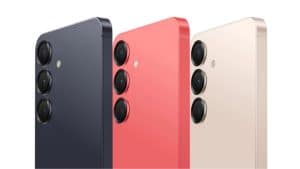
Everything New in Android 17: Some Exciting Updates for Galaxy Users
SammyGuru is reader-supported. We have affiliate and sponsored partnerships, so we may earn a commission when you buy through links on our site — at no extra cost to you. Learn more.
In recent years, Google has greatly improved Android, with a stronger focus on AI. The company recently announced a host of new features coming with Android 17 (and One UI 9 for Galaxy users), taking the software experience to the next level. These include Gemini Intelligence, smarter browsing, redesigned Android Auto, advanced security protections, improved sharing tools, new creator experiences, and more.
Google says Android has entered an “agentic Gemini era,” where devices can do so much more for you. The company is now aiming to transform Android into an intelligent system that can better understand your needs. This move will allow you to spend less time looking at screens and more time on the things you love. Here’s what Android 17 is all about:
1. Gemini Intelligence
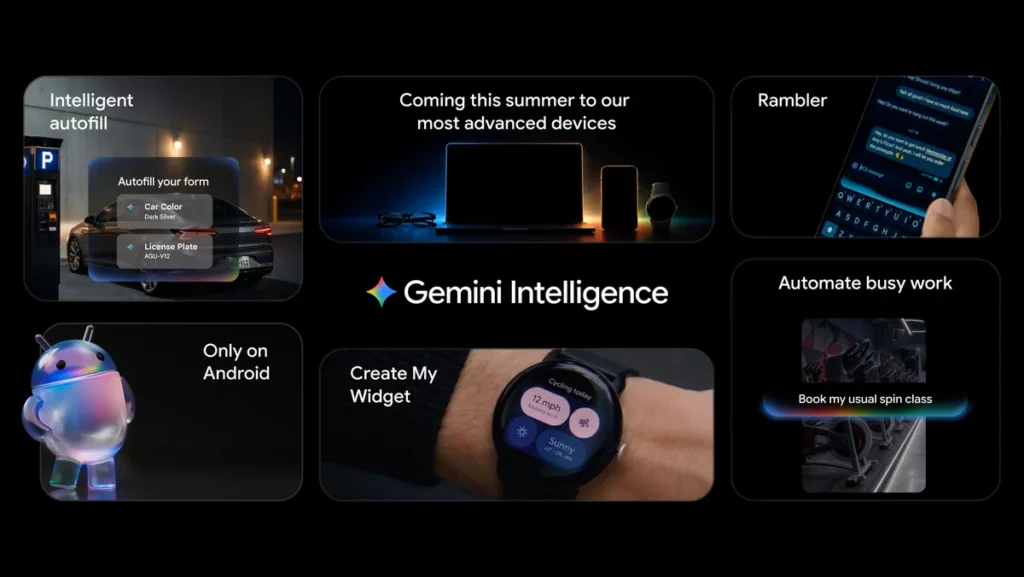
Gemini has already become an integral part of Google’s ecosystem. Now the company is bringing the best of its AI capabilities on Android through what it calls “Gemini Intelligence.” The new AI system combines premium hardware and innovative software to offer a more proactive experience throughout your day.
Gemini Intelligence can understand screen and image context, eliminating the need to manually switch between apps and copy information. For example, if you have a grocery list open in a notes app, you can simply long-press the power button over the list and ask Gemini to create a shopping cart for the items.
Google will roll out Gemini Intelligence first on the latest Galaxy and Pixel devices this summer. It promises to bring the feature to other Android category devices (watch, car, glasses, and laptops) later this year.
Furthermore, the Mountain View giant says Autofill has now evolved into a more intelligent assistant thanks to Gemini’s Personal Intelligence. Android can automatically fill out more text fields across your apps, including Chrome.
2. Gemini in Chrome for Android
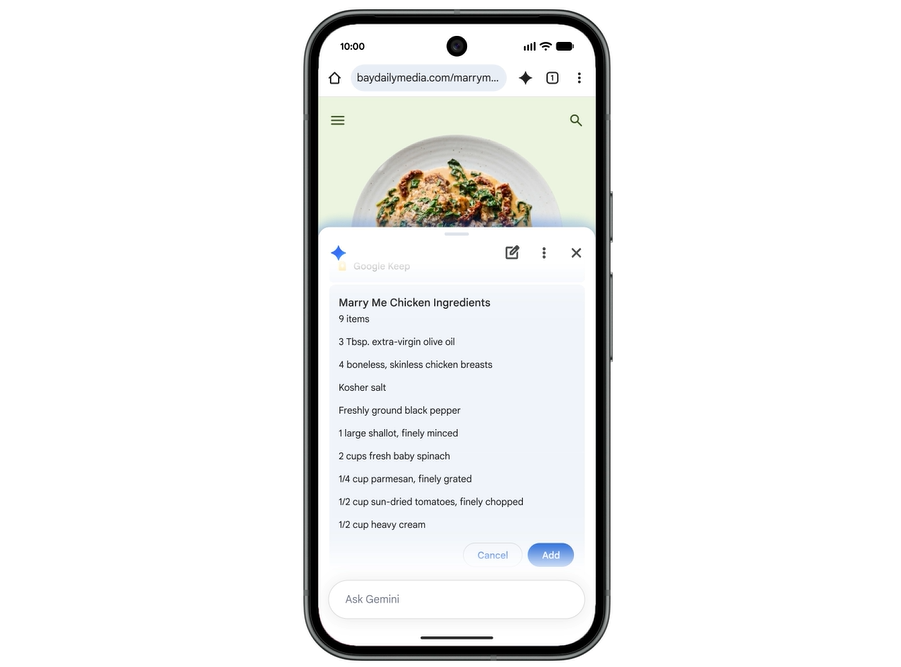
Google will bring Gemini into Chrome on Android devices next month, letting you access a built-in AI assistant. This will make it easier to do tasks like researching topics, summarizing articles, compare content across the web. You will see a Gemini icon in the top right of the Chrome toolbar. Tapping the icon opens the AI at the bottom of the screen, so you can easily interact with the AI.
The new browsing experience is powered by Gemini 3.1, the company’s most intelligent AI model. The company is also introducing Auto Browse so you can handle tedious tasks more easily. With Gemini in Chrome, you can connect your favorite Google apps to unlock productivity tools.
3. Android Auto gets a major redesign
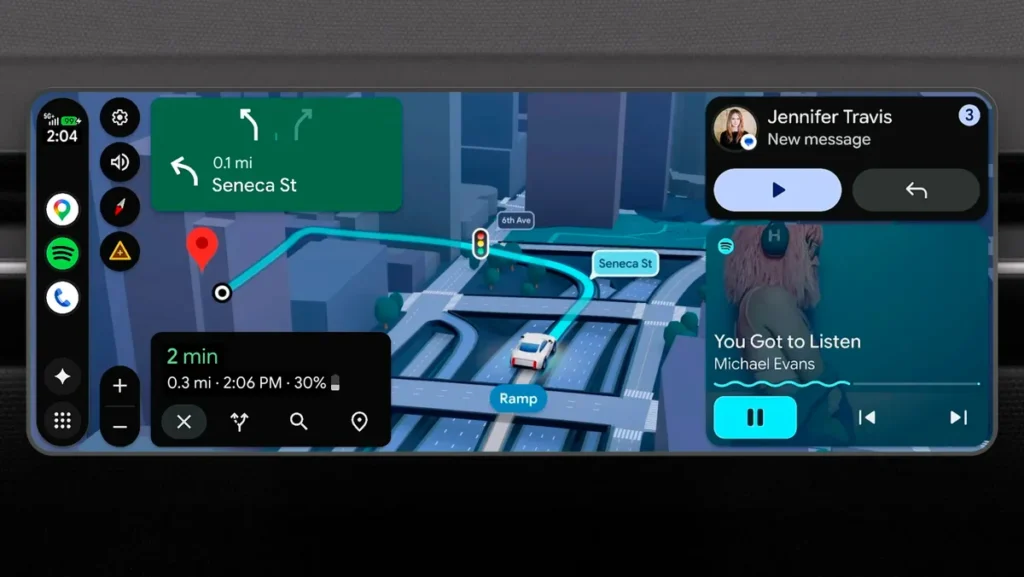
Google also announced a big upgrade for Android Auto and vehicles with Google built-in systems. The company is redesigning Android Auto using its Material 3 Expressive design language. The new interface includes a modern appearance, glanceable widgets, and edge-to-edge Google Maps integration. It will fit different screen shapes and sizes found in modern vehicles, including ultrawide rectangle displays.
Thanks to Immersive Navigation, it shows detailed 3D visuals of buildings, terrain, overpasses, and more, rendered more realistically. Key road details, such as traffic lights, lanes, and stop signs, will also become easier to see, boosting drivers’ confidence.
Google also confirmed that Gemini Intelligence (if your device supports it) will be part of Android Auto later this year. This means you will be able to experience more advanced conversational AI features while on the road.
4. New features for creators
Google is also introducing several new features for creators and social media users with Android 17. One such feature is Screen Reactions, which lets you record yourself and your phone screen simultaneously. It comes in handy for making reaction videos without requiring third-party apps or green-screen setups.
Google also teamed up with Meta to improve Instagram experiences on Android devices. This includes ultra HDR capture and playback, built-in video stabilization, and night sight integrations. As a result, you can capture higher-quality content from Android phones.
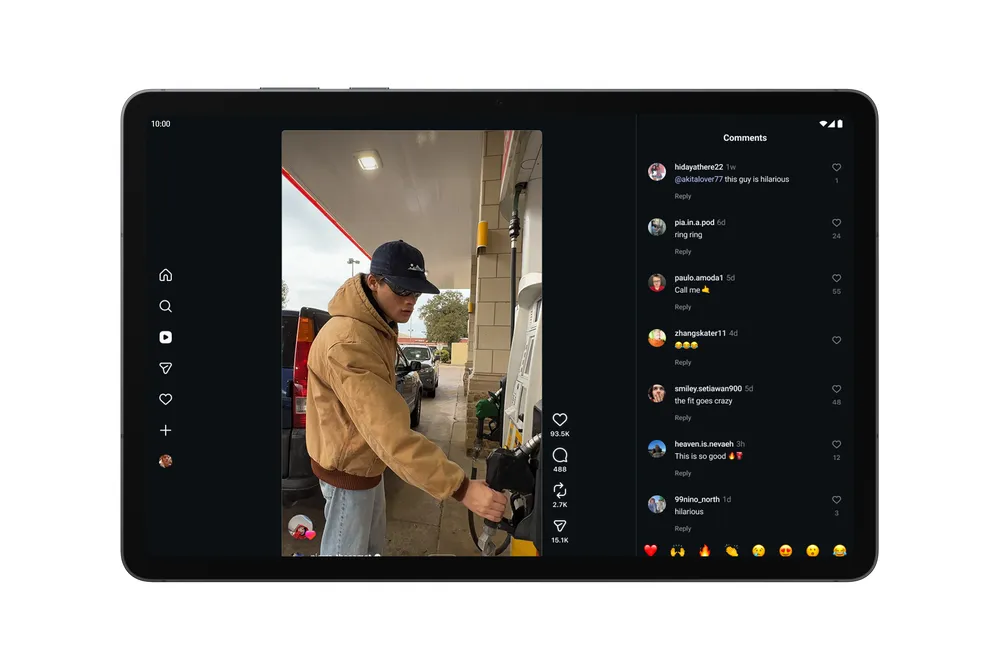
Instagram’s Edits app on Android gains new tools that turn raw footage into polished content in seconds. If you’re working on larger screens, such as Android tablets, you can now experience an optimized Instagram that better uses available screen space. Furthermore, Google says Adobe Premiere is coming to Android soon.
5. Easier file sharing and iPhone switching
Google also announced improvements that make sharing and switching between devices easier. Quick Share is becoming compatible with AirDrop on select Android phones. If your device does support this feature, you can generate a QR code to share files with iOS devices via the cloud. In the future, Quick Share support will also be available inside WhatsApp.
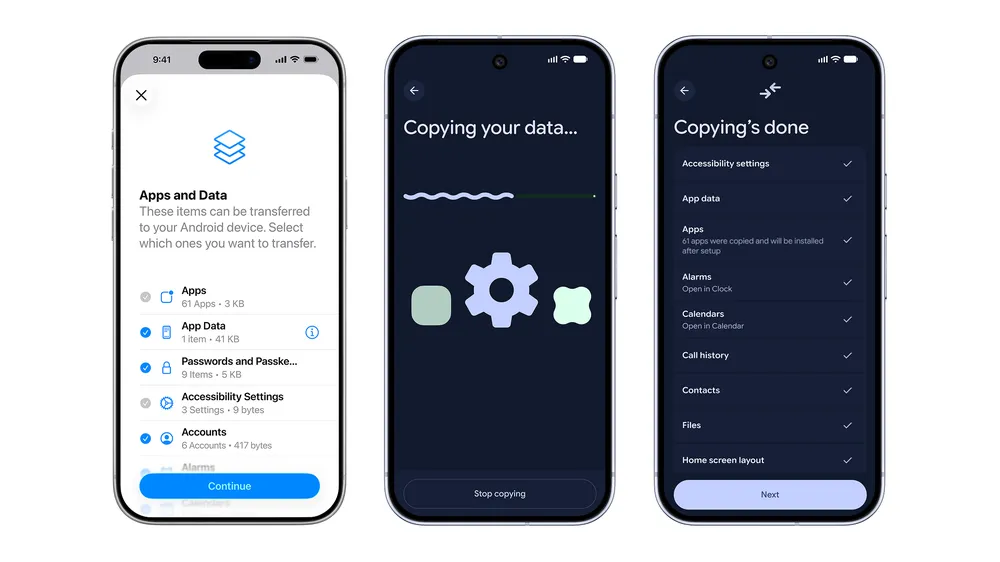
The company also worked with Apple to improve the iOS-to-Android transfer process. The new system lets you wirelessly migrate passwords, contacts, messages, photos, apps, and home screen layouts from iPhones to Android devices. It also supports eSIM transfers, arriving first on Samsung Galaxy and Google Pixel phones sometime this year.
6. Pause Point reduces mindless scrolling
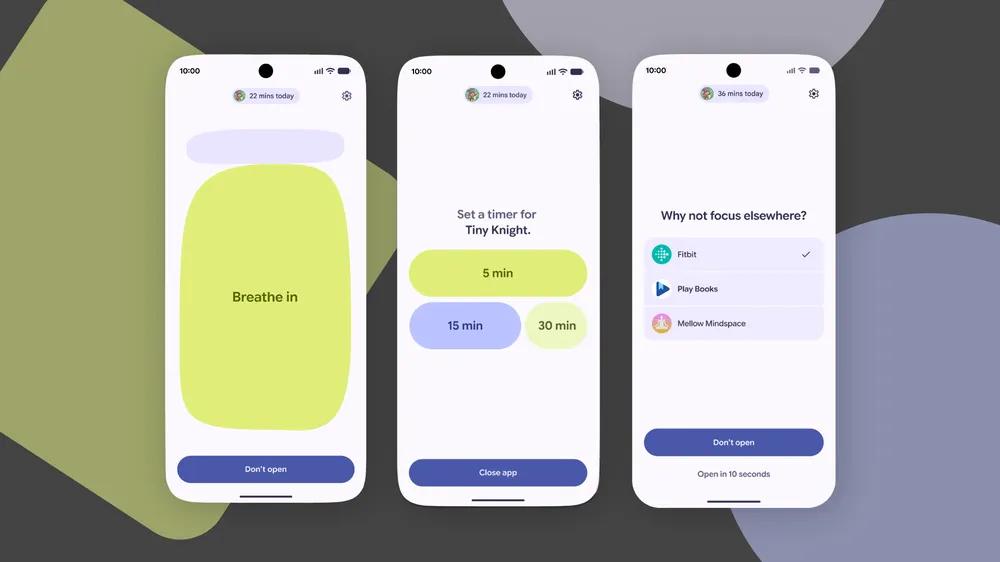
Google has introduced a new Digital Wellbeing feature called Pause Point. It helps you manage distracting apps and reduce unhealthy scrolling habits. Unlike conventional app timers that block apps after a time limit is reached, Pause Point triggers the moment you open selected apps.
The feature creates a short 10-second pause before the app fully opens. During that pause, you can do a breathing exercise, set a timer, or go with the suggested activity, such as reading a book.
7. New 3D emoji
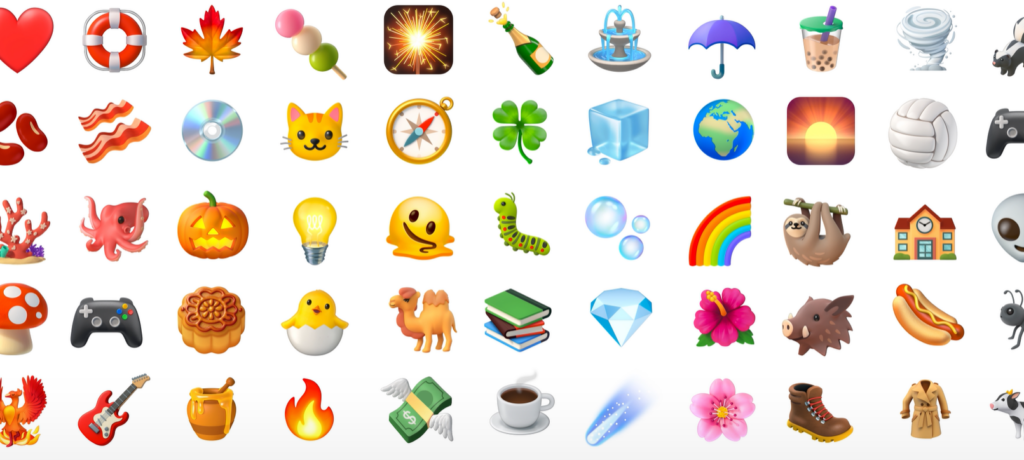
Google also brought a new collection of 3D emoji called Noto 3D. “Our feelings have weight, but they often fall flat when expressed online. These 3D emoji bring a touch of physicality to these moments and help you overcome this digital divide,” says the company. Pixel phones will be the first to receive the new emoji later this year.
8. Stronger security features
Google continues to expand its AI-powered protections on Android to offer safeguards against scams, malware, and device theft. The company has announced a new verified financial calls system developed with select banks and financial institutions. This could stop spoofed scam calls that pretend to come from legitimate banking apps or organizations.
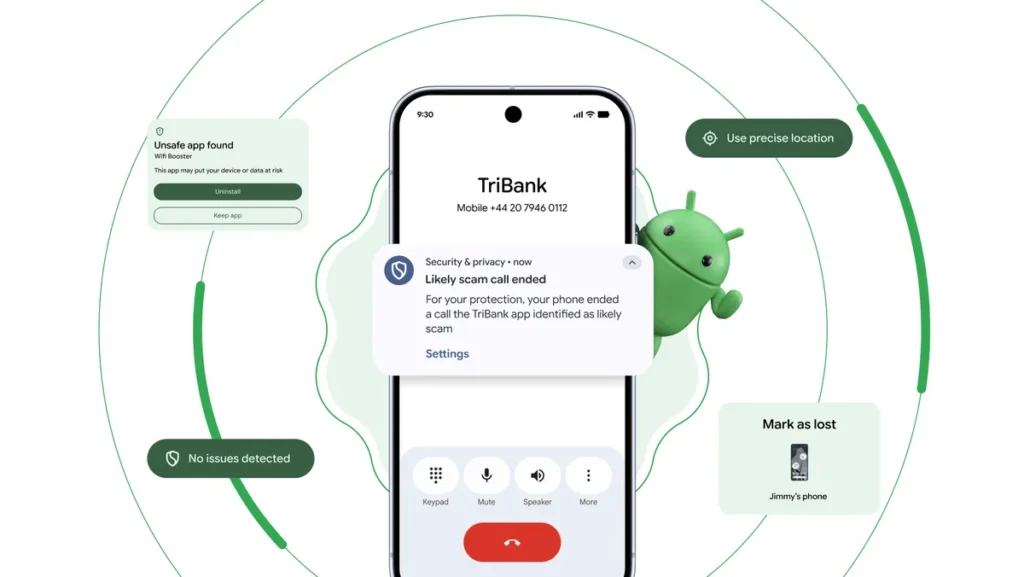
With Android 17, Google will offer stronger protection against device theft. Find Hub’s Mark as lost feature now requires biometric authentication. This will prevent thieves who may know a device’s PIN or passcode from disabling tracking or regaining access to the phone. Google has also improved Live Threat Detection, a security feature that uses on-device AI to monitor app behavior in real time.
Most of these features and upgrades will arrive on Samsung Galaxy devices with One UI 9. Samsung has already started beta testing the update on the Galaxy S26 series. A wider public rollout will begin in the second half of the year, with many add-ons and customizations from Samsung’s end.

Written by
Binay KonwarBinay Konwar started his blogging journey in 2014 and has since written plenty of tech articles. At present, he is working as a News Writer at SammyGuru, covering everything about Samsung. He holds a Master's degree in Mathematics, but his real passion lies in tech and writing. In his free time, he enjoys playing chess and watching movies.

Follow us on Google Discover & set us as a preferred source in Google News
Share this Post
___________________________


New Blog Posts
___________________________
Introducing SammyGuru Rewards — Read, Earn, and Redeem
Our biggest update yet

Samsung’s Odyssey G8 Will Power Crimson Desert Demos at Gamescom 2026
In Cologne, August 36-August 30
Galaxy S25+ and Galaxy Tab A11 Are Cheaper Than Ever at Walmart
Your wallet will thank you