Gemini May Show Real-Time AI Usage Limits

SammyGuru is reader-supported. We have affiliate and sponsored partnerships, so we may earn a commission when you buy through links on our site — at no extra cost to you. Learn more.
Google appears to be working on a new helpful feature for Gemini, its AI assistant. The platform could soon show real-time AI usage limits, allowing power users to track their available quota. The feature is currently hidden within the app’s code, so you cannot experience it at the moment.
You may soon be able to track Gemini AI usage
Gemini has evolved into a powerful AI assistant that helps people with writing, learning, and other day-to-day tasks. However, for power users who depend on it heavily, one problem has been the lack of a visible meter for usage. Thankfully, Google now seeks to address this inconvenience.
While digging into the Google app version 17.18.22, folks over at Android Authority found evidence of a quota-tracking dashboard within Gemini. The strings suggest that the dashboard may show a usage percentage and reset times. This should help users better understand their activity and avoid sudden lockout.
For example, you may see a clear indicator such as “75% used” or “Resets at 5:00 PM.” This comes in handy when you are using Gemini for important tasks, as unexpected limits can interrupt your work. This removes the need to guess how much quota is left, helping users to use their plan more carefully.
The outlet expects the dashboard to appear near the account switcher in Gemini. This will make it easy for users to quickly check their usage. However, it is unclear when Google will make the feature official. Since it has already been found within the APK, it should not take too long to hit the platform.
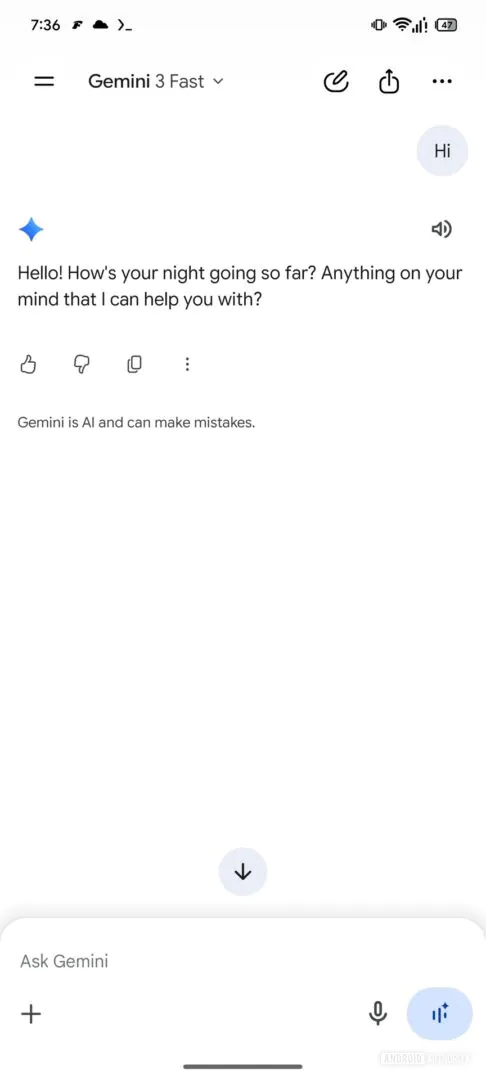
Meanwhile, Google appears to be tweaking icons such as like, dislike, and copy buttons. These icons look lighter, aligning with the company’s design style used across other apps, including YouTube and YouTube Music. This means the firm wants to give users a more consistent visual experience.

Written by
Binay KonwarBinay Konwar started his blogging journey in 2014 and has since written plenty of tech articles. At present, he is working as a News Writer at SammyGuru, covering everything about Samsung. He holds a Master's degree in Mathematics, but his real passion lies in tech and writing. In his free time, he enjoys playing chess and watching movies.

Follow us on Google Discover & set us as a preferred source in Google News
Share this Post
___________________________


New Blog Posts
___________________________
Galaxy Watch 9 and Watch Ultra 2 Leak With New Watch Faces
Exciting new info on Samsung’s upcoming wearables!
Galaxy S26 FE Korean Variant Spotted on Geekbench with Slightly Lower Scores
Samsung will likely unveil the device this fall

More Galaxy Watch Models Get New Update in the US — Brings an Important Fix
May 2026 update now available for Galaxy Watch 6 and older models