Galaxy Watch 9 and Watch Ultra 2 Leak With New Watch Faces

SammyGuru is reader-supported. We have affiliate and sponsored partnerships, so we may earn a commission when you buy through links on our site — at no extra cost to you. Learn more.
In this article
- Galaxy Watch 9 and Ultra 2, alongside One UI 9.0 Watch, leaked inside the Galaxy Wearable app
- One UI 9.0 Watch brings a small refresh borrowed from One UI 8.5 on Galaxy phones
- Samsung Health Monitor gets One UI 9.0’s floating navigation bar
- Two new watch faces also appear with One UI 9.0 Watch
- Galaxy Watch Ultra 2 appears again with its Quick Button and a new Compass app
- One UI 9.0 Watch is a subtle refresh over the previous One UI 8.0 Watch
With the Galaxy Unpacked around the corner, unsurprisingly, the leak train isn’t slowing down. Over the past few weeks, we’ve seen more and more leaks and details about Samsung’s upcoming Galaxy Z foldables. And now, it’s time for Galaxy Watches to get under the spotlight.
Galaxy Watch 9 and Ultra 2, alongside One UI 9.0 Watch, leaked inside the Galaxy Wearable app
New images shared by @GalaxyTechie on X reveal the Galaxy Watch 9 and Galaxy Watch Ultra 2 in small images. These images come from Galaxy Wearable under the Tips and User Guide menu. Furthermore, it also gives us a small taste of One UI 9.0 Watch.
One UI 9.0 Watch brings a small refresh borrowed from One UI 8.5 on Galaxy phones
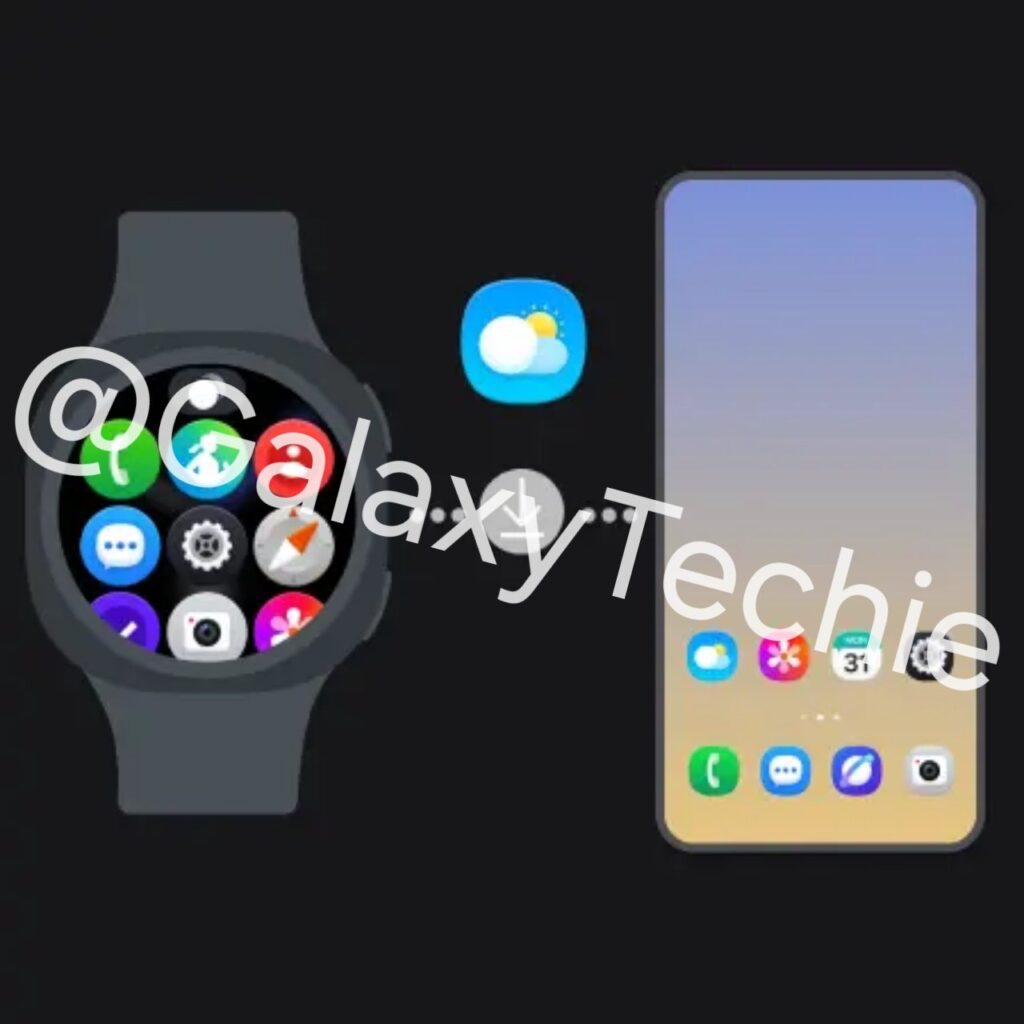
From the App Sync screenshot, one of the first things that stands out is Samsung’s updated iconography. Several system apps appear to be using refreshed 3D-style icons. These closely resemble the design language introduced with One UI 8.5 and One UI 9.0 on smartphones. For example, some apps (the Compass app) got a new icon. Meanwhile, others only got the 3D-style icon.
Samsung Health Monitor gets One UI 9.0’s floating navigation bar
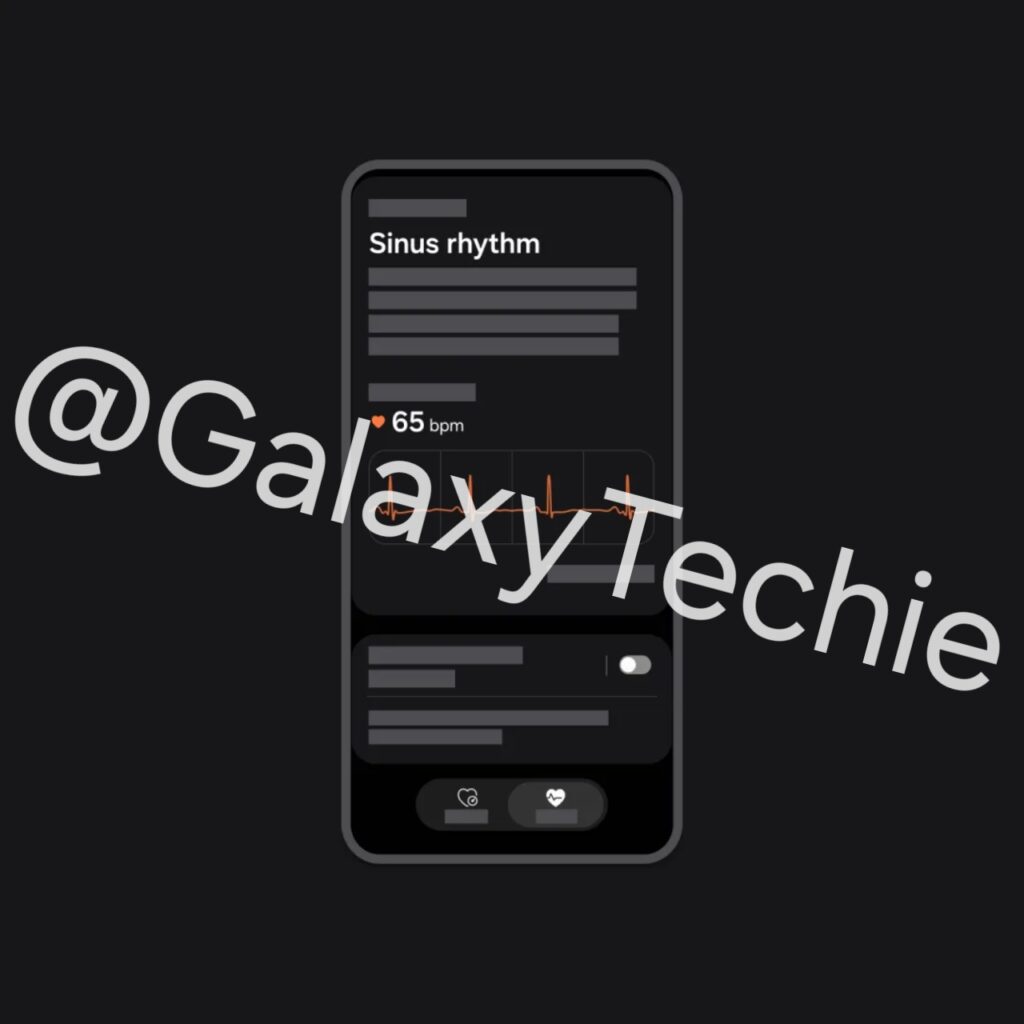
One of the screenshots also shows the Samsung Health Monitor app displaying the ECG feature. Interestingly, the interface uses the new floating pill-shaped navigation bar style. Samsung introduced this in One UI 8.5 and is expected to expand it further in One UI 9.0.
Instead of traditional tabs anchored to the bottom edge, the navigation bar appears elevated and detached from the screen borders. As a result, the app has a cleaner and more modern look.
Two new watch faces also appear with One UI 9.0 Watch
Under the “Save your favorite watch faces” tutorial, we can see two new watch faces that might be featured with One UI 9.0 Watch. The first watch face appears to be a new Wallpaper face. What’s interesting is that it brings the adaptive clock treatment we first saw in One UI 8.0 on Galaxy phones last year.
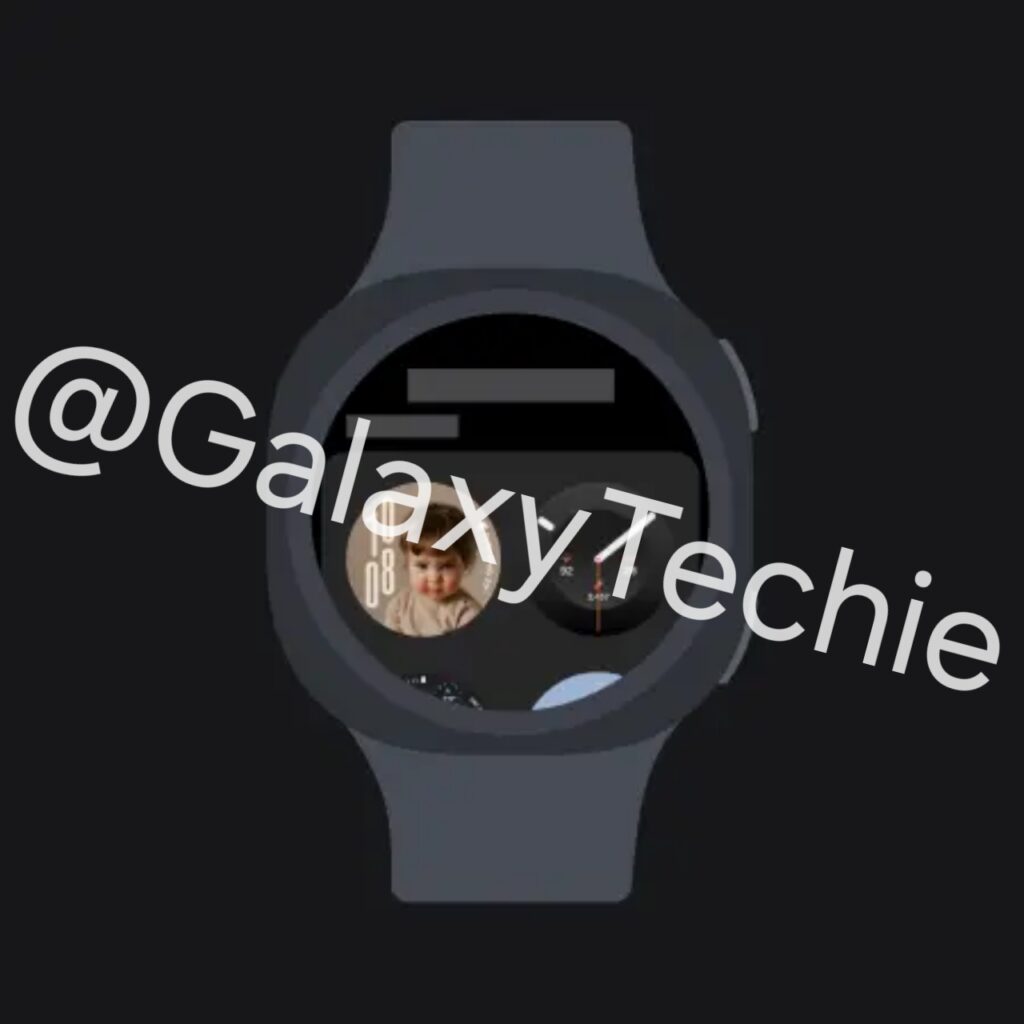
Similar to the lock screen clock on Galaxy phones, the numbers intelligently adapt around objects or subjects like people or pets inside the wallpaper, creating a more dynamic and personalized appearance.
The second new watch face is an updated version of Minimal Analog. This design originally debuted with the Galaxy Watch 8 series, but Samsung appears to be refining it further with One UI 9.0 Watch. The overall look remains clean and understated while adding some subtle visual tweaks, like gradient circles and more complications.
Galaxy Watch Ultra 2 appears again with its Quick Button and a new Compass app
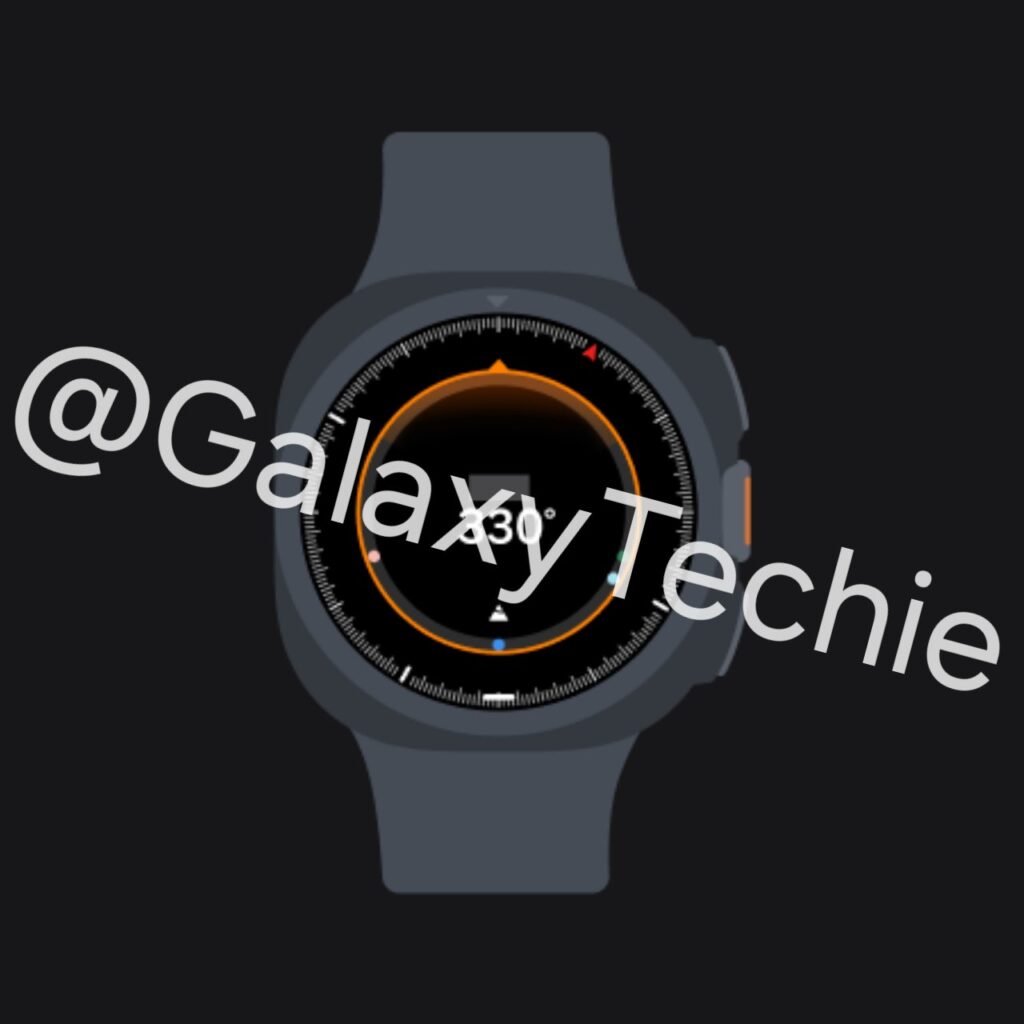
Another image focuses on the Galaxy Watch Ultra 2. It shows the orange Quick Button located between the Home and Back buttons, launching the new Compass app. The new Compass app shows some colored dots, which might let you save precise GPS locations and retrace your steps in remote areas, just like Compass Waypoints and Backtrack feature from Apple Watch Ultra.
One UI 9.0 Watch is a subtle refresh over the previous One UI 8.0 Watch
If you expected a huge redesign with One UI 9.0 Watch, you should probably hold your horses. Samsung already made a huge refresh with One UI 8.0 Watch last year, and One UI 9.0 Watch seems more like a refinement in the areas where it is needed, plus the new Wear OS 7 features and improvements announced by Google.
But it’s a welcome change. Samsung now needs to build on top of what they already built and refine the experience even further, making the overall Galaxy Watch experience feel more polished and better integrated with Galaxy phones. And with Galaxy Watch 9 and Watch Ultra 2 expected to debut next month, we probably won’t have to wait much longer to see these features officially.
If you plan on purchasing either of these watches or the Galaxy Z Fold 8/Galaxy Z Flip 8 series, check out our mystery box program for free accessories at launch.

Written by
David BuligaDavid Buliga is a Romanian writer at SammyGuru, where he covers the Samsung and Android ecosystem with a focus on apps, software features, and the trends shaping how we actually use our devices — from Galaxy Watch apps to One UI 9, plus the occasional opinion piece. He joined SammyGuru in 2026 after previously creating entertainment content on YouTube, producing animations and gameplay videos. Currently pursuing a Bachelor's degree in Applied Electronics and Telecommunications, David is passionate about consumer technology and enjoys getting under the hood of smartphones to see what makes them tick. Outside of tech, he loves listening to music, reading books, photography, and exploring the random ideas that often inspire his next story.

Follow us on Google Discover & set us as a preferred source in Google News
Share this Post
___________________________


New Blog Posts
___________________________
Galaxy S26 FE Korean Variant Spotted on Geekbench with Slightly Lower Scores
Samsung will likely unveil the device this fall

More Galaxy Watch Models Get New Update in the US — Brings an Important Fix
May 2026 update now available for Galaxy Watch 6 and older models

The Pope Uses Samsung: Leo XIV Confirms He Owns a Galaxy Phone and Watch
Pope Leo XIV is a Samsung fan