Galaxy Tab S12 Ultra Wishlist: 3 Game-Changing Upgrades
SammyGuru is reader-supported. We have affiliate and sponsored partnerships, so we may earn a commission when you buy through links on our site — at no extra cost to you. Learn more.
Samsung’s Galaxy Tab S11 Ultra already gets a lot right. It’s fast, the display is fantastic, and for most people, performance really isn’t a problem anymore. But after using it for a while, I’ve realized there are still a few smaller hardware changes that could make the overall experience even better.
The Galaxy Tab S12 Ultra doesn’t need a huge redesign to feel exciting. A handful of meaningful upgrades could go a long way in making the tablet more practical, comfortable, and worth upgrading to. Here are the changes I hope Samsung focuses on most.
Modernize the Design
I’ve been a Galaxy Tab user since the Tab S7+, and while the lineup has improved substantially, I eventually switched to the iPad Pro because it had outpaced Samsung’s offerings. Thankfully, Samsung doesn’t have to do much to vastly improve its tablets and potentially surpass the iPad Pro.
The Galaxy Tab S8 Ultra debuted with a notch. At the time, it made sense, as it housed the dual 4K camera sensors. It was the newest member of the Ultra family, featuring a 14.6-inch OLED display, thin bezels, and a slim body. In 2026, it’s time for the display to finally adopt a uniform, notch-free design.
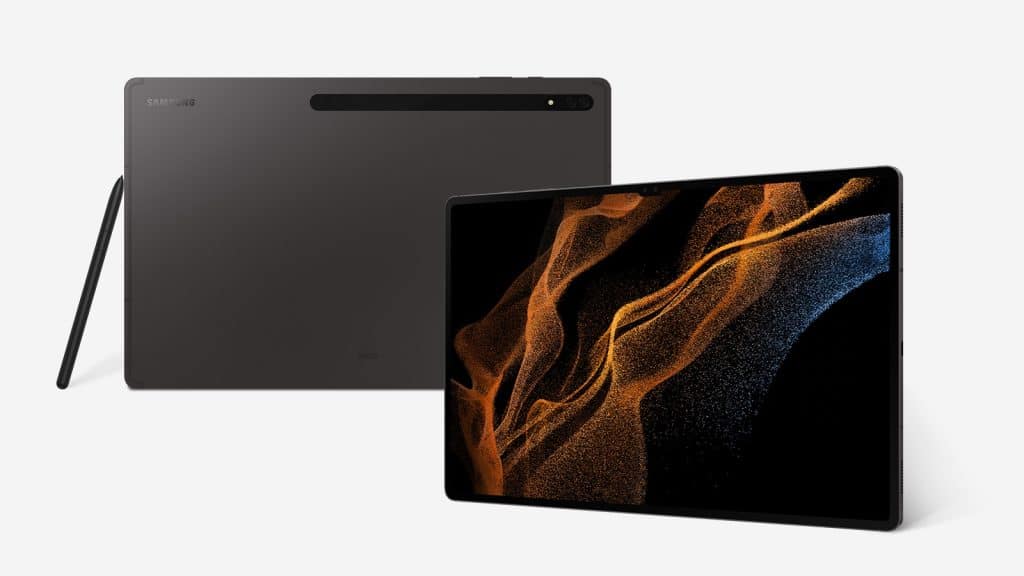
You can just tell they tried to hide it with the type of wallpaper they used in the promotional art. While the Galaxy Tab S11 Ultra’s new teardrop camera design is less intrusive, it now feels like they took the idea from their budget smartphones: the Galaxy A26 from 2025, shown below. Not something I’d expect from such a premium tablet.
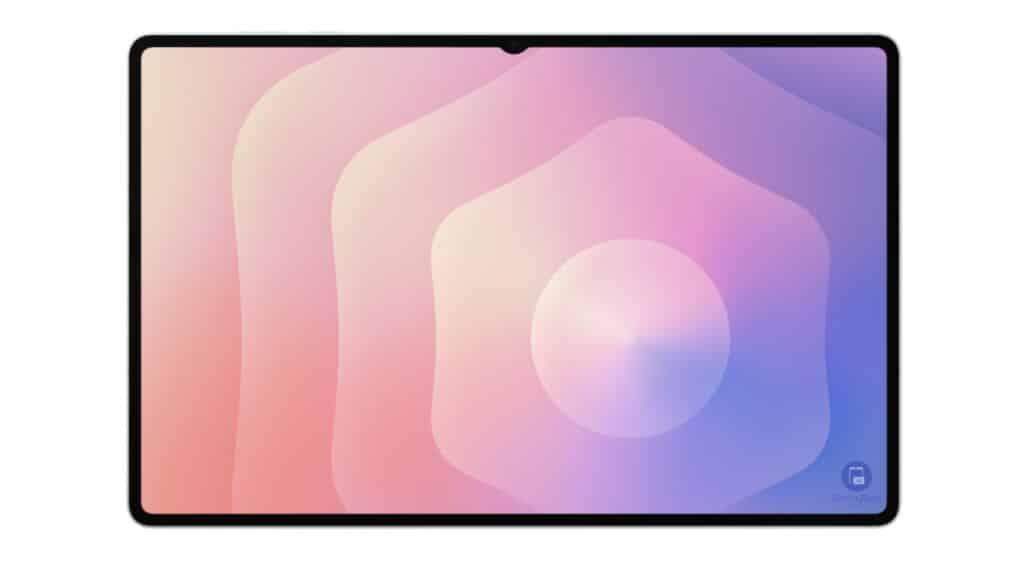

The Galaxy Tab S11 Ultra’s design is less intrusive, but it still eats into the UI at times, especially with browser tabs. It may not sound like a big deal, but it kills the immersion. I would love to see Samsung either adopt a hole-punch display or fit the front sensor completely into the bezel.
Improve the Camera Sensors
It doesn’t need to be Galaxy S26 Ultra-level photography. That wouldn’t make sense on a tablet. But the sensors are four years old and haven’t changed since the Galaxy Tab S8 Ultra. They were great at the time, but I expect the “Ultra” name to actually mean something.
-

- Galaxy S26 Ultra
-

- iPad Pro M4
-

- Galaxy Tab S11 Ultra
The iPad Pro may not be a significant improvement over the Galaxy Tab S11 Ultra, but not once has anyone criticized the video quality. I’ve done plenty of video calls with the iPad Pro and not once heard a single complaint about the video quality.
When I wanted to get back into using the Galaxy Tab S11 Ultra, a friend called, and I answered through WhatsApp. He immediately said, “Dude, what are you using?” I told him it was the Tab S11 Ultra. He replied, “Please go back to the iPhone; this is trash.” I was dumbfounded. Was it really that bad?
I’m not regularly taking photos or videos with a 14.6-inch tablet. But I would like to see Samsung prioritize quality over quantity. Instead of two mediocre rear cameras, why not one truly great one? The same goes for the front sensor. You’ve already removed one, so just upgrade the remaining camera and switch to a cleaner hole-punch design.
External Monitor Support
While rumors suggest Samsung will use MediaTek’s Dimensity 9500 or 9500+, I don’t believe the chipset supports USB4. That means the Galaxy Tab S12 Ultra is unlikely to gain USB4 connectivity. Still, that shouldn’t stop Samsung from significantly improving the external monitor experience.
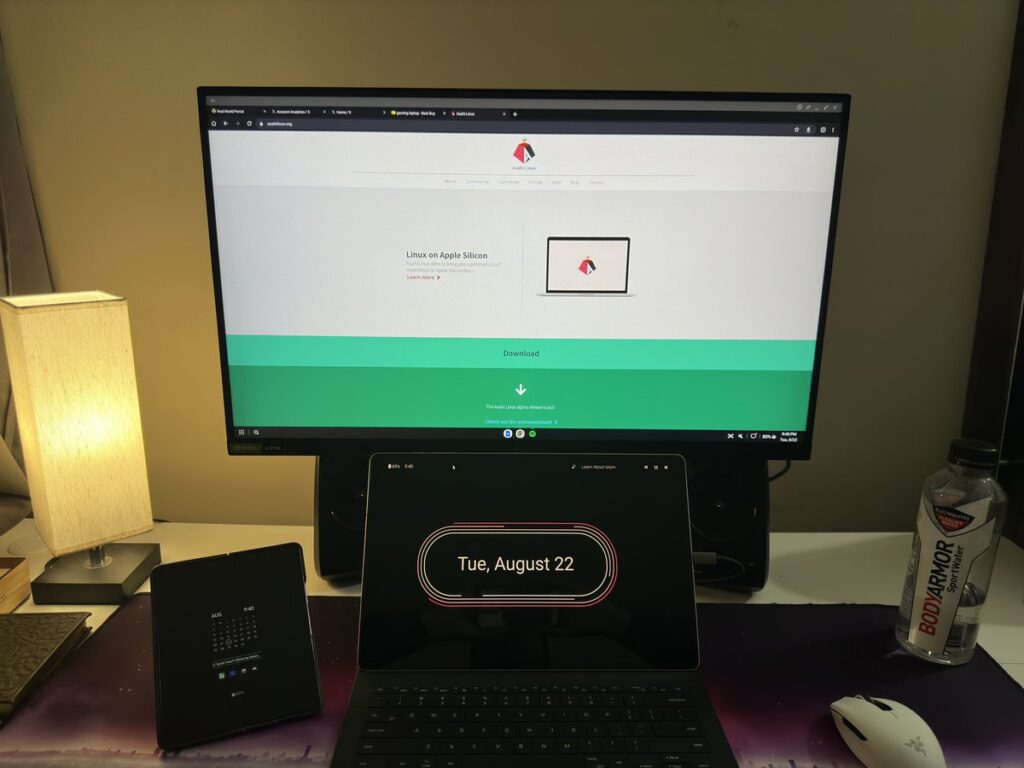
Since the Galaxy Tab S8 Ultra, the experience has stayed exactly the same. When you connect the Tab to an external monitor, its refresh rate drops to 60Hz, no matter the resolution. You may be thinking that it needs USB4 to do so, but it doesn’t.
The Steam Deck is limited to USB 3.2 Gen 2, 10Gbps speeds. Yet it still supports high-bandwidth display output via DisplayPort over USB-C, capable of up to 8K@60Hz or 4K@120Hz.
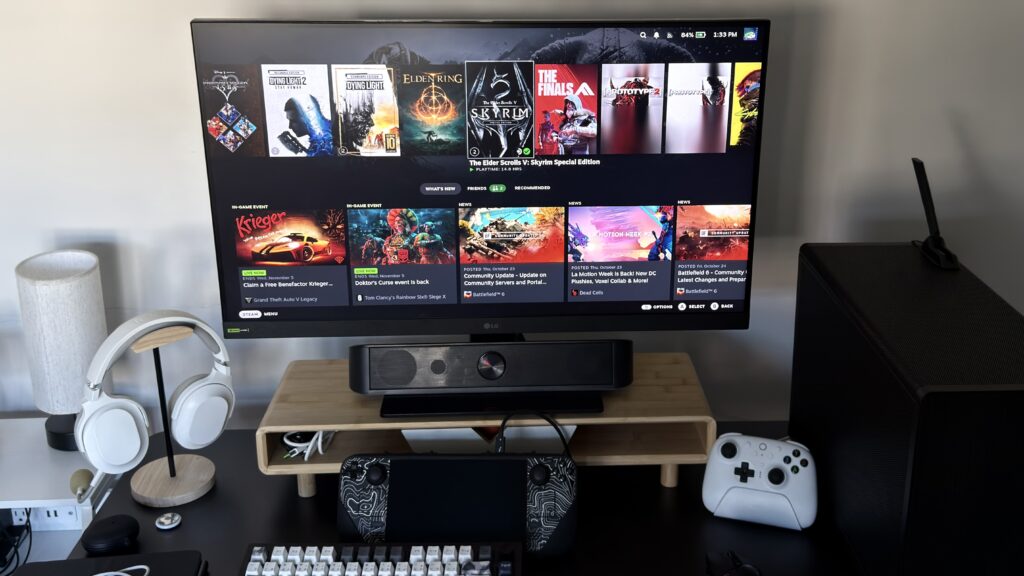
This is one aspect that pushes me away from docking the Galaxy Tab S11 Ultra. I cannot stand 60Hz on this tablet. The S Pen latency increases, and the UI becomes sluggish. It ruins the experience.
Samsung doesn’t need to jump to USB4 to improve the experience when connecting to an external monitor. They can upgrade the display output while keeping the same speeds.
Compounding Effect
It may seem like these are small additions on their own. But together, a refreshed design and an improved docked experience would greatly boost the versatility of the Galaxy Tab S12 Ultra. If Samsung can deliver these changes, it would become a serious contender for replacing laptops for most users. All that’s left is to focus on the software experience.

Written by
Aladdien FadhelAladdien Fadhel provides Samsung reviews and in-depth analysis for SammyGuru. By tracking the development of One UI and exploring Samsung's product roadmap, he delivers insights designed to benefit both the manufacturer and the user. A dedicated tinkerer, Aladdien prefers fine-tuning his current hardware to maximize its potential rather than opting for an immediate upgrade.

Follow us on Google Discover & set us as a preferred source in Google News
Share this Post
___________________________


New Blog Posts
___________________________
OPPO Find X9 Ultra vs Galaxy S26 Ultra: Pro Video Performance
Pro Video doesn’t follow the same script as Auto Video

Quick Share and AirDrop Found Vulnerable to Nearby Wireless Attacks
The good news is that most of the flaws have already been patched
Breaking: Samsung Officially Teases New Galaxy Z Fold 8 (Wide)
“New Shape. New Joy” it is!