
Chrome Tests “Keep Looking” Notifications on Android for Better Search Results
SammyGuru is reader-supported. We have affiliate and sponsored partnerships, so we may earn a commission when you buy through links on our site — at no extra cost to you. Learn more.
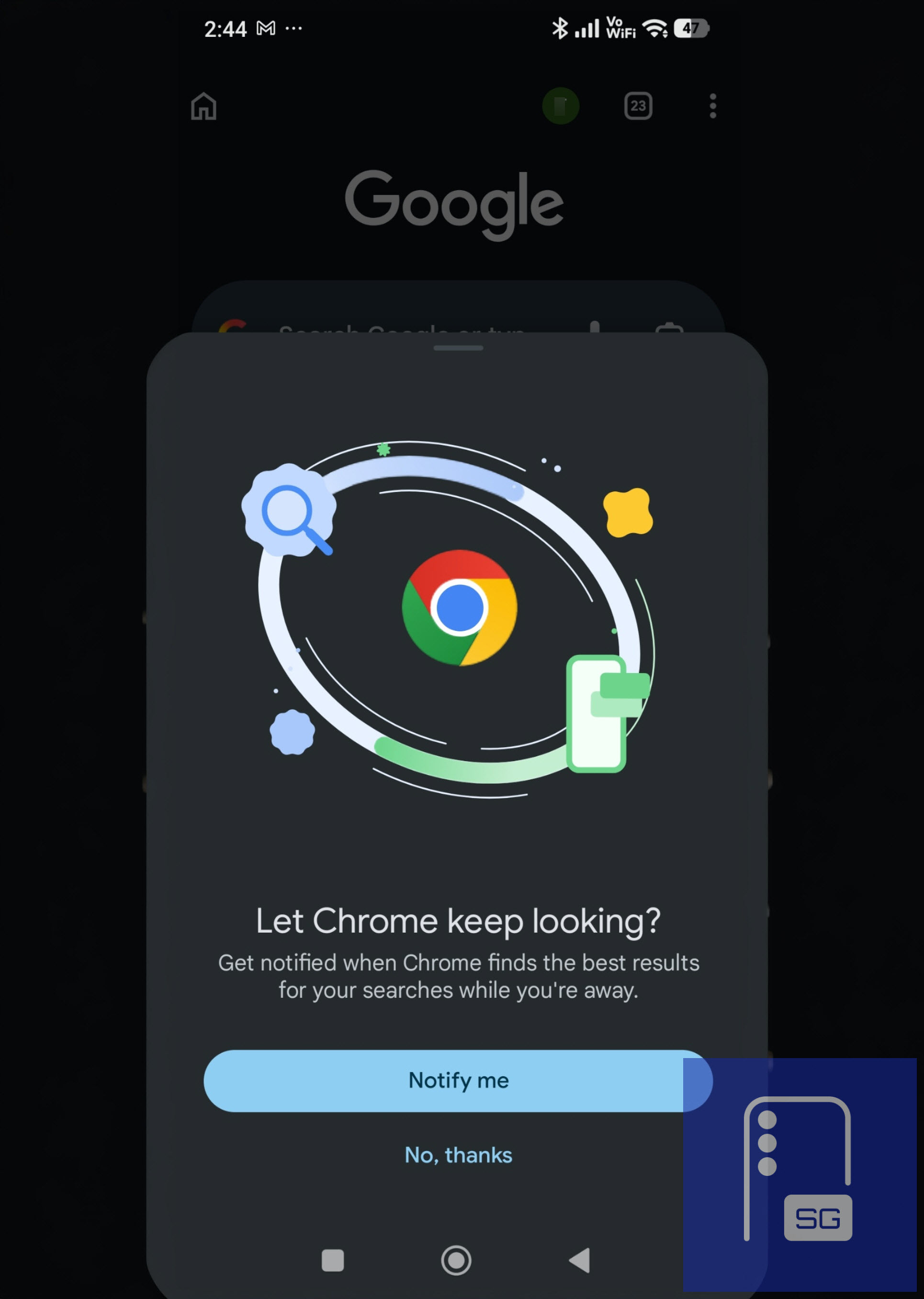
Google is testing a new feature in Chrome for Android that can continue searching after you leave a page and notify you when better results are found. It appears as a prompt that reads, “Let Chrome keep looking?” and offers to send notifications when improved results become available.
When users opt in, Chrome continues checking for updates tied to a search even after the user leaves the results page. If it finds more relevant or updated results, it sends a notification. Users do not need to repeat the same search to check for changes.
Chrome may soon track your searches and alert you to better results
Chrome currently treats searches as one-time actions. Once a user leaves the page, the browser does not track changes to results. To find newer results, users must run the same query again. This new feature aims to improve the search experience by allowing Chrome to continue scanning for better results in the background.
This feature is linked to a system referred to as “Chrome Finds.” Testing shows that this system evaluates recent activity and decides when a notification should be sent, instead of triggering alerts for every search. It keeps alerts selective and tied to searches where new or improved results are likely to appear.
Chrome focuses on queries such as places to visit, events, shopping, and entertainment. This applies to searches such as “best coffee shops near me,” “events this weekend,” or “hotel deals in a city,” where results can change over time. It also avoids suggesting pages that users have already opened. In some cases, notifications can include multiple related results rather than a single link.
Google Discover already shows recommendations, but it is not tied to a specific search. Chrome is now testing a system that follows a search after the user leaves. This adds a follow-up layer inside the browser.
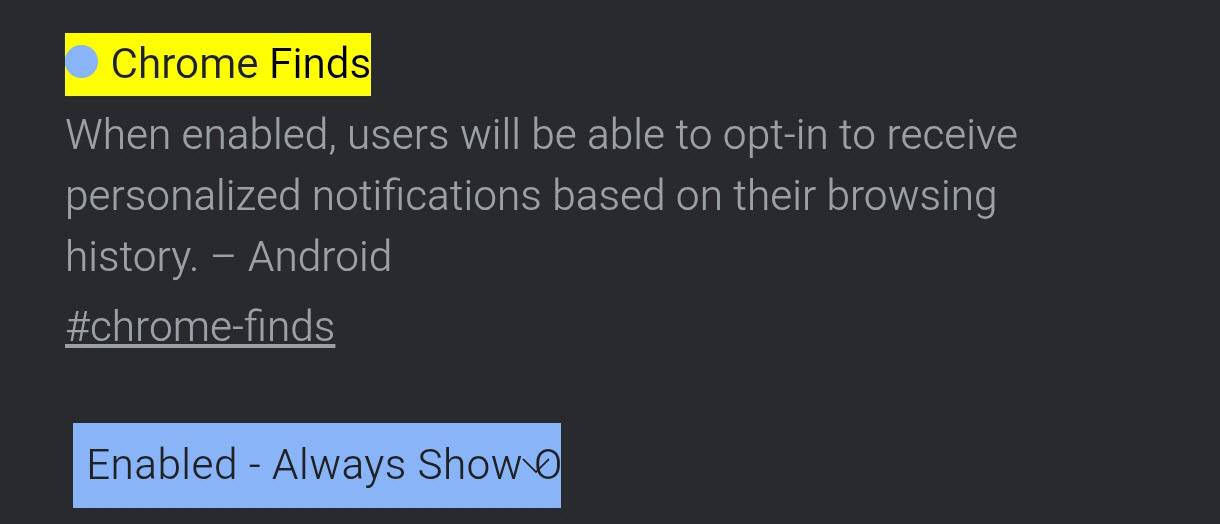
The feature is under testing and appears behind an experimental flag in Chrome. The flag description states that users can opt in to receive personalized notifications based on their browsing activity. It also includes an option to show an opt-in prompt before enabling the feature.
Recent Chromium changes also reference Chrome Finds notification handling. These changes add a dedicated notification channel and an opt-in flow. The prompt has so far been spotted on mobile, where notifications are more commonly used. There are no visible signs of this feature on the desktop yet, but we’ll keep looking.

Written by
Abhinav AnandAbhinav Anand is the News Editor at SammyGuru and a technology journalist based in New Delhi. Before joining SammyGuru, he contributed to numerous outlets, including Android Headlines, ExtremeTech, The Mac Observer, Financial Express, Economic Times, iGeeksBlog, KnowTechie, PhonesWiki, SlashGear, and more. You can reach him at [email protected].

Follow us on Google Discover & set us as a preferred source in Google News
Share this Post
___________________________


New Blog Posts
___________________________

Samsung Quietly Listed a New Entry Level 990 PCIe 4.0 SSD
It drops DRAM for HMB

Samsung’s First Bone-Conduction Earbuds May Be Called Galaxy Able
Name hidden no more

Samsung Accidentally Confirms Galaxy Watch 9 and Galaxy Watch Ultra 2
Coming very soon







