Samsung’s RegiStar App Has Annoying Galaxy Buds Bug, but One UI 9 Fixes it
SammyGuru is reader-supported. We have affiliate and sponsored partnerships, so we may earn a commission when you buy through links on our site — at no extra cost to you. Learn more.
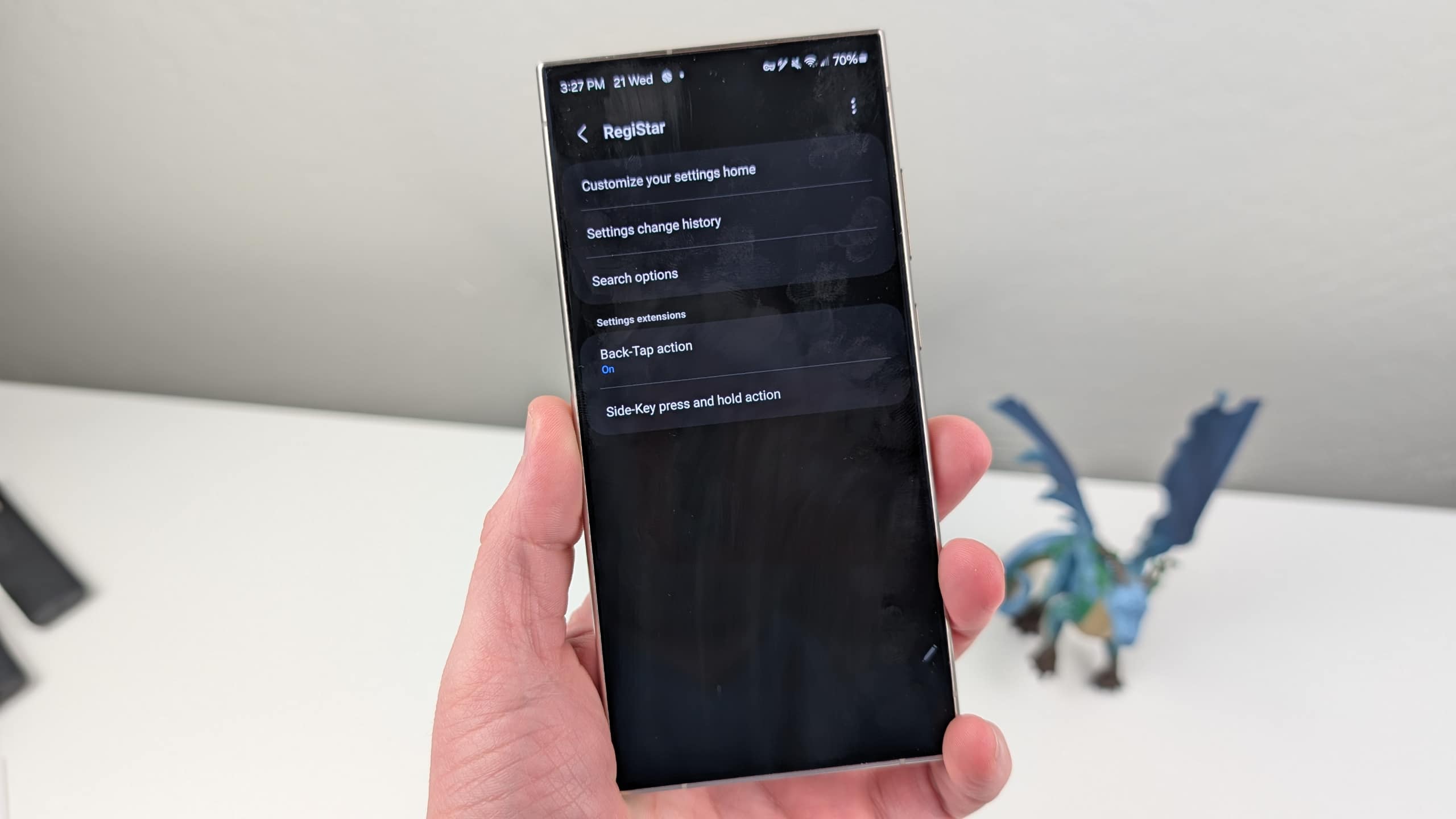
If you use Samsung’s RegiStar app to customize your Galaxy phone, watch out for this annoying bug. A recent version of the Good Lock app module causes the Galaxy Buds shortcut at the top of the Settings app to disappear after you reorganize your Settings layout. The issue appears to affect Galaxy devices running One UI 8.5 and older versions.
Galaxy Buds shortcut disappears after using RegiStar
A few months ago, Samsung removed the Galaxy Buds manager from its Wearable app. Now, when a pair of Galaxy Buds is connected to a Samsung phone or tablet, a dedicated card appears at the top of the Settings app. This shortcut provides quick access to earbud controls and settings without having to dig through separate apps or menus.
However, customizing the Settings app using RegiStar removes this shortcut entirely. Part of Good Lock, RegiStar lets users reorganize the Settings menus, among other things. Several users have reported the issue on Samsung’s Community forums. I could also reproduce it on a Galaxy S25 Ultra running One UI 8.5 and paired with the Galaxy Buds 3 Pro.
The bug appears to stem from how RegiStar handles the Settings layout. On One UI 8.5, the customization screen doesn’t display a separate card for connected Galaxy Buds. As a result, when you save your customized layout, the Buds shortcut is removed from the Settings app. The system treats the missing card as if you intentionally hid it, even though RegiStar never gives you the option to keep it visible.
-
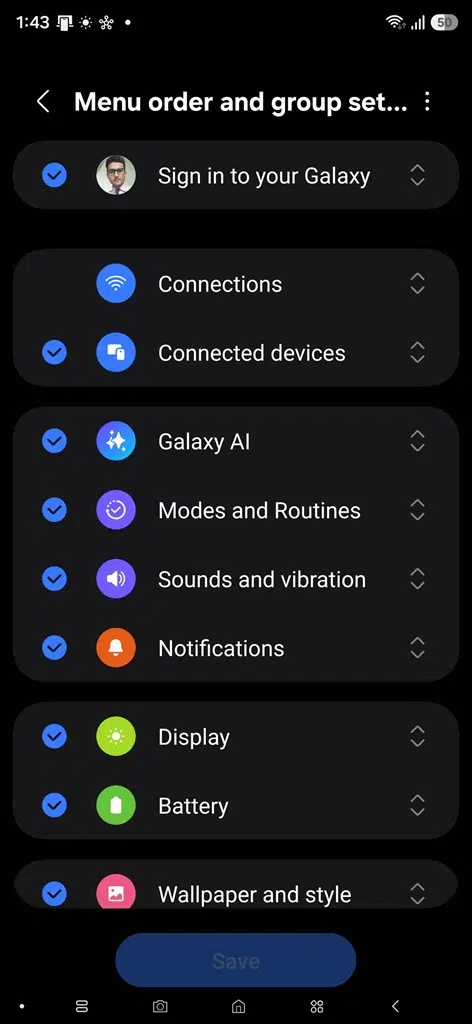
- RegiStar app in One UI 8.5
-
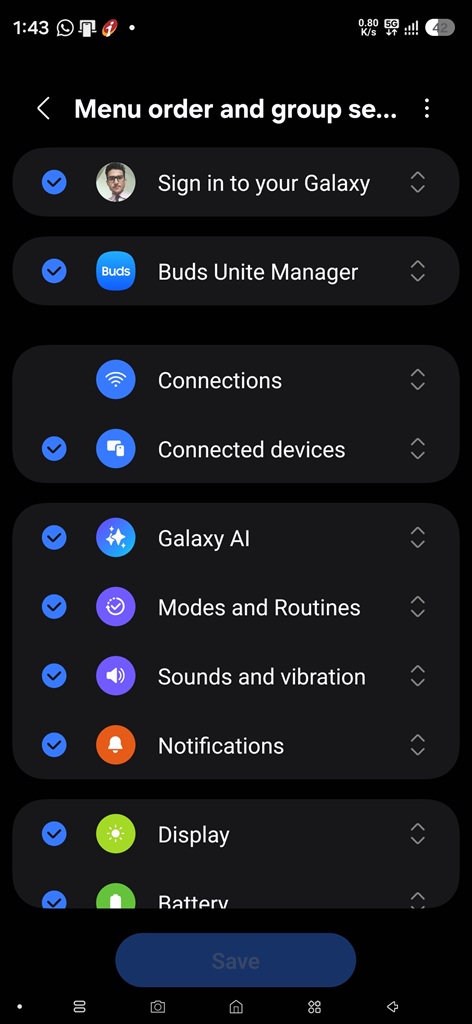
- RegiStar app in One UI 9
One UI 9 fixes this behavior. The RegiStar customization screen now includes a dedicated Buds Manager card at the top of the list. Unless you explicitly hide it, the shortcut remains visible in the Settings app even after reorganizing other sections, preventing the bug from occurring.
Unfortunately, One UI 9 currently remains in beta and is only available for Galaxy S26 users in select markets. Until Samsung rolls out the update widely, it’s wise to stay away from RegiStar if you use Galaxy Buds. More precisely, avoid customizing the Settings app until you receive One UI 9. We will let you know when we have more information.

Written by
Sumit AdhikariSumit, a life-long Samsung user, is passionate about technology and has been professionally writing on tech since 2017. He’s a mathematics graduate by education and enjoys teaching basic mathematics tricks to school kids in his spare time. Sumit believes in artificial intelligence and dreams of a fully open, intelligent and connected world.

Follow us on Google Discover & set us as a preferred source in Google News
Share this Post
___________________________


New Blog Posts
___________________________

Samsung Teases Galaxy Z Fold 8 with Instagram, YouTube and Netflix Optimizations
More optimized apps, more joy!

Spotify Could Use Gemini in Smart Glasses to Play Music Inspired by Your Surroundings
The integration could also make playlist creation easier

Samsung Turns to Sun Valley as it Hunts for More AI Chip Customers
This could allow the Korean foundry to win AI chip-making orders