VWFNDR + MBL: True RAW Photography Returns to Android — But Samsung Users May Not Need It
SammyGuru is reader-supported. We have affiliate and sponsored partnerships, so we may earn a commission when you buy through links on our site — at no extra cost to you. Learn more.
The moment VWFNDR + MBL started promoting “true unprocessed Bayer RAW,” it immediately stood out from almost every modern smartphone camera app. While the industry keeps moving deeper into AI-generated textures, aggressive HDR stacking, and computational enhancement, this app moves in the opposite direction. No artificial sharpening. No heavy processing. Just the light your sensor actually captured.
Honestly, that feels refreshing in 2026. But can VWFNDR + MBL be your ultimate camera app for RAW photography? Let’s find out.
Smartphone photography no longer behaves like traditional photography
Today, even many so-called RAW files are already heavily processed before the DNG is saved. Shadows are lifted automatically, textures are rebuilt by algorithms, skies are cleaned artificially, and details are sharpened long before users even start editing. VWFNDR tries to step away from that philosophy by bringing back something much closer to a real camera workflow.
That becomes immediately noticeable once you start shooting with it. The output looks flatter, noisier, and less dramatic compared to computational RAW pipelines, but that is exactly the point. The app captures both DNG and JPEG together in a single click, preserving cleaner sensor data while still giving users a ready-to-share image.
In many ways, the experience feels closer to using a compact mirrorless camera than a modern smartphone camera app. But this is where the real-world experience starts separating marketing from practicality.
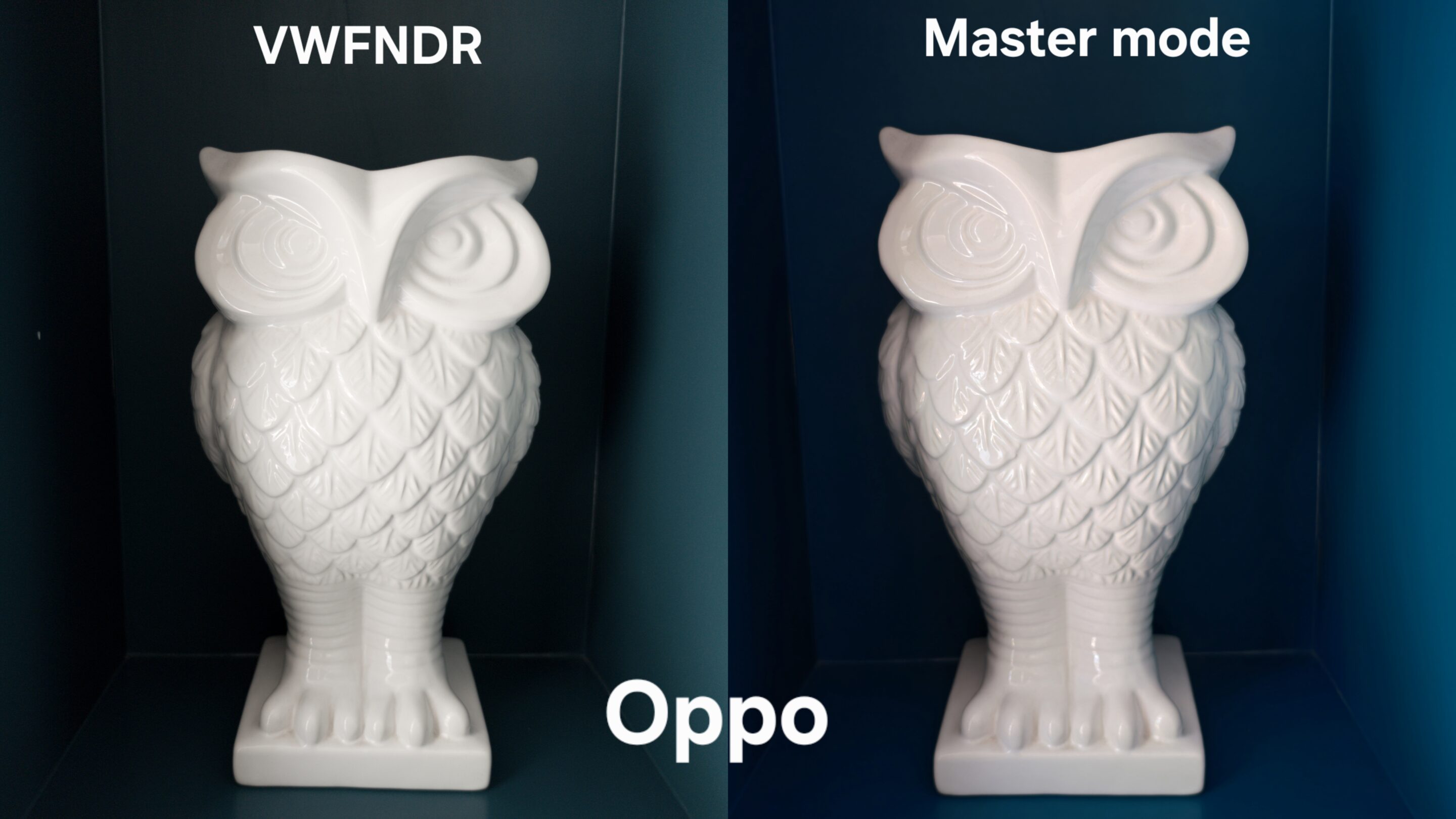
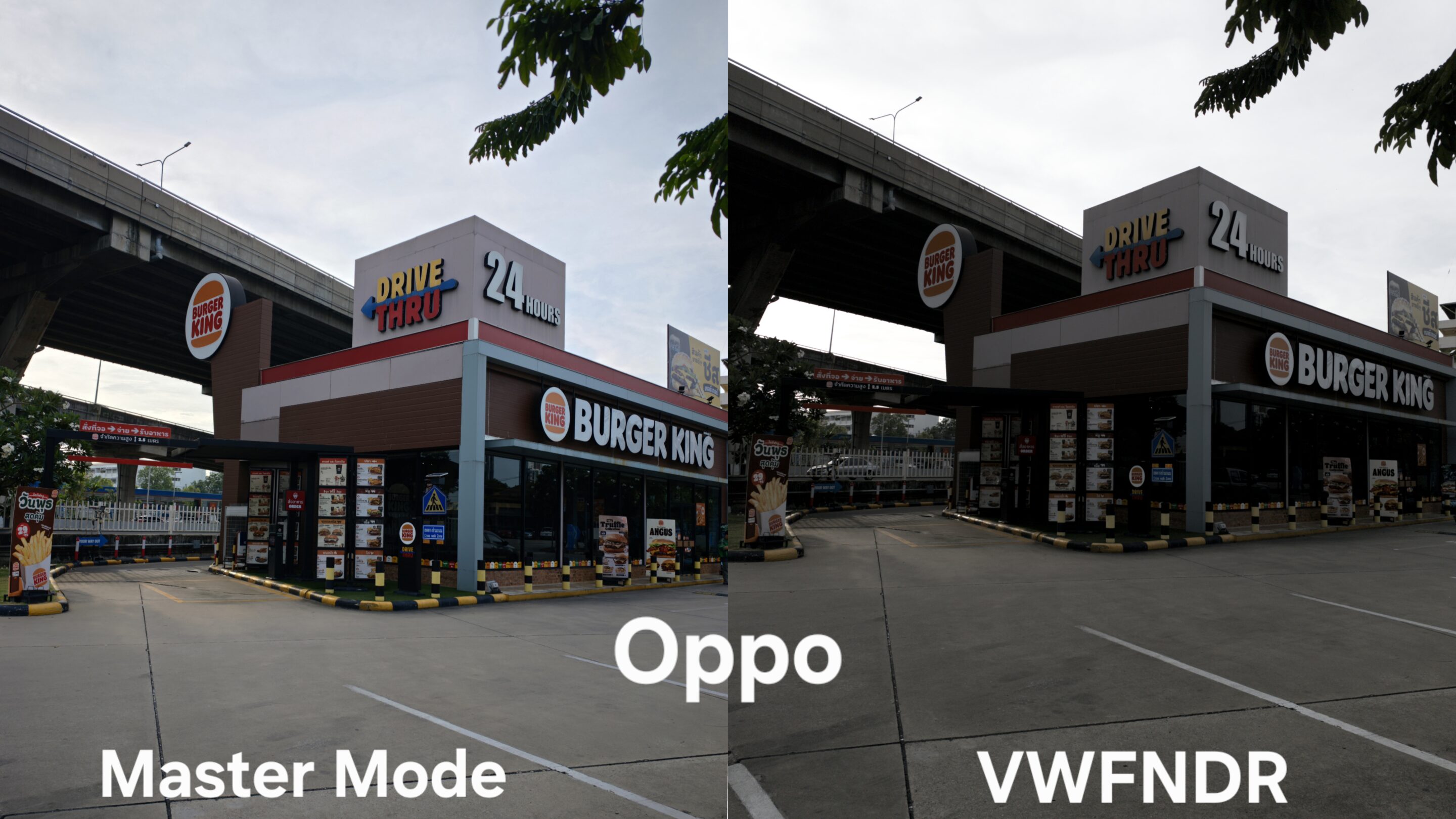
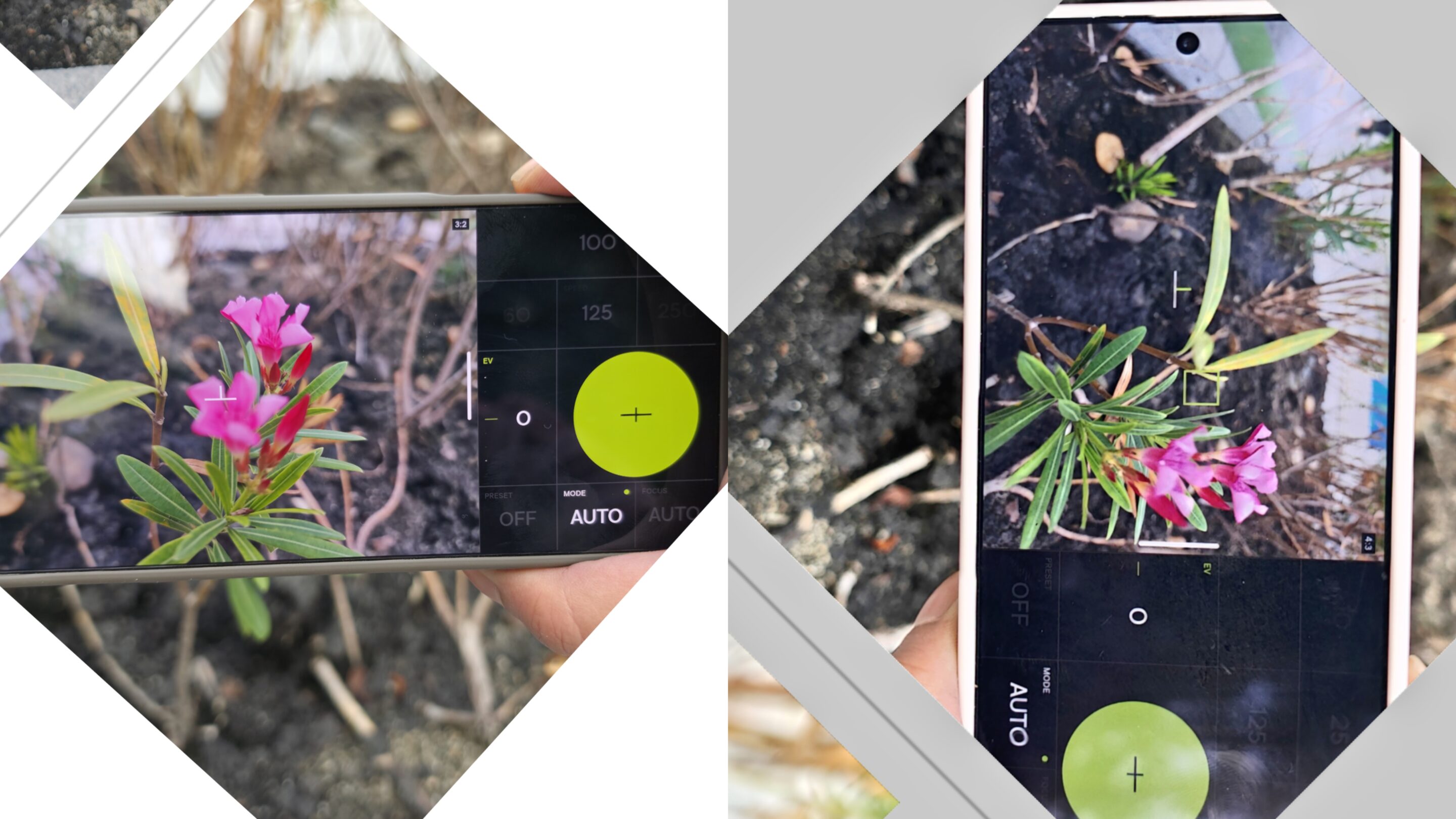
For many Android devices, especially phones that only offer heavily processed RAW modes, VWFNDR genuinely fills a gap. I tested it with the Find X9 Ultra and Galaxy S26 Ultra, and the concept actually makes sense on Oppo. The RAW files feel more natural than the brand’s processed computational pipeline, giving users a cleaner and more authentic editing foundation.
VWFNDR has some quirky limitations
Unlike computational RAW, cleaner sensor output means users often have to handle noise, luminance correction, moire, and texture recovery manually. Mobile editing tools like Adobe Lightroom may not always be enough in difficult scenes, especially under low light. In some cases, users may still need desktop editing tools or more advanced workflows to fully clean and refine the image.
Moreover, VWFNDR currently only works with the main sensor. No telephoto support, no ultra-wide access, and no resolution controls either. On modern flagship phones, where zoom photography, telemacro, and creative focal lengths became a huge part of the experience, locking everything to a single lens immediately makes the app feel restrictive.
Samsung users may react differently to the app compared to the rest of Android users
On devices like the Galaxy S26 Ultra, Samsung already provides something surprisingly close through native Pro Mode RAW capture inside the stock camera app. Unlike Expert RAW, which is Samsung’s separate computational RAW pipeline, native Pro Mode behaves much closer to traditional sensor-level photography. It also allows simultaneous RAW and JPEG capture directly from the camera interface.
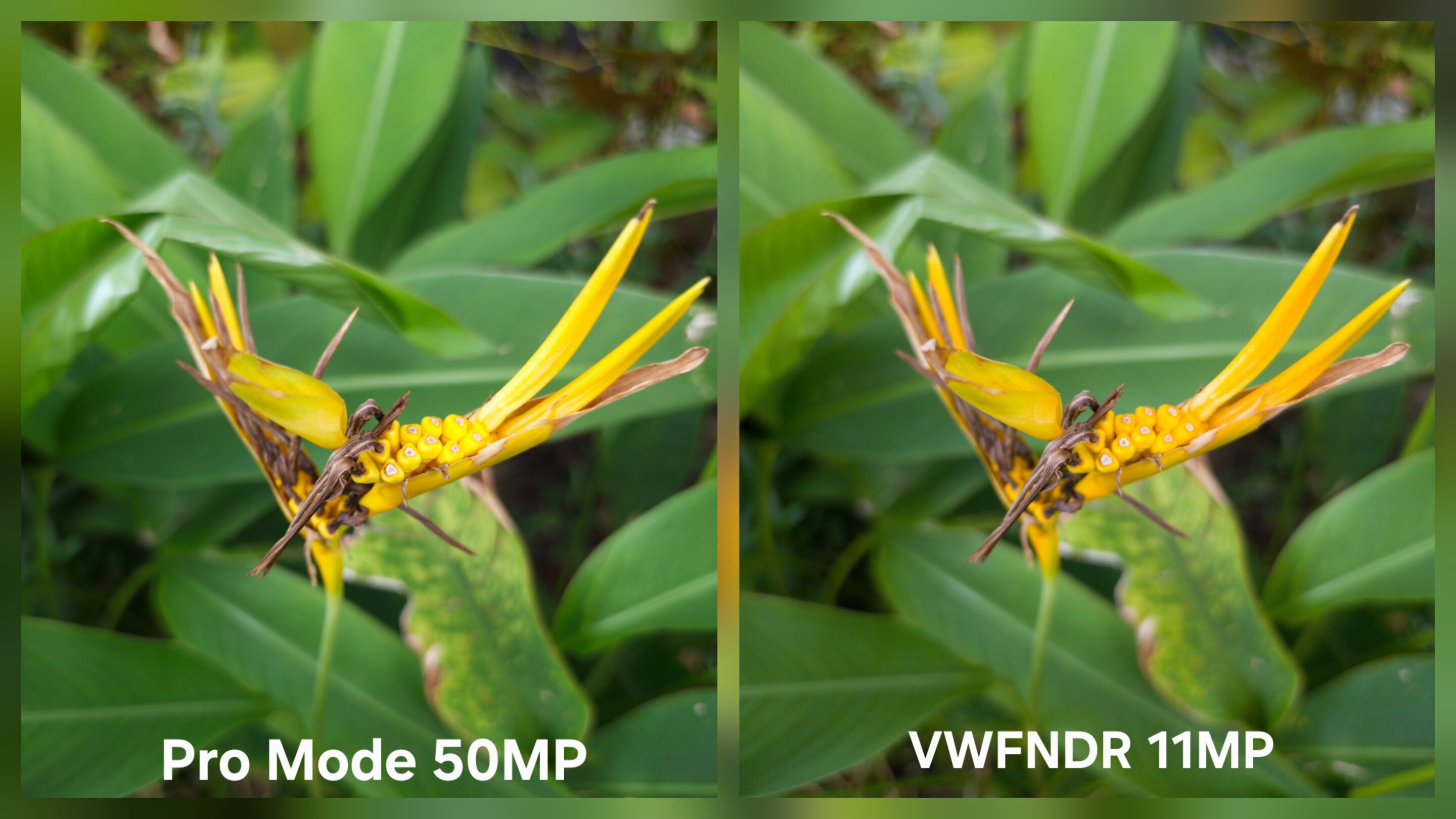
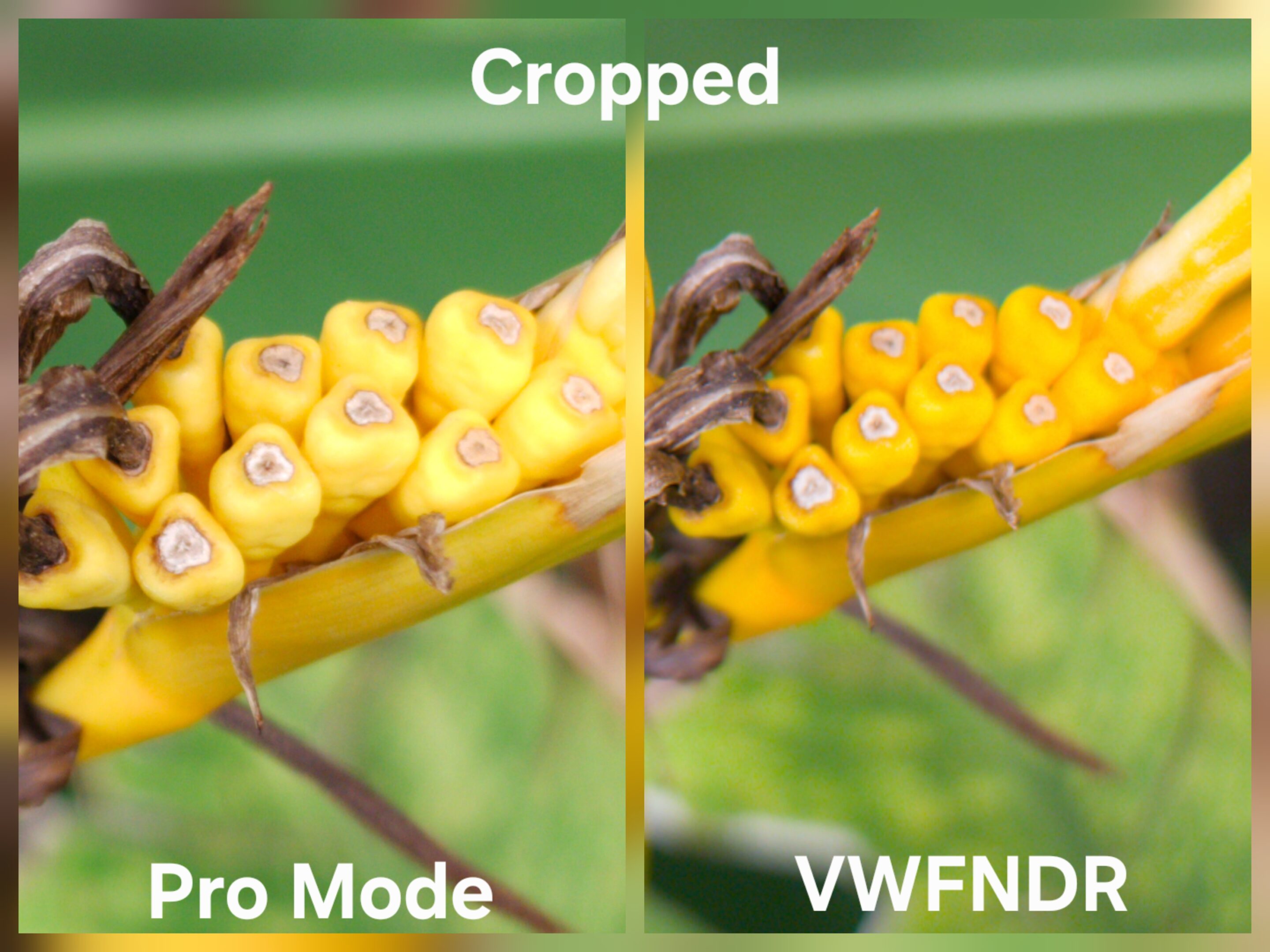
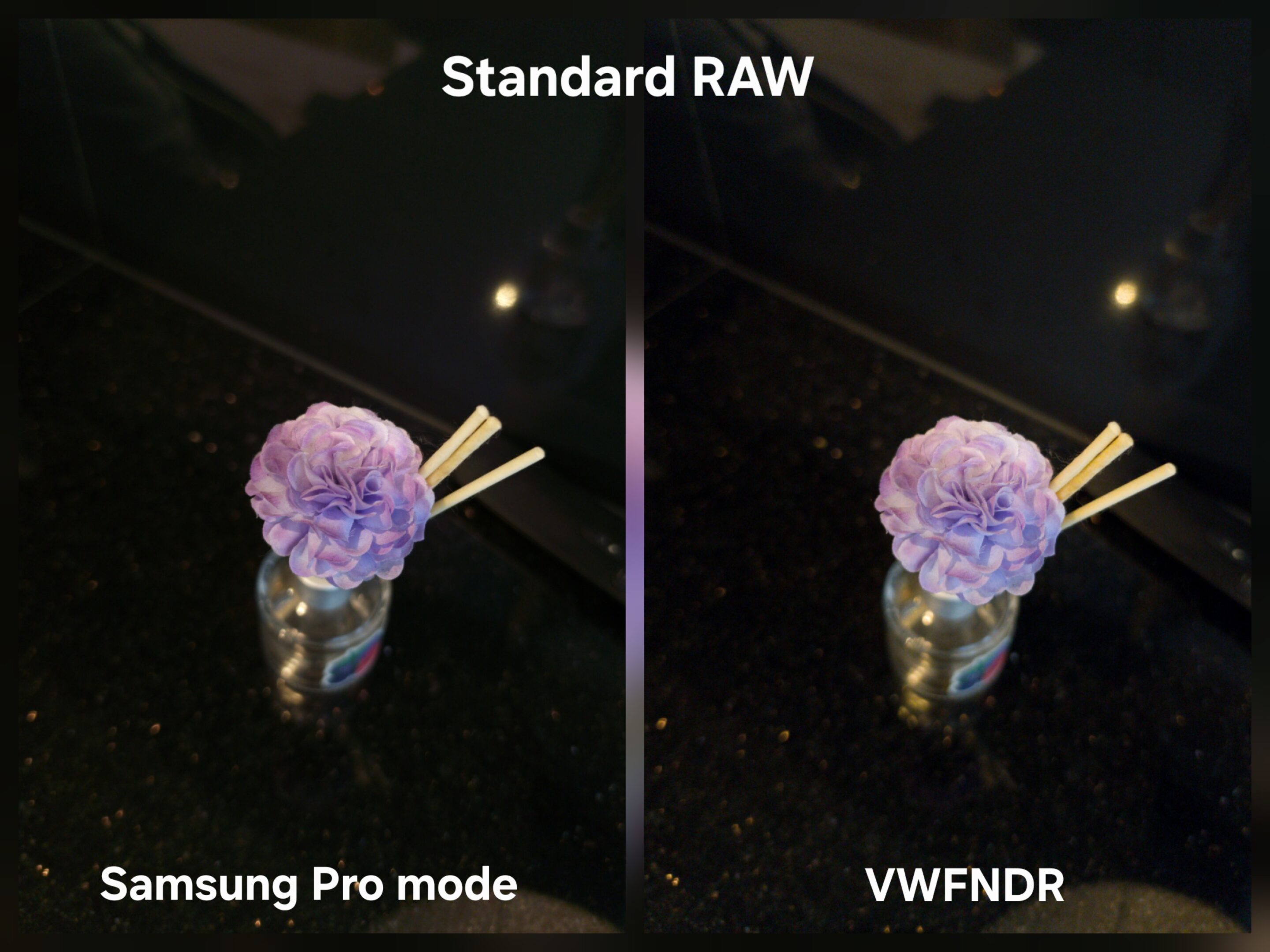
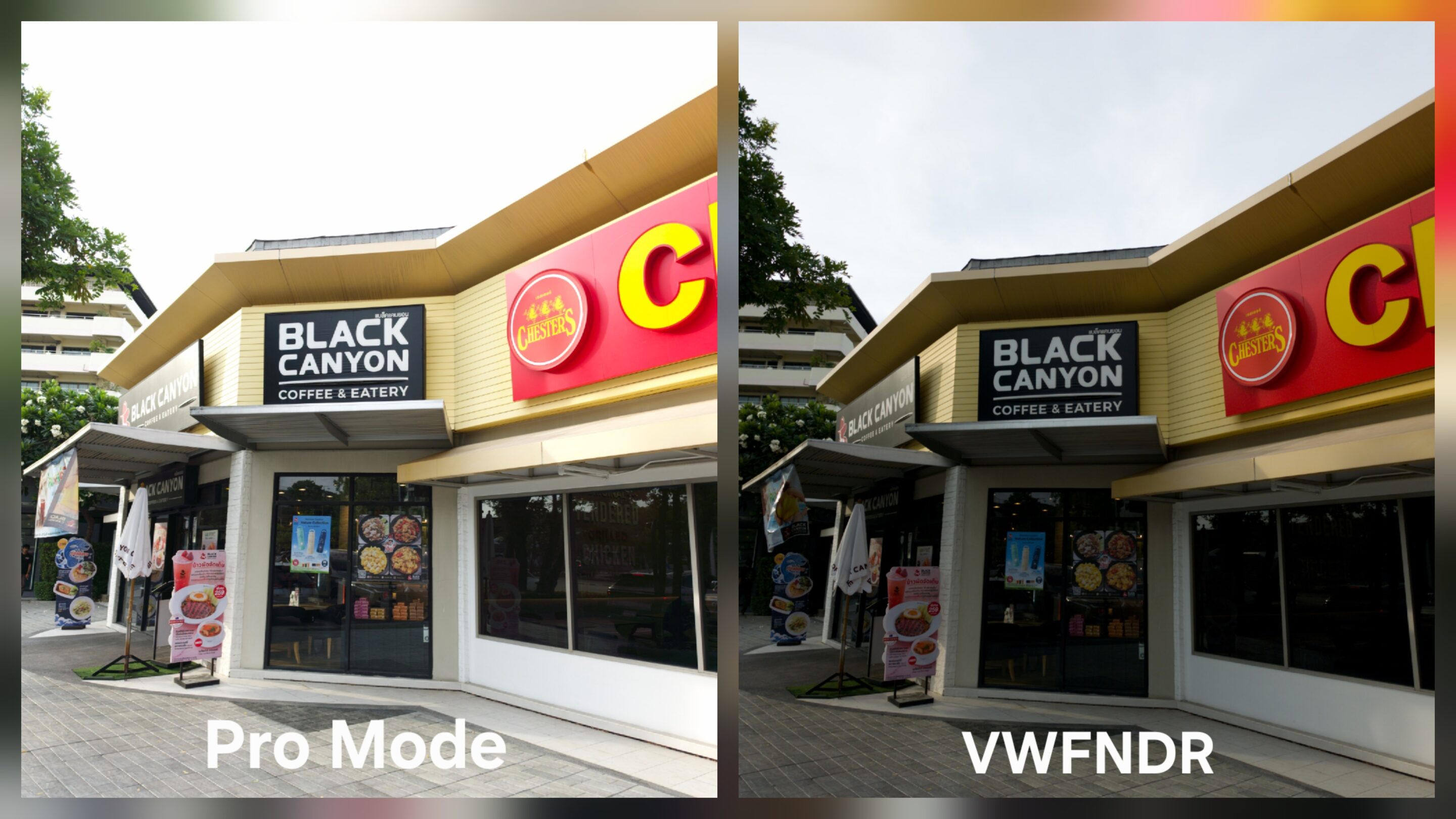
More importantly, Samsung’s implementation works across multiple lenses and includes deeper shooting controls like metering, zebra patterns, white balance adjustment, AE/AF management, and even higher-resolution RAW output.
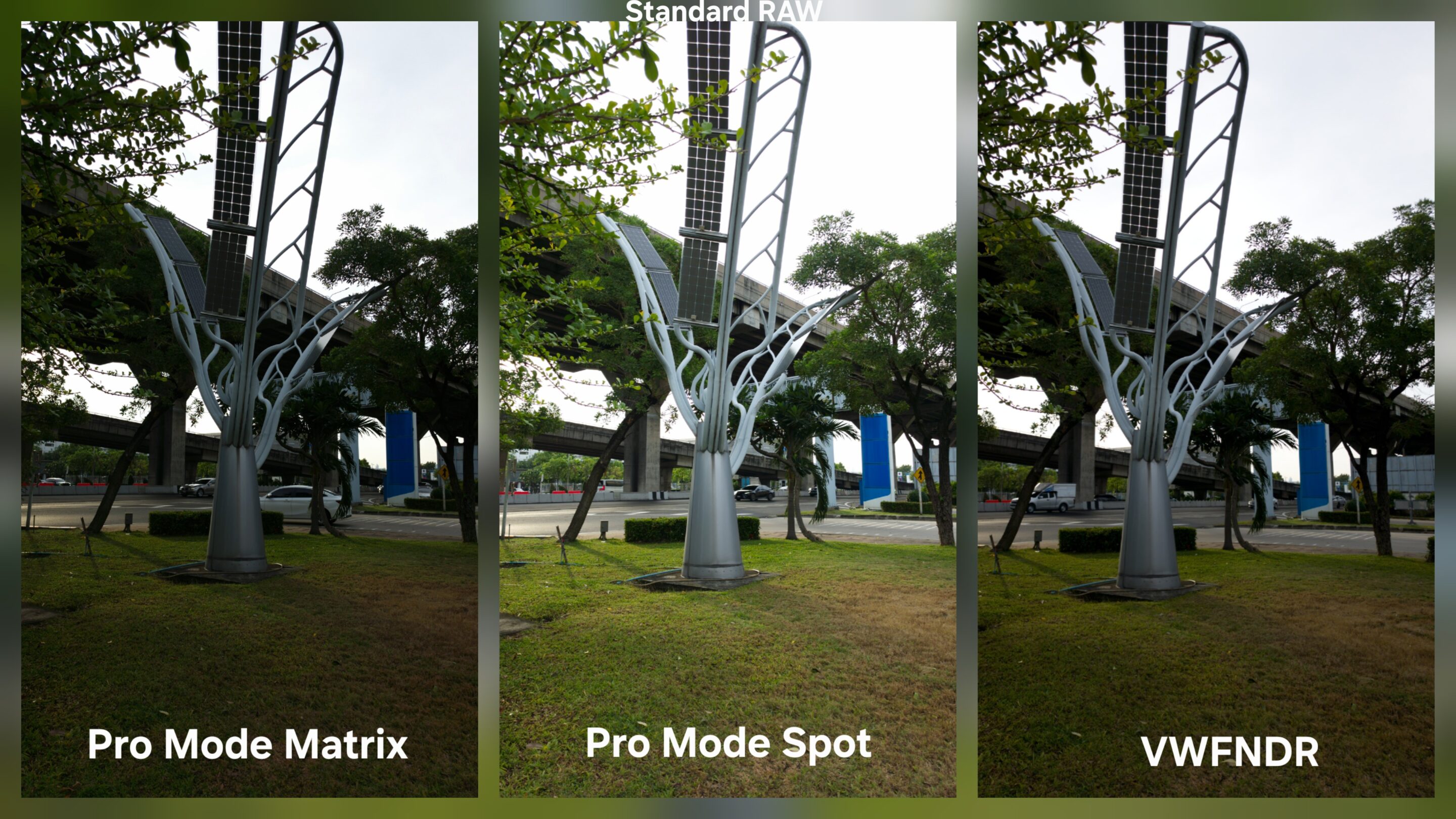
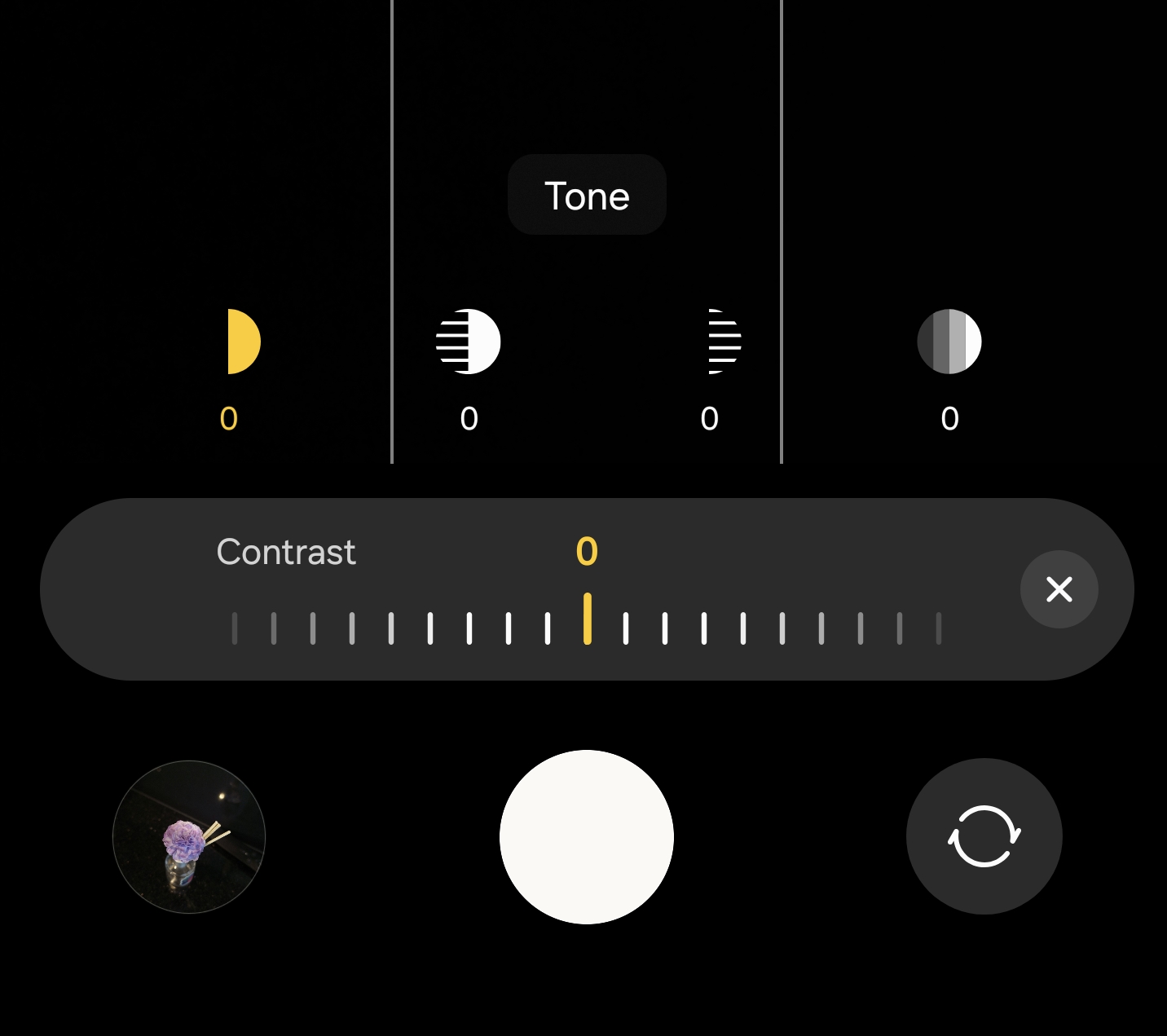
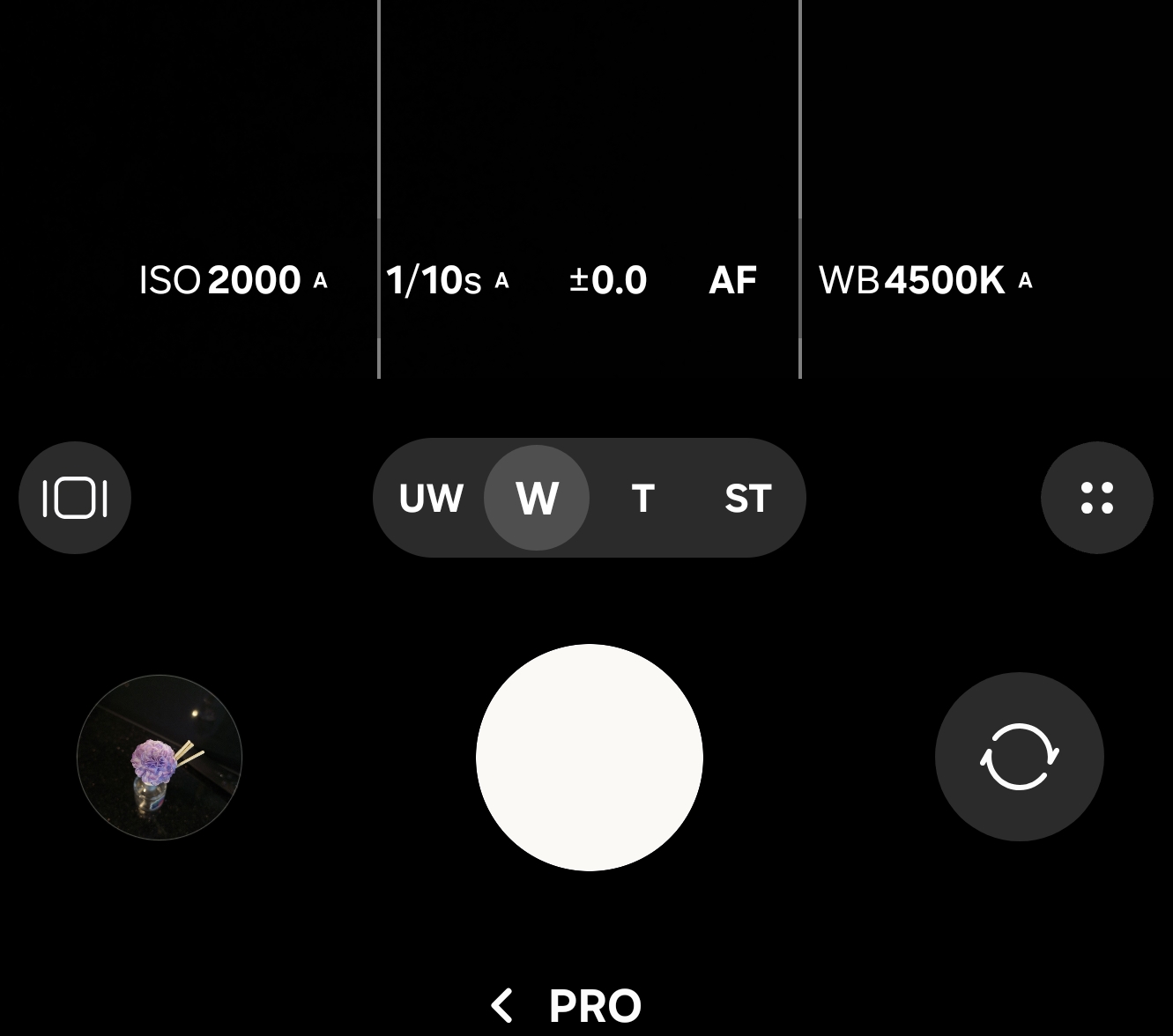
That changes the conversation completely. For many Android users, VWFNDR may feel revolutionary. For Samsung users, it feels more like an alternative philosophy rather than a necessary replacement.
The UI also reflects that philosophy very clearly. Instead of looking like a typical Android camera app filled with AI icons and colorful modes, the interface feels heavily inspired by modern mirrorless cameras. Large exposure values dominate the screen, controls are intentionally stripped down, and the overall presentation feels surprisingly premium at first glance.
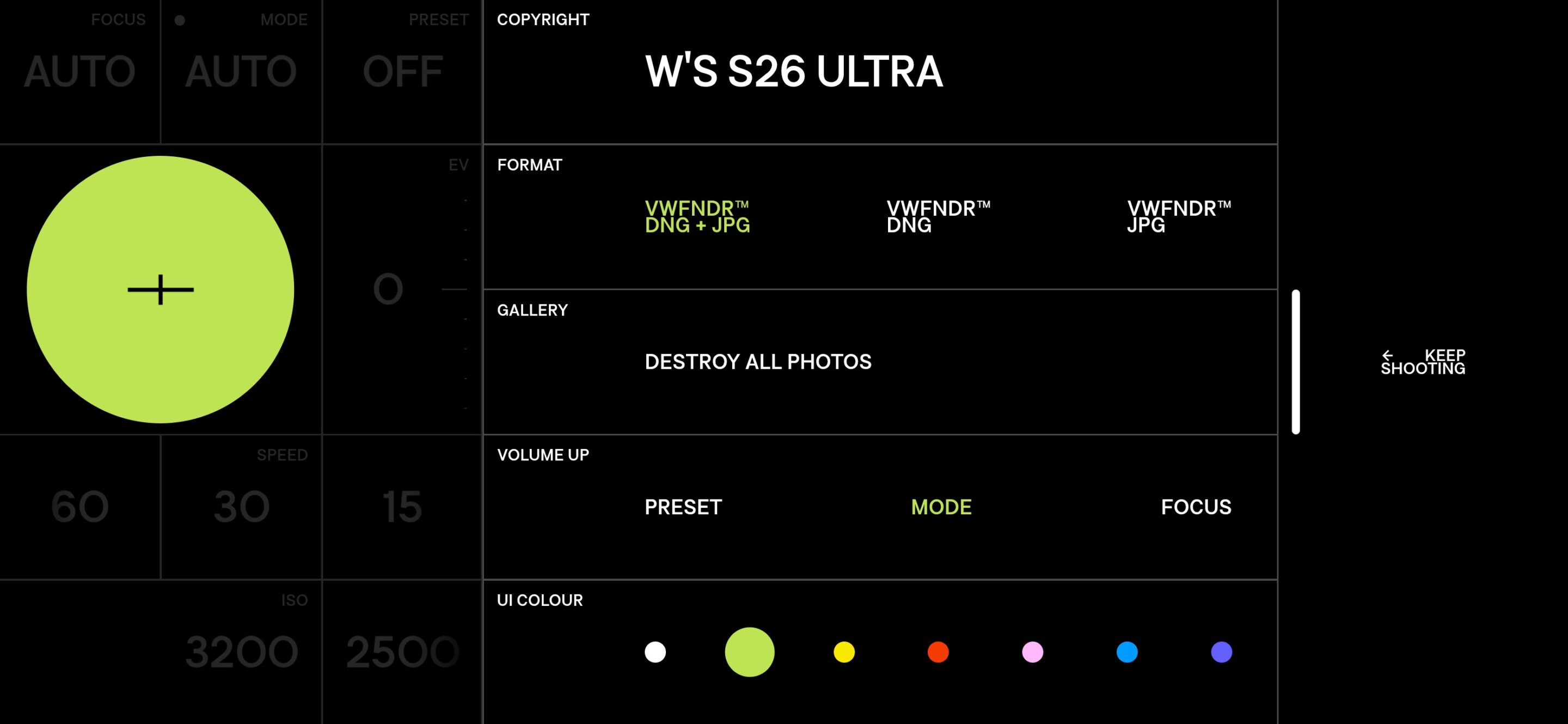
But after spending more time with it, the minimalism starts going too far. The interface almost feels too clean, even for serious photography use. Some practical visual feedback and workflow functionality feel sacrificed in favor of aesthetic simplicity. Ironically, while the app looks more “camera-like” than many stock camera apps, it can sometimes feel less practical during real shooting sessions.
There is also another reality that becomes impossible to ignore once you compare the output carefully. The overall RAW behavior feels extremely close to shooting 1x DNG files through Lightroom Camera. The flatter rendering, restrained processing, natural grain structure, and editing flexibility all follow a very similar philosophy.
That is not a criticism at all, but it also shows that VWFNDR is not reinventing RAW photography entirely. Instead, it refines a cleaner and less computational approach that advanced mobile photographers already understand. And maybe that is the most important thing about this app. VWFNDR is not trying to beat computational photography at its own game. It is trying to remind users what photography looked like before algorithms started redesigning reality.
In an era where smartphone cameras increasingly prioritize synthetic perfection, this app focuses on authenticity instead. The quality is genuinely good. The philosophy is refreshing. The output feels honest.
But personally, I do not really need it. At least not on Samsung devices, where Pro Mode RAW already gives me a more flexible version of this workflow with broader lens support and deeper controls. Still, the existence of apps like VWFNDR matters because they prove there is still demand for photography that feels captured instead of generated. You can download the app from the Google Play Store.

Written by
William B. (W Vision)William B. is an independent mobile imaging analyst and the creator of W Vision. Through detailed comparisons, real-world testing, and sensor-focused analysis, he helps readers understand the true strengths, limitations, and real-world performance of flagship smartphones, with a focus on camera technology, imaging performance, and the overall user experience.

Follow us on Google Discover & set us as a preferred source in Google News
Share this Post
___________________________


New Blog Posts
___________________________
How Galaxy Z Fold 8’s App Screen Zoom Feature Works
You can set different zoom levels for individual apps
We Tracked Galaxy Z Fold 8 Ultra Leaks for Months: Here’s What Samsung Shipped and What it Didn’t
Galaxy Z Fold 8 Ultra is Samsung’s biggest Fold upgrade in years
Samsung Chairman Heads to Google’s Exclusive Camp for AI Discussions
AI may be a key topic of discussion