Sound Assistant Update Brings Official One UI 9 Compatibility

SammyGuru is reader-supported. We have affiliate and sponsored partnerships, so we may earn a commission when you buy through links on our site — at no extra cost to you. Learn more.
Samsung has pushed a new update for Sound Assistant, its Good Lock module. The update brings official support for One UI 9, along with bug fixes to improve the experience. The company appears to be pushing the update to all eligible Galaxy users around the world.
Samsung updates Sound Assistant to version 9.0.00.3
Samsung recently kicked off its Android 17-based One UI 9 beta program for the Galaxy S26 series. Unsurprisingly, shortly after installing the latest beta build, some Good Lock modules see temporary compatibility issues (the company even highlighted those unsupported apps). This is because system-level changes in a major One UI release often tweak core frameworks.
While Sound Assistant works on the One UI 9 beta, Samsung now wants to ensure it is fully compatible with the next-gen software. As a result, the company has updated the module to version 9.0.00.3. If you are running the beta build, you no longer need to worry about your personalized audio settings breaking. This is not just for the beta — it also likely applies to the stable One UI 9 release, expected to debut in July 2026.
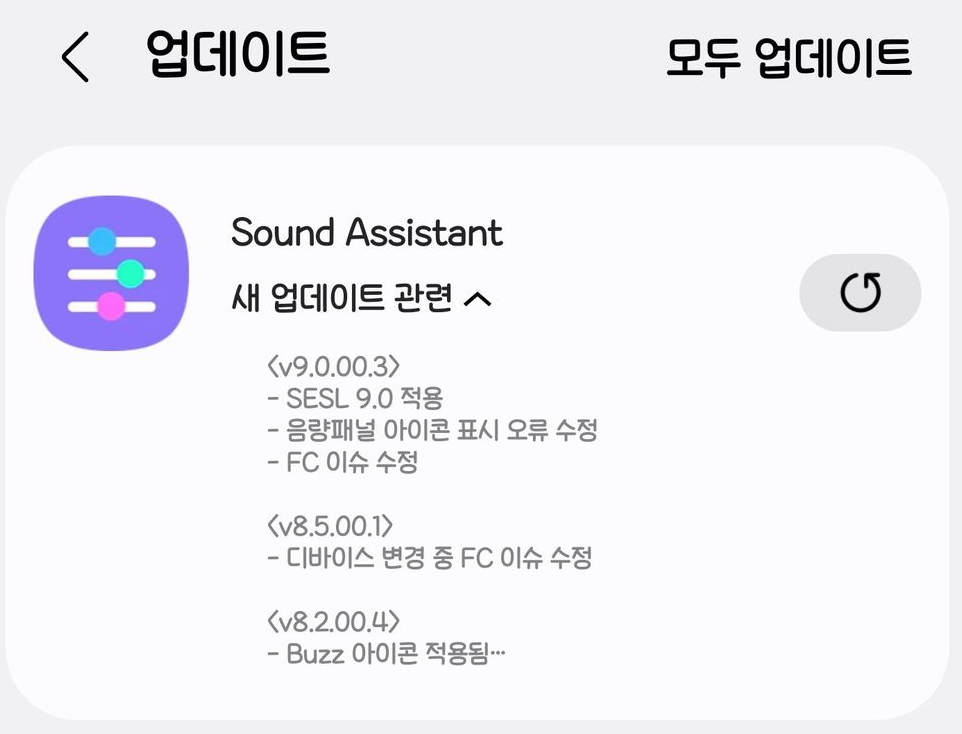
Apart from improved One UI 9 compatibility, the update also addresses a bug in Sound Assistant related to the volume panel icon. This means when customizing the volume control panel, you may not see issues with icon behavior.
While the update is essential for the One UI 9 beta, the bug fix also makes it equally relevant for older One UI versions. It is quite easy to check whether the latest version has hit your Galaxy device. You can either use the Galaxy Store or the Good Lock app to confirm and install the update.
Open the Galaxy Store and navigate to Menu > Updates. If the latest version is available, it will show up there for download. Alternatively, open the Good Lock app and go to the Plugins tab. From there, you can update the Sound Assistant.

Written by
Binay KonwarBinay Konwar started his blogging journey in 2014 and has since written plenty of tech articles. At present, he is working as a News Writer at SammyGuru, covering everything about Samsung. He holds a Master's degree in Mathematics, but his real passion lies in tech and writing. In his free time, he enjoys playing chess and watching movies.

Follow us on Google Discover & set us as a preferred source in Google News
Share this Post
___________________________


New Blog Posts
___________________________
Introducing SammyGuru Rewards — Read, Earn, and Redeem
Our biggest update yet
Samsung’s Odyssey G8 Will Power Crimson Desert Demos at Gamescom 2026
In Cologne, August 36-August 30
Galaxy S25+ and Galaxy Tab A11 Are Cheaper Than Ever at Walmart
Your wallet will thank you