Some Galaxy Users Face Call Volume Issues After One UI 8 Update

SammyGuru is reader-supported. We have affiliate and sponsored partnerships, so we may earn a commission when you buy through links on our site — at no extra cost to you. Learn more.
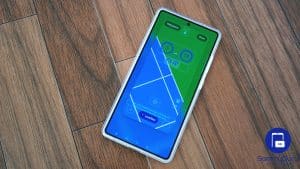
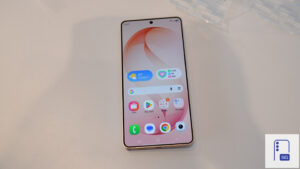
Samsung’s One UI 8 update appears to be causing a weird issue for some Galaxy smartphone users, particularly on the Galaxy A73 and A54. Users have reported that their phones do not remember the volume level set during calls. As of now, the company has not officially acknowledged the bug, but it is expected to fix it in a future software update.
One UI 8 bug resets call volume to maximum on some phones
Samsung released its One UI 8 update for Galaxy A73 and A54 in October 2025. Based on Android 16, the update brings a cleaner interface, improved system apps, and a host of customization options through Good Lock. This gives a revamped software experience to users of mid-range Galaxy devices.
However, some users noticed an unusual problem after updating (via SamMobile). Previously, the phones retained the user’s in-call volume setting. For example, if a user lowered the volume to 50% during a call, the phone maintained that level for the next calls. Now, the volume resets to the maximum level every time they start a new call.
On Reddit, a Galaxy A73 user said that after updating to One UI 8, the in-call volume no longer stays constant. “It sets to the highest level every time,” the user noted. Another Galaxy A54 owner confirmed experiencing the same issue. While it is not yet clear how widespread this bug is, these reports suggest that the problem is affecting multiple devices.
Hopefully, Samsung is aware of the issue and will release a fix in a future software update. If you are experiencing the call volume issue, you will need to adjust the volume at the start of each call manually for the time being. You can also try common troubleshooting steps, like restarting your device, to see if that helps. We will let you know if the company shares any statement regarding the issue.

Written by
Binay KonwarBinay Konwar started his blogging journey in 2014 and has since written plenty of tech articles. At present, he is working as a News Writer at SammyGuru, covering everything about Samsung. He holds a Master's degree in Mathematics, but his real passion lies in tech and writing. In his free time, he enjoys playing chess and watching movies.

Follow us on Google Discover & set us as a preferred source in Google News
Share this Post
___________________________


New Blog Posts
___________________________
Samsung SDI Inks Major AI Data Center Battery Contract
The firm supplies its cylindrical cells to Simplo Technology
The One Thing I Hate Most About Samsung’s One UI Beta Brogram
No, it’s not bugs or software stability!
Samsung Eyes More DRAM Price Hikes Amid Supply Crunch
This comes as shortages continue across several memory products