Samsung Quietly Removes a Classic Nerdy Feature from Galaxy Phones
SammyGuru is reader-supported. We have affiliate and sponsored partnerships, so we may earn a commission when you buy through links on our site — at no extra cost to you. Learn more.
Samsung recently started rolling out its February 2026 update to Galaxy devices, and most of the changes are under the hood. These include security fixes and stability improvements. However, hidden inside that rollout is a curious omission, and it’s not good news for nerdy Galaxy users.
Samsung stripped the Android Recovery menu
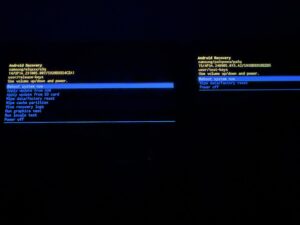
Spotted by Galaxy Club, Samsung has removed the “Wipe cache partition” option from the Android Recovery menu on many devices. For those who don’t know, the Android Recovery menu is a handy troubleshooting trick that’s been around since Android’s early days. In the Recovery menu, you use the wipe cache partition to clear all the temporary system files without wiping your full data. This is a common go-to after software updates or if an app starts acting weird. After the February update, that option simply doesn’t appear anymore.
Not only that, but Samsung also removed the option to:
- “Apply update from ADB.”
- “Apply update from SD card.”
- “View recovery logs.”
- “Run graphics test.”
- “Run locale test.”
In the updated Recovery menu, most Galaxy phones (including the Galaxy S25 models, Z Flip 7, Z Fold 7, and more) only show:
- “Reboot system now.”
- “Wipe data/factory reset.”
- “Power off.”
Other users noticed the change too
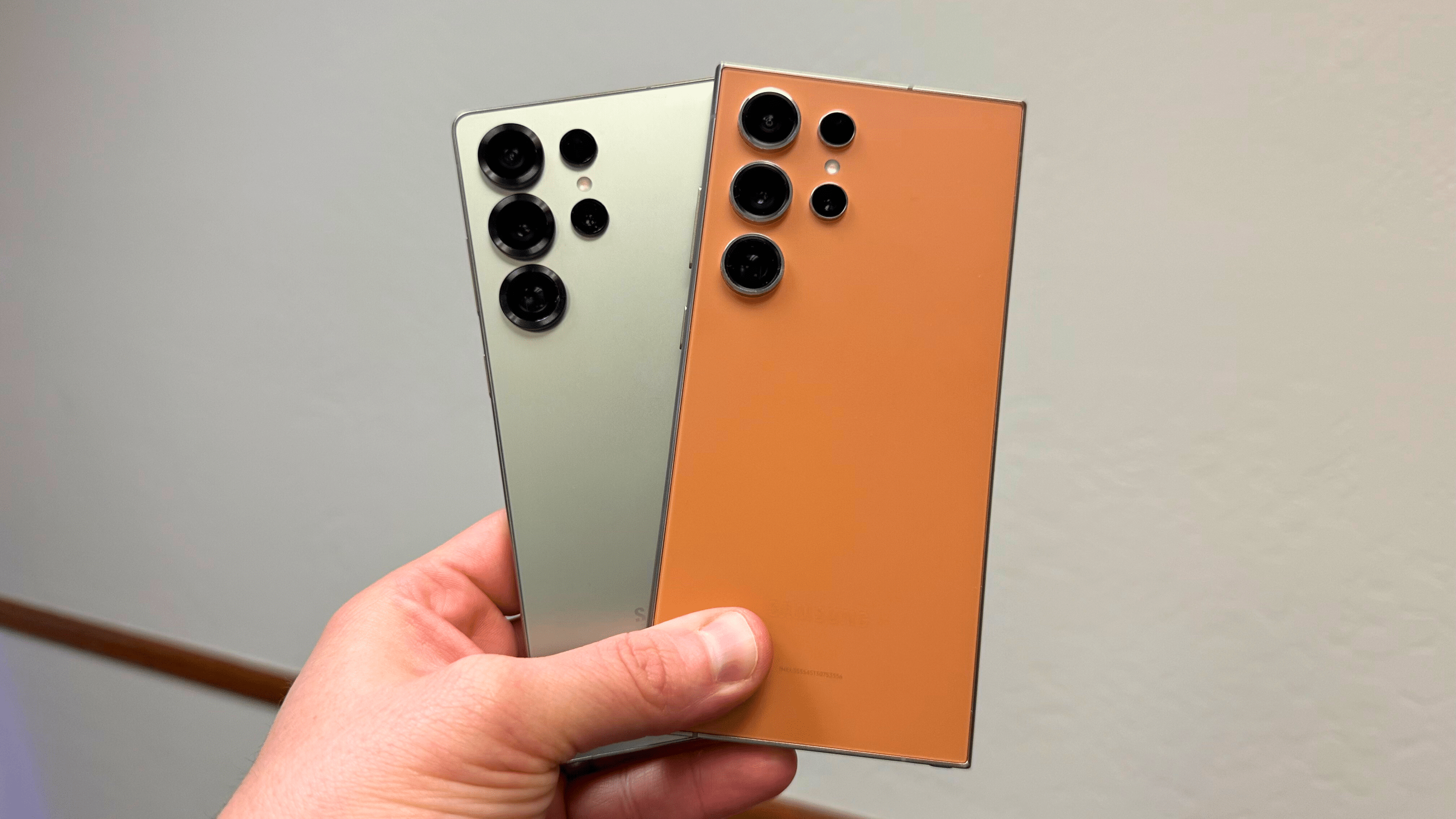
Also, we also have a confirmation from @MegaMarian12350 from X. On the left, it’s Galaxy S24 Ultra running the January 2026 patch. On the right, it’s Galaxy S25 Ultra with the February 2026 patch. Both phones are in Recovery mode. We can clearly see that Samsung removed a lot of options with the February 2026 security patch from Recovery mode.
There’s no official word from Samsung yet on why this change was made. The update’s changelog doesn’t mention it. Samsung often trims lesser-used tools over time. It’s true that modern versions of Android are better at managing temporary files on their own. Yet removing a long-standing classic without communication will raise some eyebrows among experienced users.
If you still rely on wiping the cache partition after updates fail or when performance starts to feel wonky, then you’ll now need to handle things differently. Instead, you’ll have to clear temporary data manually through Settings, since the wipe cache option is no longer available in the Recovery menu.
At the end of the day, this isn’t a dramatic change for most users, but for long-time Galaxy fans and power users, it marks the quiet disappearance of one of the most useful features in Android. We hope Samsung brings an official word on why they brought this change.
How do you feel about this change? Do you think Samsung should bring the removed options back?

Written by
David BuligaDavid Buliga is a Romanian writer at SammyGuru, where he covers the Samsung and Android ecosystem with a focus on apps, software features, and the trends shaping how we actually use our devices — from Galaxy Watch apps to One UI 9, plus the occasional opinion piece. He joined SammyGuru in 2026 after previously creating entertainment content on YouTube, producing animations and gameplay videos. Currently pursuing a Bachelor's degree in Applied Electronics and Telecommunications, David is passionate about consumer technology and enjoys getting under the hood of smartphones to see what makes them tick. Outside of tech, he loves listening to music, reading books, photography, and exploring the random ideas that often inspire his next story.

Follow us on Google Discover & set us as a preferred source in Google News
Share this Post
___________________________


New Blog Posts
___________________________
Samsung is Testing Android 17-Based One UI 9 for These Galaxy Devices
More devices should appear with test builds soon
Swatch Pushes for $170 Million Damages in Samsung Galaxy Watch Case
Swatch wants Samsung to pay $170 million in Galaxy Watch lawsuit
Samsung’s Biggest AI Investment Yet May Be Worth $648 Billion
Samsung may move chip expansion beyond Seoul with huge AI investment