One UI 9’s Home Up to Get Dock Customization, Multi-Finger Gestures
SammyGuru is reader-supported. We have affiliate and sponsored partnerships, so we may earn a commission when you buy through links on our site — at no extra cost to you. Learn more.
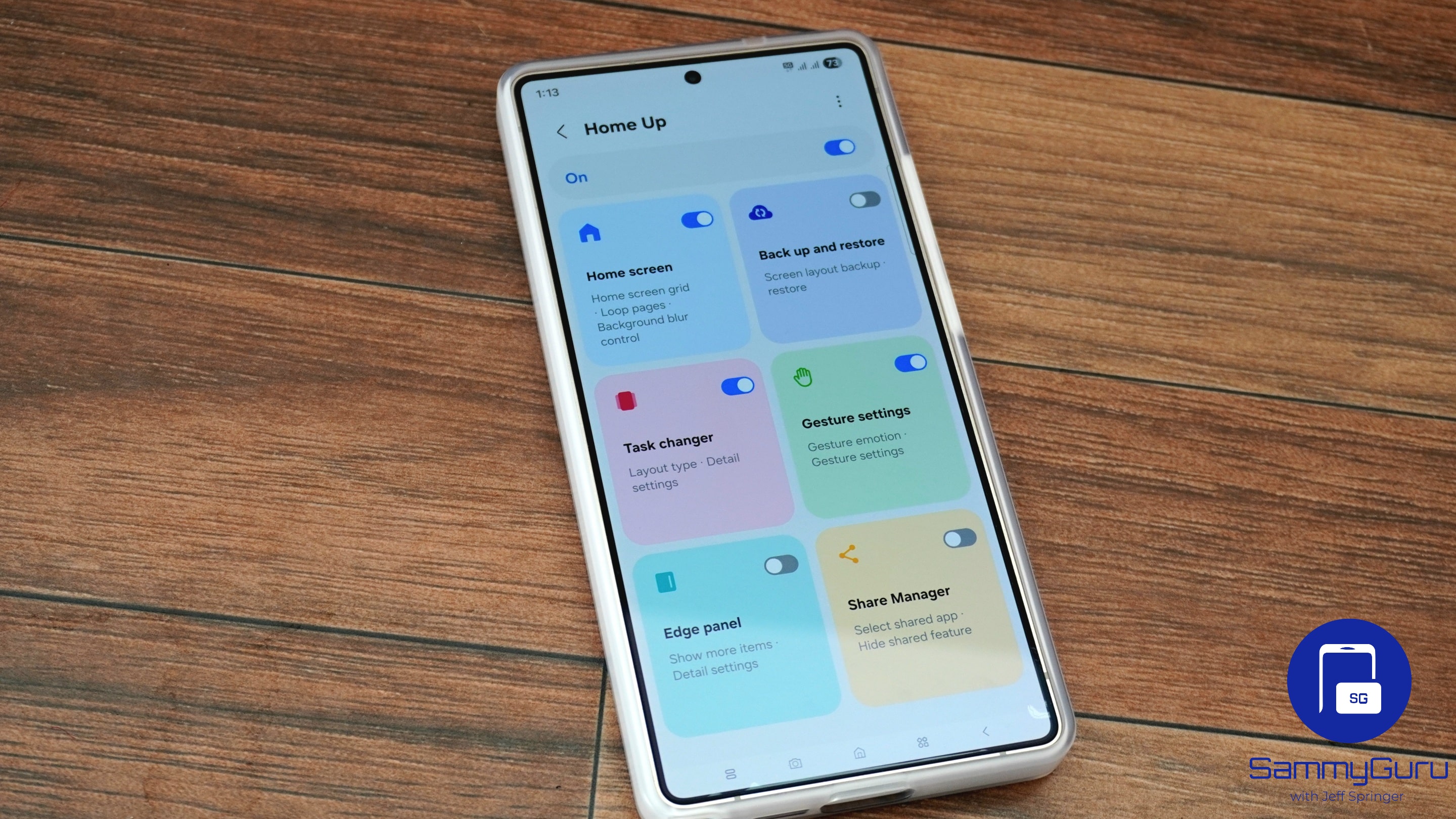
Samsung is expected to soon release the One UI 9 version of Good Lock’s Home Up module. Meanwhile, a leaked build reveals some of the upcoming features. The app will seemingly get dock customization tools and powerful multi-finger gesture controls. This will let you unlock new ways to personalize your Galaxy experience.
Samsung preps Home Up upgrade for Galaxy users
Part of Samsung’s Good Lock suite, Home Up lets you customize your Galaxy phone’s home screen in different ways. The company has regularly improved the module with a host of new features and customization options. With One UI 9, it appears to be bringing two big additions. The information comes from tipster @GalaxyTechie, who posted several screenshots on X showing the upcoming features.
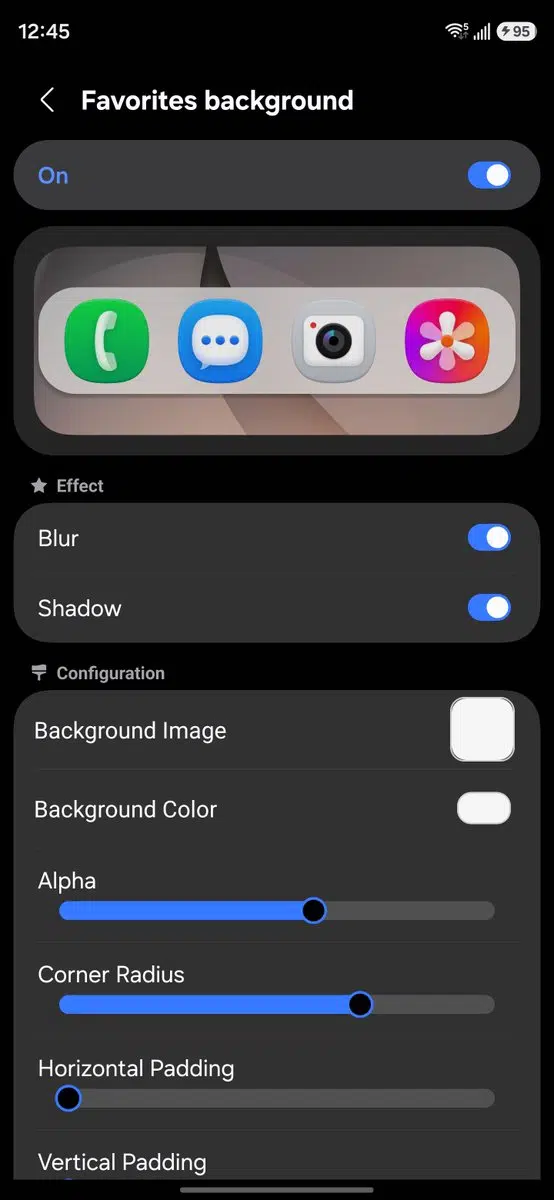
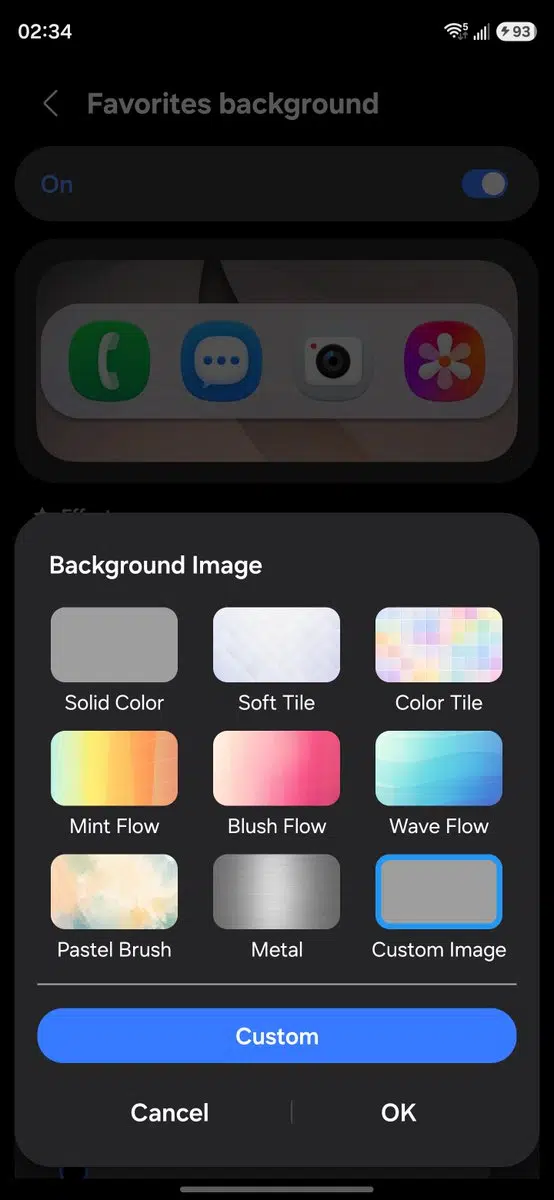
Starting with the Favorites background, Samsung lets you customize the dock’s look on the home screen. You can change its background color or image and enable or disable blur and shadow effects. Thanks to the adjustable corner radius, you can make the dock look more rounded.
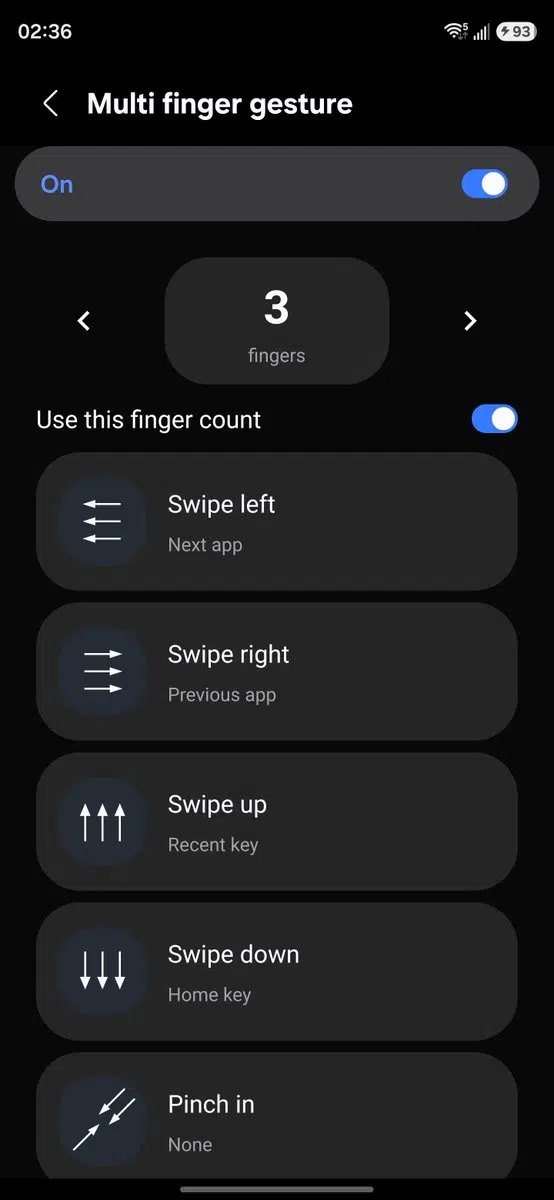
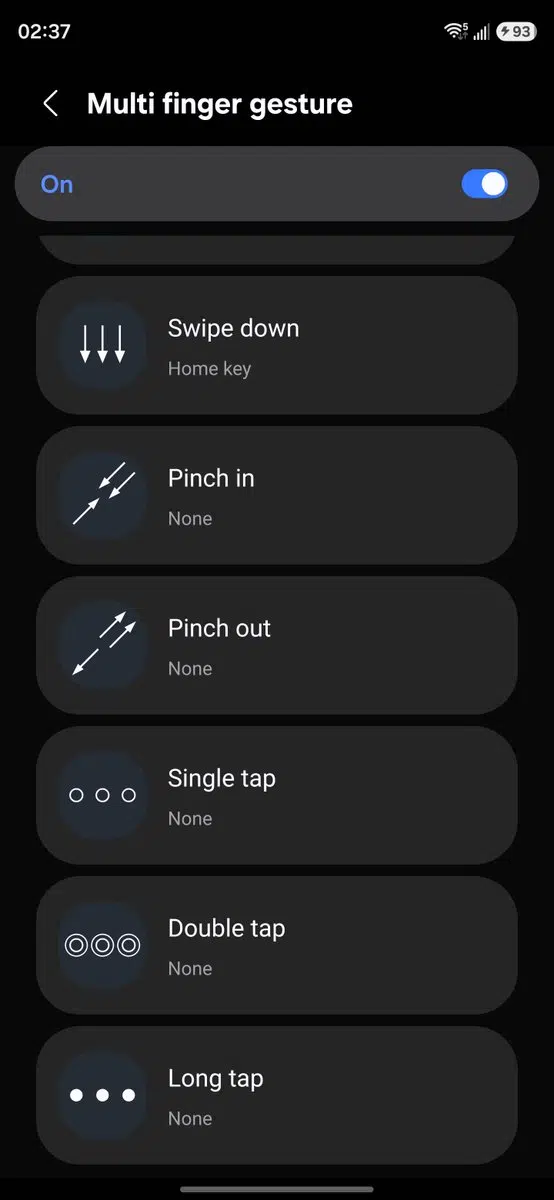
The second addition is multi-finger gestures, which let you assign actions to gestures performed with up to five fingers. Supported gestures include swiping left, right, up, and down, pinch in and pinch out, as well as single tap, double tap, and long tap.
You can map each gesture to a different system action. Some of these include going Home, opening Recent apps, using the Back button, switching to the previous or next app, launching Finder Search, taking a screenshot, and opening the notification panel.
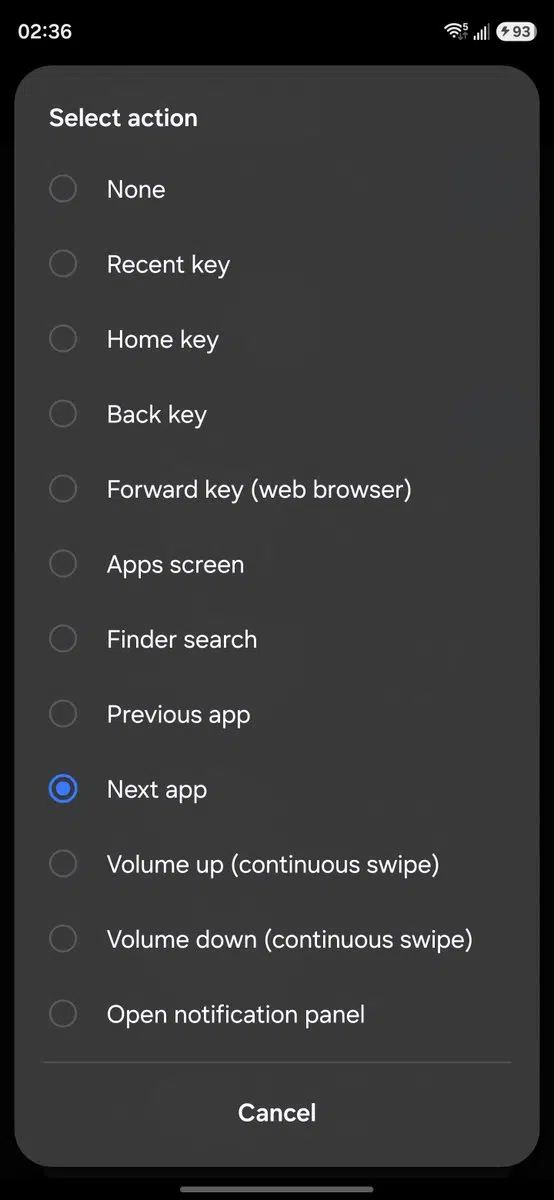
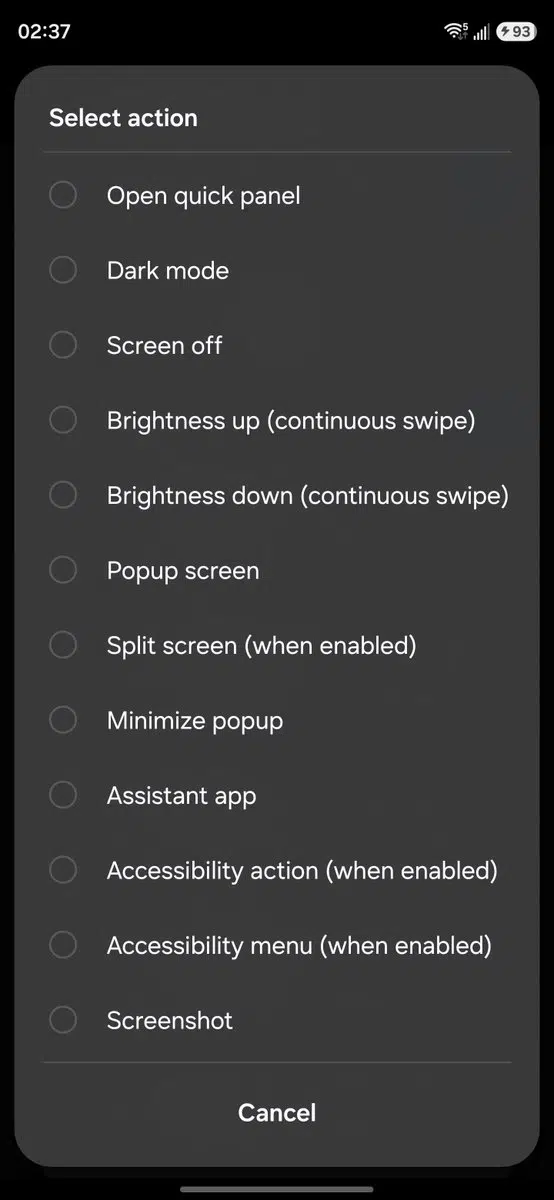
Furthermore, Samsung offers a bunch of settings to fine-tune the feature. You can adjust the swipe distance required to trigger a gesture. There are options to enable a glow effect and vibration feedback when a gesture is recognized. You can turn off gestures while the keyboard is open.
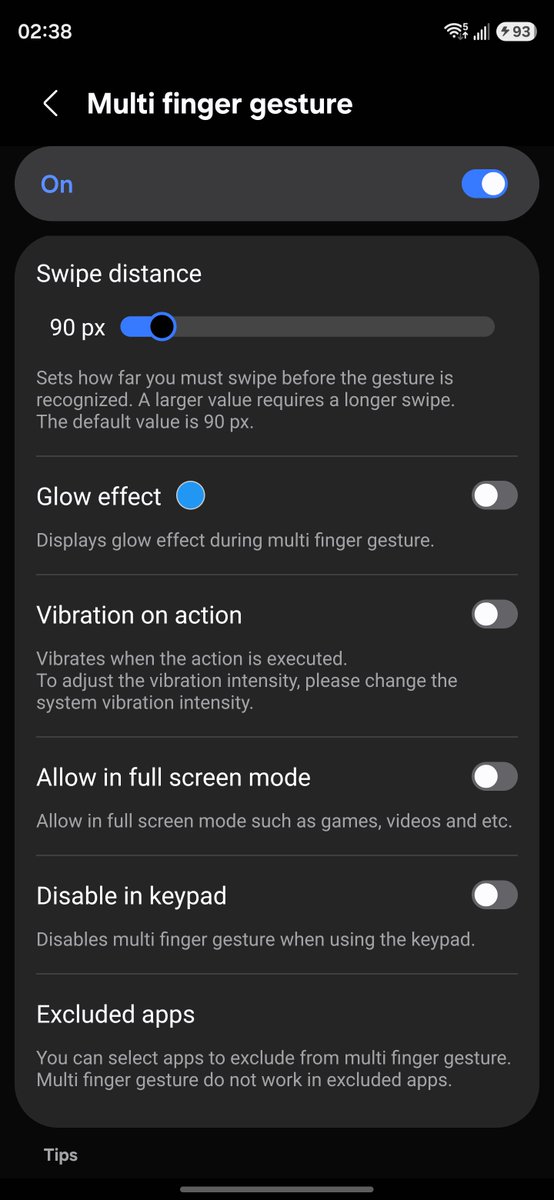
If you don’t want gestures to work in certain apps, you can easily exclude them. There is also an option to enable gestures in full-screen mode, such as during games. We’ll let you know when Samsung officially pushes these new Home Up features to users.

Written by
Binay KonwarBinay Konwar started his blogging journey in 2014 and has since written plenty of tech articles. At present, he is working as a News Writer at SammyGuru, covering everything about Samsung. He holds a Master's degree in Mathematics, but his real passion lies in tech and writing. In his free time, he enjoys playing chess and watching movies.

Follow us on Google Discover & set us as a preferred source in Google News
Share this Post
___________________________


New Blog Posts
___________________________
Galaxy A15 5G, A27, A36, Tab S10 Lite & Tab A11 Join One UI 9 Development
5 more devices in!
How to Screen Mirror Your Galaxy Phone to a Samsung TV
Screen mirroring is one of the easiest ways to enjoy photos, videos, games, presentations, or even apps on a big screen
Android Auto Users Can Now Access Motorcycle-Focused Navigation
Motorcycle dashboards get smarter with Sygic’s Motorbike Mode