Gemini Live Camera and Screen Sharing Now Available for Free

SammyGuru is reader-supported. We have affiliate and sponsored partnerships, so we may earn a commission when you buy through links on our site — at no extra cost to you. Learn more.
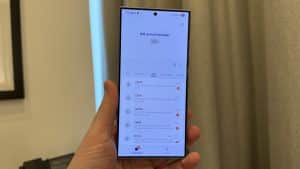
One of Gemini’s coolest tricks is now available free for everyone, whether you’re on Android or iOS. What used to be a perk only exclusively for Google’s Pixel 9 and Samsung’s Galaxy S24 and S25 series is now open to all. Now, anyone can use Gemini Live to ask questions about what’s on their screen or right in front of their camera, the company announced at I/O earlier today.
Gemini Live’s camera and screen sharing is now available for free on both Android and iPhones
To use the screen-sharing option, users simply open the Gemini app and tap the “Share screen with Live” button. For the camera feature, they tap the viewfinder icon and point their camera at an object, text, or anything else they want to learn about. Gemini can then answer questions without the need to take a photo.
For example, you might point your camera at food to see if it fits your diet or at a piece of clothing to get some style ideas. You can also ask Gemini about articles or pictures on your screen. In a demonstration, Gemini shared fascinating facts about the golden ratio and provided information about a famous Renaissance mathematician. All just by “seeing” what was on the screen.
Google says conversations using Gemini Live tend to last much longer than regular text chats because it’s easier and more natural to interact this way. The AI can even follow up with more details based on what you show it.
The rollout will continue over the next few weeks, so if you don’t see the new features right away, keep checking your Gemini app. This update is a big step toward making AI more helpful and interactive for everyone.

Written by
Abhinav AnandAbhinav Anand is the News Editor at SammyGuru and a technology journalist based in New Delhi. Before joining SammyGuru, he contributed to numerous outlets, including Android Headlines, ExtremeTech, The Mac Observer, Financial Express, Economic Times, iGeeksBlog, KnowTechie, PhonesWiki, SlashGear, and more. You can reach him at [email protected].

Follow us on Google Discover & set us as a preferred source in Google News
Share this Post
___________________________


New Blog Posts
___________________________
Galaxy S23 FE, A07, A55, M15 and Seven More Join One UI 9 Development
The Android 17 software for most devices is still very far away
Google Brings Native Signature Support to Android
The feature is rolling out through the June 2026 Google Play system update