Galaxy Watch Users Facing App Crashes Right After Launch
SammyGuru is reader-supported. We have affiliate and sponsored partnerships, so we may earn a commission when you buy through links on our site — at no extra cost to you. Learn more.
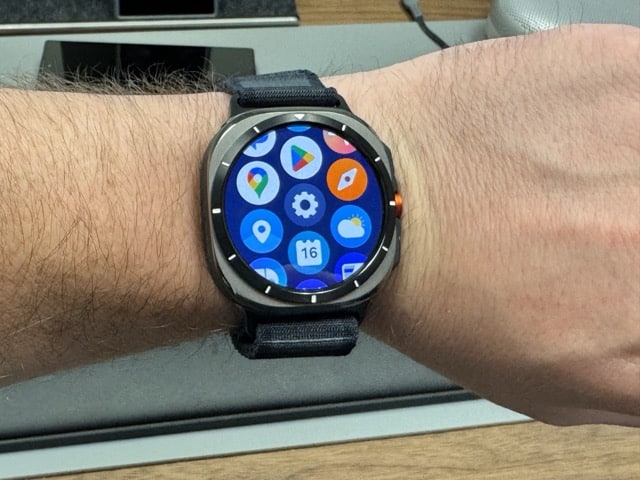
It looks like some Galaxy Watch owners are experiencing an issue where certain apps won’t launch. This is probably happening because of a Wear OS 6 bug that leaves a stuck background process in the watch’s memory. The good news is that Samsung appears to have fixed the problem with its latest software update.
A weird bug is causing app crashes on Galaxy Watches
A Galaxy Watch 8 Classic user recently took to Reddit to share their experience with the app launch issue. They said that when trying to open apps such as Gmail, Google Calendar, and WhatsApp, the watch shows the app’s splash screen for a few seconds (via Android Authority). The app then closes and returns to the app drawer.
The user also tried several common workarounds, such as clearing the app cache and wiping the cache partition, but had no luck. While restarting the watch got rid of the issue, the fix lasted only temporarily. Several Galaxy Watch owners reported similar problems, suggesting that a bug within Wear OS 6 is triggering the app launch failures.
A Galaxy Watch user suggested that Wear OS 6 may leave a stuck background process in the watch’s memory after an app closes or executes a sync task. “When you try to reopen the app later, the OS sees the old stuck process, panics because it can’t kill it, and aborts the launch entirely,” the user said.
They said that force-stopping the affected app may fix the issue. To do this, you can head over to Settings > Apps > App List. Now select the app and tap Force Stop. If it’s not fixed, you should remove the app from the Recent Activities screen and try opening it again.
According to a Galaxy Watch 7 owner, Samsung has patched the “app crash on the logo splash screen” issue through the May 2026 security update. In fact, my colleague Sumit, who is running the June update (that brought last month’s security patch) on his Galaxy Watch 8 Classic, was unable to reproduce the issue. So, installing the latest available update is worth a try.

Written by
Binay KonwarBinay Konwar started his blogging journey in 2014 and has since written plenty of tech articles. At present, he is working as a News Writer at SammyGuru, covering everything about Samsung. He holds a Master's degree in Mathematics, but his real passion lies in tech and writing. In his free time, he enjoys playing chess and watching movies.

Follow us on Google Discover & set us as a preferred source in Google News
Share this Post
___________________________


New Blog Posts
___________________________
Google Photos Rolls Out New Floating Bottom Bar on Android
It floats
Introducing SammyGuru Rewards — Read, Earn, and Redeem
Our biggest update yet
Samsung’s Odyssey G8 Will Power Crimson Desert Demos at Gamescom 2026
In Cologne, August 36-August 30