Android 17’s Linux Terminal Keeps Getting Better, and Galaxy Devices Could Benefit with One UI 9.0

SammyGuru is reader-supported. We have affiliate and sponsored partnerships, so we may earn a commission when you buy through links on our site — at no extra cost to you. Learn more.
Google isn’t slowing down its work on Android’s built-in Linux Terminal. Its recent Android 17 QPR1 Beta releases for Pixels bring more improvements. With the One UI 9 update, supported Samsung Galaxy devices will benefit from these new features.
Google adds new console options
Let’s start with the console. According to Android Authority, Android 17 QPR1 Beta 5 introduces an important change for advanced users. Inside Terminal’s settings, Google now lets users choose between two console backends: ttyd (the current default) and virtio-console.
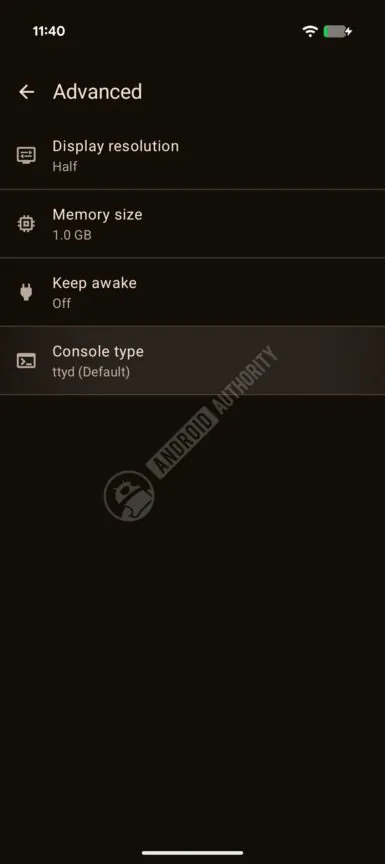
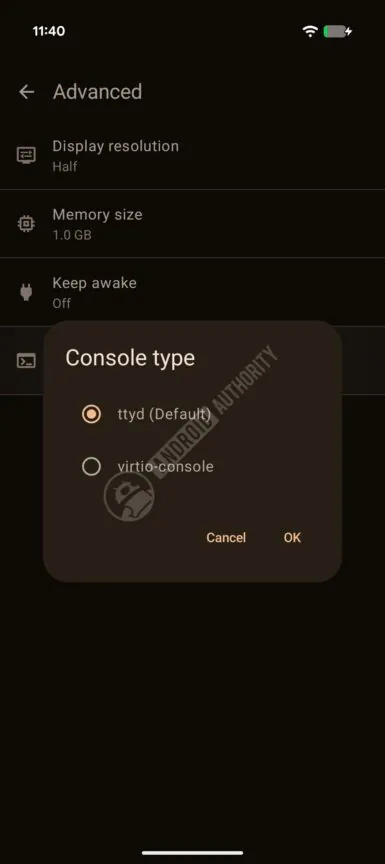
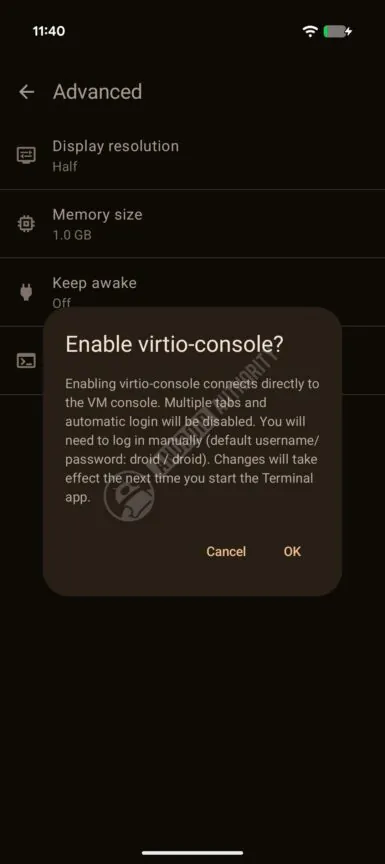
The new virtio-console aims to provide a faster communication interface between Android and the virtual Linux machine. This could potentially improve performance. However, Android Authority notes that the feature is still under development. At this stage, enabling it currently results in corrupted output and other issues.
Google also warns that switching from ttyd to virtio-console disables some existing functionality, including support for multiple terminal tabs and automatic login, and you will need to log in manually.
Font size finally becomes customizable
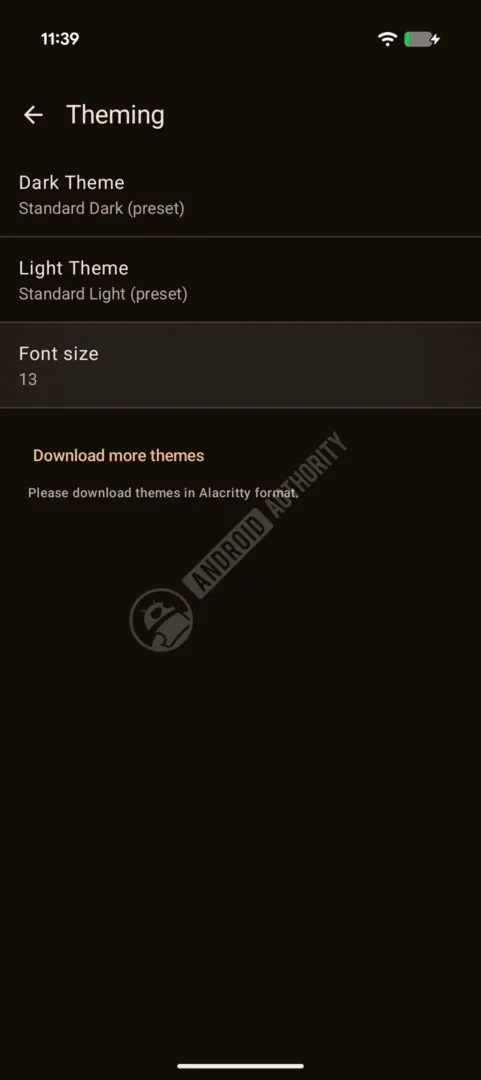
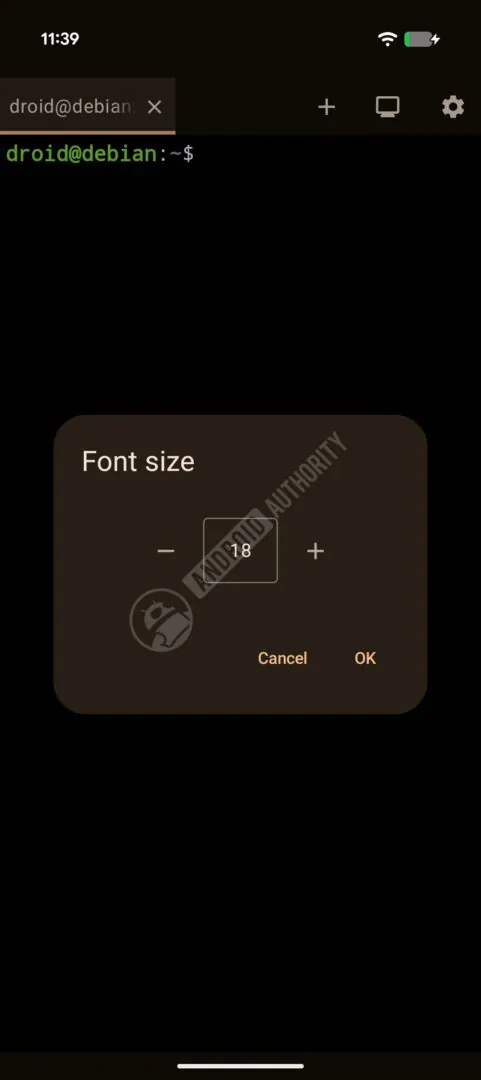
In Android 17 QPR1 Beta 5, Google has also addressed another long-requested quality-of-life improvement. Users can now adjust the Terminal’s font size directly from the Theming settings, making long coding sessions or command-line work much easier, depending on individual needs.
The cherry on top of the cake: Keyboard shortcuts
To top it all off, according to Android Authority, with Android 17’s QPR1 Beta 6, Google has finally added keyboard shortcuts to Linux Terminal. Additionally, Google has added several keyboard shortcuts that Linux users will immediately recognize when using a physical keyboard.
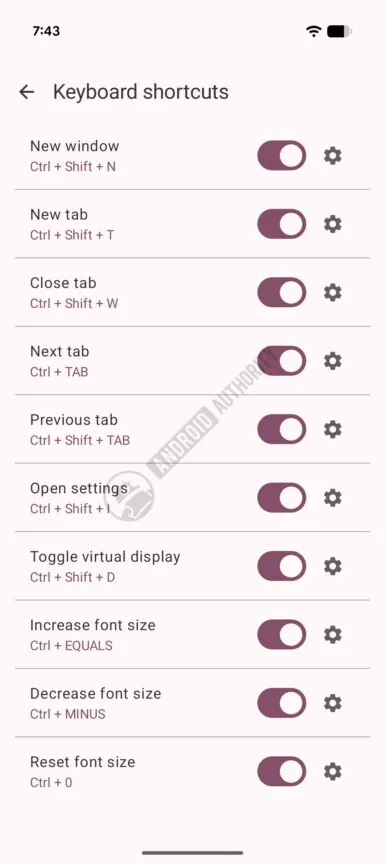
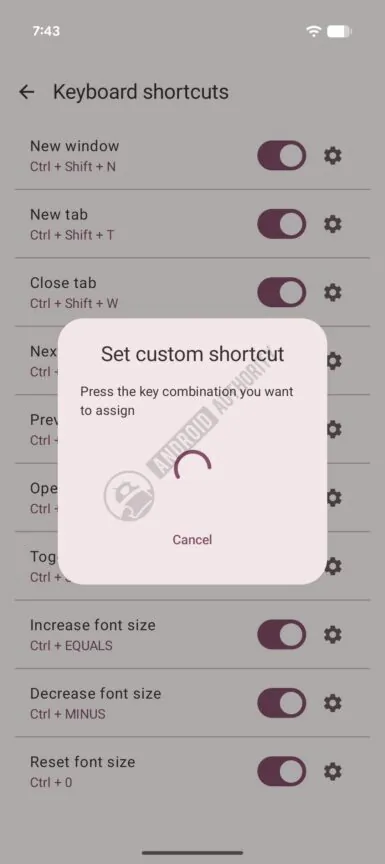
The new shortcuts include:
- Ctrl + Shift + C — Copy
- Ctrl + Shift + V — Paste
- Ctrl + Shift + N — Open a new terminal
- Ctrl + Shift + W — Close the current terminal
- Ctrl + Shift + Plus (+) — Zoom in
- Ctrl + Minus (-) — Zoom out
- Ctrl + 0 — Reset zoom level
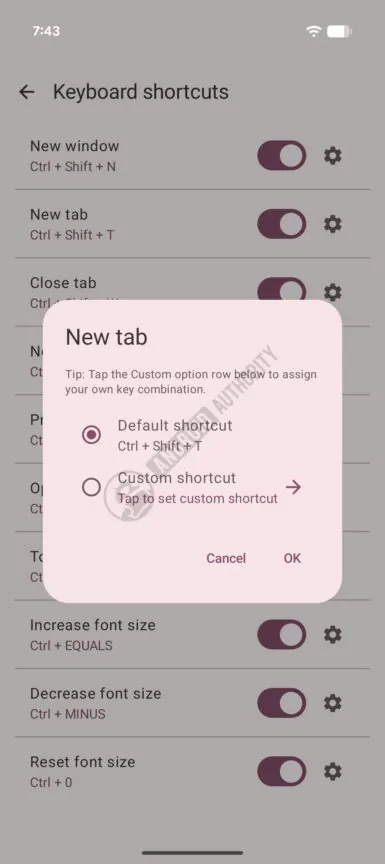
These additions make Linux Terminal much more comfortable to use with a keyboard. This is especially true on tablets, foldables, or phones connected to an external monitor. Even better, Samsung-supported devices also benefit from Samsung DeX (Desktop eXperience). Furthermore, you have toggles for the shortcuts to turn on or off. By tapping the settings gear icon, you can customize the shortcut to do whatever you desire.
Over the past few months, Android’s Linux terminal has steadily evolved with features such as support for graphical apps and expanded storage access. Taken together, Google appears committed to transforming Linux Terminal into a genuine desktop productivity environment. This is more than a simple command-line application.
Supported Galaxy devices could receive these improvements with One UI 9.0
Although Google is currently testing these features on Pixel devices, Samsung users shouldn’t ignore them. Galaxy devices that already support Google’s Linux Terminal are expected to adopt Android 17 as part of the One UI 9.0 update. This means many of these Terminal improvements could eventually make their way to Samsung phones and tablets as well. This could happen either with One UI 9.0 or with the future One UI 9.5 update.
And as a quick reminder, the devices that support Linux Terminal inside Samsung’s ecosystem aren’t many at the time of writing. The list goes on with:
- Galaxy Z Flip 7 (Exynos 2500)
- Galaxy S26 (Exynos 2600 models only)
- Galaxy S26 Plus (Exynos 2600 models only)
- Galaxy A56 (Exynos 1580)
- Galaxy Tab S11 (MediaTek Dimensity 9400+)
- Galaxy Tab S11 Ultra (MediaTek Dimensity 9400+)
As you can see, there is no sign of Qualcomm-powered devices that support Linux Terminal. Why? Because Qualcomm Snapdragon processors lack the necessary support for non-protected virtual machines required by the Android Virtualization Framework (AVF), no Snapdragon variants are supported. Not even the Galaxy S26 Ultra is supported.

Written by
David BuligaDavid Buliga is a Romanian writer at SammyGuru, where he covers the Samsung and Android ecosystem with a focus on apps, software features, and the trends shaping how we actually use our devices — from Galaxy Watch apps to One UI 9, plus the occasional opinion piece. He joined SammyGuru in 2026 after previously creating entertainment content on YouTube, producing animations and gameplay videos. Currently pursuing a Bachelor's degree in Applied Electronics and Telecommunications, David is passionate about consumer technology and enjoys getting under the hood of smartphones to see what makes them tick. Outside of tech, he loves listening to music, reading books, photography, and exploring the random ideas that often inspire his next story.

Follow us on Google Discover & set us as a preferred source in Google News
Share this Post
___________________________


New Blog Posts
___________________________

Samsung Prepares One UI 9 for Galaxy Z Fold 6, Flip 6 & A37
Three more devices join the list
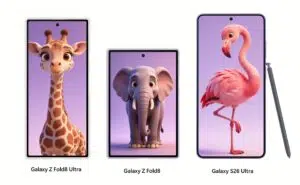
Galaxy Z Fold 8 and Fold 8 Ultra Appear Next to Galaxy S26 Ultra in New Leak
See Galaxy Z Fold 8 and Fold 8 Ultra next to Galaxy S26 Ultra
Get $50 Cashback with Samsung Wallet’s 4th of July Promotion
The promotion is available until July 10