Tracking Gets Easier with Samsung Find Location Widgets
SammyGuru is reader-supported. We have affiliate and sponsored partnerships, so we may earn a commission when you buy through links on our site — at no extra cost to you. Learn more.
Samsung has updated its Samsung Find app to version 2.0.00.20. The latest version brings location-tracking widgets, so you can quickly check the locations of your loved ones. It should be available to all eligible users worldwide in the coming weeks.
You can now track loved ones from the home screen thanks to Samsung Find widgets
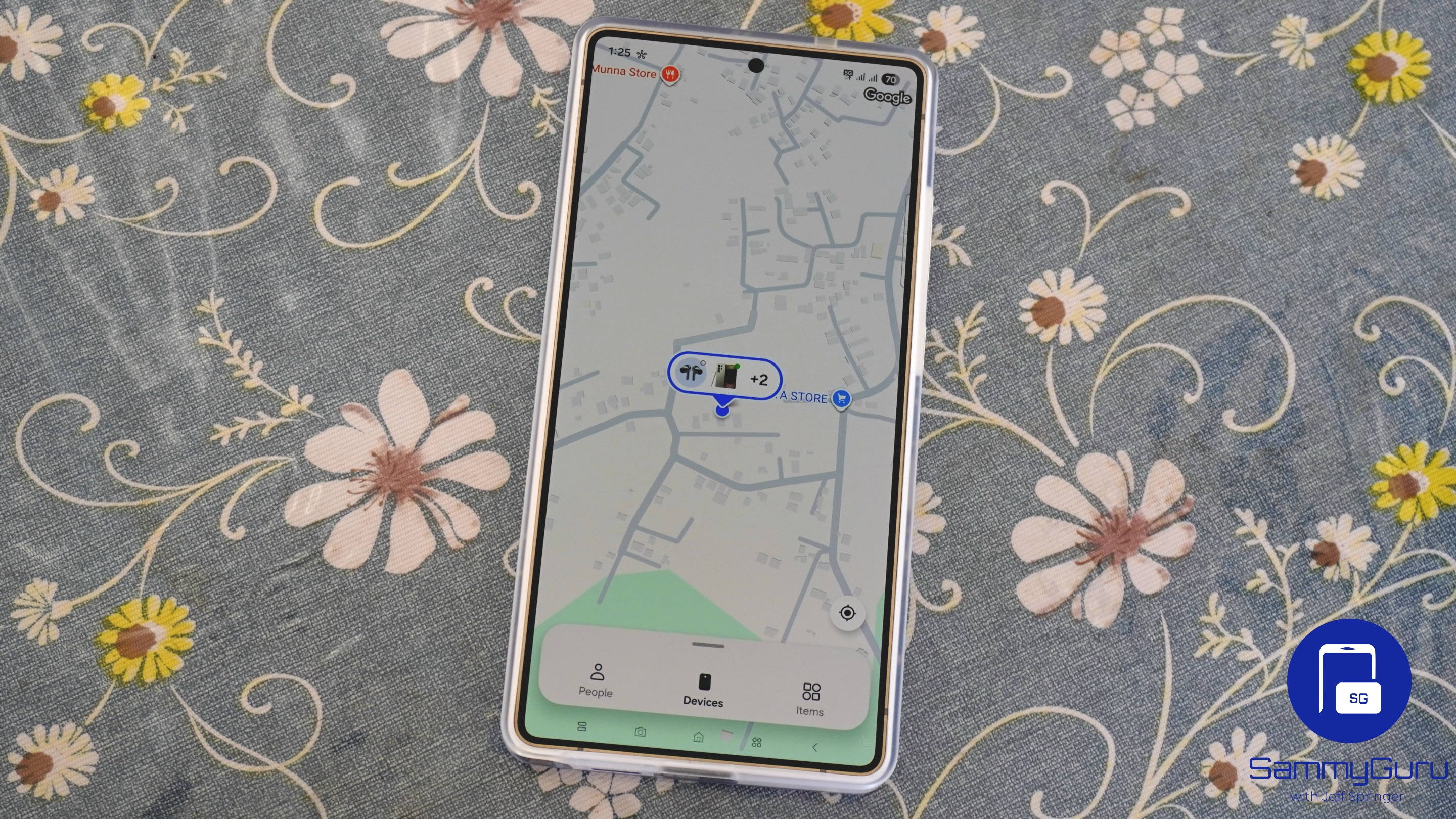
Samsung Find lets you locate people, Galaxy devices, and personal items. You can share your location with family members and friends from the People tab. Thanks to the ability to set a time limit for location sharing, you get more privacy and flexibility. The Devices tab helps you find your connected Galaxy devices via a map. There is an Items tab that works with SmartTags, so you can track personal belongings such as bags and keys.
With the latest update, Samsung has now introduced two location-tracking widgets for the Samsung Find app. We get a compact 2×2 option and a larger 4×2 version. These widgets let you quickly view a contact’s location right from the home screen without opening the app.
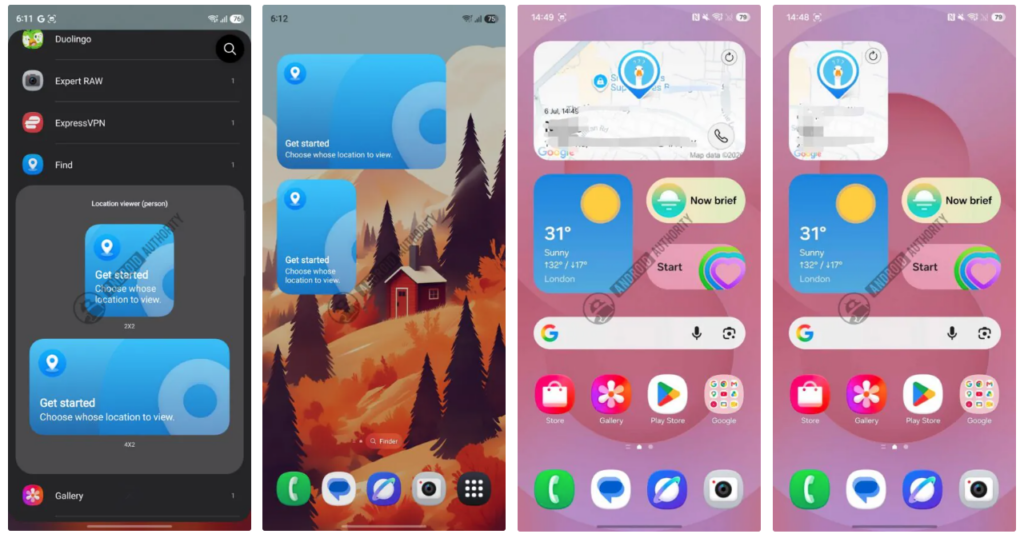
Thanks to the widget’s quick action buttons, you can refresh the latest location information and likely call the contact with just one tap. This is quite convenient if you frequently check your loved one’s location.
Furthermore, Samsung Find gains the option to switch to satellite view from the standard map view. This will help you get a detailed view of locations and better understand the surroundings.
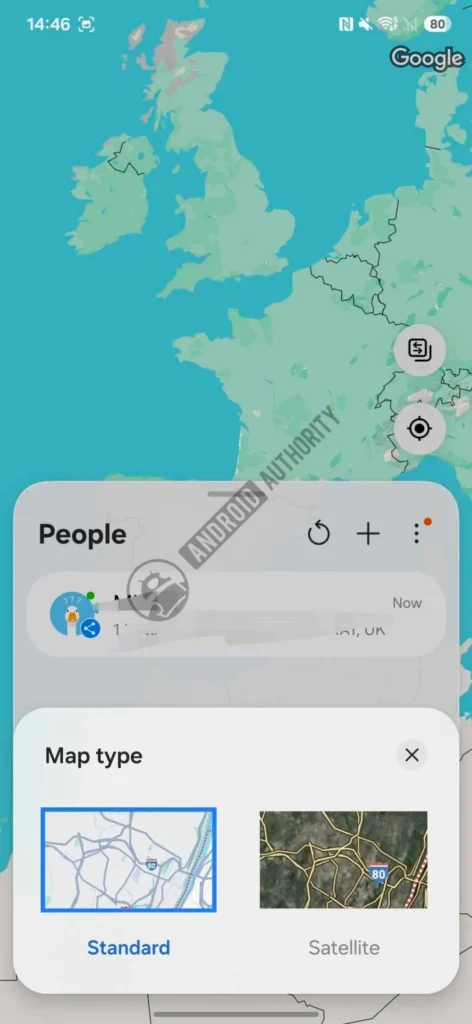
Another useful feature is location departure notifications, which should alert you when someone leaves a specific place. The update also changes contact permissions to selective access, meaning you can now pick which contacts you want to share with.
It’s quite easy to update Samsung Find to version 2.0.00.20. First, open the Galaxy Store, and then click the three-dot menu. Finally, go to the Updates section and see if the latest version is available.

Written by
Binay KonwarBinay Konwar started his blogging journey in 2014 and has since written plenty of tech articles. At present, he is working as a News Writer at SammyGuru, covering everything about Samsung. He holds a Master's degree in Mathematics, but his real passion lies in tech and writing. In his free time, he enjoys playing chess and watching movies.

Follow us on Google Discover & set us as a preferred source in Google News
Share this Post
___________________________


New Blog Posts
___________________________
New Leak Says Samsung’s Clip-on Earbuds Won’t be Called Galaxy Able
The new pair are vastly different from Samsung’s current Galaxy Buds lineup

Samsung’s July 2026 Security Patch Fixes 57 Vulnerabilities
The company is expected to push the update in the coming weeks