Samsung Messages is Gone in the US: Here’s How to Switch to Google Messages
SammyGuru is reader-supported. We have affiliate and sponsored partnerships, so we may earn a commission when you buy through links on our site — at no extra cost to you. Learn more.
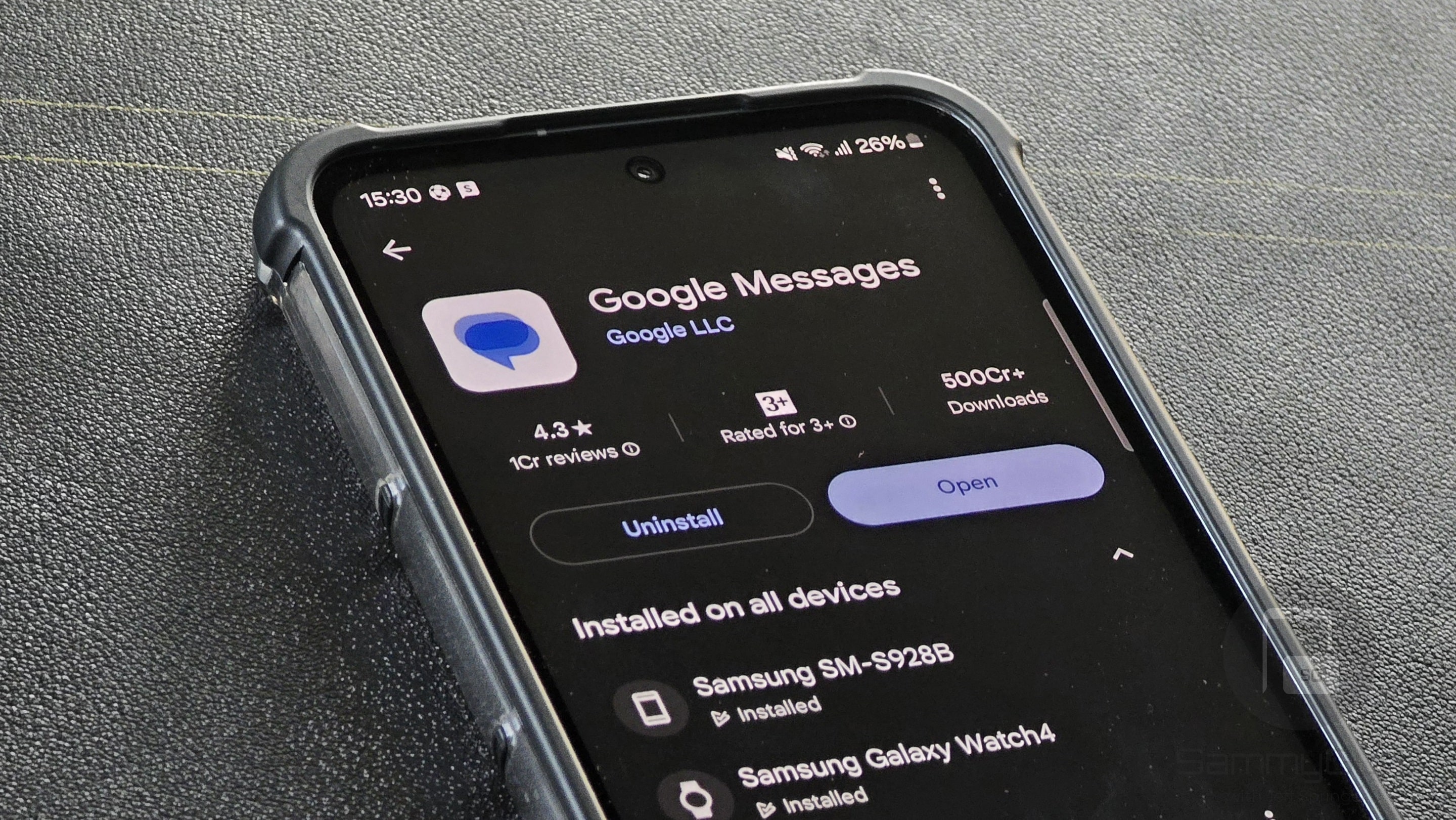
Samsung has officially discontinued Samsung Messages in the US, bringing an end to one of the longest-running apps on Galaxy devices. If you haven’t already switched to Google Messages, now is the time. While you’re free to use any messaging app you prefer, Samsung recommends Google’s app (more on this later). And making the switch only takes a minute.
Samsung Messages has reached the end of the road
Samsung Messages was the default texting app on Galaxy smartphones and tablets for well over a decade. However, Samsung began shifting to Google Messages with Galaxy devices launched in 2022 as it deepened its partnership with Google across the Android and Wear OS ecosystems. Since then, Google Messages has gradually become the default messaging app on new Galaxy devices.
Samsung said this will speed up the adoption of RCS (Rich Communication Services), which enables modern messaging features such as read receipts and typing indicators for direct text messages. RCS also allows high-quality photo and video sharing and offers improved spam protection and cross-device integration.
Fast forward to July 2026, Samsung Messages has officially shut down in the US. For most Galaxy users, this shouldn’t matter much. New devices already come with Google Messages pre-installed and set as the default messaging app. But if you were still using Samsung Messages till the last day, you must switch now.
How to make Google Messages your default messaging app
If Google Messages is already installed on your Galaxy device, switching only takes a minute. If not, first download the app from the Google Play Store and follow the steps below:
- Open Google Messages
- Tap Set as default when prompted
- When the system dialog appears, select Google Messages
- Tap Set as default to confirm
If you do not see any prompt to set the app as default, use the following steps:
- Open Settings and go to Apps
- Tap Choose default apps
- Tap SMS app
- Select Google Messages
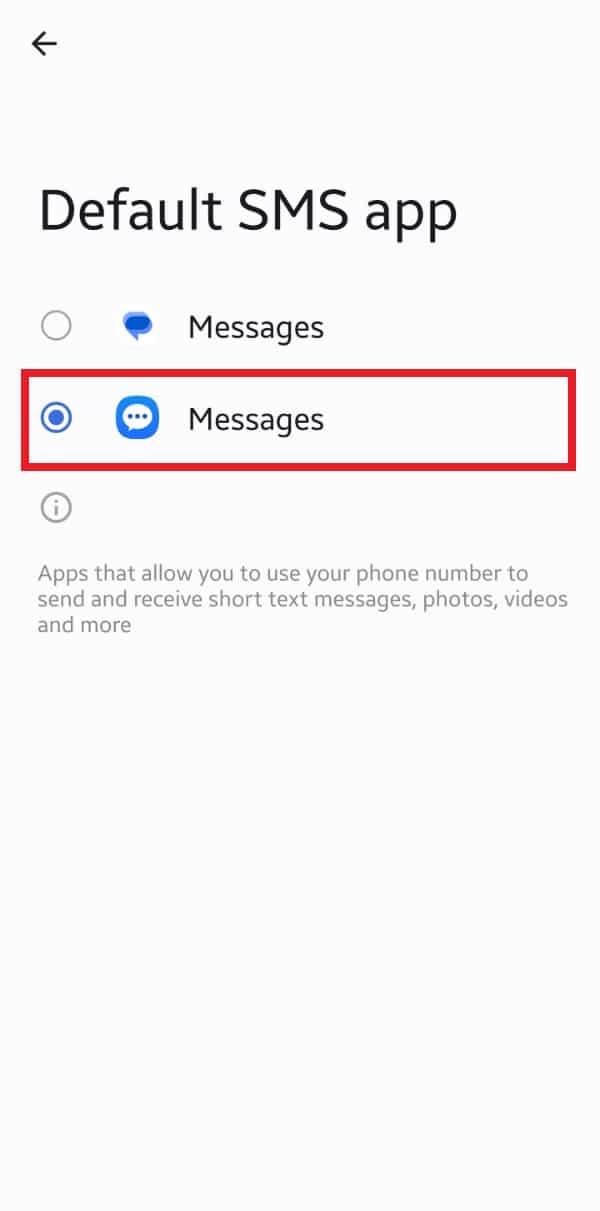
Google Messages is now your default messaging app. You may proceed to add the app to your home screen. Simply touch and hold the Google Messages icon in the app drawer and select Add to Home (the icon may automatically appear on the home screen if you hold it longer).
As for Samsung Messages, it is no longer functional. It’s best to uninstall the app from your device. Touch and hold its icon in the app drawer and select Uninstall. Confirm your choice if prompted.
It’s worth noting that Samsung Messages is still available and functional in many markets. However, Samsung is gradually phasing it out in favor of Google Messages. In some regions, the app is no longer available for download from the Galaxy Store or Google Play, although it continues to work on devices where it’s already installed.
Sooner or later, Google Messages is expected to become the default messaging app on Galaxy devices worldwide. If you haven’t made the switch yet, now is a good time to do so and get familiar with its features before Samsung completes the transition.

Written by
Sumit AdhikariSumit is a lifelong Samsung enthusiast and technology journalist who has been covering the consumer technology industry since 2017. A mathematics graduate by education, he specializes in smartphones, software, and emerging technologies, with a keen interest in artificial intelligence and the future of connected experiences. Sumit believes AI will play a transformative role in building a more open, intelligent, and seamlessly connected world.

Follow us on Google Discover & set us as a preferred source in Google News
Share this Post
___________________________


New Blog Posts
___________________________
Miss the Rotating Bezel? Galaxy Watch 8 Classic Is Now Half Off
A deal that’s hard to ignore
Samsung Could Benefit as Global Wearable Market Shrinks in 2026
Premium smartwatches are still growing, and that’s good news for Samsung
Galaxy S23 Gets July 2026 Update in More Regions, Galaxy A27 Gets First Update
Samsung has already begun One UI 9 testing for these models