Android 17 Tightens Device Unlock Security With Stricter PIN Limits

SammyGuru is reader-supported. We have affiliate and sponsored partnerships, so we may earn a commission when you buy through links on our site — at no extra cost to you. Learn more.
Google makes it tougher for attackers to guess your phone’s lock screen credentials. Android 17 imposes stricter limits on incorrect PIN or password attempts, protecting your device from unauthorized access. The latest version also introduces duplicate-guess detection and lockout messages for legitimate users.
Android 17 reduces failed PIN attempts to improve device security
Android 17 brings a key improvement to Android’s lock screen security. Google has reduced the number of times someone can guess the PIN or password on supported devices. In addition, the company has added longer wait times between failed attempts.
Previously, Android allowed a much higher number of failed unlock attempts over time. Users could make up to 10 guesses in the first minute, 20 in 6 minutes, 50 in 25 minutes, 110 in 24 hours, and 1800 guesses in 5 years. In Android 17, Google has made those limits much stricter.
The latest OS now allows up to 6 guesses in the first minute, 7 in 6 minutes, 8 in 25 minutes, 12 in 24 hours, and 19 in 5 years. These numbers are much lower than before, showing Google’s aggressive direction in protecting Android devices.
Once a user reaches 20 incorrect attempts, the device stops accepting any guesses. This means that even if someone knows personal details such as your birthday, they will have very little chance of guessing the PIN.
Furthermore, Google has brought support for duplicate-guess detection, helping legitimate users who accidentally enter the wrong PIN multiple times. The system does not count repeated entries of the same incorrect PIN as separate failed attempts. It displays a unique message in such a situation.
Android 17 also improves the lock screen experience during long timeouts. It replaces long numeric countdowns with simple time messages. For example, users now see “Try again in 30 minutes” instead of “Try again in 1800 seconds.” Thanks to the recovery shortlink on the lock screen, users can easily access account recovery tools on another device.

Written by
Binay KonwarBinay Konwar started his blogging journey in 2014 and has since written plenty of tech articles. At present, he is working as a News Writer at SammyGuru, covering everything about Samsung. He holds a Master's degree in Mathematics, but his real passion lies in tech and writing. In his free time, he enjoys playing chess and watching movies.

Follow us on Google Discover & set us as a preferred source in Google News
Share this Post
___________________________


New Blog Posts
___________________________
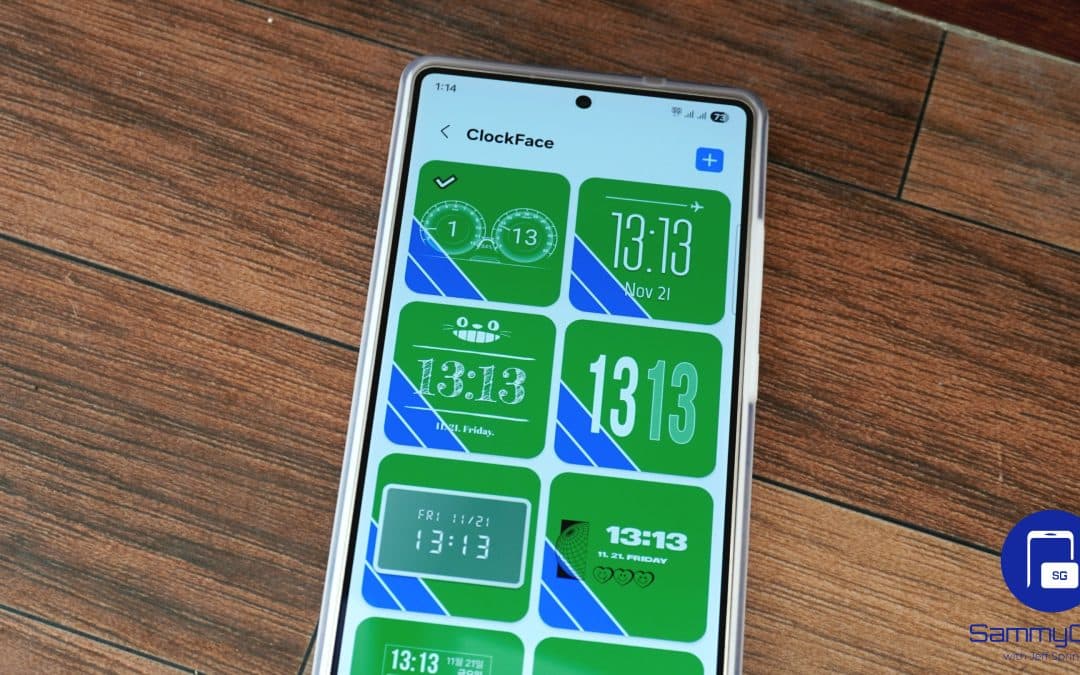
Samsung Brings ClockFace and RegiStar up to Speed for One UI 9
ClockFace finally supports One UI 9
Samsung’s HBM4E Reliability Yield Surpasses 70%
This suggests the chip could soon enter the stable production stage

Apple May Have Just Made Samsung’s Next Price Hike Much Easier
AI is making your next phone more expensive