
One UI 8.5’s Document Scanner Has a Problem with Large PDFs, Fix on the Way
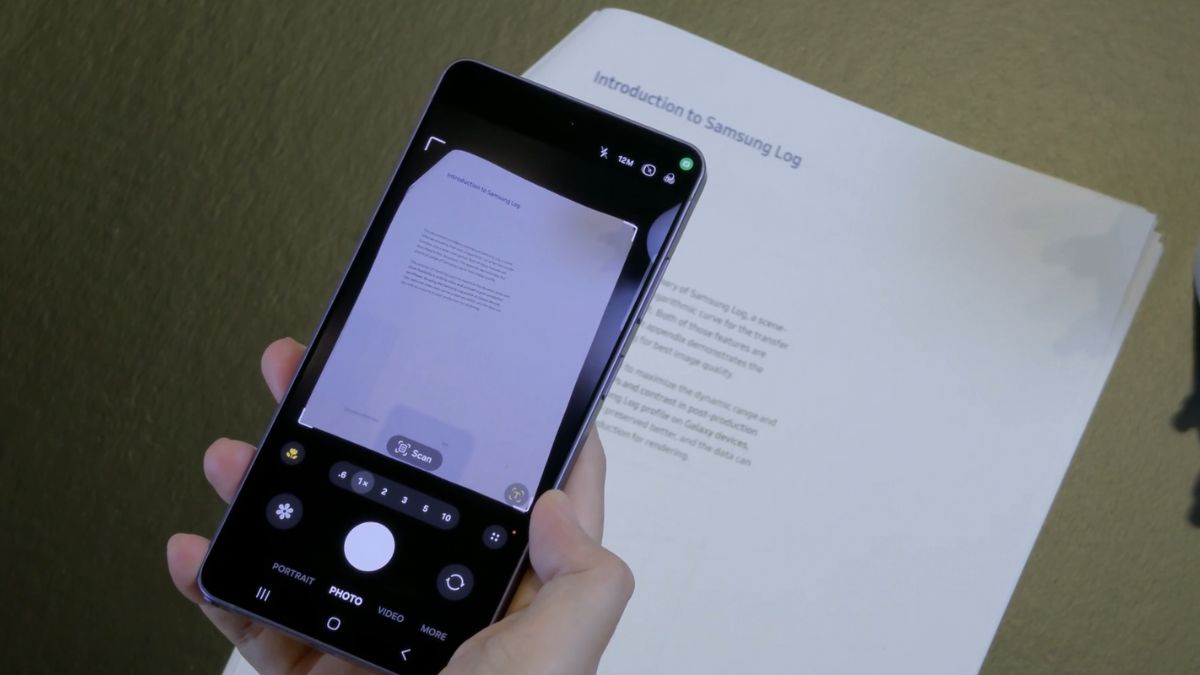
Samsung has acknowledged a frustrating issue affecting One UI 8.5‘s document scanning feature. The new camera tool reportedly doesn’t function as expected when users attempt to scan and save a large number of pages into a single PDF file. The company says a fix is already in the works, though it doesn’t yet have a release timeline.
Document Scan on One UI 8.5 may fail when saving large scans
A Galaxy user recently reported that their phone failed to save the PDF after scanning over 200 pages. When they completed the scan, the app reportedly switched back to the camera interface without creating or saving the PDF file. As a result, the entire scanning session was interrupted, forcing the user to start over.
Worst yet, the same behavior occurred during a second attempt, suggesting the issue wasn’t an isolated incident. The Document Scan feature Samsung introduced with One UI 8.5 appears to contain a bug causing it to fail during large scans. Smaller scans with fewer pages save normally, but the feature seemingly crashes when you push it beyond a certain threshold.
Shortly after the report, a Samsung community moderator confirmed that the company could reproduce the issue during internal testing. The error reportedly occurs under specific circumstances when saving scanned documents as PDFs, though we do not have technical details about the root cause.
Nonetheless, Samsung’s engineers have launched an investigation and are working on a fix. While the company has not provided a timeline for the rollout, a future update should address the problem. Meanwhile, the moderator suggested a temporary workaround Galaxy users may try when scanning a large number of files. According to them, lowering the scan quality (here’s how) allows you to save more pages in one go.
- High resolution: up to 100 pages
- Medium (default) resolution: up to 200 pages
- Low resolution: up to 300 pages
Users working with larger documents may want to split scans into multiple PDF files, especially when scanning at higher quality settings. We will let you know when the said fix arrives.

Follow us on Google Discover & set us as a preferred source in Google News
Share this Post
___________________________


New Blog Posts
___________________________
Snapdragon May Power Galaxy Z Flip 8 in More Regions Than Expected
India may also get the Snapdragon-powered Z Flip 8
Galaxy A27 Leak Suggests Samsung is Planning a Hefty Price Hike
The latest Galaxy A27 leak may dampen some of the excitement
Ovomind’s Emotion Analysis Technology Supports Galaxy Watches
The platform uses AI to interpret biometric signals


