One UI 9 Lets You Disable Android 17’s Strict Background Audio Limits
SammyGuru is reader-supported. We have affiliate and sponsored partnerships, so we may earn a commission when you buy through links on our site — at no extra cost to you. Learn more.
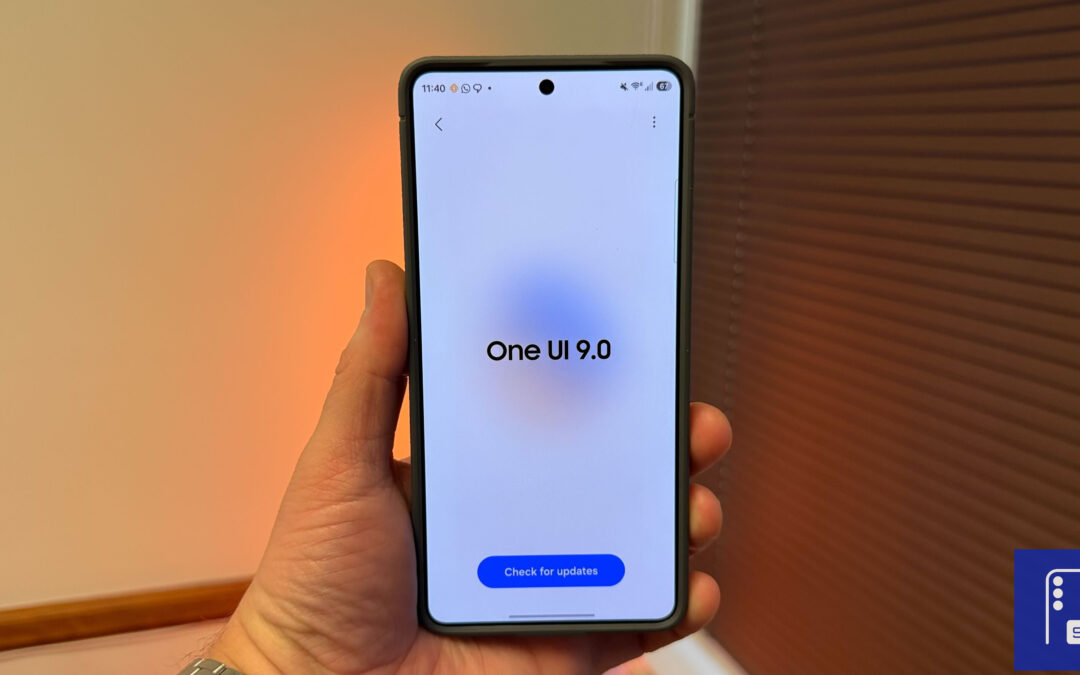
On one hand, Samsung is rolling out the stable One UI 8.5 update to eligible Galaxy devices. On the other hand, the Android 17-based One UI 9 beta is now available for the Galaxy S26 series. It brings a couple of under-the-hood changes.
Samsung gives users control over Android 17 audio hardening in One UI 9
The feature in question is One UI 9’s take on Android 17’s new Background Audio Hardening. While Google’s implementation automatically blocks apps from playing audio unless they are visible or running a proper foreground service, Samsung is adding something extra. One UI 9 includes a hidden toggle that lets users disable this restriction entirely.
This is a notable deviation from stock Android behavior. On Pixel devices, users don’t get a simple switch and must rely on ADB commands to bypass the limitation. Samsung, on the other hand, offers a more accessible solution. As spotted by Android Authority, you can change this by heading to Settings > Developer options > More settings in One UI 9 beta 2.
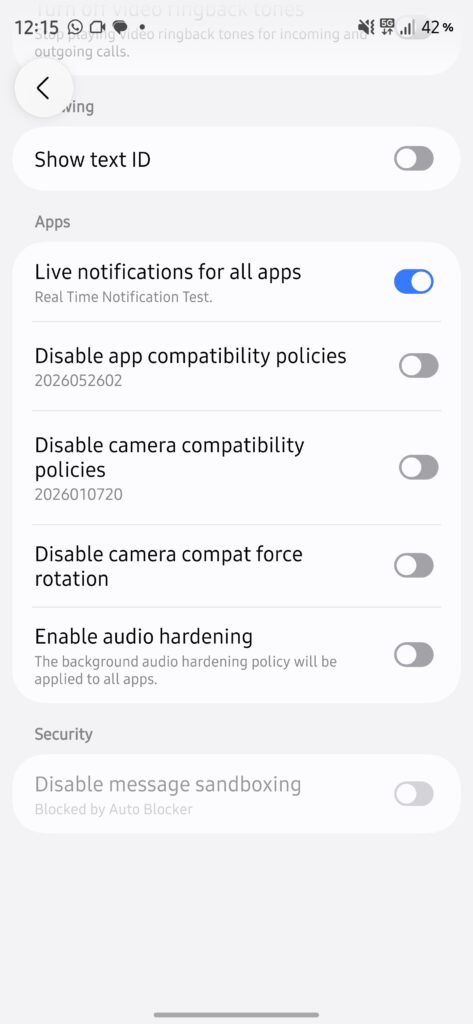
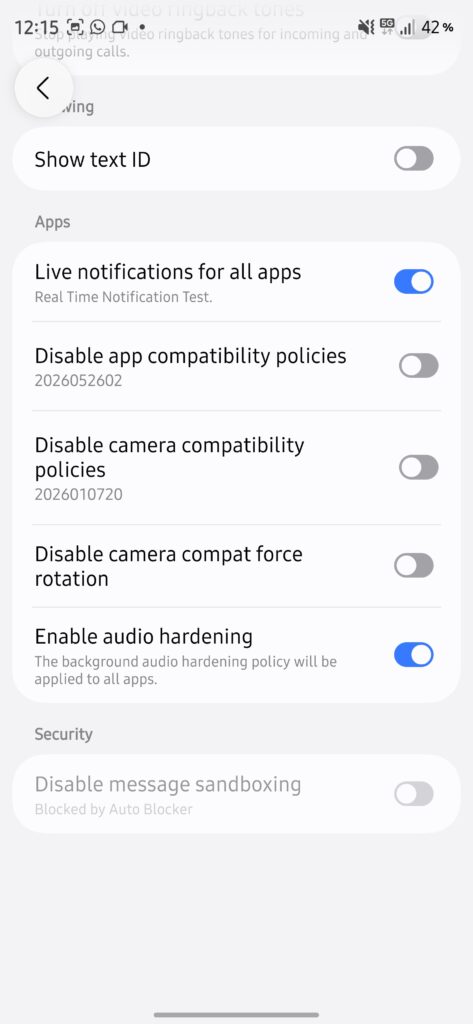
Put simply, Android 17’s Background Audio Hardening prevents apps from unexpectedly blasting sound, but it also interferes with common use cases. Streaming internet radio through browsers or playing YouTube in the background without a Premium subscription may no longer work as intended.
Samsung appears aware of these limitations. By including a killswitch, it gives users the freedom to decide how strict they want their device to be. Of course, there’s no telling whether the option will remain in the stable version, which is not expected to roll out before the new foldables hit the market.

Written by
Abhinav AnandAbhinav Anand is the News Editor at SammyGuru and a technology journalist based in New Delhi. Before joining SammyGuru, he contributed to numerous outlets, including Android Headlines, ExtremeTech, The Mac Observer, Financial Express, Economic Times, iGeeksBlog, KnowTechie, PhonesWiki, SlashGear, and more. You can reach him at [email protected].

Follow us on Google Discover & set us as a preferred source in Google News
Share this Post
___________________________


New Blog Posts
___________________________
Gemini in Google Sheets Now Supports 28 Additional Languages
This update makes Gemini in Sheets more useful globally

Google’s AI Overviews May Be Sending Users Straight to Rivals
Google AI suggests DuckDuckGo as a way to avoid AI-heavy search
Samsung is Testing Android 17-Based One UI 9 for These Galaxy Devices
More devices should appear with test builds soon