Android Auto Brings Swipeable Media Cards for Seamless Switching
SammyGuru is reader-supported. We have affiliate and sponsored partnerships, so we may earn a commission when you buy through links on our site — at no extra cost to you. Learn more.
Android Auto is making switching between audio apps easier while driving. The smart driving companion has introduced swipeable media cards to the dashboard, so you can switch between active apps without reopening them. This feature is now available for beta users, though it should reach everyone in the coming weeks.
You can now swipe your active audio apps on the car dashboard
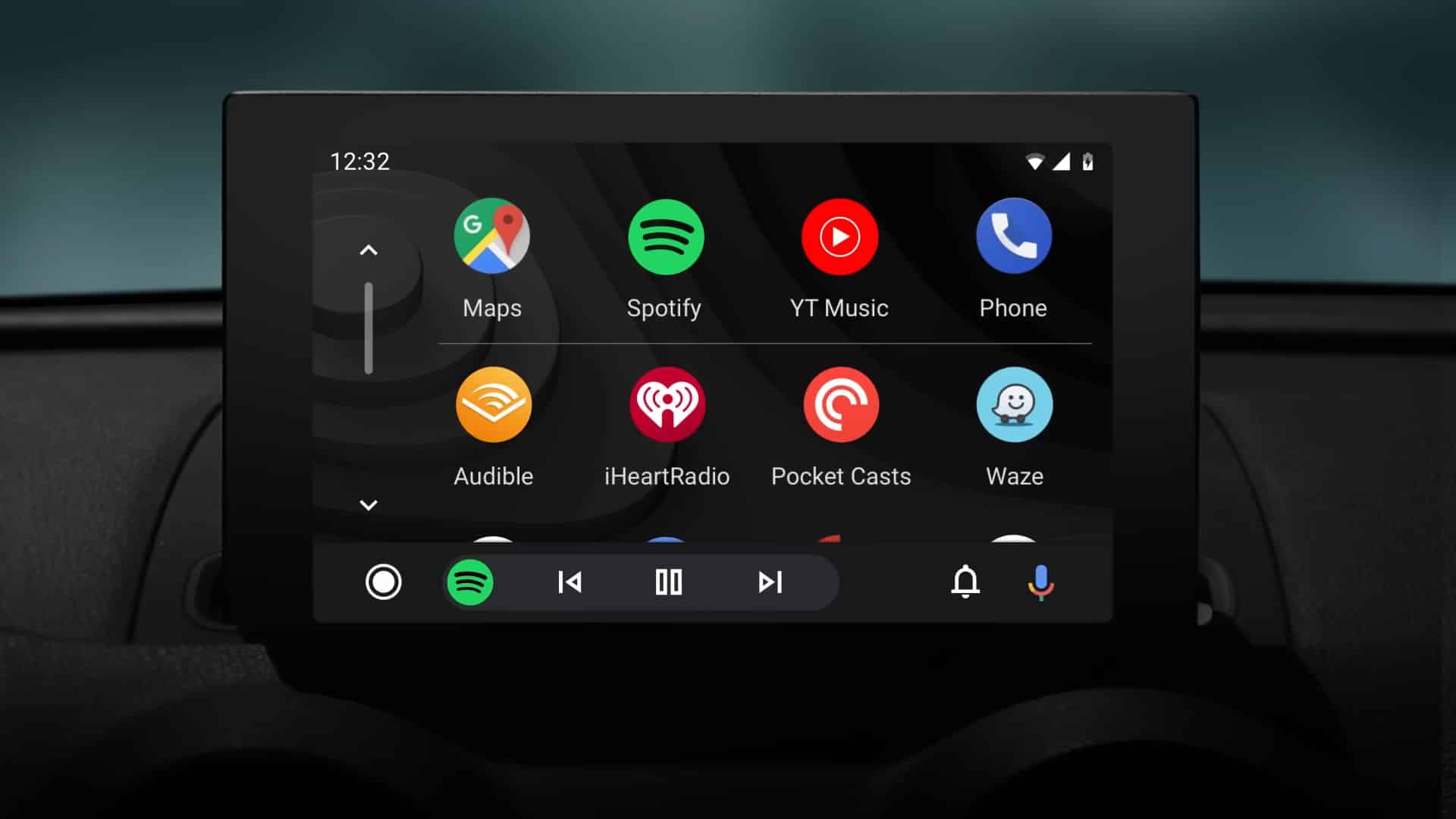
For the uninitiated, Android Auto lets you use apps from your phone on a car’s display. It comes in handy for a bunch of activities such as navigation, calls, and media playback. In addition, the dashboard features an interactive widget (a media card) that shows active audio sessions from apps like Spotify and YouTube Music. The card presents details like the track title and album art with controls such as play, pause, and skip.
Until now, the dashboard showed only one active media card at a time. This means you had to switch apps manually, losing access to your previous audio session. Thankfully, that’s no longer the case. The latest Android Auto beta (version 17.0.162144-release.daily) supports multiple media cards with swipeable functionality.
For example, if you are listening to Spotify and then switch to YouTube Music, both apps now remain active on the dashboard. You can swipe left or right to switch between apps and continue playback immediately. This makes the experience flexible if you listen to different types of audio while driving.
As of now, swipeable media cards are in the beta testing stage. Google has not shared any word on when it plans to make the feature available in the stable channel. Hopefully, it does not take long for everyone to get the update. Meanwhile, it is gearing up to bring Gemini Intelligence (if your device supports it) to Android Auto later this year.

Written by
Binay KonwarBinay Konwar started his blogging journey in 2014 and has since written plenty of tech articles. At present, he is working as a News Writer at SammyGuru, covering everything about Samsung. He holds a Master's degree in Mathematics, but his real passion lies in tech and writing. In his free time, he enjoys playing chess and watching movies.

Follow us on Google Discover & set us as a preferred source in Google News
Share this Post
___________________________


New Blog Posts
___________________________

Samsung Expands One UI 9 Testing to Galaxy S24 FE and Tab S10 Series
More devices appear with One UI 9 builds

Apple Plans iPhone Air 2, but Samsung’s Galaxy Edge Experiment Appears Over
Galaxy S25 Edge may have been a one-and-done experiment, or is it?

Galaxy Watch 8 Hits Lowest Price Ever in the US
You can grab the Galaxy Watch 8 at its cheapest price right now