Galaxy S26 Ultra Review: More Than Just a Privacy Display

SammyGuru is reader-supported. We have affiliate and sponsored partnerships, so we may earn a commission when you buy through links on our site — at no extra cost to you. Learn more.
In this article
- Table of contents
- Galaxy S26 Ultra Review: Hardware and Design
- No titanium frame
- Redesigned S Pen, but no Bluetooth features
- Galaxy S26 Ultra Review: Display
- Privacy Display is great, but I can’t ignore the trade-offs
- No true 10-bit panel yet
- It’s still a great display
- Galaxy S26 Ultra Review: Cameras
- Excellent portraits
- Improved zoom quality
- Top-notch motion handling and low-light photography
- Horizontal Lock is a game-changer for handheld videography
- Minimum focusing distance takes a hit
- Galaxy S26 Ultra Review: Performance
- The device gets a bit warm during intensive tasks, but still manageable
- Benchmarks
- Galaxy S26 Ultra Review: Software
- Intelligent notification handling and contextual suggestions
- Big upgrade for Bixby
- Highly customizable and polished software experience
- Galaxy S26 Ultra Review: Battery and Charging
- Reliable, but not pushing forward
- Galaxy S26 Ultra Review: Verdict
- Who should buy
- Who shouldn’t buy
The Galaxy S26 Ultra arrives at an interesting moment, not just for Samsung, but for the entire smartphone industry. Flagships have matured to a point where year-over-year leaps are no longer dramatic. Instead, companies are forced to refine, optimize, and experiment in smaller but more meaningful ways. The S26 Ultra is Samsung’s answer to that challenge: a phone that tries to perfect what already works while introducing one genuinely new idea, the Privacy Display.
After using the device as a daily driver for about a month, a clear picture emerges. The Galaxy S26 Ultra is not a revolutionary phone. It is, however, a deeply polished one, arguably one of the most complete smartphones ever made. At the same time, it is also one of Samsung’s most debated Ultra models, precisely because its improvements are subtle, and its “hero” feature has expensive drawbacks. In this review, I’ll discuss how the device performs in real-world conditions and how I feel after living with it.
Disclaimer: I am using the 12GB+512GB variant of the Galaxy S26 Ultra. It is a retail unit purchased from Samsung’s website. The device received three software updates during the review period, which introduced new features and improvements. Samsung had no involvement in this review and did not provide any input or influence over its content.
Table of contents
Galaxy S26 Ultra Review: Hardware and Design
The Galaxy S26 Ultra sticks closely to the familiar Ultra design language, but Samsung has made a few subtle tweaks that noticeably improve comfort. The corners and edges are now slightly more rounded, making the phone feel less sharp in the hand. It’s also a bit slimmer and lighter, which helps with handling, even though it’s still undeniably a large device.
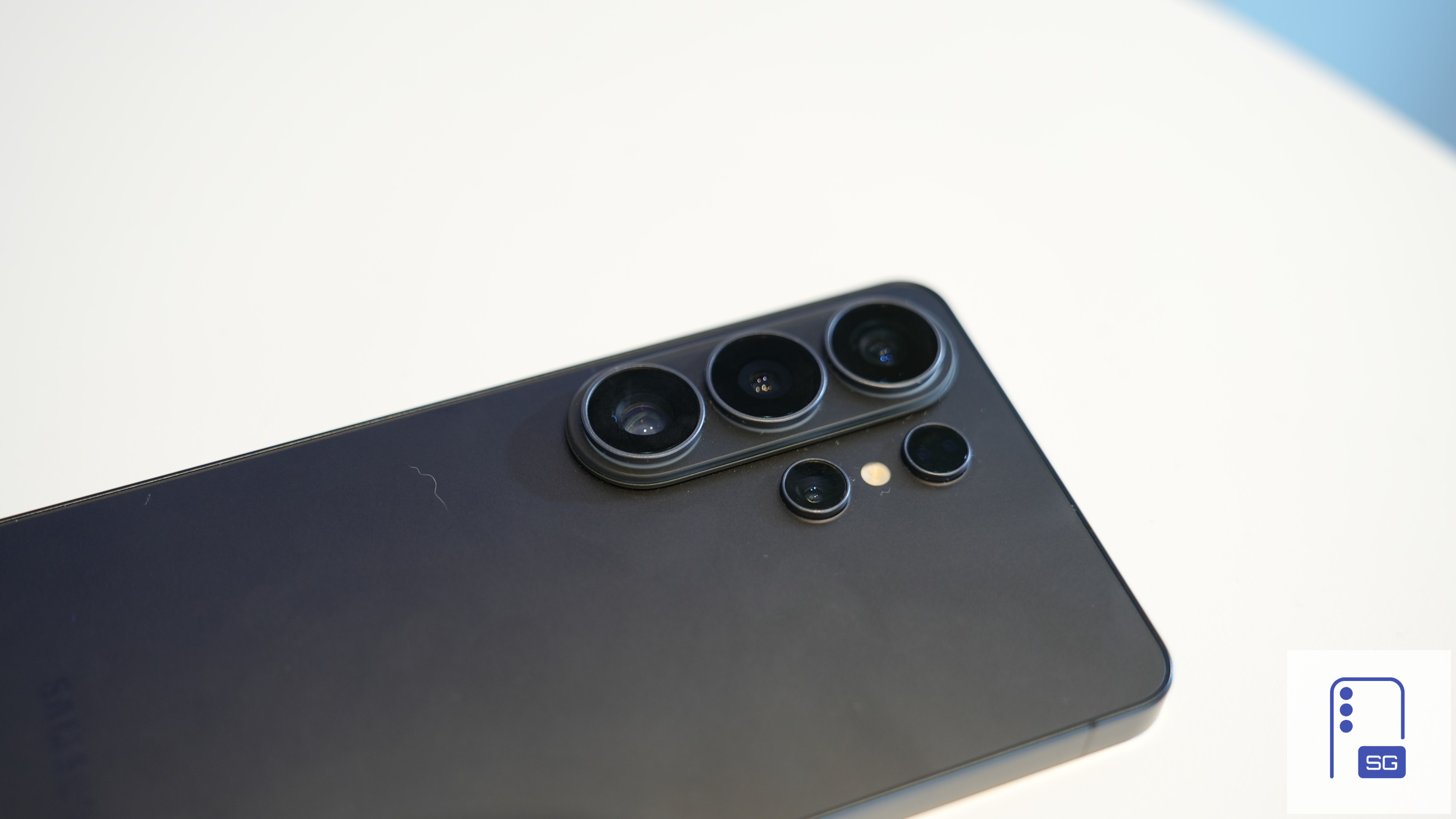
One visible change is the return of a camera bump. Samsung has introduced a vertical pill that houses three of the four rear cameras, while the fourth lens, flash, and laser AF sensor sit separately. This layout brings back a familiar annoyance: the phone wobbles on flat surfaces. It’s a minor inconvenience that mostly goes away with a case, but it’s still worth noting. The bump may have been necessary to accommodate internal upgrades, including a larger vapor chamber in a thinner body.
The design of the Galaxy S26 Ultra is best described as refined rather than reimagined. It is more comfortable, slightly lighter, and still unmistakably “Ultra.”
No titanium frame
The biggest and most debated change is the shift from titanium back to Armor Aluminum. It may not be a massive downgrade, but perception matters in this segment. Titanium had come to represent both durability and premium appeal, so moving away from it can feel like a step back.
That doesn’t mean the S26 Ultra feels any less premium. It’s still exceptionally well-built and solid in hand. Samsung says aluminum offers better shock absorption due to its elasticity and helps with heat dissipation, though it may also help reduce costs compared to titanium.

Up front, you get Gorilla Armor 2 with an anti-reflective coating, while the back uses Gorilla Glass Victus 2. The phone retains an IP68 rating, meaning it’s dust-tight and can handle submersion in up to 1.5 meters of water for 30 minutes. The ultrasonic fingerprint sensor is well-positioned and remains fast and reliable, even with slightly wet or dirty fingers.
Redesigned S Pen, but no Bluetooth features
The S Pen has also seen a few design tweaks. It’s now about 0.8mm thinner, which might make it feel a bit less comfortable for long-term users. In fact, the pen now feels a bit cheaper in hand. It looks like Samsung plans to move away from the S Pen in the long run. The firm has been steadily scaling back the stylus experience, and it may not be long before the S Pen disappears from Ultra phones altogether.
Samsung has also moved the silo closer to the edge, resulting in a redesigned clicker that curves to match the phone. You now need to insert the pen in the correct orientation to make it sit fully flush, something older models didn’t require. Thankfully, even if inserted the wrong way, it doesn’t stick out much or cause any issues.
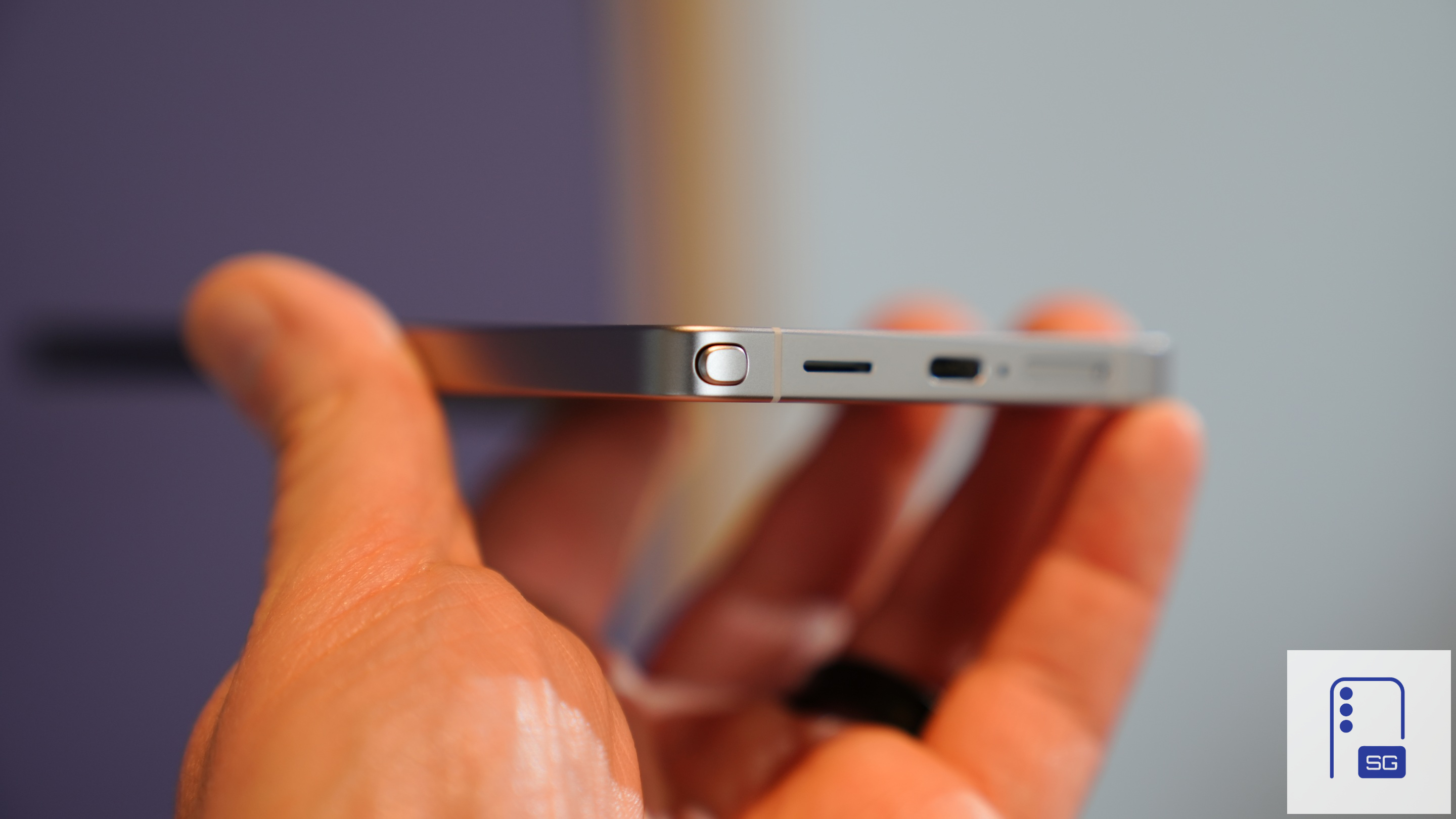
Functionally, it’s the same S Pen as before. Bluetooth features like remote camera control, which were removed last year, are still missing. There are rumors of a more advanced S Pen in development, but it’s unclear if those features will return. All this said, the S26 Ultra continues to offer one of the best stylus experiences on any smartphone.
Galaxy S26 Ultra Review: Display
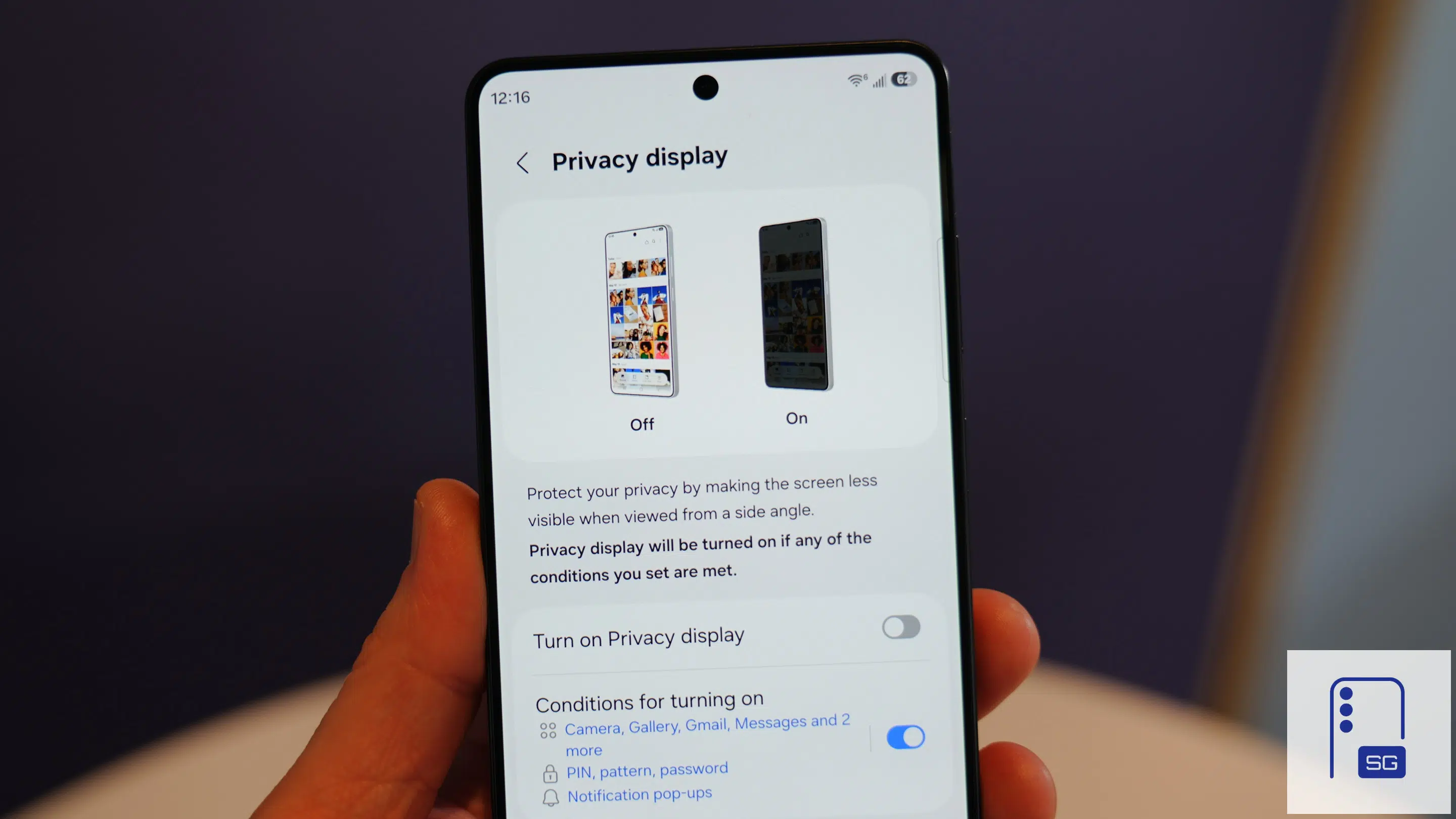
I’ll start with what Samsung is marketing as the “hero” feature of the Galaxy S26 Ultra: Privacy Display. It is a genuinely useful feature. This technology limits viewing angles so that only the person directly in front of the screen can clearly see its contents. It’s a concept that has existed in screen protectors and niche devices for years, but Samsung has implemented it at a hardware level on the S26 Ultra, integrating it directly into the display system.
When the Privacy Display is enabled, the screen becomes harder to view from the sides. This is useful in public places, where you may not want others to glance at your messages or personal content. You can enable it from the Quick Panel, or even set it to turn on automatically when certain conditions are met, like when you arrive at a specific location or leave home.
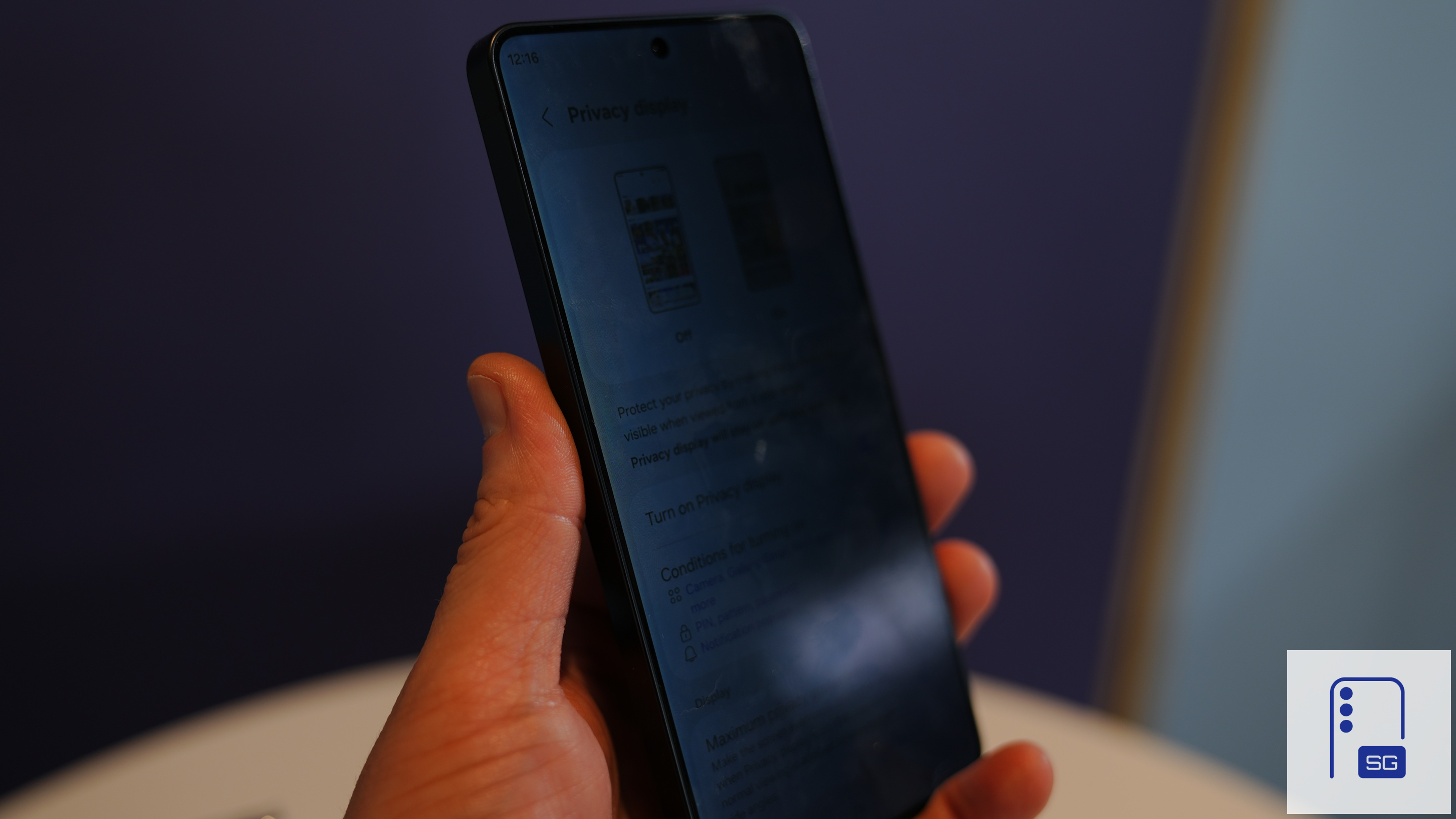
Likewise, Privacy Display can turn on automatically when you open certain apps or when you are entering your PIN, pattern, or password to unlock the device. It can also selectively block specific areas of the screen. When a notification appears, the feature disables visibility in that portion of the screen, ensuring sensitive content isn’t readable from the side.
Samsung also offers an additional setting for maximum privacy protection, which makes the screen significantly harder to read from angles. However, Privacy Display has some costly trade-offs.
Privacy Display is great, but I can’t ignore the trade-offs
Privacy Display is a useful feature, but the trade-offs are substantial. Brightness takes a hit, and so does the anti-reflective coating. The Galaxy S26 Ultra’s screen is a bit dimmer than the S25 Ultra, even with Privacy Display turned off. It’s particularly noticeable if you are looking at the screen from an angle. The screen doesn’t look as bright as it should be when you are not using Privacy Display.
The S26 Ultra’s display is also more reflective. While it still has an anti-reflective coating, the new pixel arrangements for Privacy Display may have lowered its effectiveness. More importantly, the viewing experience itself changes in a way that not everyone finds comfortable. Several users have reported eye strain, though I have had no problems so far. None of my colleagues has reported eye strain either.
No true 10-bit panel yet
During media briefings before launch, Samsung told us that the Galaxy S26 Ultra has 10-bit color depth. Naturally, we (and everyone else in the room) presumed that the company had equipped the phone with a 10-bit OLED panel. But it turned out it’s still an 8-bit panel.

However, Samsung wasn’t outright lying to us all. What it meant was that the phone can display 10-bit color depth, thanks to some software tricks working behind the scenes. The Galaxy S26 Ultra certainly shows richer gradients and better color depth than the S25 Ultra. There’s noticeably less color banding, though the transition may not look as smooth as on a true 10-bit panel.
It’s still a great display
Despite some shortcomings, the Galaxy S26 Ultra’s display is still great. The panel is large, vibrant, and incredibly sharp. Colors are rich without being oversaturated, and the adaptive refresh rate ensures smooth scrolling while preserving battery life. The phone may still use an 8-bit panel, but it delivers better color accuracy. Watching videos, browsing photos, or simply navigating the interface feels fluid and immersive.
To be honest, the brightness and anti-reflective issues shouldn’t be a dealbreaker for anyone. Those are noticeable only when you compare the Galaxy S26 Ultra with the S25 Ultra. If you aren’t going to use both phones together, it’s hardly a problem. However, eye strain is something you should be wary of. If you are getting the new Samsung flagship, make sure you find it comfortable to continuously look at the screen for several minutes.
Galaxy S26 Ultra Review: Cameras
Samsung’s Ultra phones have always had great cameras, and the Galaxy S26 Ultra builds on that reputation. At a glance, the hardware looks familiar. The 200MP ISOCELL HP2 main sensor returns once again, the same unit Samsung has relied on for multiple generations. The supporting cameras, a 3x telephoto, a 5x telephoto, and a 50MP high-resolution ultrawide, also remain largely unchanged.
However, the company has made some meaningful upgrades in the optics. Both the main camera and the 5x lens get a wider aperture, while the latter also adopts the ALoP architecture. These changes may not sound dramatic, but they directly impact how the camera behaves, especially in challenging lighting conditions, as they allow more light to enter the sensor. Coupled with much-improved software, including AI-driven enhancements, the new Ultra delivers a substantial boost in camera performance.
In daylight, the Galaxy S26 Ultra delivers exactly what you would expect from a Samsung flagship, and that’s a good thing. Images are sharp, detailed, and visually striking. Fine textures are preserved well without being overly processed, while colors lean toward Samsung’s signature vibrant style with slightly boosted saturation and contrast that make photos pop without completely sacrificing realism. Dynamic range is also excellent, allowing the camera to retain detail in both highlights and shadows even in high-contrast scenes.
Main camera samples









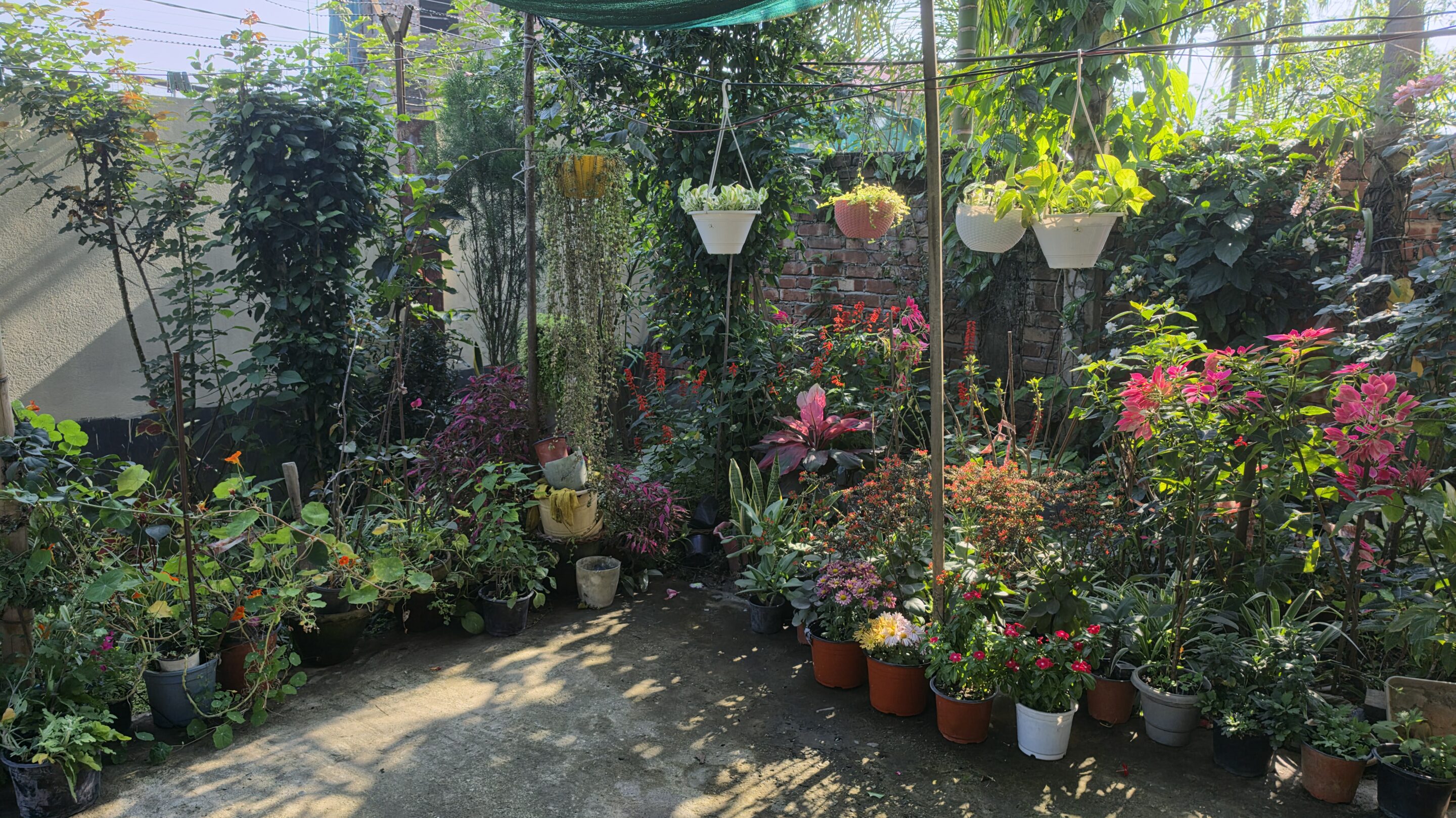

The selfie camera sees similar upgrades, and so does the ultrawide lens. You won’t see dramatic changes, but some subtle improvements in the overall picture quality.
Selfie camera samples




Ultrawide camera samples



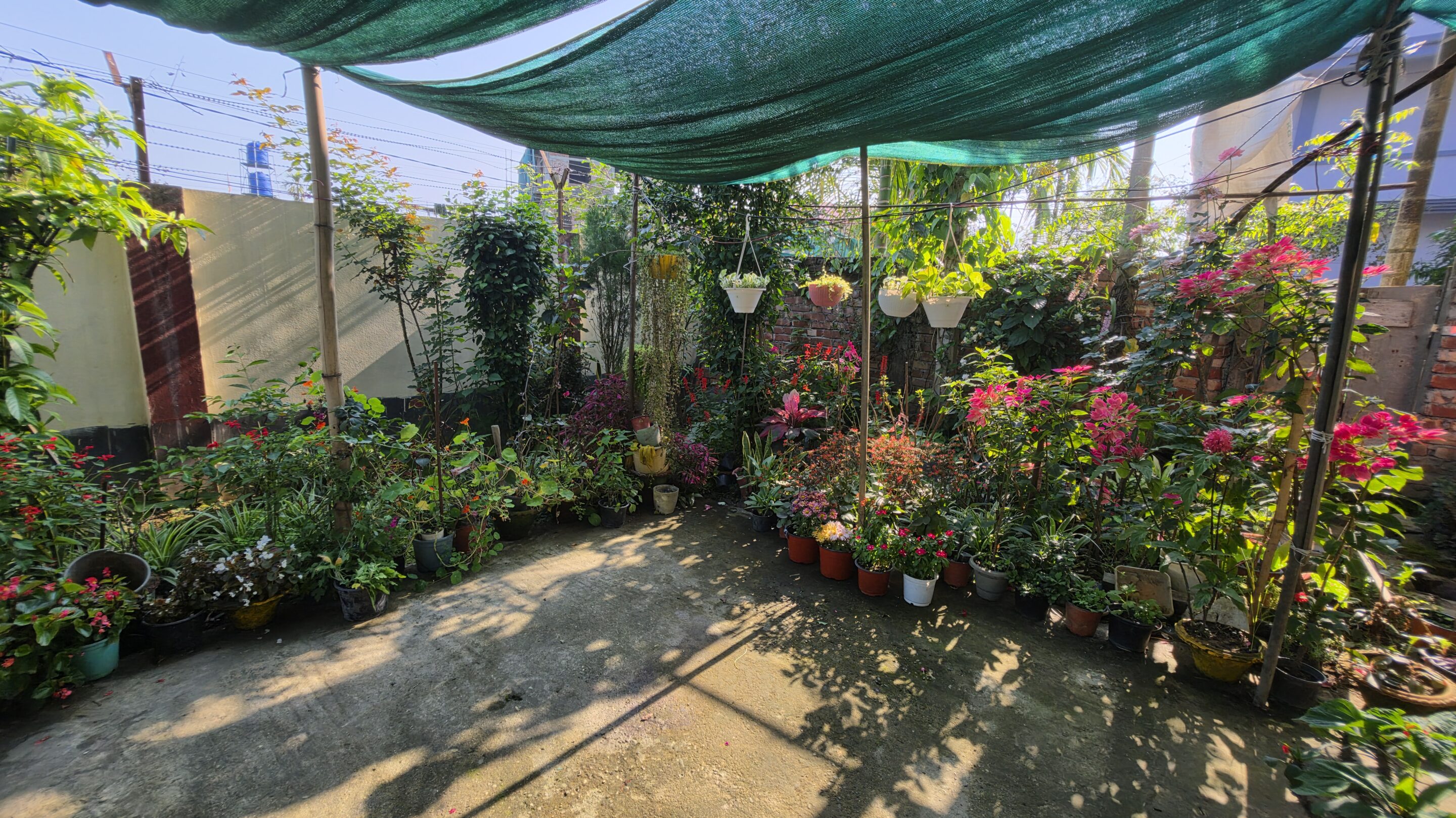
Samsung now lets you capture 24MP shots using the main camera (previously only possible through Expert RAW). You can set 24MP as your default resolution to capture more details without significantly increasing the file size. Of course, the existing options to shoot 12MP, 50MP, or even 200MP images aren’t going anywhere.
-

- 12MP crop
-

- 24MP crop
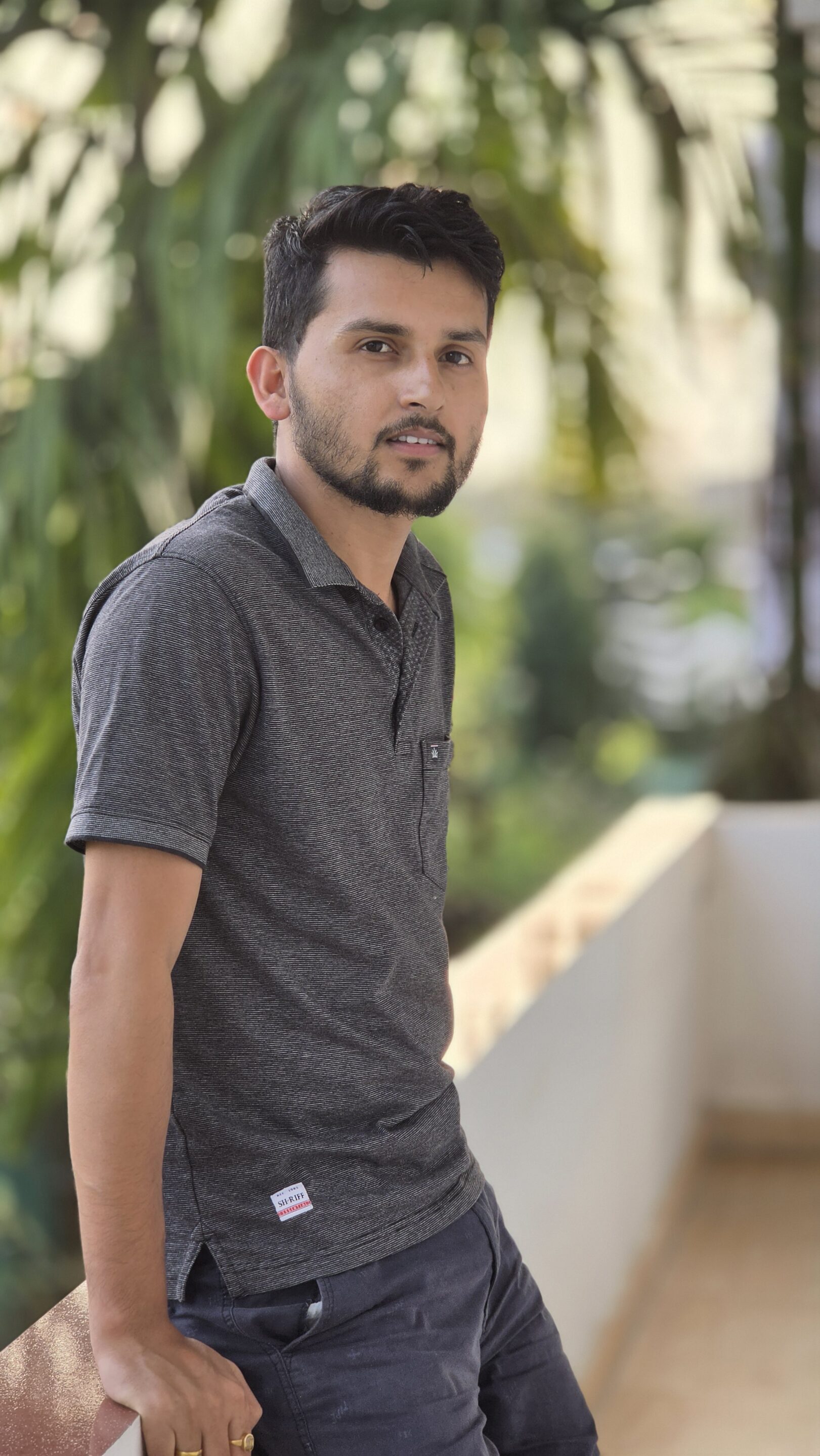
Excellent portraits
Portrait photography remains one of the Galaxy S26 Ultra’s strengths. Skin tones are rendered with a touch of warmth, giving subjects a lively and appealing look. The 5x telephoto camera, in particular, proves to be a strong option for portraits, offering more natural subject separation and image clarity compared to the 3x lens.
-

- 3x
-

- 3x

-

- 5x

-

- 5x

-

- Selfie

The Galaxy S26 Ultra also supports Virtual Aperture across the main, 3x, and 5x lenses (previously only available on the main camera). This gives users more professional-level controls when shooting portrait photos.
Improved zoom quality
Zoom performance continues to be one of the defining features of the Ultra series. The 5x telephoto camera delivers reliable results with good detail, balanced colors, and consistent exposure. The 3x telephoto camera, on the other hand, feels less premium. While it produces usable images, detail can appear slightly over-sharpened and lacks the refinement you might expect from a flagship device.
2x zoom samples






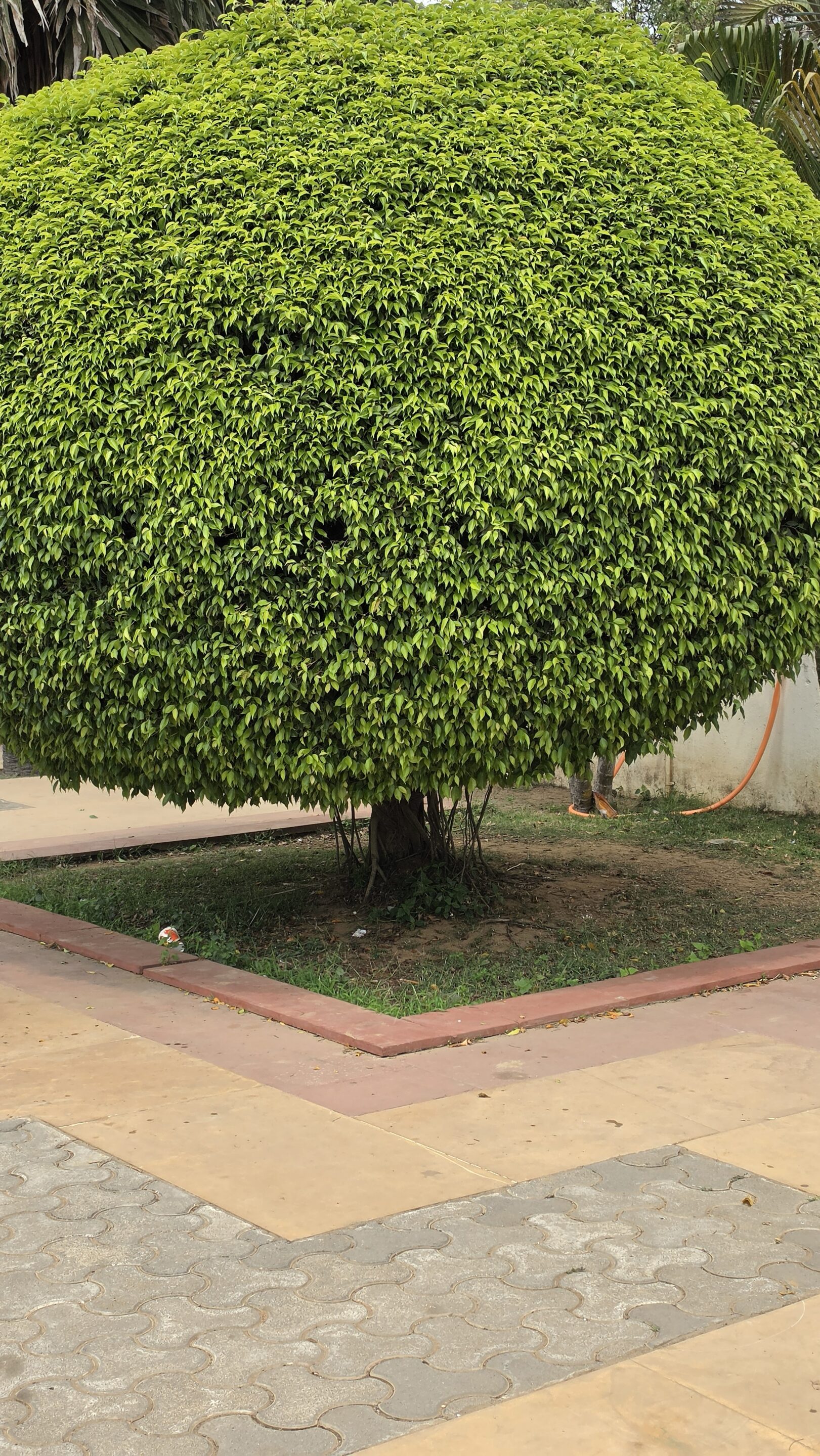


Samsung’s refined camera software now allows the Galaxy S26 Ultra’s camera system to work in tandem when shooting zoom photos. The final output uses data from multiple sensors to produce more detailed images.
3x zoom samples












5x zoom samples






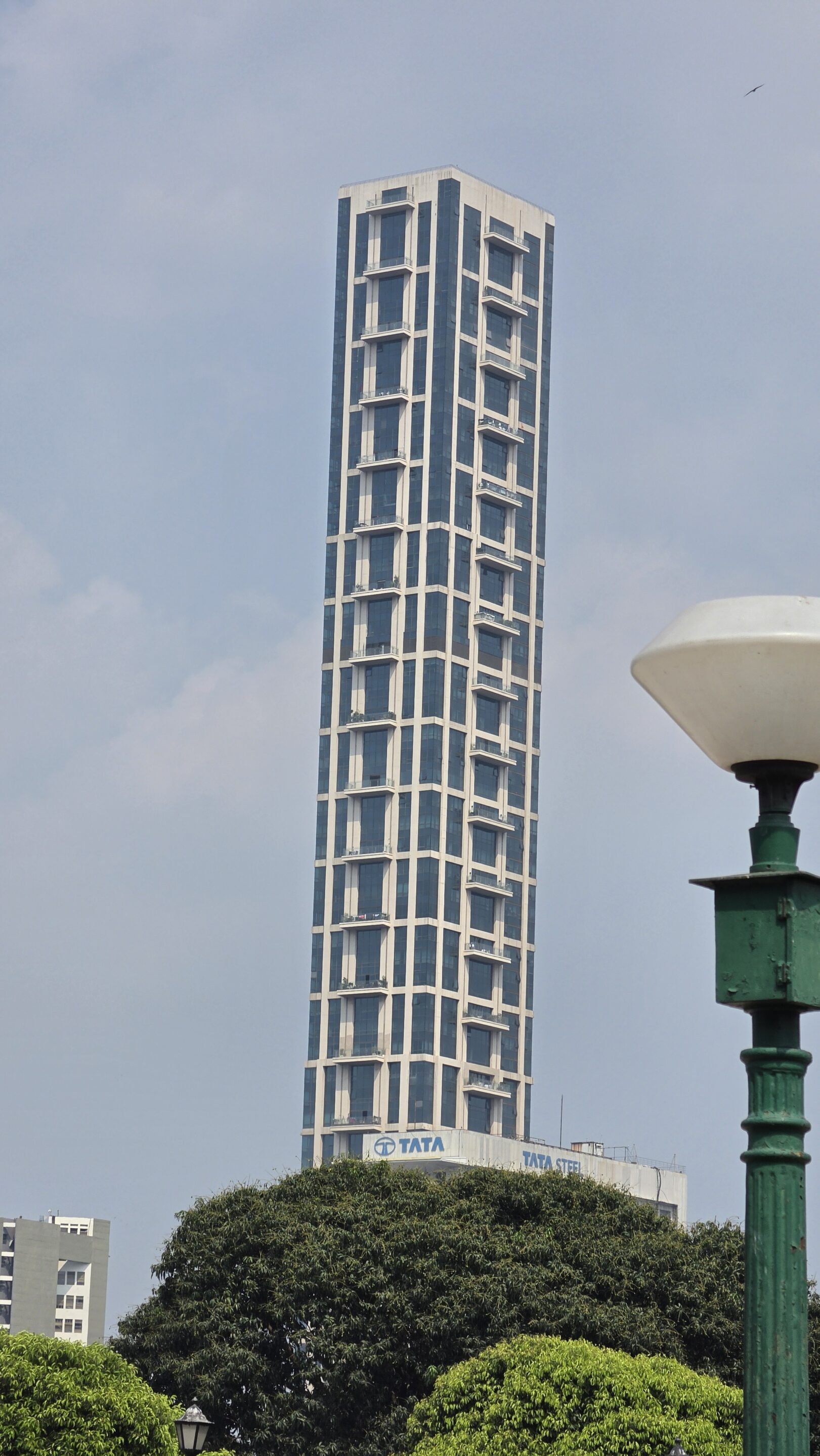





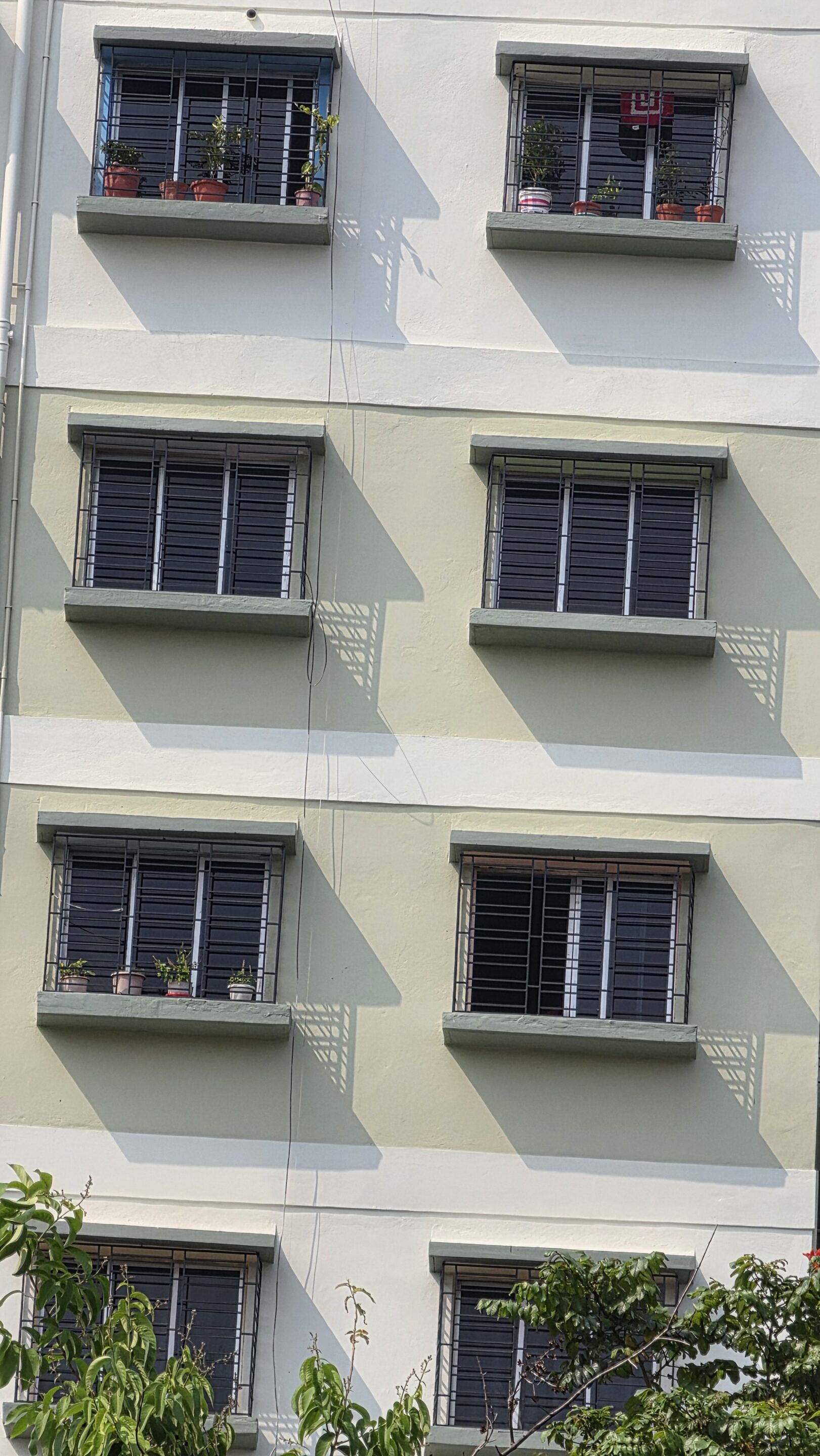
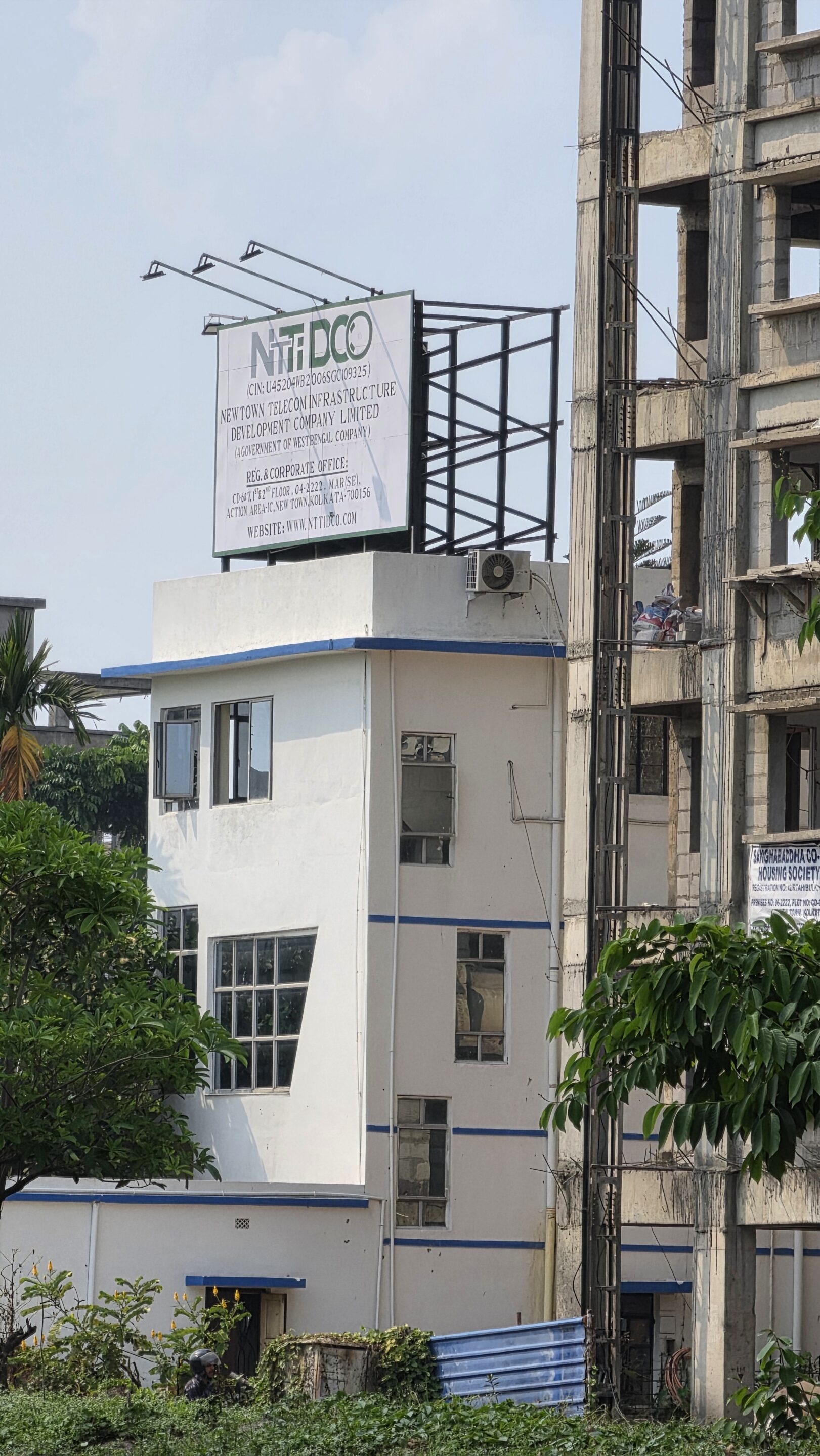
At higher zoom levels, such as 10x and beyond, the S26 Ultra remains capable but not groundbreaking. Images are often heavily processed, with sharpening artifacts becoming more noticeable. While the phone still outperforms many competitors in terms of zoom versatility, the gap has narrowed considerably.
10x camera samples



Top-notch motion handling and low-light photography
Where the S26 Ultra begins to distinguish itself is in motion handling and low-light photography. The wider aperture on the main and telephoto cameras allows more light to reach the sensor, enabling faster shutter speeds and lower ISO values. In practical terms, this means less motion blur when capturing moving subjects. This is one of the most meaningful real-world improvements over previous models.
Lowlight main camera samples


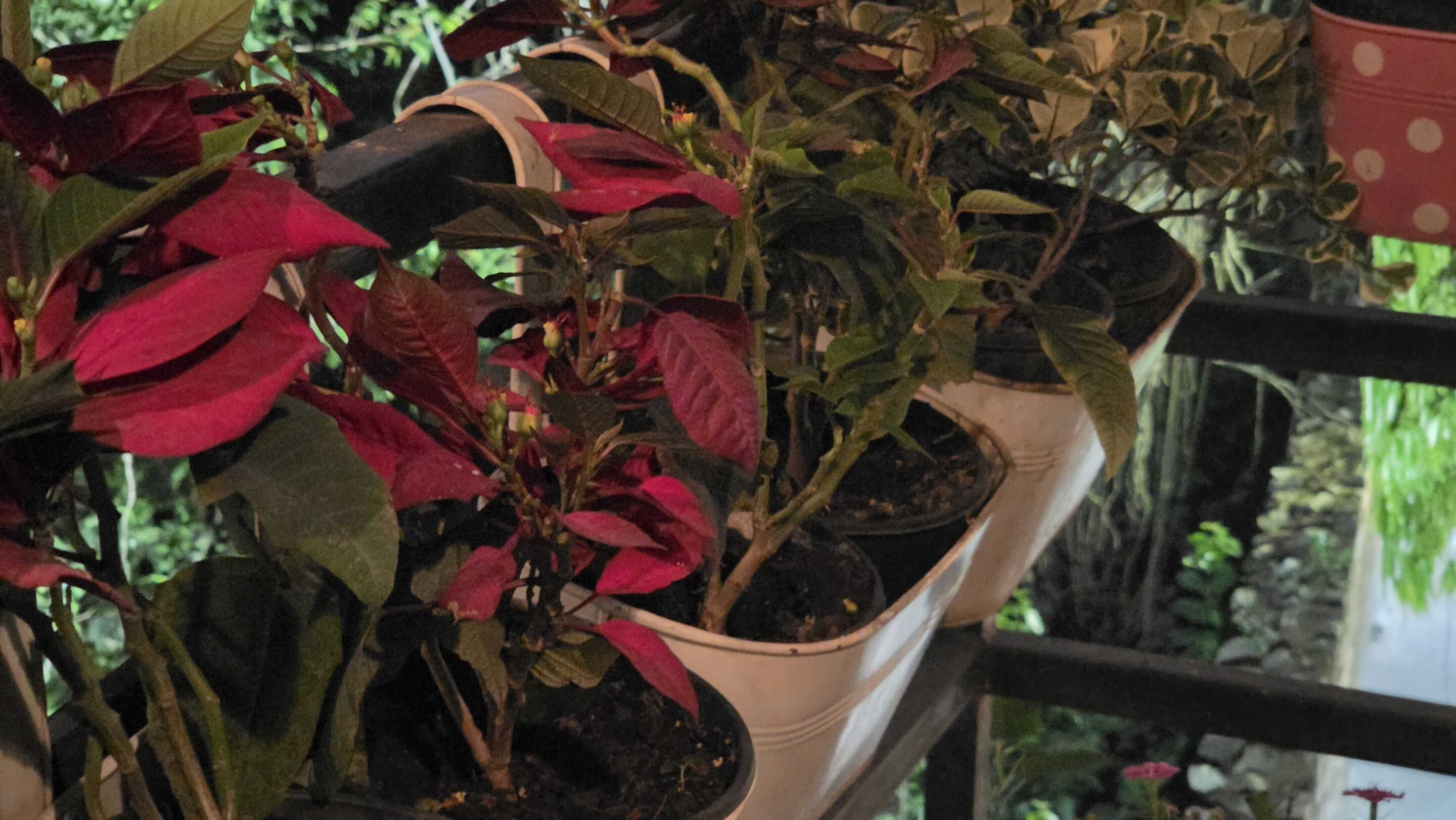
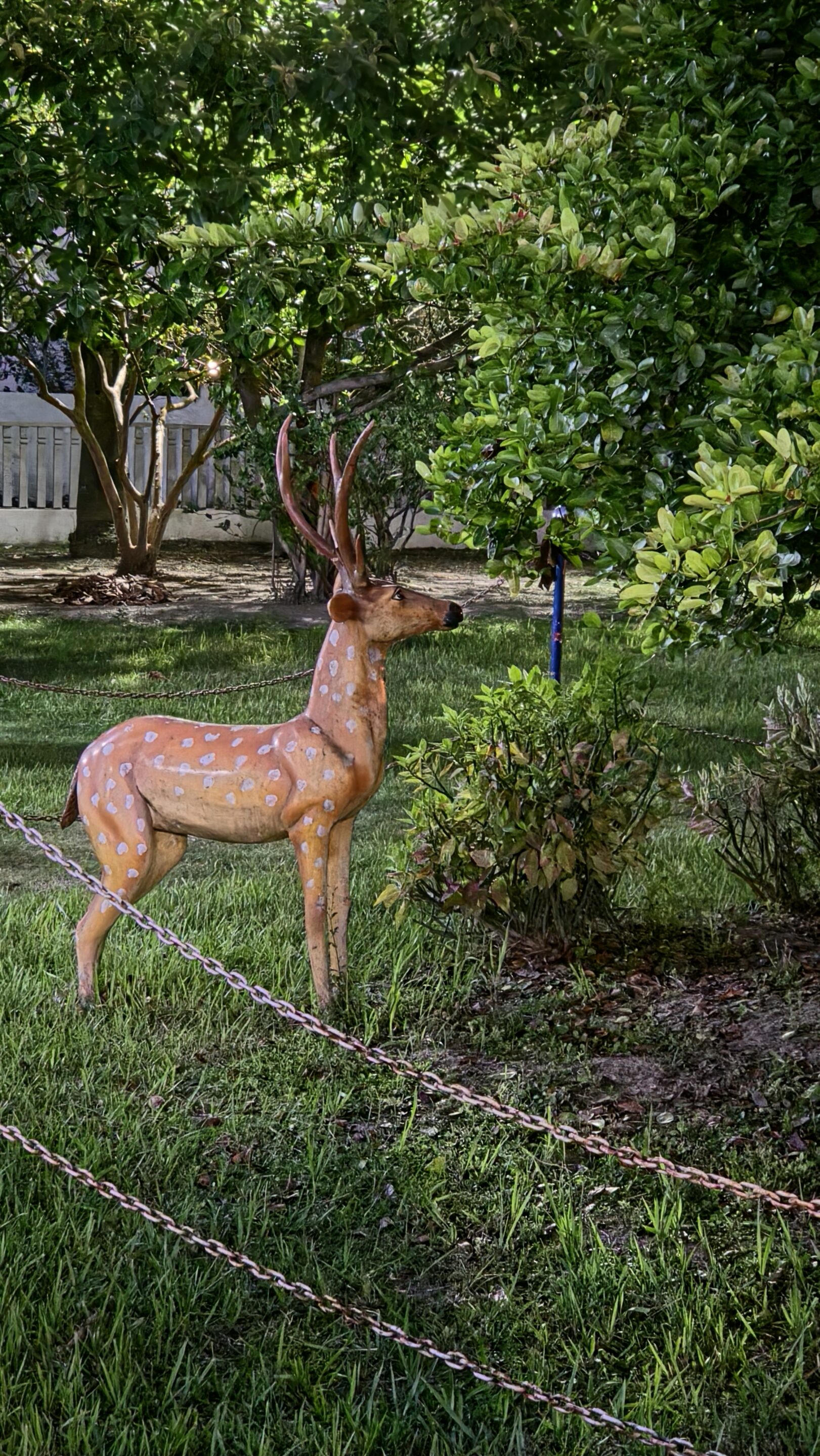
Low-light performance has also seen a noticeable boost, largely thanks to improved image processing. Photos taken in dim environments show better detail retention, reduced noise, and more consistent exposure. Highlights are controlled more effectively, and shadows retain more information without appearing muddy. While the sensor itself hasn’t changed, Samsung’s computational photography has clearly evolved, making night shots more reliable overall.
Lowlight 3x and 5x zoom samples






Horizontal Lock is a game-changer for handheld videography
Video recording is another area where the Galaxy S26 Ultra excels. Samsung has made meaningful improvements to stabilization, resulting in smoother handheld footage that feels closer to what you’d expect from a dedicated camera. The Horizontal Lock allows users to capture stable videos even when their hands aren’t perfectly steady. Quality may take a hit if the movement is too vigorous, but for regular handheld videography, this feature can be a game-changer.
For more advanced users, Samsung has also introduced features like high-quality video codecs and log recording options. These features provide greater flexibility in post-production, enabling users to capture footage with more detail and dynamic range. The ability to shoot high-resolution video, including 8K and high-frame-rate 4K, adds to the phone’s versatility as a video tool. Combined with improved on-device editing capabilities, the S26 Ultra positions itself as a serious option for mobile videography.
Minimum focusing distance takes a hit
Despite these strengths, there are some notable compromises. One of the more disappointing changes is the reduction in close-focusing capability across multiple cameras. The redesigned telephoto lens has a longer minimum focusing distance, making it harder to capture detailed close-up shots. Macro-style photography, which was already not a strong point of Samsung’s Ultra flagships, feels even more limited this time around.
That said, the Galaxy S26 Ultra is still one of the most capable and versatile camera phones available today. It excels in consistency, ease of use, and delivering visually appealing results across a wide range of scenarios. For most users, the device will deliver outstanding results in almost any situation. It remains a reliable, versatile, and highly capable camera system that rarely disappoints.
Galaxy S26 Ultra Review: Performance
The Galaxy S26 Ultra is powered by the latest Qualcomm chipset, the Snapdragon 8 Elite Gen 5 (overclocked version). Paired with 12GB or 16GB of RAM, it is one of the most powerful smartphones available. Not just on paper, but the real-world performance largely lives up to that promise.
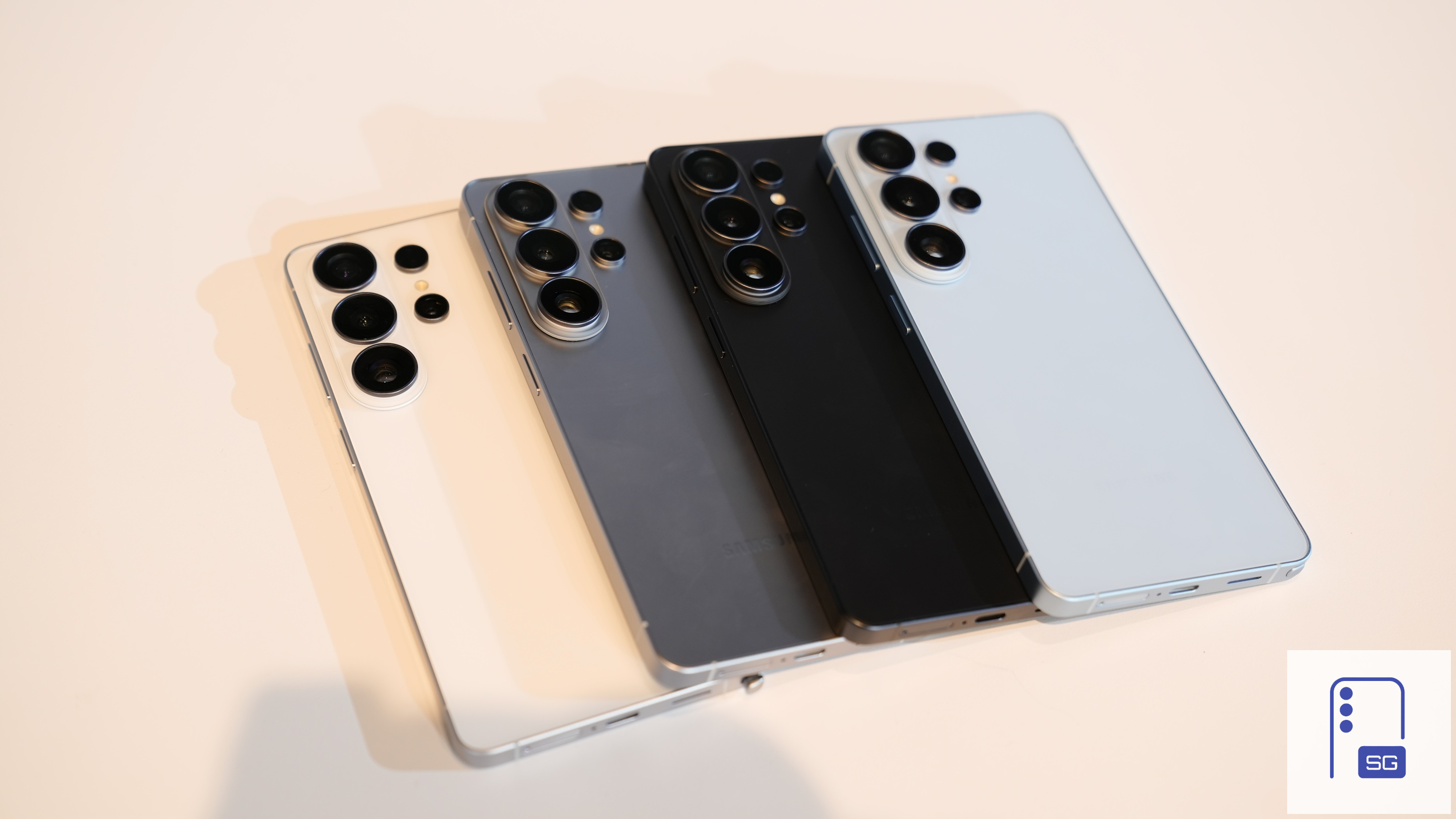
Everything feels fast. Apps open instantly, multitasking is seamless, and demanding games run smoothly with high frame rates. Even under heavy workloads, the device maintains a level of responsiveness that few competitors can match.
What stands out most is how consistent the performance is. This is not just about peak power; it is about sustained performance over time. For everyday users, this translates into a phone that never feels slow, regardless of how many apps are open or how long it has been in use.
Another important aspect of performance this year is AI processing. Samsung has integrated more on-device AI capabilities than ever before, and the Galaxy S26 Ultra handles these tasks with ease. From image editing to contextual suggestions, the phone leverages its hardware to deliver features that feel increasingly intelligent.
The device gets a bit warm during intensive tasks, but still manageable
During extended gaming sessions or intensive tasks, the device can get warm. This is not unusual for high-performance smartphones, but I hardly noticed any major throttling. Samsung has equipped the Galaxy S26 Ultra with a larger vapor chamber than its predecessor, and it appears to be doing its job perfectly.
Overall, performance is one of the least controversial aspects of the Galaxy S26 Ultra. It is fast, reliable, and future-proof, even if the improvements over the previous generation are incremental rather than transformative.
Benchmarks
Galaxy S26 Ultra Review: Software
For the past couple of years, Samsung’s software strategy has revolved heavily around AI. The Galaxy S26 Ultra is no exception. The device runs Android 16-based One UI 8.5 out of the box, introducing a range of AI-driven features designed to make the phone feel smarter and more intuitive. These include advanced photo editing tools, contextual suggestions, and automation features that adapt to your usage patterns.
Samsung is clearly trying to make AI feel less like a separate feature and more like a natural part of the system. Features like call screening highlight this approach well, as you can now automatically screen calls and even convert typed responses into voice replies mid-call, which is incredibly useful in situations where speaking isn’t convenient.
Samsung is clearly trying to make AI feel less like a separate feature and more like a natural part of the system.
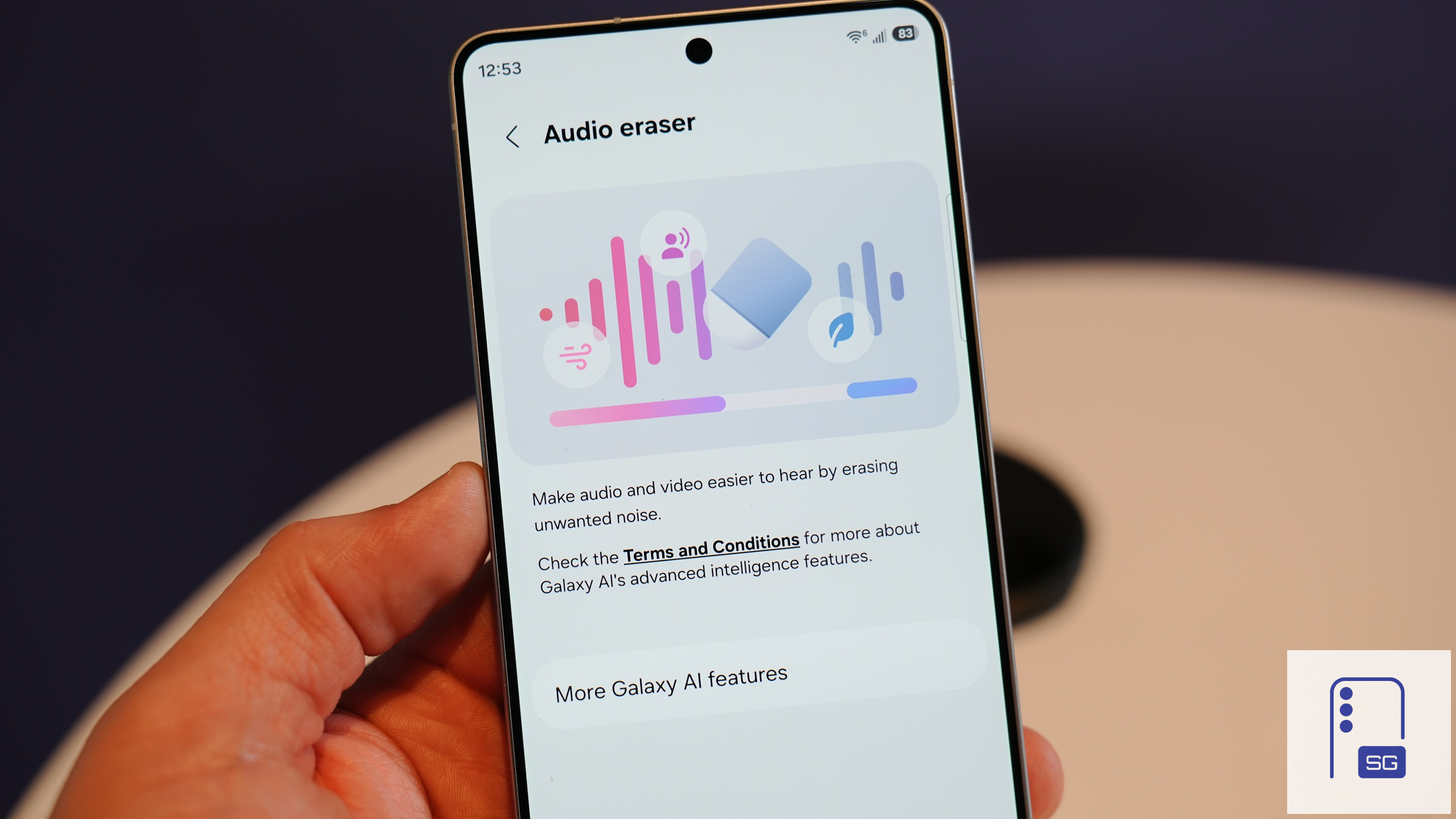
Samsung has also refined existing AI tools to make them more practical. Audio Eraser is no longer limited to videos you’ve recorded. You can now use it across apps like YouTube or Instagram to isolate voices or reduce background noise in real time. This turns what was once a niche editing feature into something you might actually use regularly.
Photo editing sees a major leap forward with Photo Assist. Instead of manually selecting areas, you can now describe what you want using natural language, from changing lighting conditions to adding elements or even swapping objects between images. It’s an ambitious feature and already works impressively. In the example below, you can see how Galaxy AI not only edits the picture based on the text prompt but also automatically adjusts lighting to match the changes in the photo.


Intelligent notification handling and contextual suggestions
Notification handling has also been improved with highlights and summaries. Priority notifications are surfaced clearly and color-coded, making them easier to spot at a glance. Meanwhile, AI-generated summaries help reduce clutter, allowing you to skim through less important notifications quickly without diving into each one.
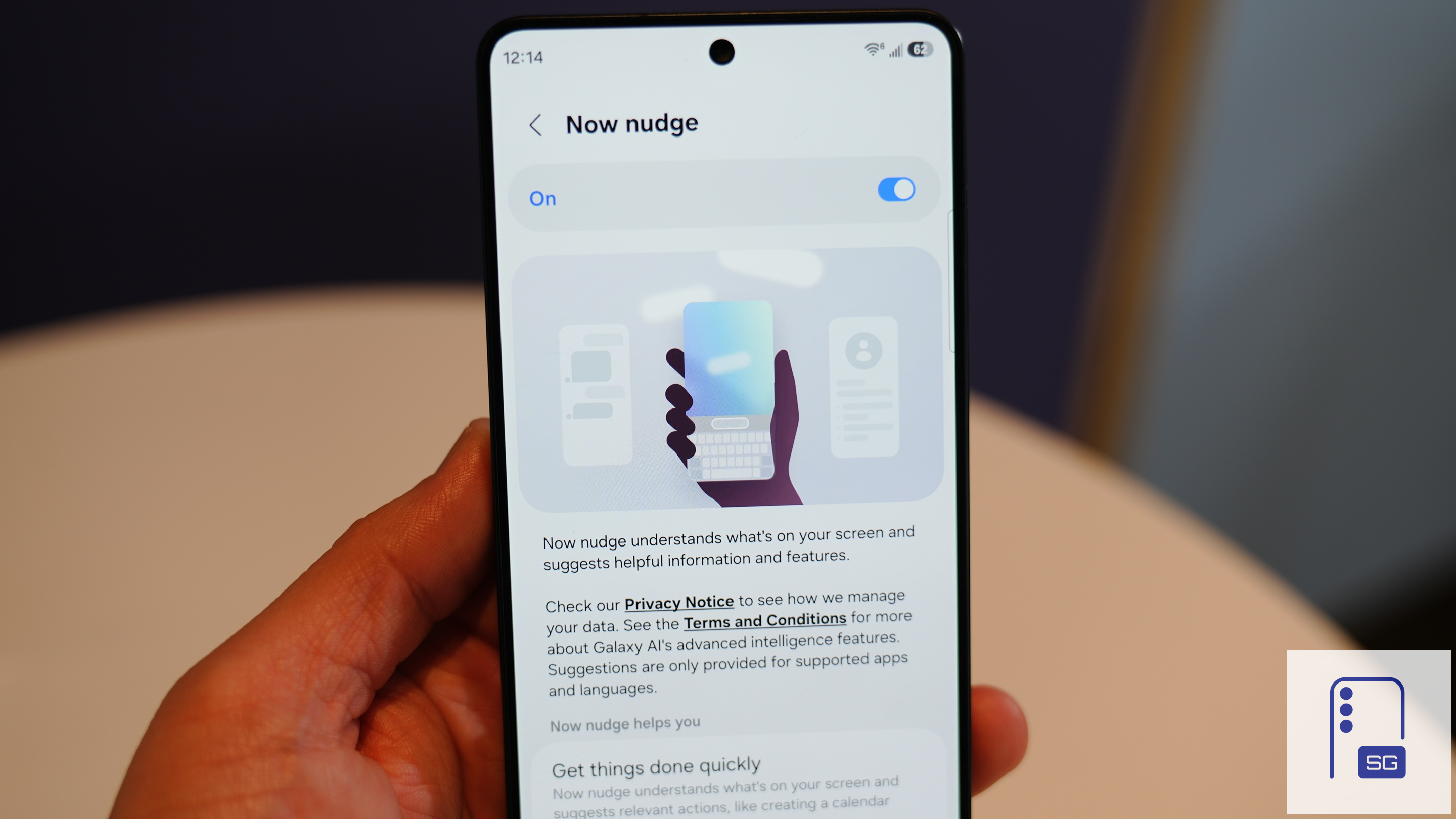
Contextual intelligence also plays a bigger role now. Now Nudge, for example, actively monitors what’s on your screen and suggests relevant actions. If you’re discussing plans in a message, it can suggest adding the event to your calendar or even making a reservation. It works across several major messaging apps, though not universally, and while it can be genuinely helpful, it also raises some privacy considerations depending on how comfortable you are with on-device analysis.
There are also thoughtful additions that improve everyday usability. Screenshot search, for instance, uses AI to analyze the contents of your screenshots, making it much easier to find something specific later without endless scrolling. And the new Document Scanner inside the Camera app turns quick snaps into clean, shareable scans, complete with text enhancement, wrinkle removal, and multi-page PDF export.
Big upgrade for Bixby
The biggest transformation, however, is with Bixby. It’s no longer just a basic assistant. Bixby now understands natural language much better, can access live web information (thanks to Perplexity integration), and responds directly within its interface instead of redirecting you elsewhere. More importantly, it’s far better at helping you navigate your device. You don’t need to know exact setting names anymore. Just describe your issue, and Bixby will guide you to the right option or even take action itself.
It already feels like AI is the future of smartphones.
While some AI features feel a bit gimmicky, others work really well and genuinely enhance the user experience. Of course, what feels essential to one user may feel redundant to another. But it already feels like AI is the future of smartphones.
Highly customizable and polished software experience
Overall, One UI 8.5 feels like a refinement-driven update that prioritizes usability over gimmicks. The improvements to performance, customization, and AI integration make the software feel more cohesive and intelligent. The software is fast, fluid, and consistently responsive. Animations are polished, transitions feel natural, and there’s a level of refinement here that makes the phone feel effortless to use.
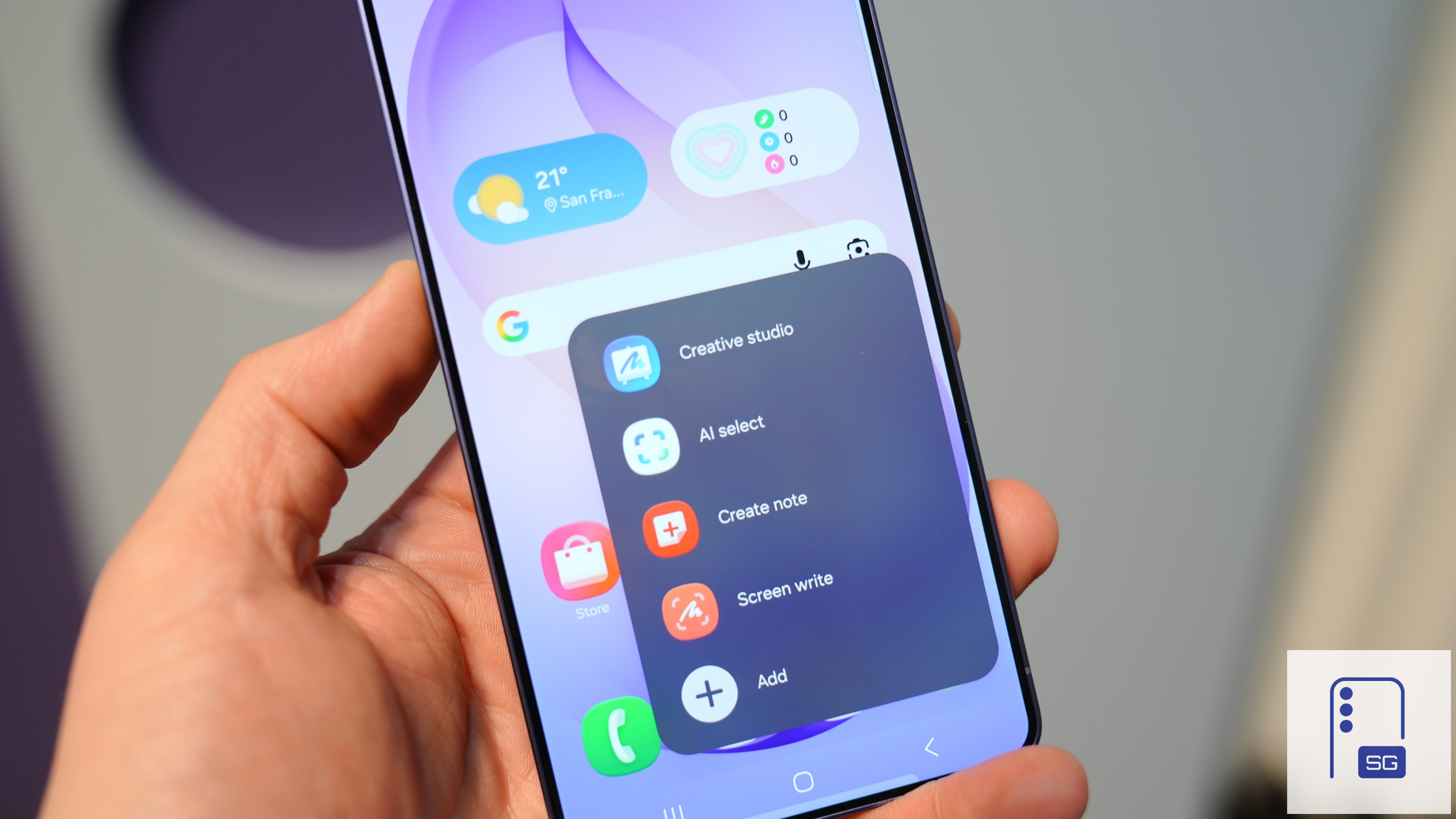
Customization continues to be one of One UI’s biggest strengths, and the redesigned Quick Panel pushes this even further. You can move, remove, or rearrange virtually every toggle exactly how you want (some features require the QuickStar app). It’s a level of control that few Android skins offer, and it genuinely improves usability once you tailor it to your needs. Combined with refreshed app designs, the interface feels cleaner and more modern without losing the familiarity longtime Samsung users expect.
The Galaxy S26 Ultra also comes with seven years of software updates, ensuring that it remains relevant for a long time. Hopefully, Samsung will also deliver meaningful new features with those updates and not just bump the OS version.
Galaxy S26 Ultra Review: Battery and Charging
It’s been a really long time since Samsung Galaxy Ultra phones have been stuck at 5,000mAh, and the Galaxy S26 Ultra doesn’t change that. It still comes with the same 5,000mAh battery. What’s new, though, is 60W wired charging support, which is a much-needed upgrade.
The Galaxy S26 Ultra easily lasts a full day without running out of juice.
Before diving into battery life, let’s talk about charging speeds. The move to 60W wired charging is the real upgrade over the Galaxy S25 Ultra’s 45W, and Samsung deserves some credit for that, even if it still trails some competitors. If you’re in a rush and heading out, it takes around 15–16 minutes to reach about 37%. In 30 minutes, the Galaxy S26 Ultra gets to roughly 75%, and a full charge takes about 52–53 minutes. I’m using Samsung’s 60W power adapter with the cable included in the box.
I’ve also tried charging with a power bank that supports similar speeds, and the results are pretty much the same. There may be a difference of a few seconds, but nothing significant. It doesn’t heat up while charging either, at least in my testing. I’ve been using it without a case since the temperature here has been moderate, though summer might tell a different story. Wireless charging speeds remain unchanged, and there’s nothing particularly new to talk about there.
Reliable, but not pushing forward
On an average day, the battery lasts a full day with six to seven hours of screen-on time, which is solid. I keep the always-on display enabled, and I think you could get even better battery life by turning off some features, but then what’s the point? You could stretch it further by avoiding gaming too, but again, that’s not really how most people use a phone like this.
There’s not much to complain about here, honestly.
But at the same time, considering the competition, a 5,500–6,000mAh battery would’ve made more sense.
Galaxy S26 Ultra Review: Verdict
The Galaxy S26 Ultra isn’t a dramatic leap on paper, but dismissing it as a minor upgrade would be missing the point. Samsung hasn’t reinvented the formula this year; it has refined it. And those refinements add up.
Yes, the headline “Privacy Display” feature might grab attention, but the real story lies elsewhere. The camera system is more reliable and versatile, battery life is improved in everyday use, and charging (both wired and wireless) finally feels fast enough to match expectations. Performance is top-tier, as you’d expect, but more importantly, it’s consistent. Pair that with a polished One UI experience, and the S26 Ultra feels smoother and more complete than its predecessor.
That said, it’s not perfect. The display, while still excellent, isn’t the upgrade many hoped for. It’s not a true 10-bit panel, and compared to the S25 Ultra, it can appear slightly dimmer and more reflective due to the Privacy Display. Battery life, while better overall, still leaves room for improvement considering the size and positioning of the device.
In short, this is a refinement-driven upgrade. Not flashy, but undeniably better where it counts.
Who should buy
- Coming from S23 Ultra or older: You’ll see meaningful improvements across cameras, performance, battery, and charging. Keep in mind, the S Pen is a downgrade.
- Power users and creators: The improved camera system, faster charging, and stable performance make it a reliable daily driver.
- People who value polished software: One UI feels more refined and fluid, enhancing the overall experience.
- Anyone frustrated with slow charging on older Samsungs: This is one of the most noticeable upgrades.
Who shouldn’t buy
- Galaxy S25 Ultra users: The upgrade is incremental. Unless you specifically want the newer features, it’s not essential.
- Display enthusiasts expecting a big leap: The panel is still great, but not class-leading in brightness or color depth.
- Battery-focused users wanting a major jump: It’s better, but not dramatically so.


Written by
Sumit AdhikariSumit, a life-long Samsung user, is passionate about technology and has been professionally writing on tech since 2017. He’s a mathematics graduate by education and enjoys teaching basic mathematics tricks to school kids in his spare time. Sumit believes in artificial intelligence and dreams of a fully open, intelligent and connected world.

Follow us on Google Discover & set us as a preferred source in Google News
Share this Post
___________________________


New Blog Posts
___________________________
Best Samsung Prime Day Deals: Galaxy S26 Ultra, S26, Buds 4 Pro, Fold 7, and More
We’ve curated some of the best Samsung deals for Prime Day

How to Restart or Force-Restart a Frozen Galaxy Phone
This could fix common issues and restore normal performance
Samsung TV Plus Now Lets Viewers Shop Products Directly From Their TVs
Samsung TV Plus becomes a shopping platform