Enable This Hidden Setting to Keep Your Samsung Galaxy More Secure

SammyGuru is reader-supported. We have affiliate and sponsored partnerships, so we may earn a commission when you buy through links on our site — at no extra cost to you. Learn more.
Samsung Galaxy phones have a hidden system working behind the scenes to keep them more secure, stable, and responsive. It’s called Galaxy system app update, and it silently refreshes critical system components that aren’t covered by the regular software update or the Galaxy Store. Make sure to keep this setting switched on for maximum security of your phone. Let us walk you through the simple steps.
How to automatically update ‘Galaxy system apps’ on your Samsung phone
From security patches to major feature releases, Galaxy phones receive dozens of system updates in their lifetime. The frequency of updates varies depending on the model and age, but Samsung rolls out new updates for Galaxy devices every month. You also get app updates on the Galaxy Store and Play Store, as well as regular Play Services updates that enhance the overall system performance.
On top of this, Samsung offers a hidden menu that quietly updates system apps on your phone. These updates can deliver high-priority security fixes, stability patches, and performance improvements to critical system components much faster than the slow rollout of standard app updates. The setting is enabled by default, but you might still want to ensure it’s turned on and properly configured. Here’s how to do it.
- Open Settings
- Go to Security and privacy
- Scroll down and tap More security settings
- Scroll all the way down and make sure the ‘Galaxy system app update’ toggle is enabled
- Tap the menu title (text part) to see more
- Disable Use Wi-Fi only if you want automatic updates over mobile data (keep it enabled if you don’t want to use mobile data)
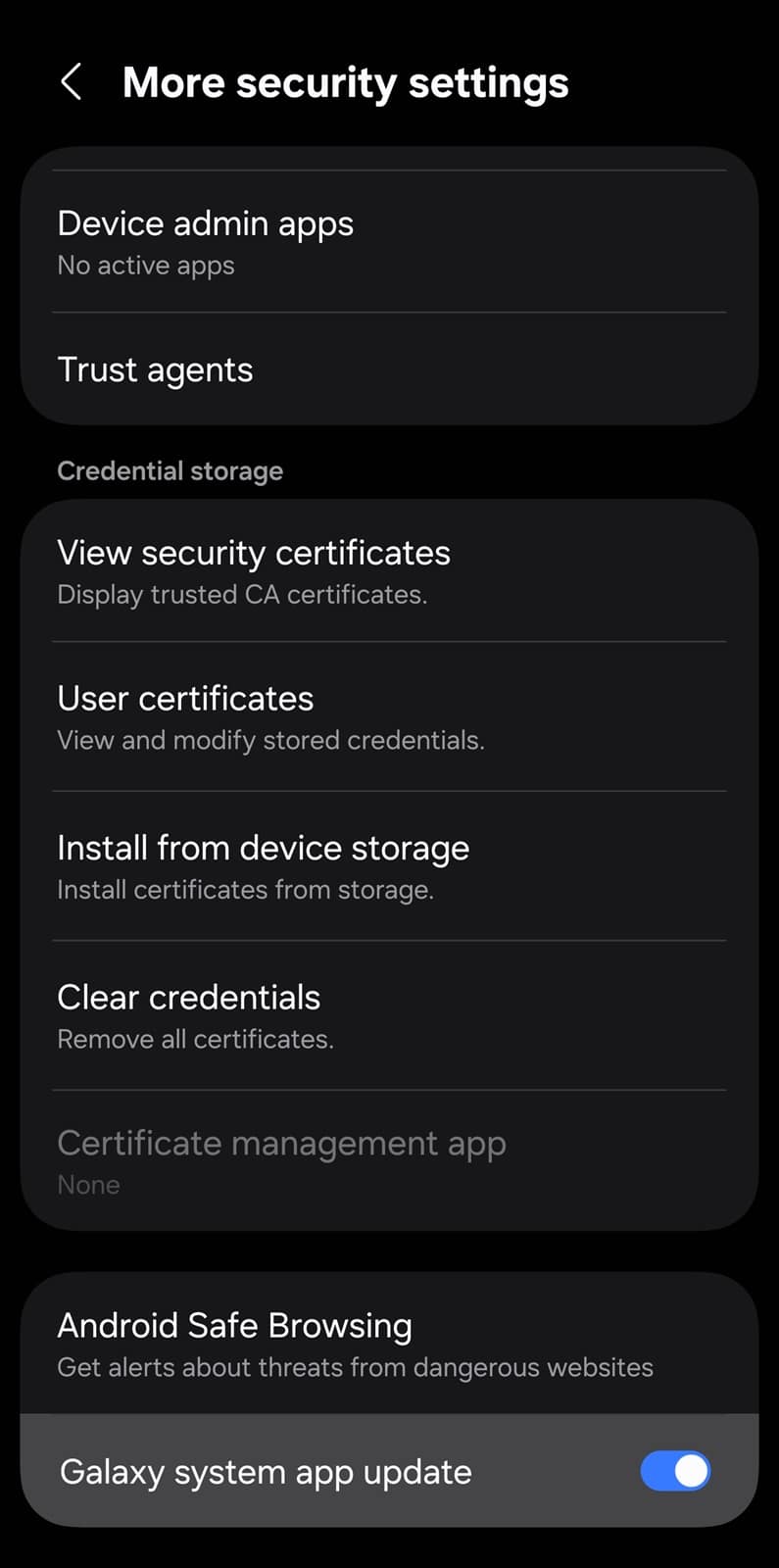
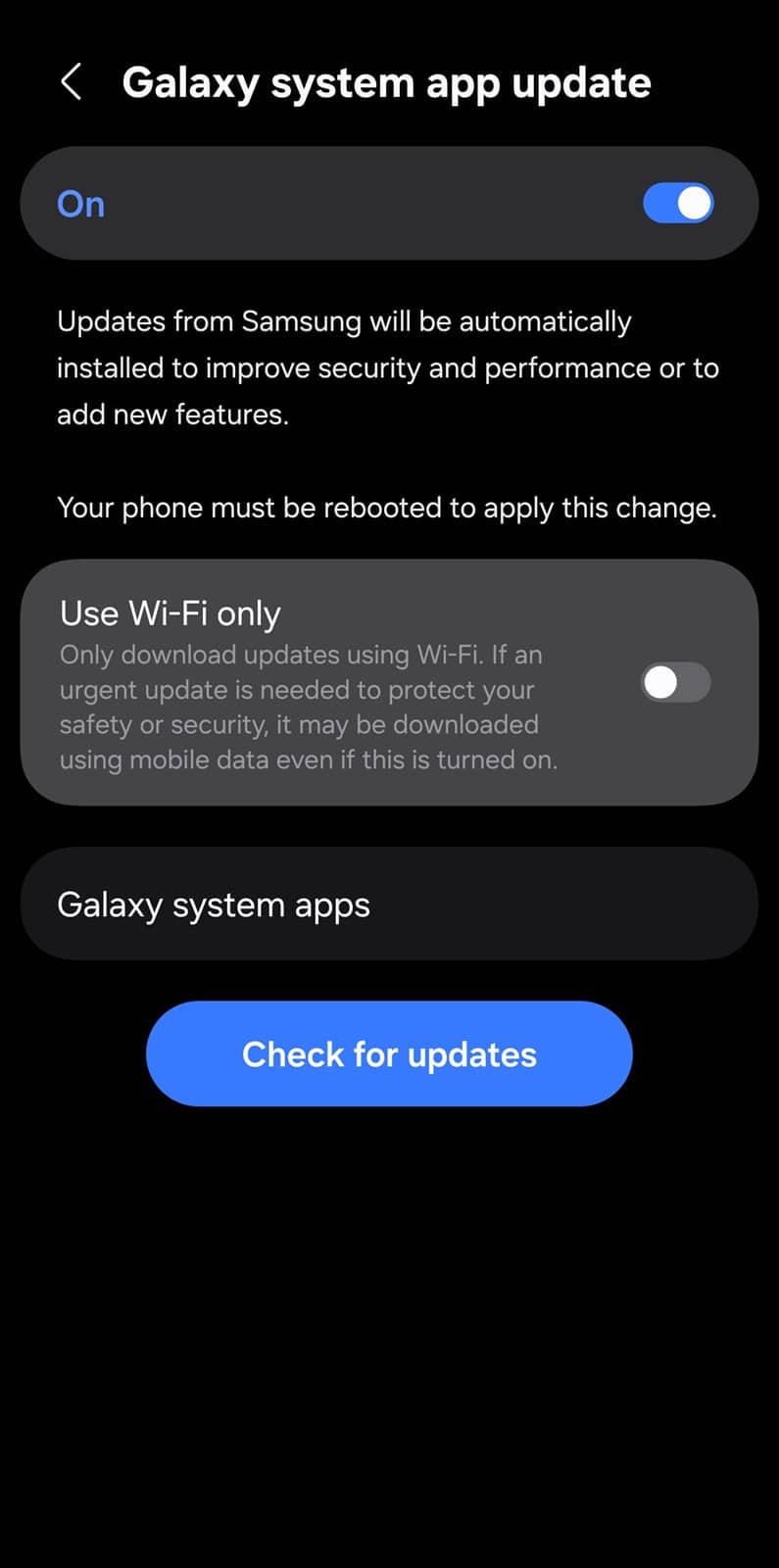
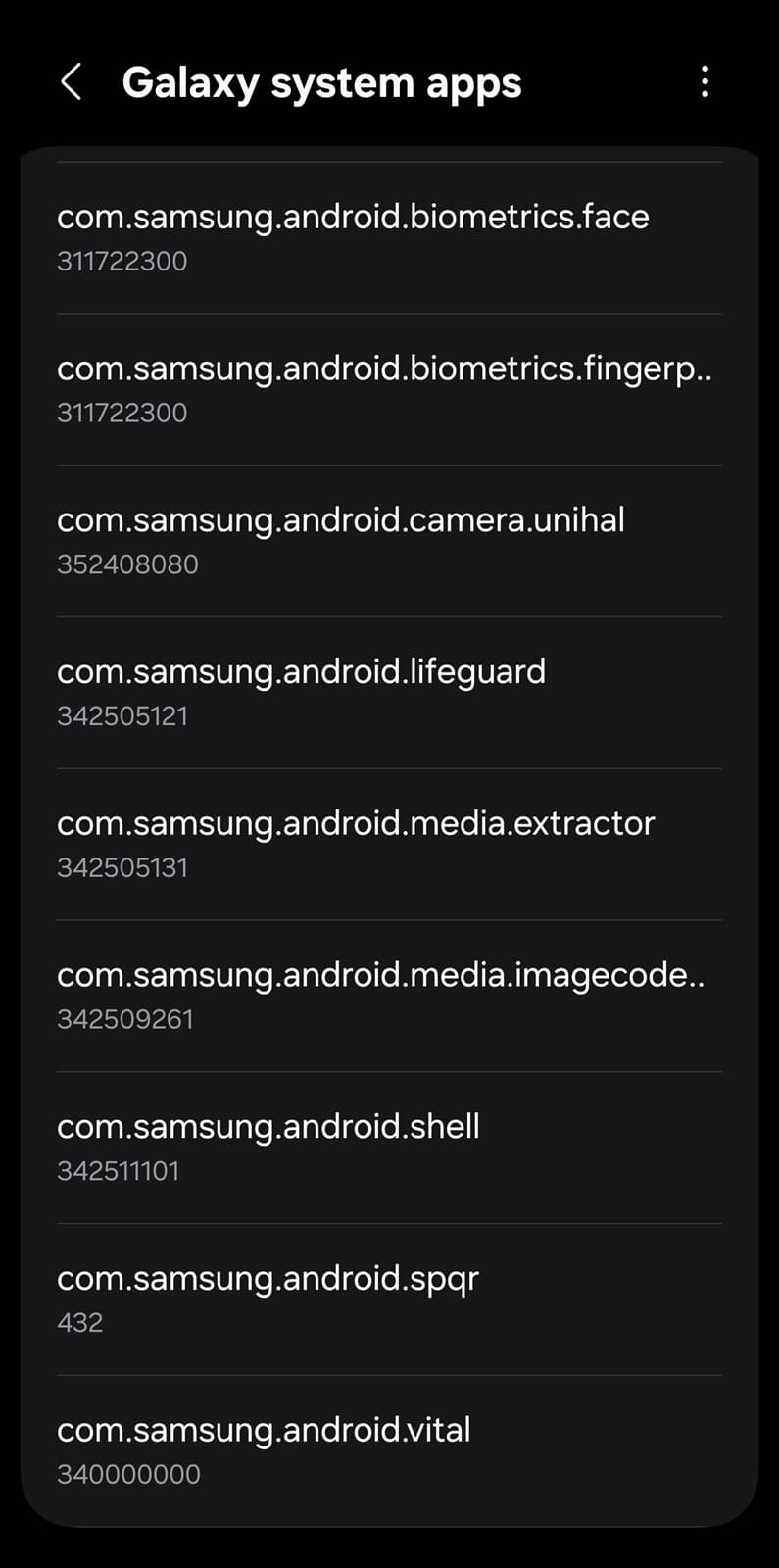
At the bottom, you will see a ‘Check for updates’ button that allows you to manually trigger updates when available. You will also find a ‘Galaxy system apps’ section listing the core system components that rely on these updates. The apps listed here work under the radar and facilitate the proper functioning of various other apps and services. Keeping this toggle enabled ensures your phone receives patches and security improvements faster.

Written by
Sumit AdhikariSumit, a life-long Samsung user, is passionate about technology and has been professionally writing on tech since 2017. He’s a mathematics graduate by education and enjoys teaching basic mathematics tricks to school kids in his spare time. Sumit believes in artificial intelligence and dreams of a fully open, intelligent and connected world.

Follow us on Google Discover & set us as a preferred source in Google News
Share this Post
___________________________


New Blog Posts
___________________________

Meta Launches New Smart Glasses Ahead of Samsung’s Entry
The company brings affordable smart glasses under its own brand
Samsung Fixes Missing Icon Bug in Latest Theme Park Update
The bug affected Galaxy users on One UI 8.5 or older versions
Samsung Prepares One UI 9 for More Budget Devices
We are less than a month away from the official debut