Galaxy S20 FE, A05 4G Receive Security Update

SammyGuru is reader-supported. We have affiliate and sponsored partnerships, so we may earn a commission when you buy through links on our site — at no extra cost to you. Learn more.
Samsung has rolled out the October 2025 security patch to more Galaxy devices. Most recently, the October update was released for the Galaxy S20 FE 5G, and the September patch for the Galaxy A05 (4G). Users of these devices may want to check for the latest firmware releases to strengthen their security, as both models have stopped receiving feature updates.
October 2025 Security Update expands to the Galaxy S20 FE 5G, September for the Galaxy A05 4G
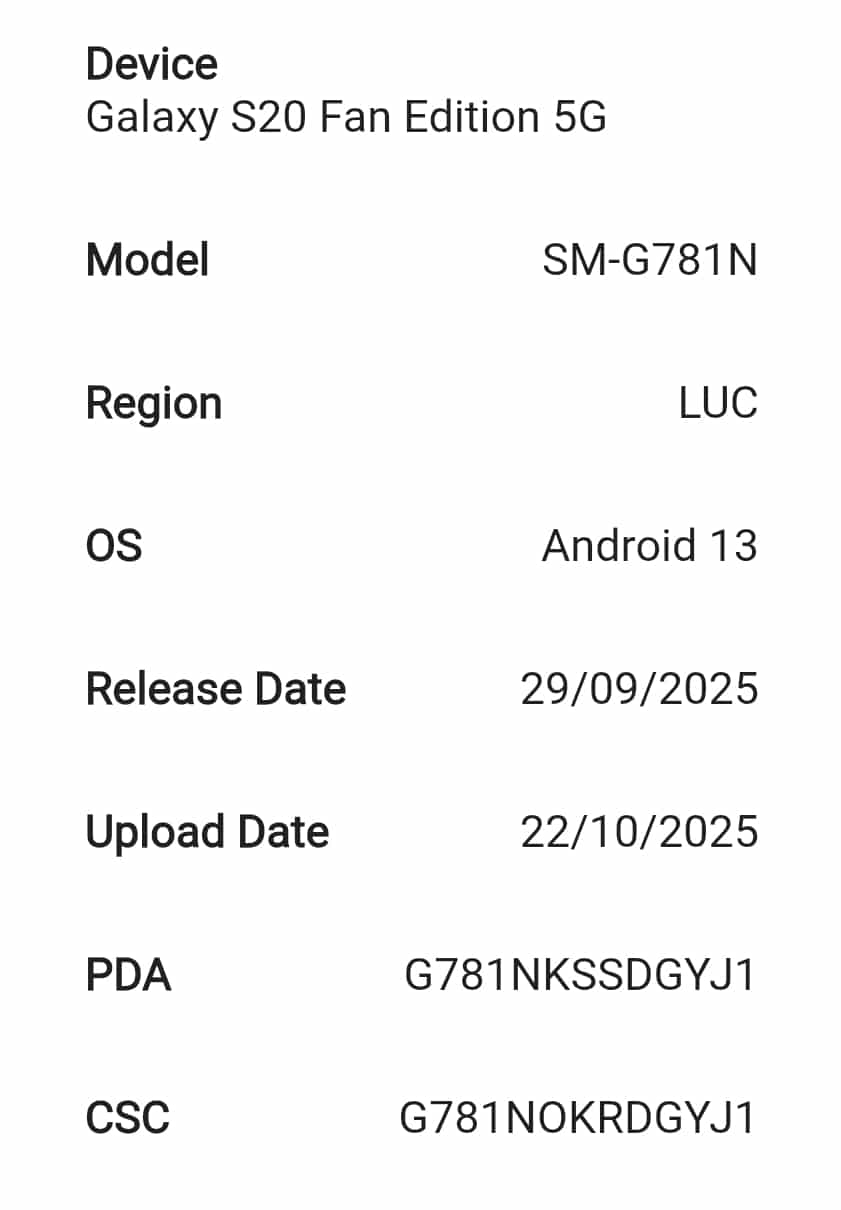
The Galaxy S20 FE 5G has received the October update after its successor in South Korea. The new firmware build number for the phone is G781NKSSDGYJ1. The update does not have much to offer, as it mainly focuses on improving security and stability rather than adding new features. This month’s security release contains fixes for more than 30 vulnerabilities.
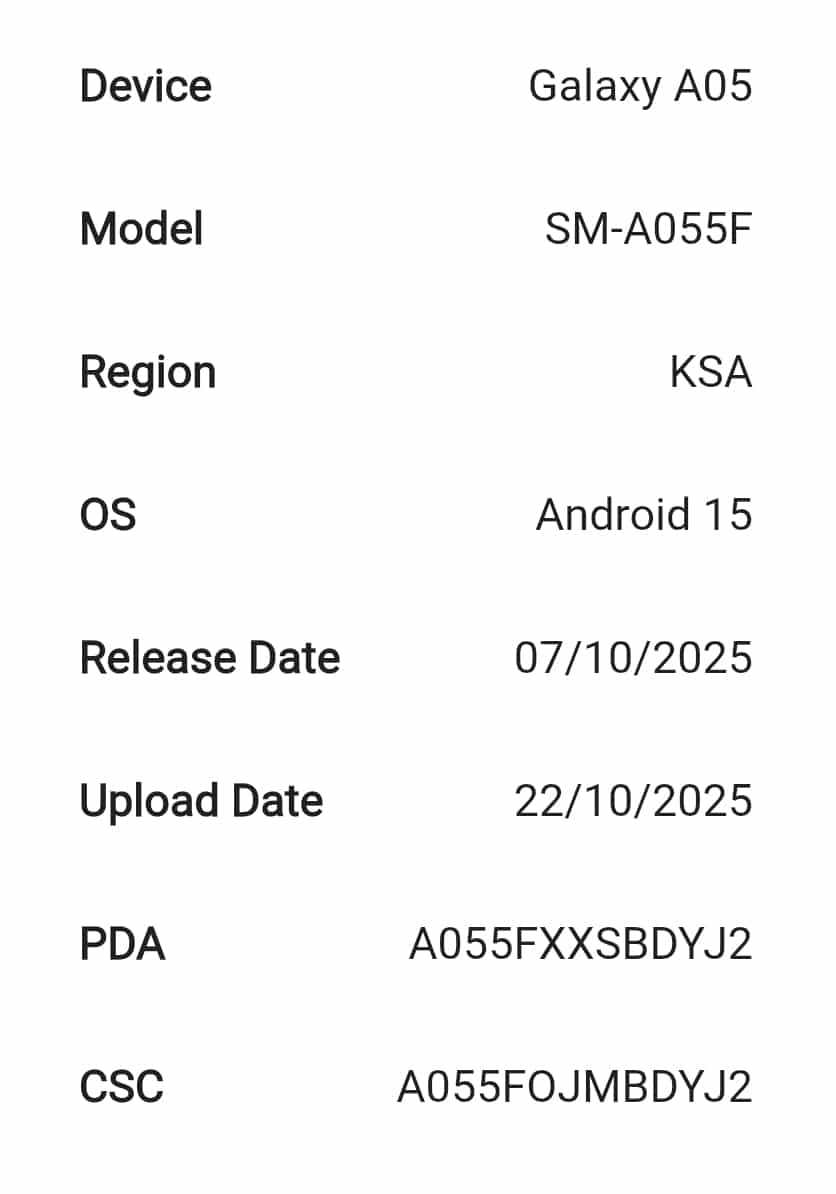
The Galaxy A05 4G, meanwhile, has started getting the September security patch in several other Asian markets, including Iraq, Saudi Arabia, Egypt, and Pakistan. Its new build number is A055FXXSBDYJ2. The latest patch is expected to expand to more regions in the coming days.
It’s worth noting that the Galaxy S20 FE and A05 aren’t eligible for One UI 8. The former model runs Android 13 with One UI 5, while the latter received One UI 7 as its final major OS update. They should receive a few more security patches before official support ends. Meanwhile, Samsung appears to have paused the One UI 8 rollout for several devices, with progress being slower this week.
However, the company continues to push the October 2025 security patch at full speed across its lineup. To manually check for the October update, go to Settings > Software update > Download and install. Tap Install now once the update finishes downloading, and your device will restart with the October patch.

Written by
Mohammed KhatriMohammed Khatri is a tech writer at SammyGuru focused on Samsung's software side — tracking One UI updates, internal builds, and which Galaxy devices are next in line. He also covers early device leaks, certifications, and retail listings. Beyond tech, he has a keen interest in finance and automobiles, and enjoys exploring the latest trends and developments in both industries.

Follow us on Google Discover & set us as a preferred source in Google News
Share this Post
___________________________


New Blog Posts
___________________________

More Galaxy Watch Models Get New Update in the US — Brings an Important Fix
May 2026 update now available for Galaxy Watch 6 and older models

The Pope Uses Samsung: Leo XIV Confirms He Owns a Galaxy Phone and Watch
Pope Leo XIV is a Samsung fan
Gemini in Google Sheets Now Supports 28 Additional Languages
This update makes Gemini in Sheets more useful globally