
YouTube Not Working on Samsung TV After Tizen 9.0 Update? Here’s the Solution
SammyGuru is reader-supported. We have affiliate and sponsored partnerships, so we may earn a commission when you buy through links on our site — at no extra cost to you. Learn more.
Samsung has recently begun rolling out the Tizen 9.0 software update for its older eligible TVs. While the update brings a refreshed interface and new features, the excitement quickly turned into frustration. Several users are reporting that the YouTube app has stopped working after the update. Thankfully, there’s a workaround that could help fix the issue.
Tizen 9.0 update breaks YouTube for many Samsung TV users
According to user reports on Samsung’s community forums, the problem appears shortly after installing the Tizen 9.0 update. When users open the YouTube app, it either freezes on the logo or on a completely blank screen. This is quite frustrating, as many users rely on YouTube daily to stream content on TVs. Meanwhile, other major streaming apps, such as Prime Video, continue to work without any issues.
Some affected users even tried a bunch of the standard troubleshooting steps, including a factory reset of the TV. While none of these methods helped, one user discovered that YouTube works when the TV is connected through a mobile hotspot. “Interestingly enough, the only way I got it to function properly was to use a Wi-Fi hotspot from my phone to the TV,” the user noted.
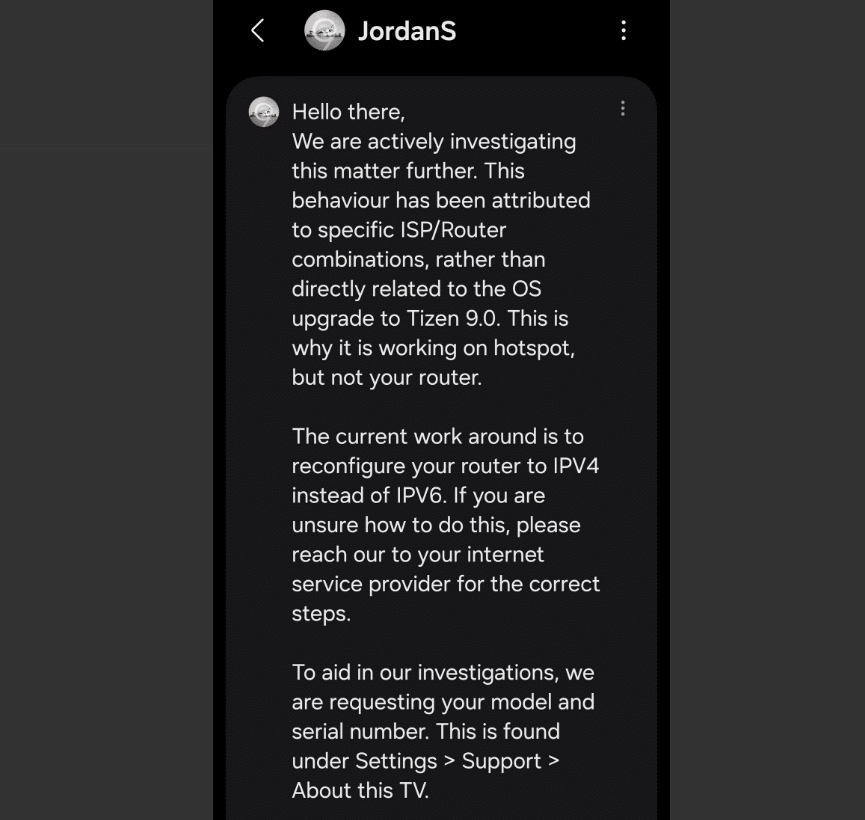
Meanwhile, Samsung support says the issue isn’t triggered by the Tizen 9.0 update itself. Instead, it is the result of specific ISP and router combinations. This is why the app works when using a mobile hotspot but not when connected to specific home routers. The current workaround is to reconfigure your router to use IPv4 instead of IPv6. If you don’t know how to do this, the company advises reaching your internet service provider for help.
If you are experiencing the same issue, Samsung asks that you share your TV’s model and serial number to help with the investigation. You can do so by going to Settings > Support > About This TV.

Written by
Binay KonwarBinay Konwar started his blogging journey in 2014 and has since written plenty of tech articles. At present, he is working as a News Writer at SammyGuru, covering everything about Samsung. He holds a Master's degree in Mathematics, but his real passion lies in tech and writing. In his free time, he enjoys playing chess and watching movies.

Follow us on Google Discover & set us as a preferred source in Google News
Share this Post
___________________________


New Blog Posts
___________________________

Samsung Quietly Listed a New Entry Level 990 PCIe 4.0 SSD
It drops DRAM for HMB

Samsung’s First Bone-Conduction Earbuds May Be Called Galaxy Able
Name hidden no more

Samsung Accidentally Confirms Galaxy Watch 9 and Galaxy Watch Ultra 2
Coming very soon







