
TrickMo Banking Trojan Can Now Steal Your Phone’s Unlock Code
SammyGuru is reader-supported. We have affiliate and sponsored partnerships, so we may earn a commission when you buy through links on our site — at no extra cost to you. Learn more.
Security researchers have discovered 40 new variants of the TrickMo Android banking trojan. These variants add a powerful new feature — the ability to steal the target phone’s unlock pattern or PIN. This allows the attacker to remotely operate on the device even when it is locked.
TrickMo Android banking trojan updated to steal your phone’s unlock code
TrickMo is a well-known Android banking trojan believed to have been in circulation since at least September 2019. Security researchers at Zimperium recently identified 40 new variants of the malware, coupled with 16 droppers and 22 Command and Control (C2) infrastructures. The upgraded version can steal the unlock code or pattern of affected phones.
According to the security firm, the malware creates a fake User Interface (UI) mimicking the device’s actual unlock screen. Users are tricked into entering their unlock code or pattern there, effectively handing over the data to attackers. The record is saved along with a unique device identifier (the Android ID), allowing attackers to access the device later.
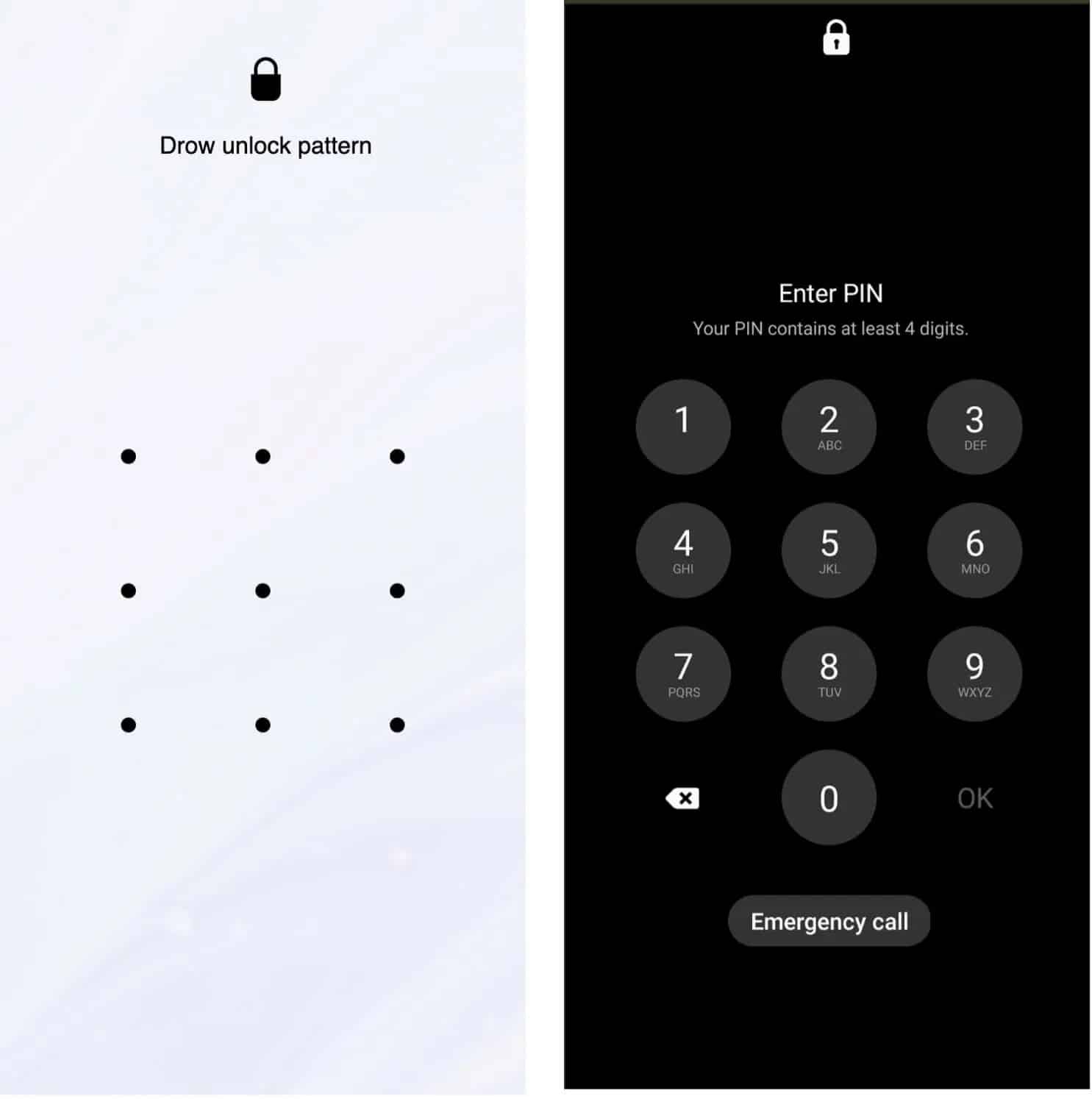
The attackers can remotely unlock the device when it’s not actively monitored, like when the owner is asleep. They can perform on-device fraud or steal more information to launch a more devastating attack. TrickMo already boasts a wide range of capabilities to perform banking fraud. It can intercept OTPs, record screens, and allow remote control of the affected devices.
Like most other malware, TrickMo is distributed through phishing. The attackers send emails or messages impersonating some famous organizations. Those messages contain a legitimate-looking malicious link that downloads the malware. Unsuspecting users would click on the link hoping to visit a genuine site, only to fall prey to a malware attack.
While Google Play Protect can block known variants of TrickMo, you should always avoid downloading files or installing APKs from links sent by unknown people. You can also use digital security providers, like our sponsor Aura, to protect your family from identity theft, scams, and online threats. Aura provides security solutions for the whole family starting at $10 a month. You can sign up for a free trial now.

Written by
Sumit AdhikariSumit, a life-long Samsung user, is passionate about technology and has been professionally writing on tech since 2017. He’s a mathematics graduate by education and enjoys teaching basic mathematics tricks to school kids in his spare time. Sumit believes in artificial intelligence and dreams of a fully open, intelligent and connected world.

Follow us on Google Discover & set us as a preferred source in Google News
Share this Post
___________________________


New Blog Posts
___________________________

Samsung Quietly Listed a New Entry Level 990 PCIe 4.0 SSD
It drops DRAM for HMB

Samsung’s First Bone-Conduction Earbuds May Be Called Galaxy Able
Name hidden no more

Samsung Accidentally Confirms Galaxy Watch 9 and Galaxy Watch Ultra 2
Coming very soon







