
Spotify Rolls Out Major Redesign for Galaxy Tablets and Fold
SammyGuru is reader-supported. We have affiliate and sponsored partnerships, so we may earn a commission when you buy through links on our site — at no extra cost to you. Learn more.
After years of basically stretching its phone UI onto bigger screens, Spotify is rolling out a proper redesign for larger screens. It makes better use of the extra screen real estate that comes with Galaxy Z foldables and Galaxy tablets, and it’s safe to say this is one of Spotify’s most important redesigns in a while.
This isn’t just a bigger phone UI anymore
On tablets (and even foldables), Spotify mostly felt like a scaled-up phone app, not something built for larger displays. That’s been the biggest problem for a while. But now Spotify is changing that with a more adaptive layout that adjusts depending on how you use your device.
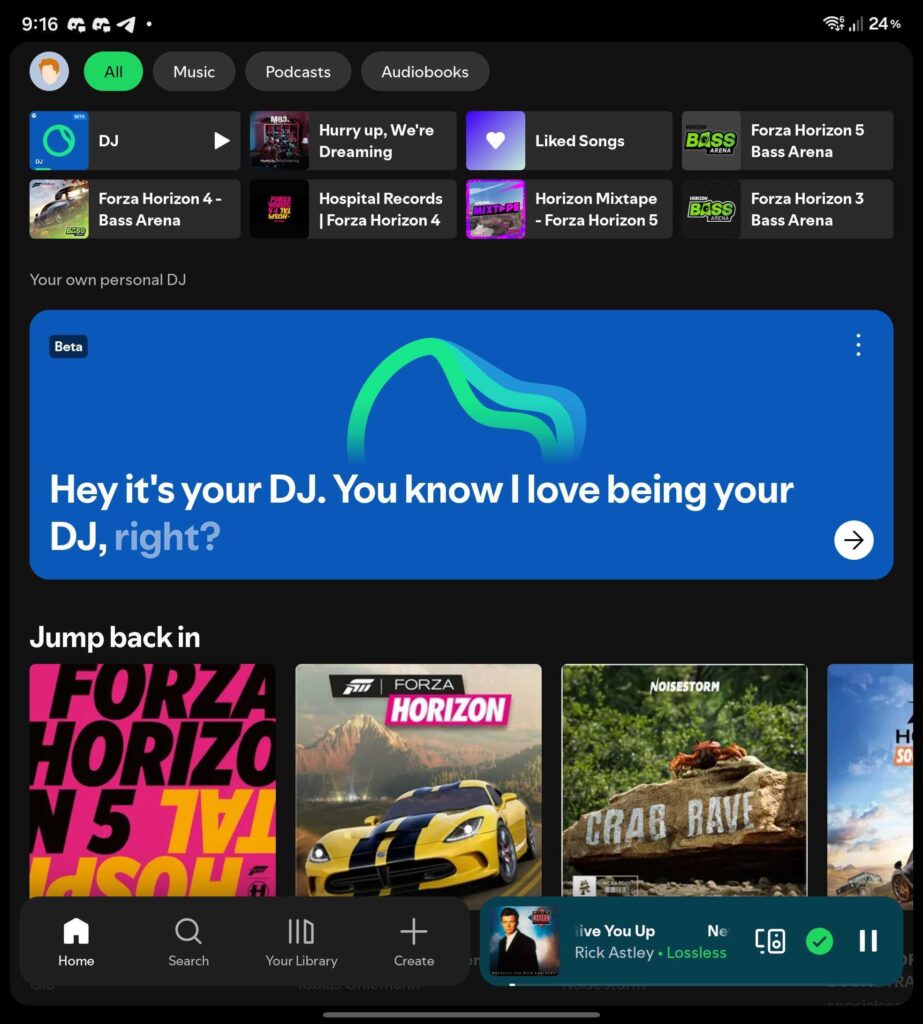
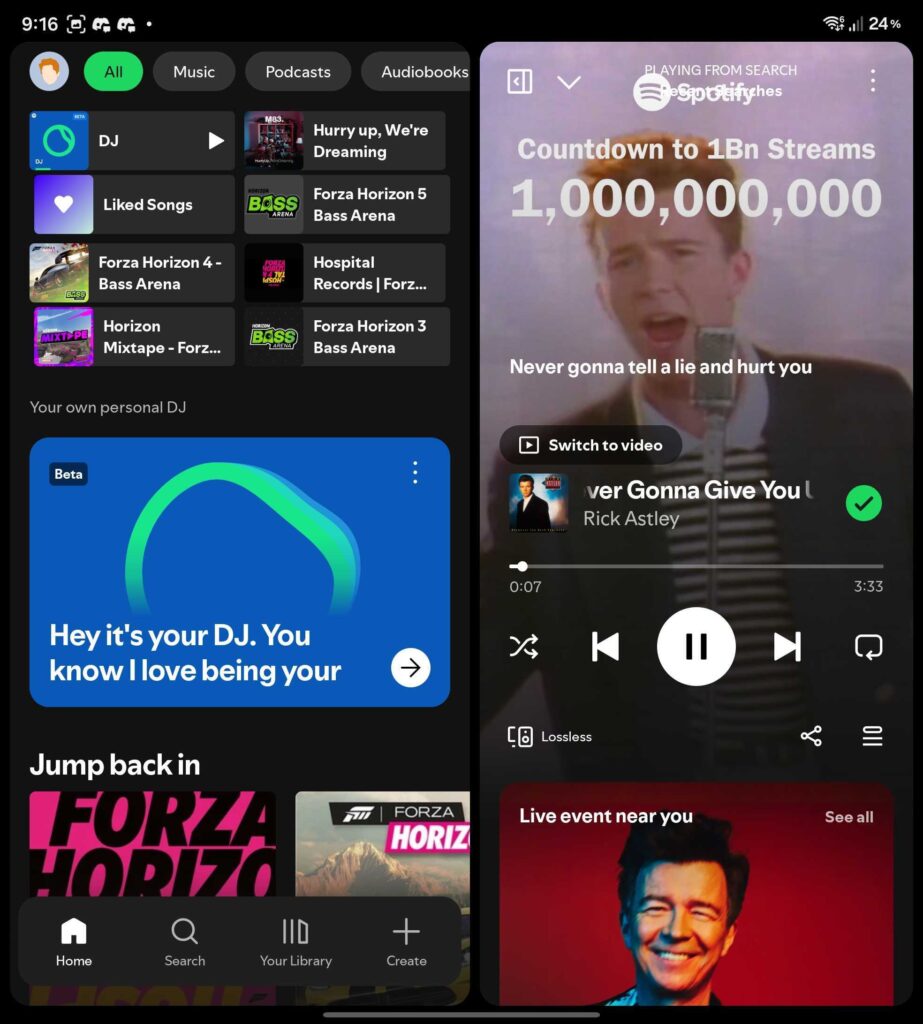
Rotate your tablet or foldable, and the UI reorganizes itself to stay clean and usable, instead of just stretching everything awkwardly. The new design introduces a more flexible layout, with a collapsible sidebar for navigation and profile access. Next, the main content is that it stays focused on music and playlists. And lastly, the bottom navigation bar (Home, Search, Library, Create) still stays familiar. It’s a mix of desktop and mobile, and honestly, that’s exactly what tablets needed.
You can browse while still listening
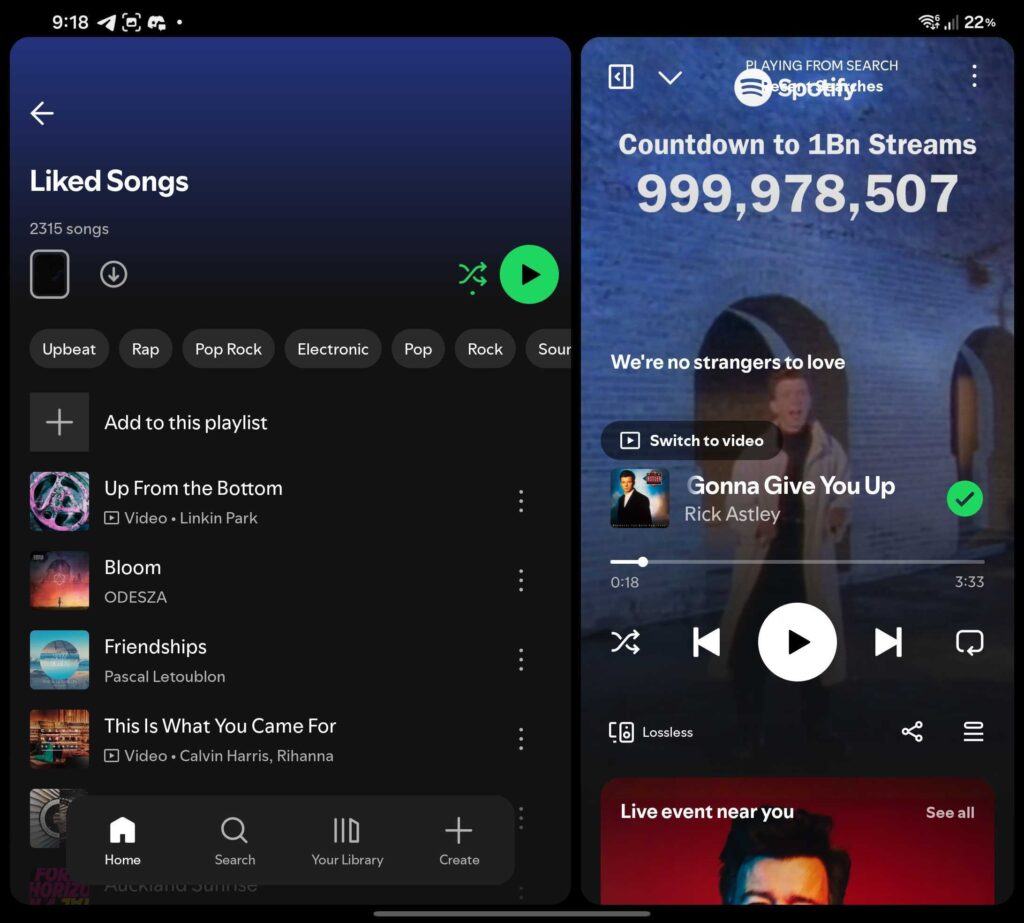
One of the more useful changes is something called “parallel browsing.” Basically, you can explore playlists or your library while your current track or video keeps playing. It sounds simple, but it’s a big improvement for multitasking, especially on larger screens.
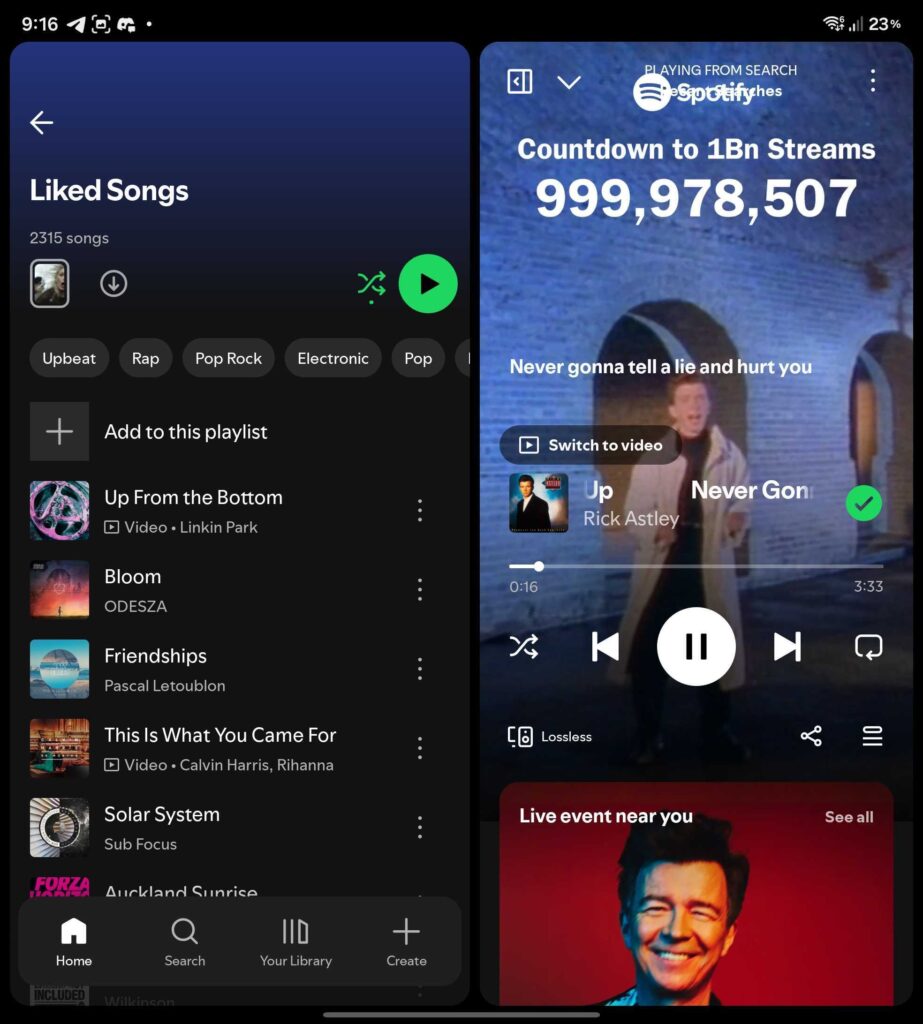
Spotify also made a few smaller changes that make a difference. Scrollable sidebar without interrupting playback, better placement for the “Switch to Video” button, and smoother transitions when switching orientations.
At the same time, Spotify has started letting users buy physical books directly from the app through a partnership with Bookshop.org, alongside new audiobook features like Page Match and AI recaps. It’s rolling out in the US and UK. Spotify is also launching a new dedicated chart for kids and family-friendly audiobooks in the US and UK.

Written by
David BuligaDavid Buliga is a Romanian writer at SammyGuru, where he covers the Samsung and Android ecosystem with a focus on apps, software features, and the trends shaping how we actually use our devices — from Galaxy Watch apps to One UI 9, plus the occasional opinion piece. He joined SammyGuru in 2026 after previously creating entertainment content on YouTube, producing animations and gameplay videos. Currently pursuing a Bachelor's degree in Applied Electronics and Telecommunications, David is passionate about consumer technology and enjoys getting under the hood of smartphones to see what makes them tick. Outside of tech, he loves listening to music, reading books, photography, and exploring the random ideas that often inspire his next story.

Follow us on Google Discover & set us as a preferred source in Google News
Share this Post
___________________________


New Blog Posts
___________________________

Samsung Quietly Listed a New Entry Level 990 PCIe 4.0 SSD
It drops DRAM for HMB

Samsung’s First Bone-Conduction Earbuds May Be Called Galaxy Able
Name hidden no more

Samsung Accidentally Confirms Galaxy Watch 9 and Galaxy Watch Ultra 2
Coming very soon







