
How Samsung Made Photo Assist More Practical with One UI 8.5
SammyGuru is reader-supported. We have affiliate and sponsored partnerships, so we may earn a commission when you buy through links on our site — at no extra cost to you. Learn more.
Samsung’s One UI 8.5 update brings a myriad of new features, including fresh Galaxy AI tools. Moreover, the update improves many existing AI features. Photo Assist, Samsung’s AI-powered editing suite inside the Gallery app, gets one of the most notable upgrades. Generative photo editing finally feels genuinely practical rather than experimental. Here’s what the One UI 8.5 version is capable of.
Samsung upgrades Galaxy AI Photo Assist to another level in One UI 8.5
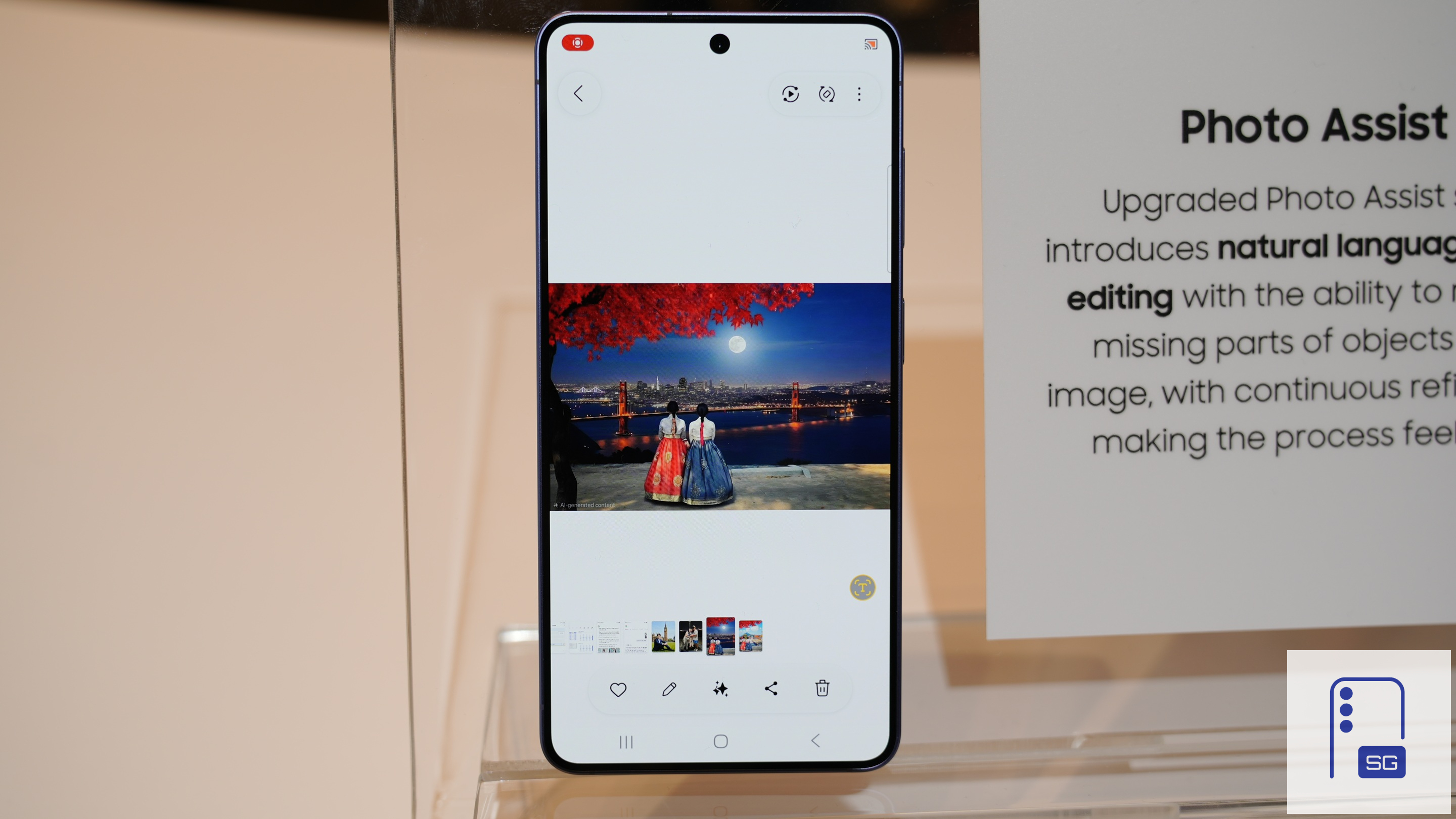
Samsung has steadily expanded the capabilities of Galaxy AI over the past couple of years. With One UI 8.5 and the Galaxy S26 series, the company turned Photo Assist into a practical AI photo editor. While previous versions focused mainly on object removal and generative fill, the new release adds a much smarter and more flexible editing system powered by multimodal AI.
No doubt, Photo Assist has worked impressively well since the very beginning. It could quickly remove distractions or add objects to photos. However, the workflow still required a fair amount of manual interaction. Users had to circle objects, adjust selections, and hope the AI understood the context correctly. It could get annoying if you have to select small objects in the photo.
With One UI 8.5, Samsung is trying to change that by making Photo Assist feel more conversational. Users can now describe the edits they want in natural language instead of relying only on manual selections and suggestions. Simply type out your instructions directly into a text box, and the AI interprets those commands and applies edits automatically. New capabilities include:
- Turning daytime scenes into nighttime shots (and vice versa)
- Changing outfits and colors in portraits
- Removing stains or spills from clothing
- Cleaning up reflections, shadows, and unwanted distractions
- Adding missing objects or environmental details
- Restoring damaged or partially hidden elements in photos
- Replacing backgrounds with entirely different scenery


The upgraded system is significantly more context-aware than before. Rather than editing isolated portions of an image, the AI analyzes the entire scene to maintain realistic lighting, shadows, perspective, and textures. Removing or adding objects to photos no longer produces distorted backgrounds, mismatched lighting, or blurry edges (or at least minimizes them).
Photo Assist now does a much better job of understanding semantic details within an image. For example, if you remove an object from a crowded street scene, the AI can reconstruct nearby textures, shadows, and reflections more accurately. Similarly, if you ask the AI to modify clothing or add accessories, it adjusts folds, lighting direction, and skin tones to match the original image.
Samsung also appears to be using a layered editing pipeline behind the scenes. Instead of generating the entire image again, the system selectively rebuilds portions of the scene while preserving the original details wherever possible. That helps photos retain a more authentic look. The improvements are especially noticeable in portrait shots, where hair, skin texture, and facial details tend to remain sharper after edits.
Edit history finally makes AI changes less destructive
The new Photo Assist in One UI 8.5 also stores a complete history of AI-generated modifications. Users can revisit previous edits step by step, remove individual changes, or continue refining an image later without starting over from scratch. This dramatically improves usability, especially for people experimenting with multiple AI edits on the same photo.
Introduced with the Galaxy S26 series, Samsung’s upgraded Photo Assist is rolling out to select older flagships with One UI 8.5. However, it won’t be available on years-old models. If you are using an aging Galaxy smartphone, upgrading to a newer model is a good idea now. Samsung is currently offering flat discounts of up to $250 on the Galaxy S26 series.

Written by
Sumit AdhikariSumit, a life-long Samsung user, is passionate about technology and has been professionally writing on tech since 2017. He’s a mathematics graduate by education and enjoys teaching basic mathematics tricks to school kids in his spare time. Sumit believes in artificial intelligence and dreams of a fully open, intelligent and connected world.

Follow us on Google Discover & set us as a preferred source in Google News
Share this Post
___________________________


New Blog Posts
___________________________

Samsung Quietly Listed a New Entry Level 990 PCIe 4.0 SSD
It drops DRAM for HMB

Samsung’s First Bone-Conduction Earbuds May Be Called Galaxy Able
Name hidden no more

Samsung Accidentally Confirms Galaxy Watch 9 and Galaxy Watch Ultra 2
Coming very soon







