Samsung Expands Camera Assistant Support to More Galaxy A Models
SammyGuru is reader-supported. We have affiliate and sponsored partnerships, so we may earn a commission when you buy through links on our site — at no extra cost to you. Learn more.
Samsung’s One UI 8.5 has taken the software experience to the next level for Galaxy devices. The update has also expanded access to Camera Assistant to more Galaxy A models. In addition, several Galaxy tablets can now take advantage of this advanced camera customization tool.
One UI 8.5 brings support for Camera Assistant to several Galaxy devices
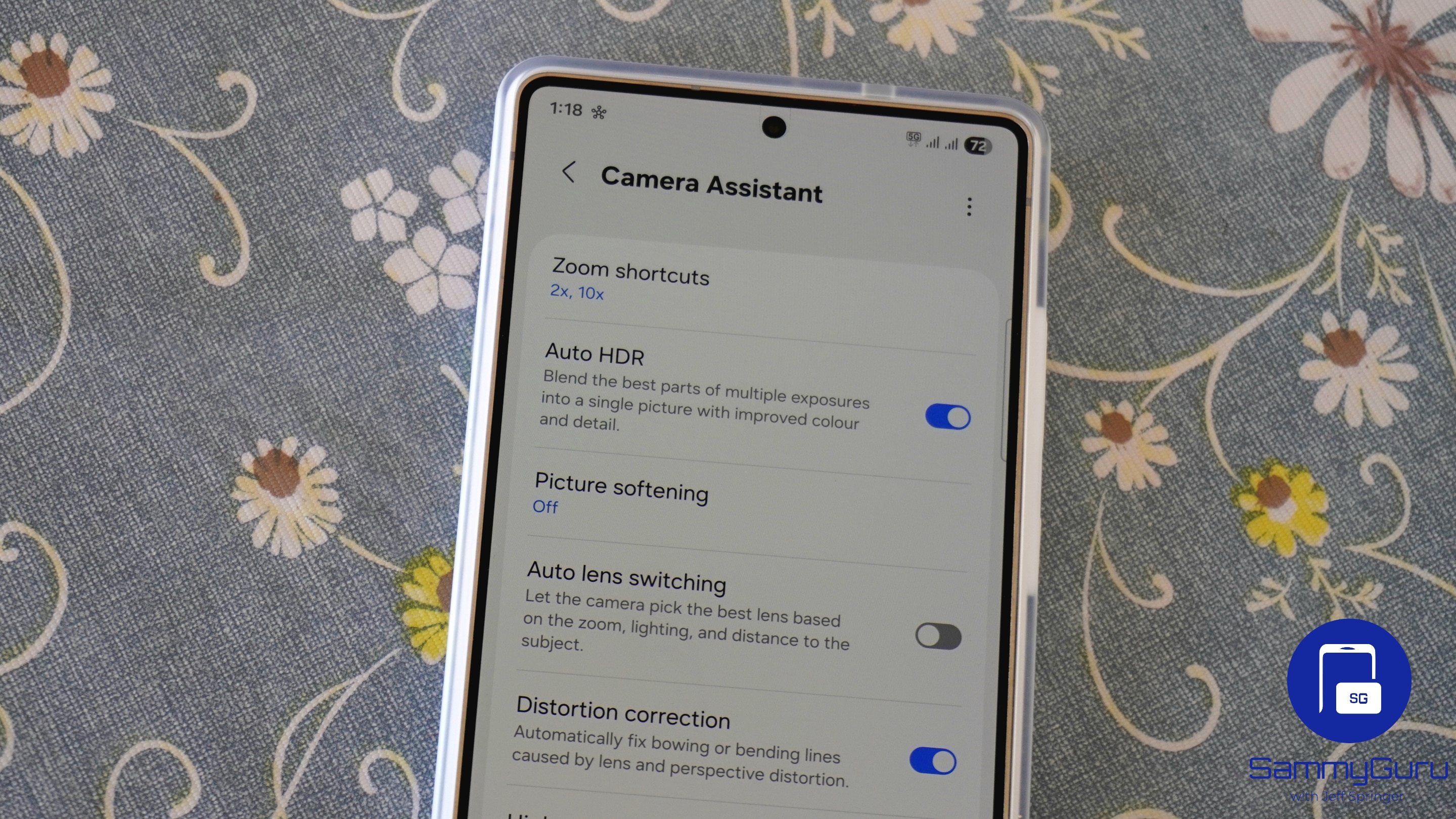
Part of Samsung’s Good Lock, Camera Assistant improves the default camera experience on Galaxy devices. The module does not replace the main camera app for capturing video and photos. Instead, it functions as an add-on tool, giving you access to several extra settings to fine-tune the camera’s behavior. For example, you can adjust options such as Auto lens switching, Auto HDR, and shutter speed control.
Samsung initially made Camera Assistant available only to select premium Galaxy models. Over time, the list has gradually expanded to include some mid-range Galaxy A5x smartphones. However, with the One UI 8.5 update, the expansion has gone much further. As mentioned on the app’s page, the module now also supports Galaxy A3x models, including the Galaxy A37, A36, and A35.
There is also mention of the newly launched Galaxy A57, which is not surprising. The Galaxy A56, A55, A54, A53, A52s, and A52 (LTE and 5G) are already part of earlier Camera Assistant support rollouts. In addition, three Galaxy M series models, M36, M35, and M34, also gain support in the latest expansion.
Meanwhile, Samsung has brought Camera Assistant support to several Galaxy tablets as well. These include Galaxy Tab S11, Tab S10, Tab S10 FE, Tab S9, Tab S9 FE, and Tab S8 series. This means that now tablet users can access the advanced camera customization options.
It is worth mentioning that while support expands to more budget Galaxy models, they may lack some customization tools. This is because hardware capabilities play a big role in deciding the features. You can download Camera Assistant through the Galaxy Store or the Good Lock app.

Written by
Binay KonwarBinay Konwar started his blogging journey in 2014 and has since written plenty of tech articles. At present, he is working as a News Writer at SammyGuru, covering everything about Samsung. He holds a Master's degree in Mathematics, but his real passion lies in tech and writing. In his free time, he enjoys playing chess and watching movies.

Follow us on Google Discover & set us as a preferred source in Google News
Share this Post
___________________________


New Blog Posts
___________________________
Introducing SammyGuru Rewards — Read, Earn, and Redeem
Our biggest update yet
Samsung’s Odyssey G8 Will Power Crimson Desert Demos at Gamescom 2026
In Cologne, August 36-August 30
Galaxy S25+ and Galaxy Tab A11 Are Cheaper Than Ever at Walmart
Your wallet will thank you