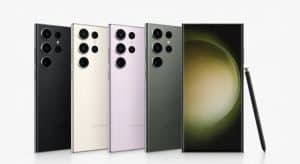
One UI 8.5 Fixes an Annoying Gaming Issue in DeX Mode
SammyGuru is reader-supported. We have affiliate and sponsored partnerships, so we may earn a commission when you buy through links on our site — at no extra cost to you. Learn more.
Samsung has addressed a gaming-related bug in its DeX Mode with One UI 8.5. The update fixes a problem with game controller input that triggered when the phone screen turned off during gameplay. You can now enjoy a more reliable gaming experience on big screens via your phone.
DeX users can now use controllers correctly in One UI 8.5
Samsung DeX lets Galaxy users connect their phone to a monitor or TV for a desktop-like experience. It supports keyboard, mouse, and game controller input, which comes in handy for productivity tasks and gaming.
However, a strange bug ruined the gaming experience in Dex mode for many Galaxy users. When the phone’s screen turned off, the analog sticks on the game controllers stopped functioning. Keyboard and mouse inputs continued to work normally, but controller users experienced unreliable controls. While players could still use buttons like start and select, they struggled to move their characters in the games.
To fix the problem, some turned on the “Stay awake” option in developer settings, which keeps the screen on while charging. Others installed an app like BleKi to prevent the display from going to sleep. While these workarounds worked to some extent, they were not ideal due to concerns about screen burn-in over time.
Now, with One UI 8.5, Samsung has fixed the bug. The controller’s analog sticks now work even when the screen turns off. If your older DeX-supported Galaxy phone is still running One UI 8, you should update to One UI 8.5. The company has already pushed the big software update to a bunch of devices across the S, Z, and A series.
Apart from bug fixes, Samsung has brought back a feature that many long-time DeX users depended on. One UI 8.5 update restores the auto-hide taskbar option in DeX Mode. The company had removed this toggle in One UI 8 after rebuilding the desktop experience in partnership with Google.

Written by
Binay KonwarBinay Konwar started his blogging journey in 2014 and has since written plenty of tech articles. At present, he is working as a News Writer at SammyGuru, covering everything about Samsung. He holds a Master's degree in Mathematics, but his real passion lies in tech and writing. In his free time, he enjoys playing chess and watching movies.

Follow us on Google Discover & set us as a preferred source in Google News
Share this Post
___________________________


New Blog Posts
___________________________
The Galaxy Z Fold 8 Is the Best iPhone and iPad Replacement Yet
Two devices, one pocket
How to Turn On Theft Protection on Your Galaxy Phone
The feature helps protect your personal data in case of theft
Miss the Rotating Bezel? Galaxy Watch 8 Classic Is Now Half Off
A deal that’s hard to ignore