
One Hand Operation+ v8.2.17.0 Brings Back Gesture Tweaks for One UI 8
SammyGuru is reader-supported. We have affiliate and sponsored partnerships, so we may earn a commission when you buy through links on our site — at no extra cost to you. Learn more.
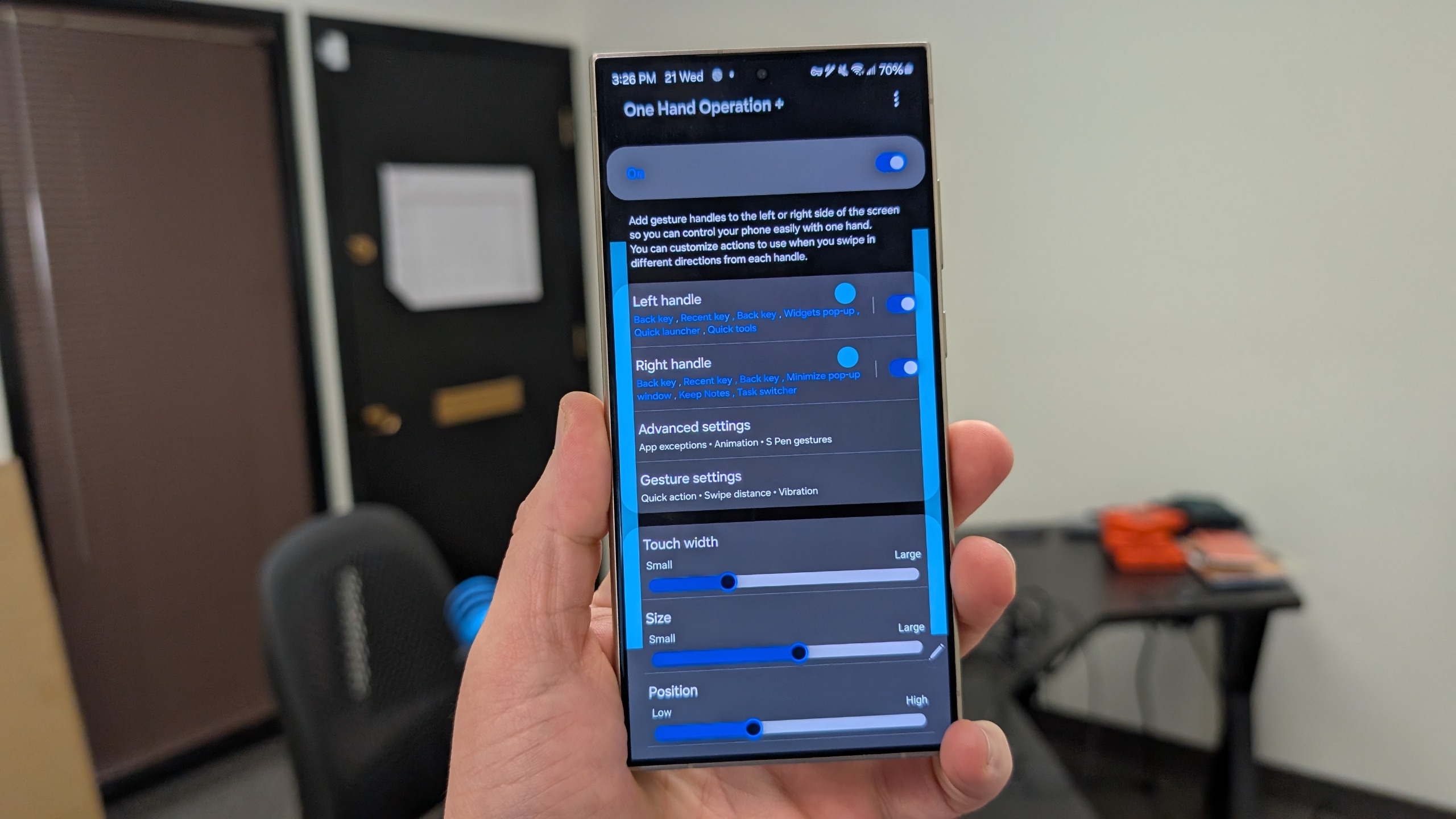
Samsung has just released a new version of One Hand Operation+, its popular gesture control module under the Good Lock suite. The latest version — v8.2.17.0 — brings a small but notable tweak to how back gestures work on devices running One UI 8. The update is available via the Galaxy Store and within the Good Lock app.
One Hand Operation+ updated for One UI 8 devices
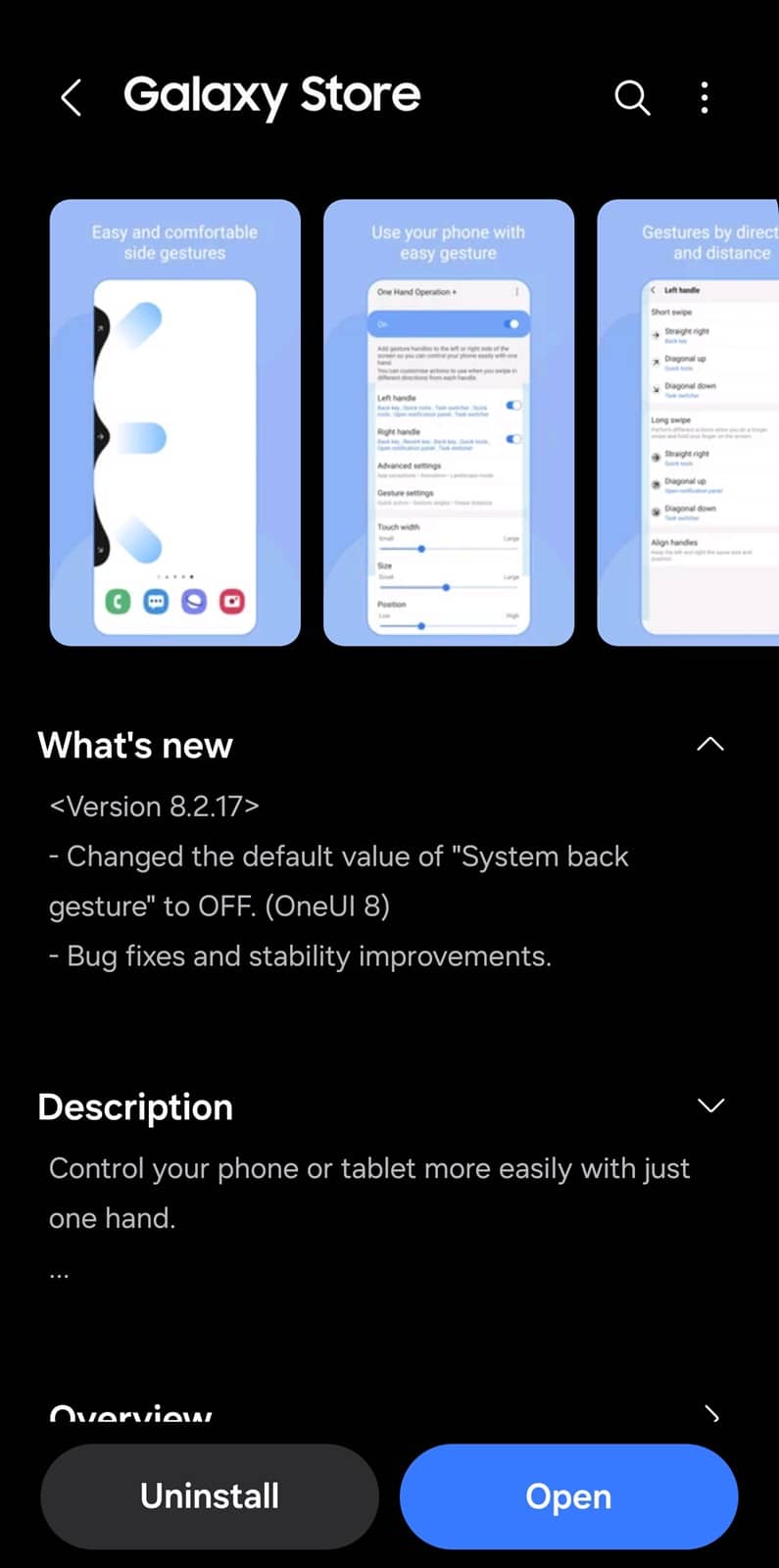
According to the official changelog, the latest update disables the “System back gesture” by default for One UI 8 users. That means if you’re running this version and update the One Hand Operation+ app, the system back gesture will now be turned off, even if you previously had it enabled. This may be an effort to optimize navigation gestures under the new One UI 8 framework.
As gesture support across Android continues to evolve, Samsung is adjusting defaults to offer a smoother, more consistent user experience. Android’s protective back gesture system is now integrated into One UI 8, so this update for One Hand Operation+ likely aims to play nicely with that addition.
At the moment, One UI 8 is running on the Galaxy Z Fold 7, Flip 7, and Flip 7 FE. Additionally, a beta program is available for the Galaxy S25 series in select markets. Samsung may begin a wide rollout for all eligible models in August. Don’t forget to update Good Lock modules after installing One UI 8, as they bring several new features and enhancements.
Besides disabling the “System back gesture” by default, the latest update for One Hand Operation+ also contains general bug fixes and stability improvements. This means a smoother experience for Galaxy users. You can install the update from the Galaxy Store by clicking this link. Alternatively, launch Good Lock and update One Hand Operation+. Note that it may take a few days for the update to show up for everyone.

Written by
Sumit AdhikariSumit, a life-long Samsung user, is passionate about technology and has been professionally writing on tech since 2017. He’s a mathematics graduate by education and enjoys teaching basic mathematics tricks to school kids in his spare time. Sumit believes in artificial intelligence and dreams of a fully open, intelligent and connected world.

Follow us on Google Discover & set us as a preferred source in Google News
Share this Post
___________________________


New Blog Posts
___________________________

Samsung Quietly Listed a New Entry Level 990 PCIe 4.0 SSD
It drops DRAM for HMB

Samsung’s First Bone-Conduction Earbuds May Be Called Galaxy Able
Name hidden no more

Samsung Accidentally Confirms Galaxy Watch 9 and Galaxy Watch Ultra 2
Coming very soon







