
One Hand Operation+ Update Adds “AI Select” Gesture Support
SammyGuru is reader-supported. We have affiliate and sponsored partnerships, so we may earn a commission when you buy through links on our site — at no extra cost to you. Learn more.
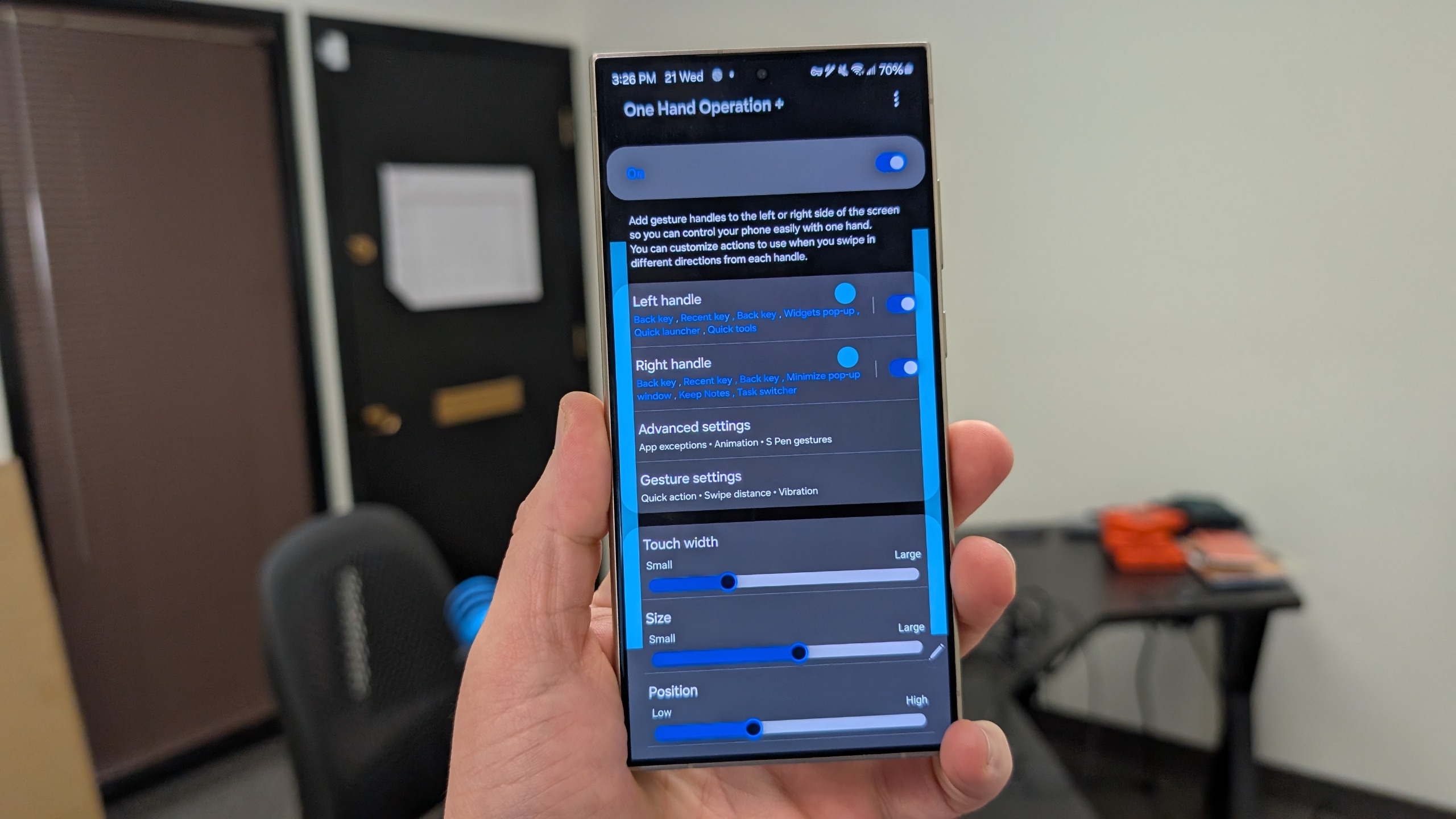
Samsung has released a new update for One Hand Operation+, introducing new features and bug fixes. The update adds support for the “AI Select” action on Galaxy devices running One UI 6.1.1. The new version is rolling out to users via the Galaxy Store.
Samsung enhances One Hand Operation+ with the AI Select feature
One Hand Operation+ is one of over 20 Good Lock modules available to Galaxy users worldwide. It is used to enhance one-hand usage, allowing users to create custom gestures to execute functions or launch apps. You can set various actions for different swipe gestures along the left and right edges of the screen. It’s a great tool if you like using your phone with one hand.
The latest update for One Hand Operation+, which brings version 7.4.19.0, lets you set “AI Select” as an action for these gestures. AI Select is basically the improved version of Samsung’s Smart Select feature, which lets you dynamically select a portion of the screen to save it as a separate image, share it, edit it with Generative Edit or Sketch to Image, crop it, or copy and paste it across other apps.
Interestingly, Samsung says AI Select support for One Hand Operation+ actions is only available on One UI 6.1.1. It’s unclear if the company plans to introduce this ability to One UI 7.0 anytime soon. The new version of One Hand Operation+ also fixes an issue where gesture angle settings weren’t working properly. Additionally, Samsung addressed a bug in the “Previous app” action.
The changelog also mentions other bug fixes and stability improvements. This One Hand Operation+ update rolled out recently and may take a while to reach all Galaxy users worldwide. You can install the new version from the Galaxy Store. Go to Menu > Updates to check for new app updates on the Galaxy Store.

Written by
Sumit AdhikariSumit, a life-long Samsung user, is passionate about technology and has been professionally writing on tech since 2017. He’s a mathematics graduate by education and enjoys teaching basic mathematics tricks to school kids in his spare time. Sumit believes in artificial intelligence and dreams of a fully open, intelligent and connected world.

Follow us on Google Discover & set us as a preferred source in Google News
Share this Post
___________________________


New Blog Posts
___________________________

Samsung Quietly Listed a New Entry Level 990 PCIe 4.0 SSD
It drops DRAM for HMB

Samsung’s First Bone-Conduction Earbuds May Be Called Galaxy Able
Name hidden no more

Samsung Accidentally Confirms Galaxy Watch 9 and Galaxy Watch Ultra 2
Coming very soon







