
Keys Cafe 1.7.0.12 Update Brings Smoother Keyboard Customization
SammyGuru is reader-supported. We have affiliate and sponsored partnerships, so we may earn a commission when you buy through links on our site — at no extra cost to you. Learn more.
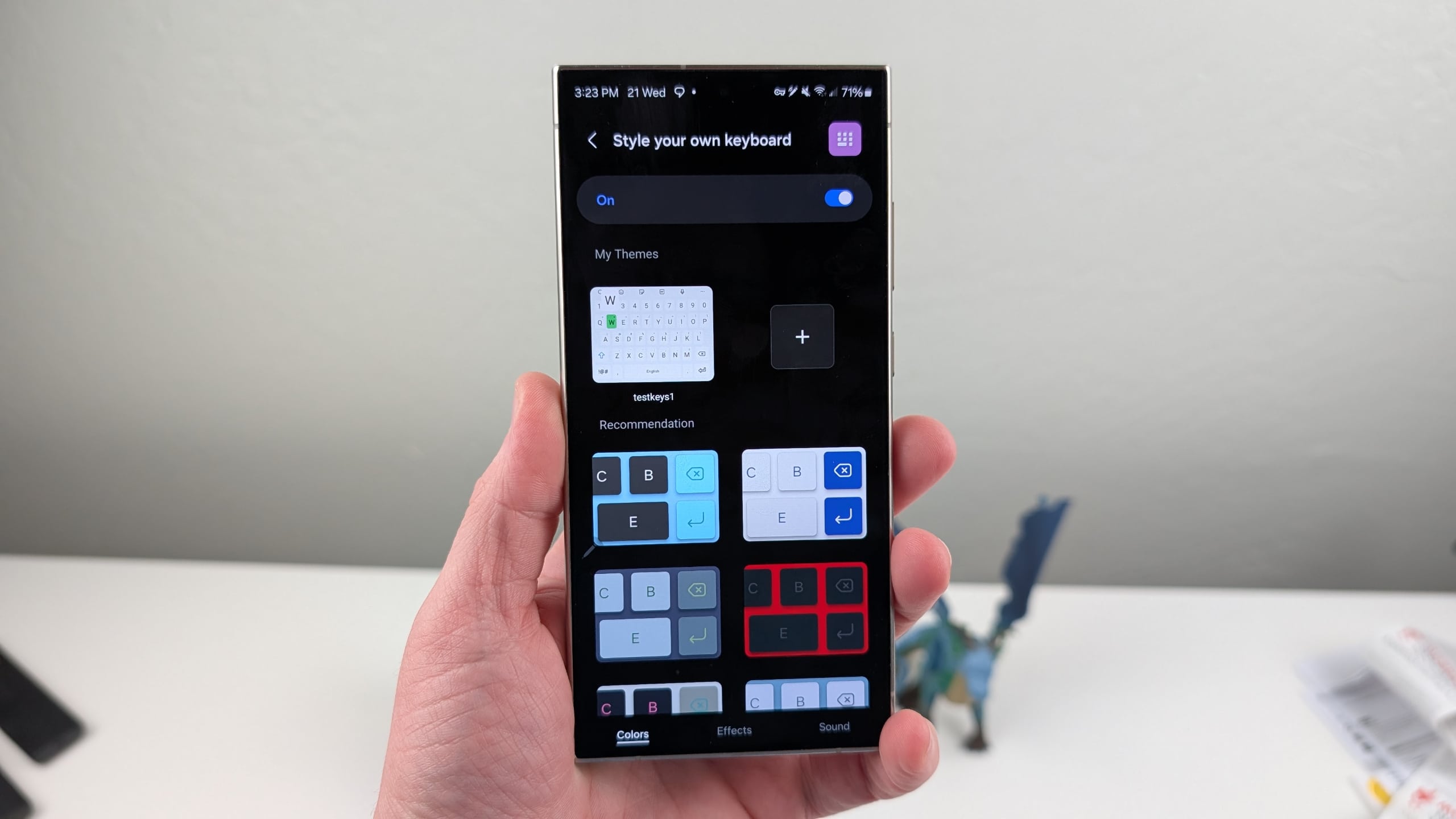
Samsung has rolled out an update for its Keys Cafe app, introducing version 1.7.0.12. The latest update addresses several bugs and improves compatibility with One UI 7. The new version should be available to Galaxy users worldwide over the next few days.
Samsung rolls out new update for Key Cafes with major bug fixes
Keys Cafe is a module within Samsung’s Good Lock suite that allows users to customize their keyboard. With the latest update, the app works smoothly with One UI 7, ensuring stable performance. Alongside enhanced One UI 7 compatibility, the official release notes explain a few notable bug fixes.
In the “Make your own keyboard” section, the update fixes the issue that previously prevented users from entering text when setting the Korean Moa Keyboard. It also fixes the issue of the Up, Down, Left, and Right flick gestures. No substantial changes, but important bug fixes for enhanced stability.

Last month, Samsung pushed version 1.7.0.11 of Keys Cafe with similar bug fixes and optimizations. The update addressed occasional app crashes, outdated appearances of the themed keyboard, and incorrect badge displays on the keyboard editing screen. The update also bundled improvements to several UI elements and operational functionality.
If you are currently using a One UI 7 device and love personalizing your keyboard, you should update to the latest version of the Keys Cafe app as soon as possible. This will not only allow you to experience the latest enhancements, but also may provide a bug-free experience.
To update the Keys Cafe module, head over to the Galaxy Store and click on the Menu icon. Now tap on Updates to see if the latest version is available. If available, tap the update icon next to the module. Alternatively, you can search for Keys Cafe within the Galaxy Store or visit this direct link on your Galaxy phone. It is worth noting that not all Galaxy users may receive the update at the same time, so check back later.

Written by
Binay KonwarBinay Konwar started his blogging journey in 2014 and has since written plenty of tech articles. At present, he is working as a News Writer at SammyGuru, covering everything about Samsung. He holds a Master's degree in Mathematics, but his real passion lies in tech and writing. In his free time, he enjoys playing chess and watching movies.

Follow us on Google Discover & set us as a preferred source in Google News
Share this Post
___________________________


New Blog Posts
___________________________

Samsung Quietly Listed a New Entry Level 990 PCIe 4.0 SSD
It drops DRAM for HMB

Samsung’s First Bone-Conduction Earbuds May Be Called Galaxy Able
Name hidden no more

Samsung Accidentally Confirms Galaxy Watch 9 and Galaxy Watch Ultra 2
Coming very soon







