
How to use Galaxy S26 Ultra’s Privacy Display to Hide Notifications
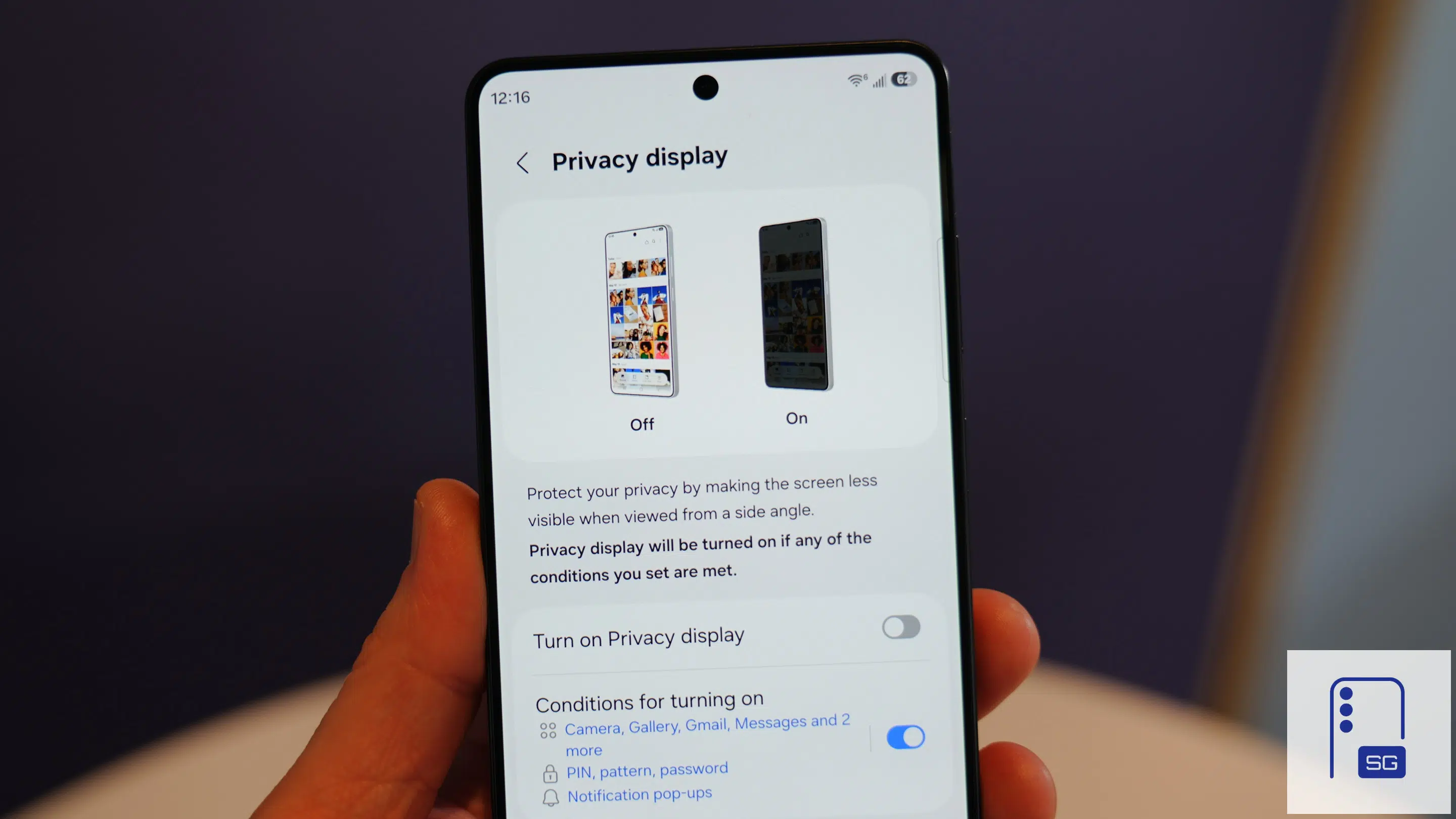
Samsung’s Galaxy S26 Ultra includes plenty of headline-grabbing features, but one of its most underrated additions is Privacy Display. Designed to protect sensitive information from prying eyes, this feature makes the screen difficult to view from side angles, helping keep your personal data private when you’re in public places. While a hardware-level feature, it’s highly customizable and doesn’t need to stay enabled all the time. One of the most practical uses of Privacy Display is hiding notification content. Here’s how.
How to set up Privacy Display to hide notifications?
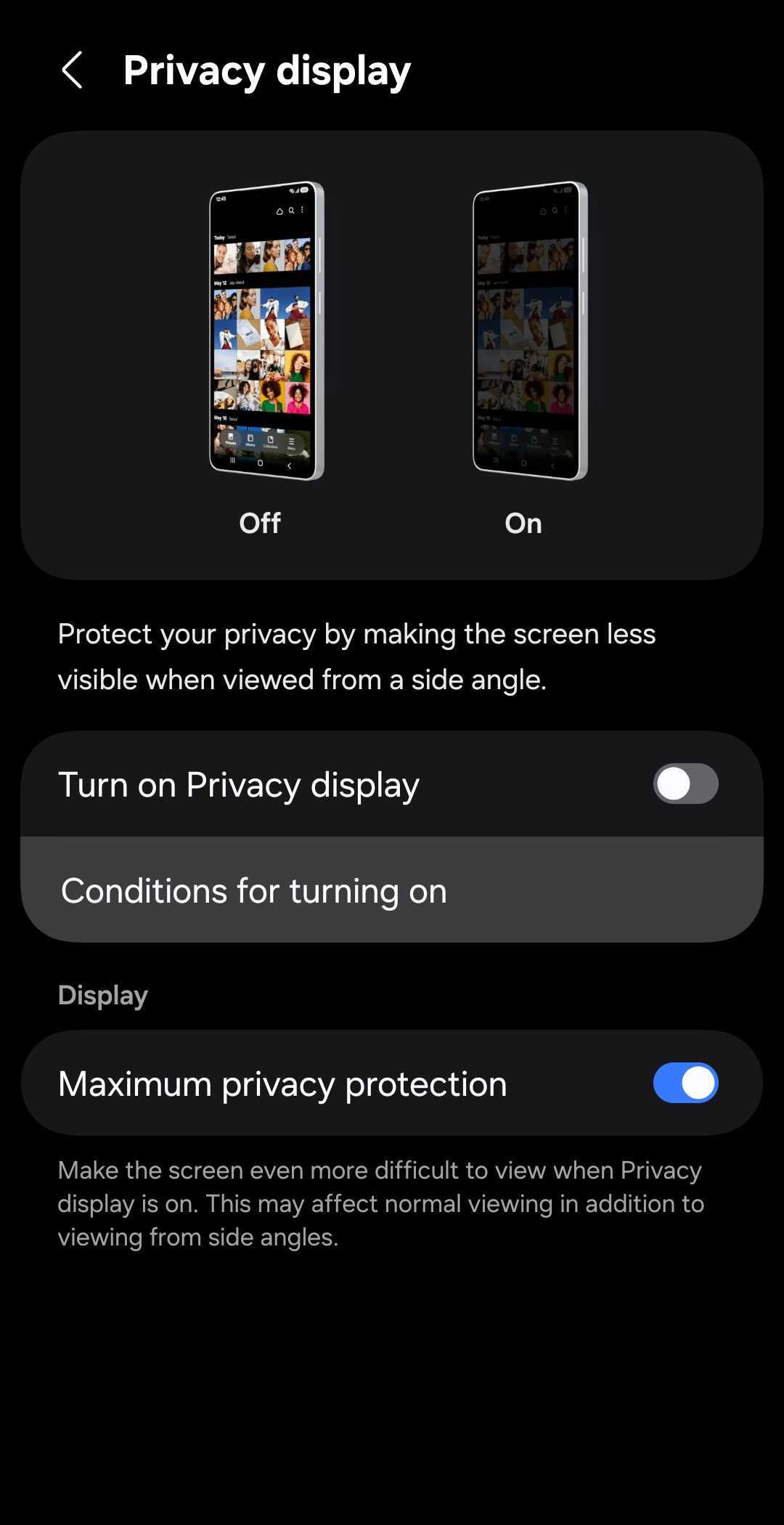
Privacy Display offers two levels of protection. The standard mode limits visibility from the sides, while the maximum setting makes the screen even harder for nearby people to read (though it also slightly affects visibility for you). You can also configure it to activate only in specific situations, or use Routines to automate it. For example, it can turn on automatically when you’re entering a password, using banking apps, or when you’re in public.
But that’s not it. Samsung also lets you enable Privacy Display for a specific portion of the screen. Instead of obscuring the entire display, the feature only protects the portion where the notification appears. That means you can continue using your phone normally while preventing anyone nearby from reading incoming messages, emails, or alerts. It’s fairly easy to set up Privacy Display for notifications.
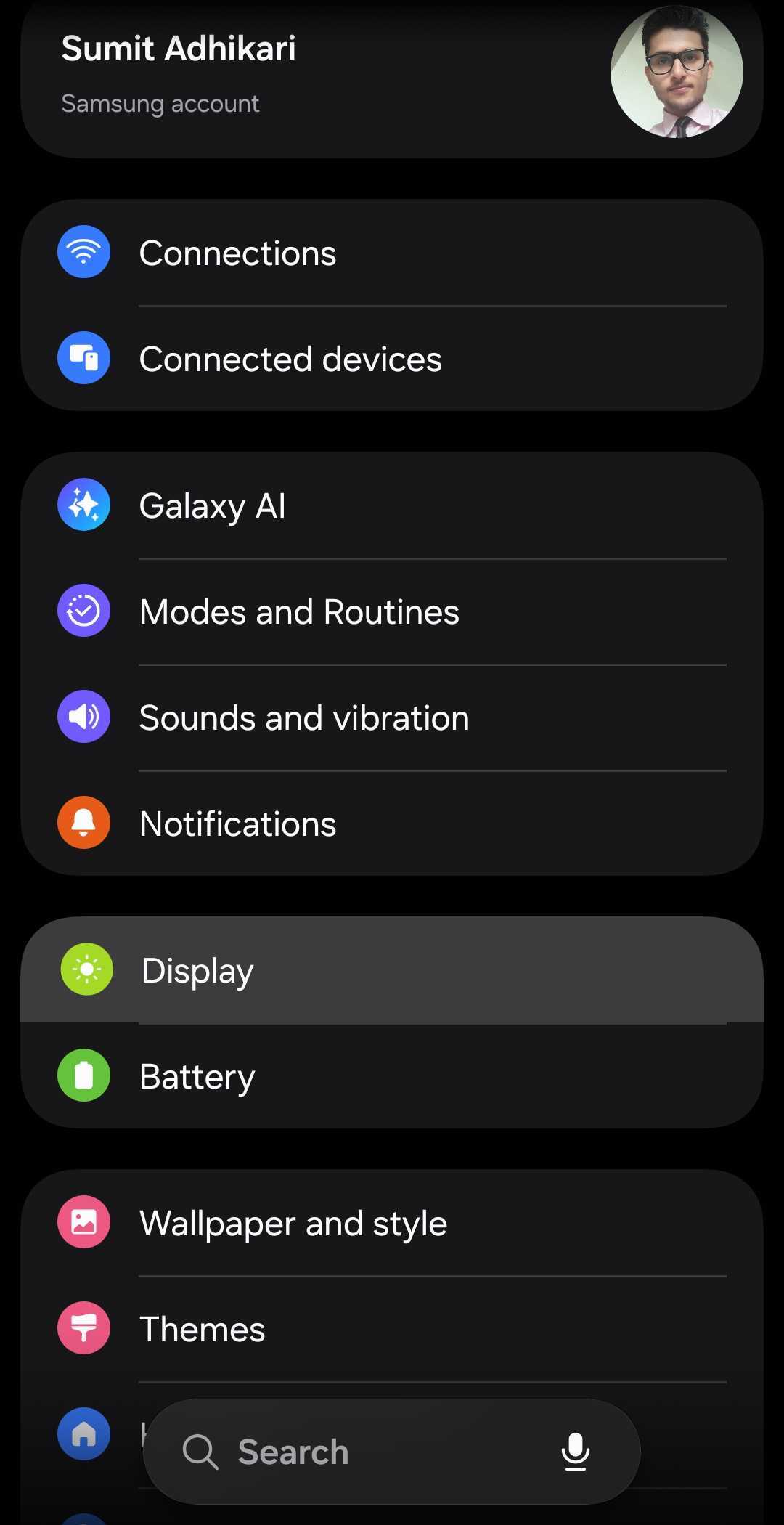
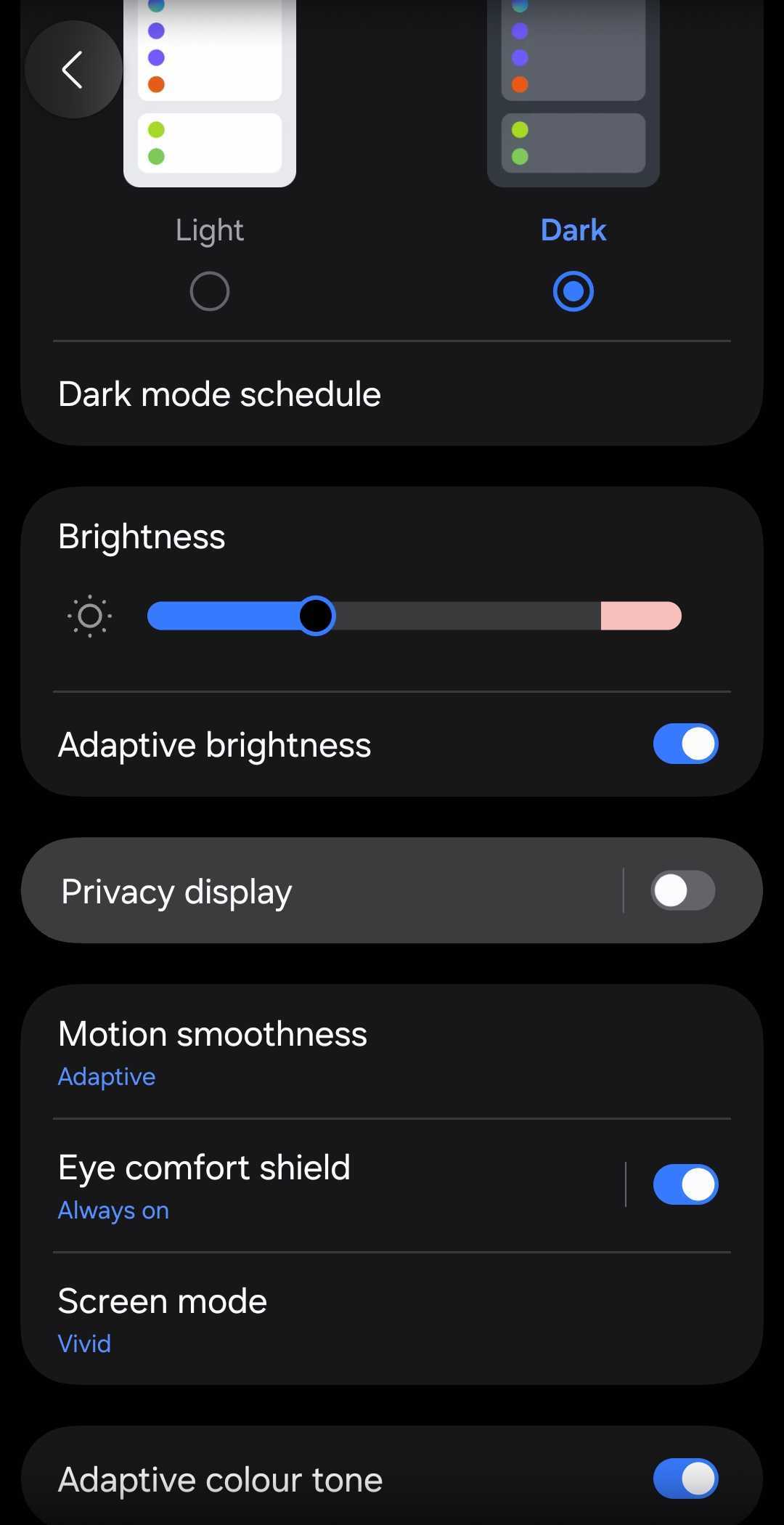
- Open Settings and go to Display
- Select Privacy Display
- Open Conditions for turning on
- Turn on Notification pop-ups
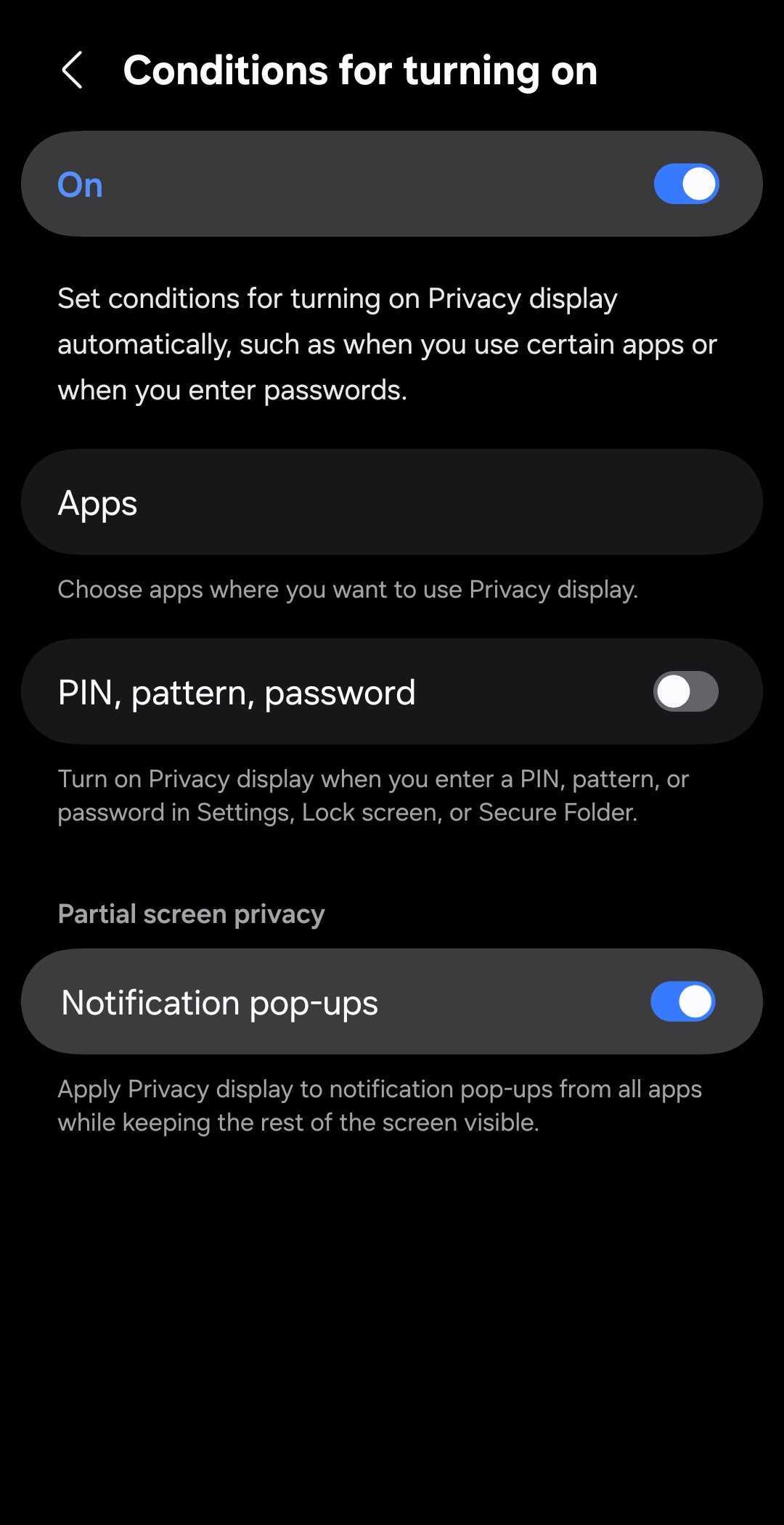
Once enabled, Privacy Display will activate automatically whenever a notification banner appears on the screen, and it only blocks the screen area covered by the banner. As soon as the notification disappears, the privacy protection turns off again. The feature works whether the phone is unlocked, locked, or showing the Always On Display. Beyond notifications, Privacy Display supports additional triggers through the same Conditions for turning on menu.
Privacy Display is currently limited to the Galaxy S26 Ultra. Samsung may bring it to more flagships in the future, but other existing models won’t get it due to hardware limitations. If you are eyeing the new Ultra, it is available for purchase on Samsung’s website.

Follow us on Google Discover & set us as a preferred source in Google News
Share this Post
___________________________


New Blog Posts
___________________________
Samsung Notes Update Enhances Productivity with Three Practical Additions
Smarter paste behavior and sort options
One UI 8.5 Live for Galaxy Tab S6 Lite and Others; Global Release for Galaxy A25, A54
Samsung is moving at a very fast pace
Samsung Hits Snag in Meta Custom Chip Project
It is unclear when, or if, the collaboration will resume


