One UI 7’s New Location Indicator Is Confusing Users — But It Makes Sense
SammyGuru is reader-supported. We have affiliate and sponsored partnerships, so we may earn a commission when you buy through links on our site — at no extra cost to you. Learn more.
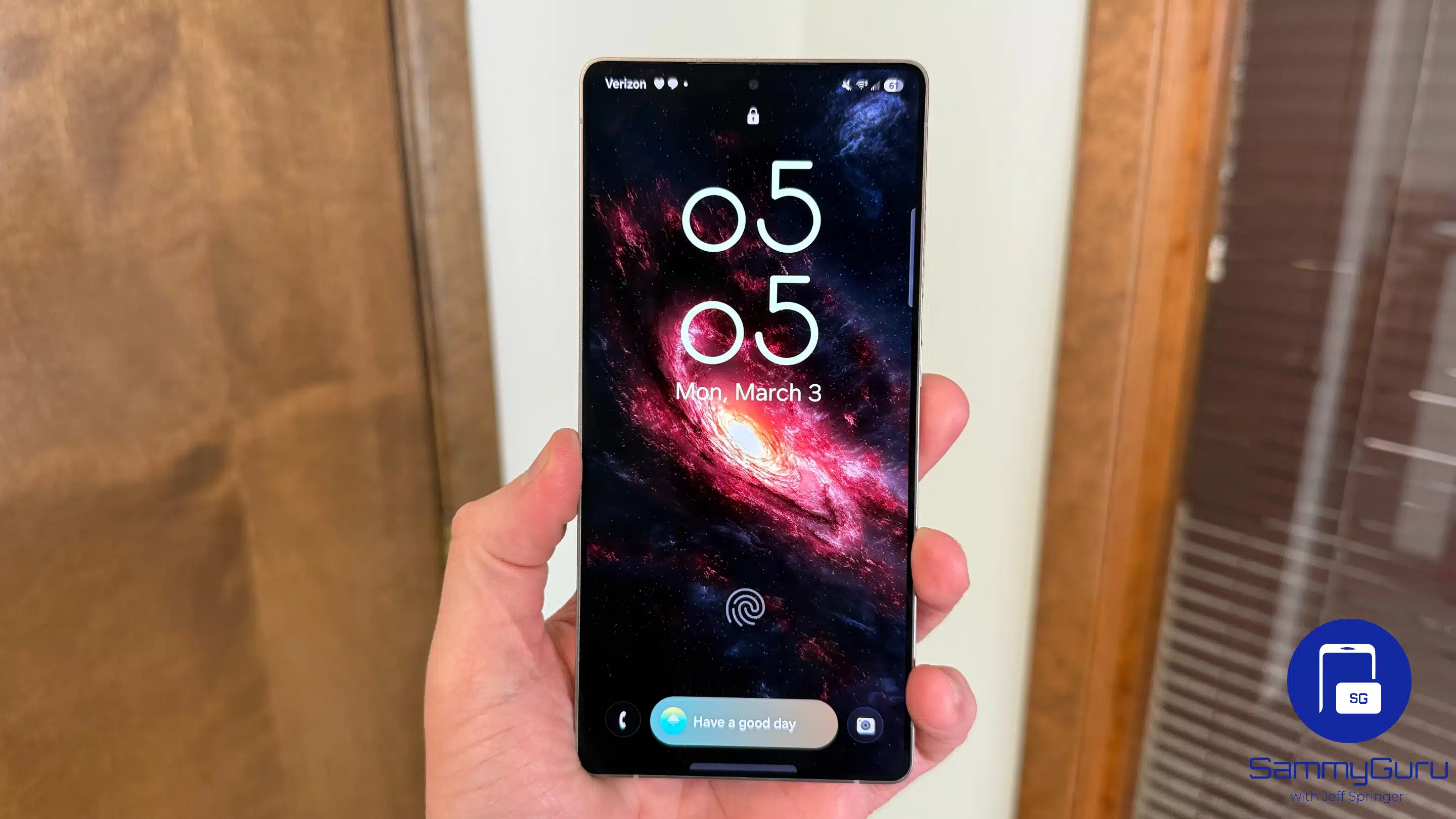
If you’re a Galaxy user who recently updated to One UI 7, you might have noticed a green location access indicator in the status bar that refuses to go away. Even when no app is actively using your location, the icon stays put in the top right corner. It’s got some users scratching their heads, thinking it’s a bug. However, we believe it’s an intentional feature addition from Samsung. Let us explain why.
The persistent location access indicator in One UI 7 may be a feature, not a bug
After multiple user reports, we dug into it ourselves and confirmed it’s showing up consistently on the Galaxy S25 Ultra and S24 Ultra running One UI 7. The indicator seems to reflect background location access by system-level apps or services — the kind of stuff users typically don’t see unless they dig deep into settings.
In fact, if you pull down the full notification tray/quick settings panel and tap on the indicator, it tells you that some system apps are using location in the background. They always did, even before the One UI 7 update. However, Samsung didn’t show a location access indicator for it in the past. It added the persistent indicator to the status bar with the latest update.

It might be Samsung’s way of being more transparent about when and how your device is accessing your location, even if it’s not tied to a specific app you opened. Some people might find it unnecessary, as it makes the status bar a bit crowded. However, it also tells you that certain apps are tracking your location, so you might want to turn off location access when not needed.
Strangely, we noticed the indicator only appears on US units. International units — even those imported and used in the US — don’t show the same indicator. Why so? That part is still unclear. It could be tied to regulatory requirements around user privacy in the US, but we haven’t seen an official explanation.
Either way, it feels more like a privacy feature than a glitch. And it doesn’t look like draining battery, so it’s not much of a problem. We’ll keep an eye out for updates from Samsung. Meanwhile, if you see this location indicator on your One UI 7 device outside the US, let us know.

Written by
Sumit AdhikariSumit, a life-long Samsung user, is passionate about technology and has been professionally writing on tech since 2017. He’s a mathematics graduate by education and enjoys teaching basic mathematics tricks to school kids in his spare time. Sumit believes in artificial intelligence and dreams of a fully open, intelligent and connected world.

Follow us on Google Discover & set us as a preferred source in Google News
Share this Post
___________________________


New Blog Posts
___________________________
Samsung is Reportedly Seeking Millions From Triller Over an Unpaid App Deal
That’s going to leave a mark…
Galaxy Buds 4 Pro’s Best Deal in the US Hasn’t Gone Away
Galaxy Buds 4 Pro’s best deal brings back $169.99 price
Samsung Galaxy Weekly Updates Roundup (June 15-21)
Samsung released the June 2026 update for 30+ devices this week