Using Keyboard Shortcuts Will Be Easier on Large Galaxy Tablets in Android 15
SammyGuru is reader-supported. We have affiliate and sponsored partnerships, so we may earn a commission when you buy through links on our site — at no extra cost to you. Learn more.
Google will allegedly offer a redesigned keyboard shortcut menu on Android 15, which will be easier to use on Galaxy tablets. All large-screen Android device users will get the new redesigned keyboard shortcut menu. According to Android Authority’s Mishaal Rahman, the new feature is not yet live. However, it could be offered in the upcoming Android 15 QPR1 update.
Google will fix the problem of accessing keyboard shortcuts on devices with large screens in Android 15
Android already offers various keyboard shortcuts. These allow you to perform many actions by using a combination of keys on the on-screen keyboard. This feature comes in handy when you are using a large-screen device, such as the Galaxy Tab S10 Ultra. Essentially, these shortcuts increase your productivity on tablet devices.
However, the buttons for the different group keyboard shortcut categories are placed quite high on the screen. This makes it difficult to access on really large-screen tablets like the Galaxy S10+ and S10 Ultra. According to the report, Google is aiming to fix this problem in the upcoming Android 15 version.
Android 15 will have a better interface for keyboard shortcuts
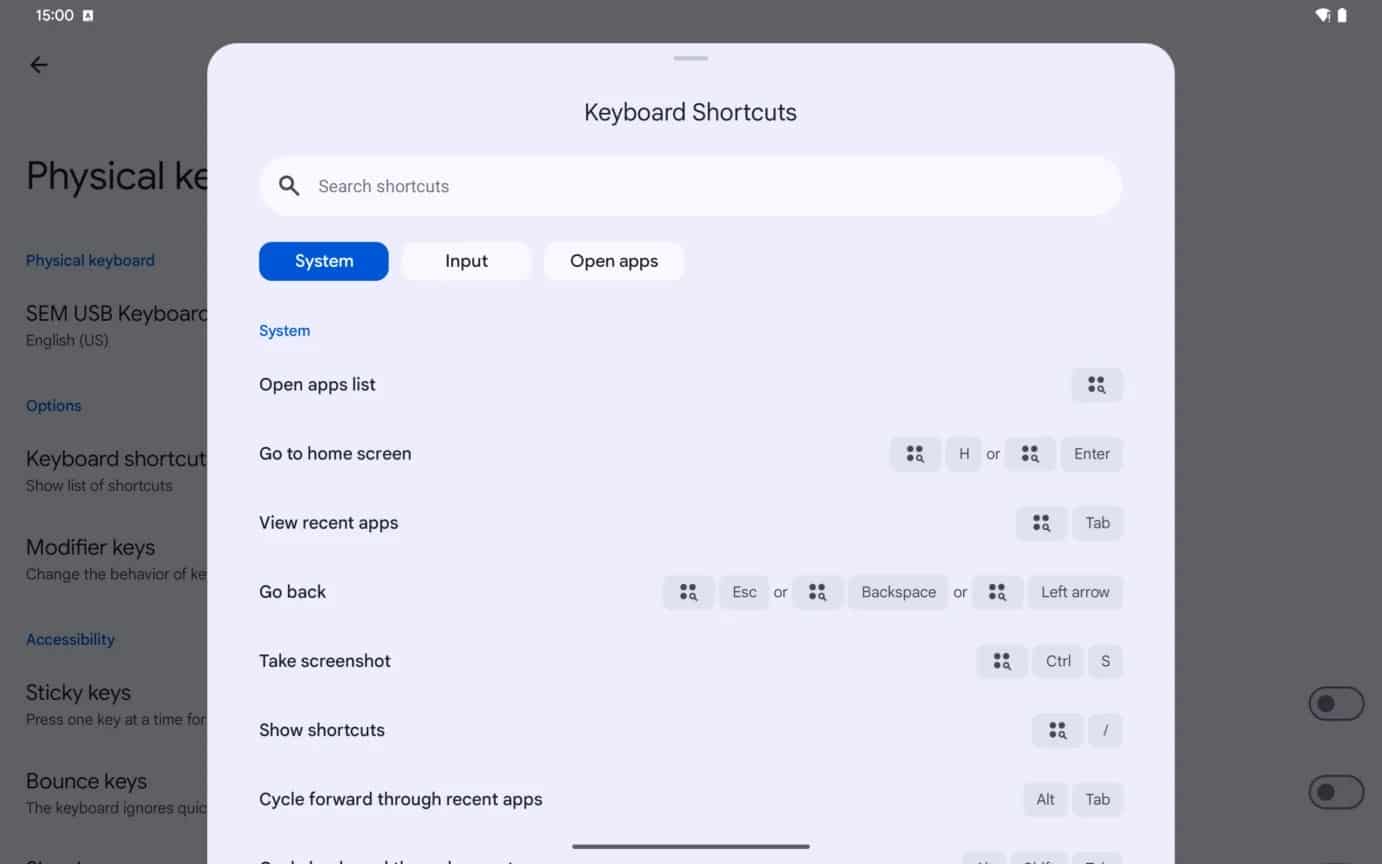
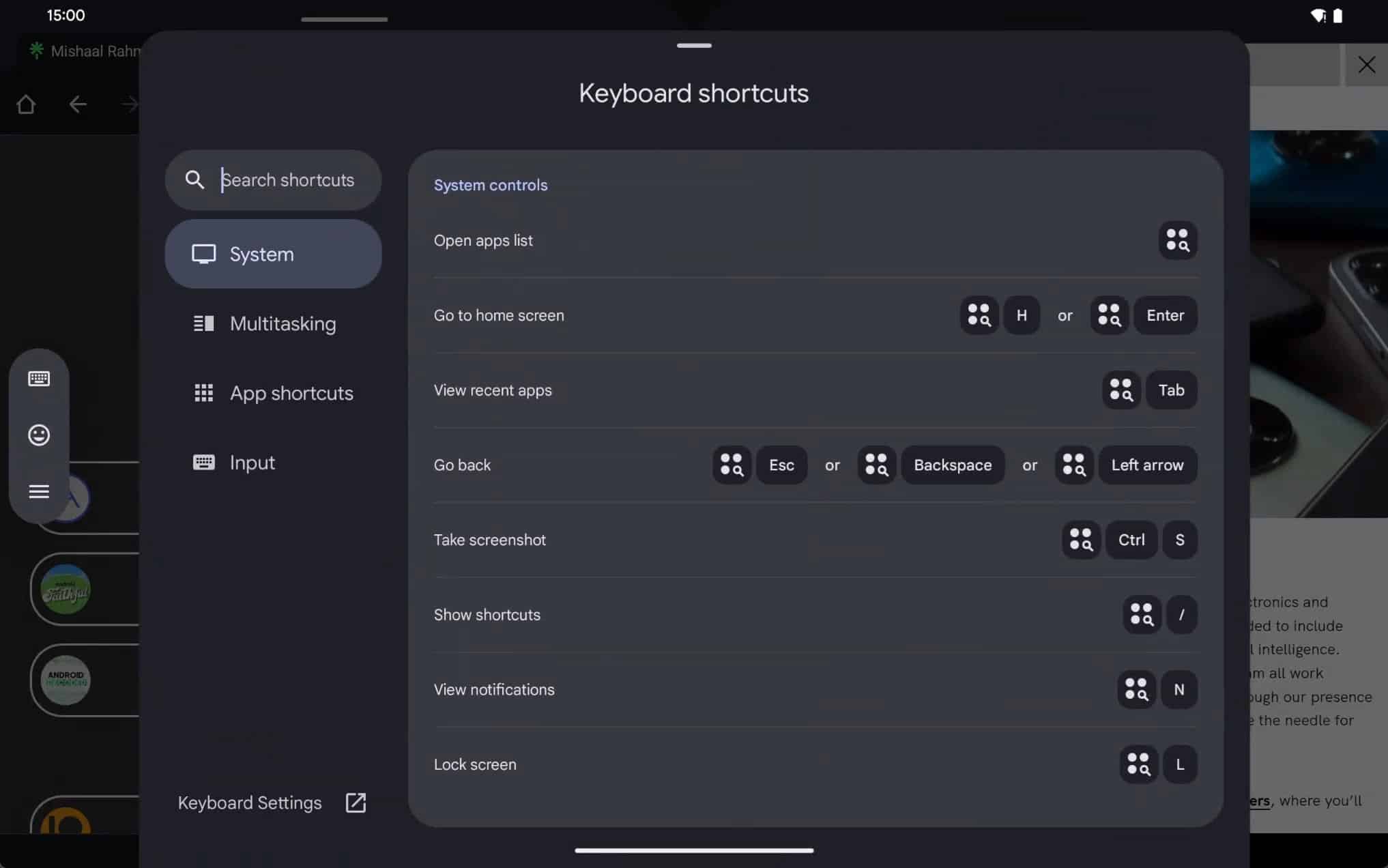
As per the report, Android 15 is going to replace Android 14’s less accessible keyboard shortcut interface for devices like the Galaxy Tab S10 Ultra and Tab S9 Ultra. Currently, the shortcuts for the different keyboard shortcut categories are placed near the top of the screen. In Android 15, these categories will be placed on the left side rail. This will make it easier to use them on Galaxy tablets and other large-screen devices.
Notably, the new interface will also include a new category called Multitasking. The current interface has options for accessing keyboard shortcuts for the System, Input, and to open apps. Listed below is the side-by-side comparison of the old and new keyboard shortcuts interface.
-
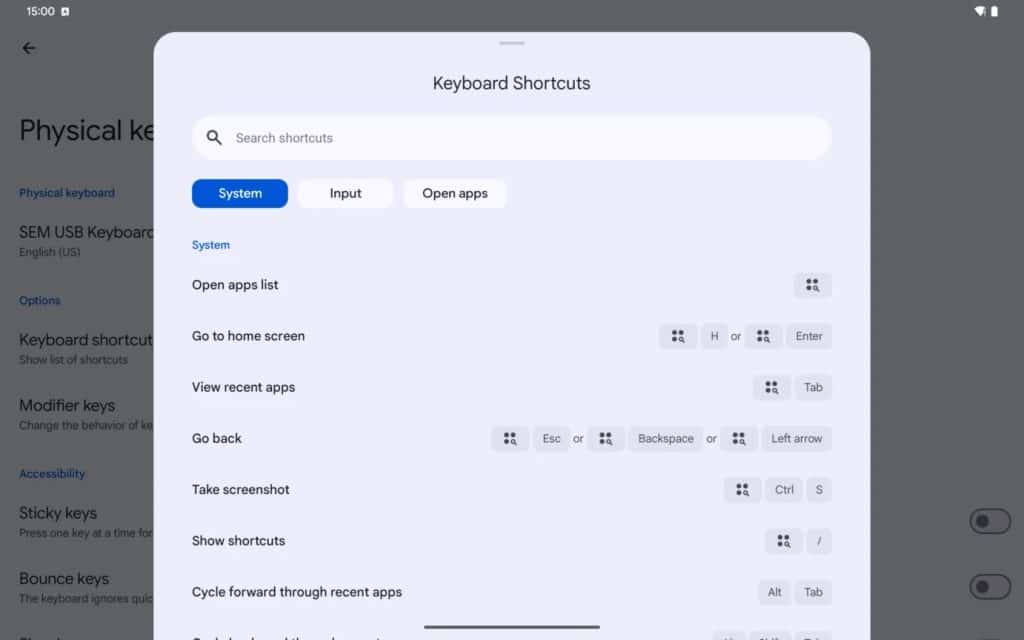
- Android 14 old keyboard shortcuts
-
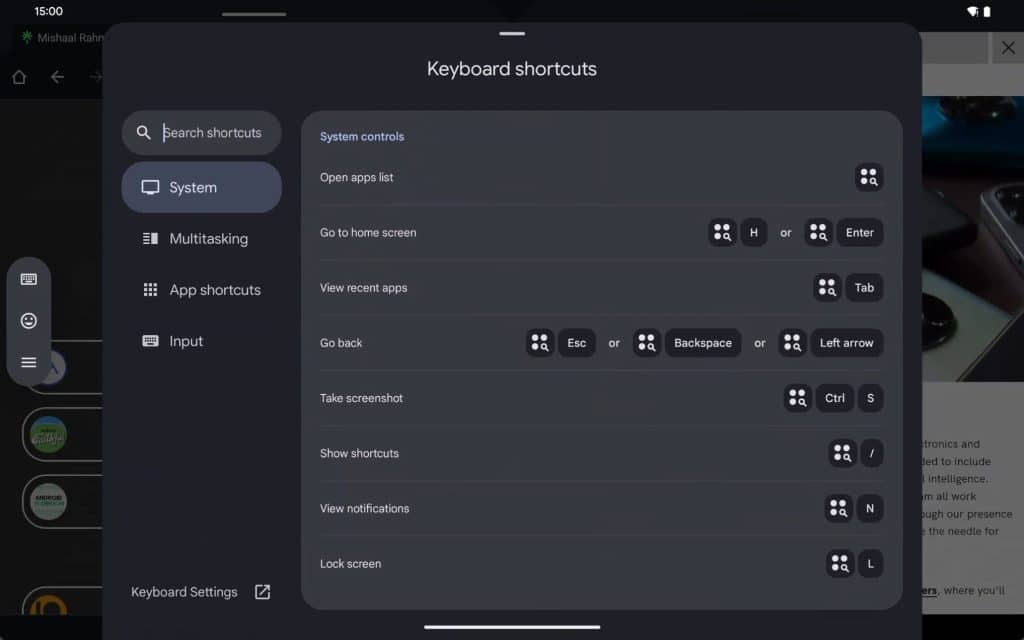
- Android 15 new keyboard shortcuts
Notably, Samsung is expected to implement this interface in the upcoming One UI 7.0 for Galaxy tablets. Furthermore, the source suggests that this functionality could first go live in the upcoming Android 15 QPR1 update.

Written by
Akshay KumarAkshay Kumar is a veteran tech journalist with an interest in everything digital, space, and nature. Passionate about gadgets, he has previously contributed to several esteemed tech publications like AndroidHeadlines, 91mobiles, PriceBaba, and Gizbot. Whenever he is not destroying the keyboard writing articles, you can find him playing competitive multiplayer games like Counter-Strike and Call of Duty.

Follow us on Google Discover & set us as a preferred source in Google News
Share this Post
___________________________


New Blog Posts
___________________________
How to Turn On Theft Protection on Your Galaxy Phone
The feature helps protect your personal data in case of theft
Miss the Rotating Bezel? Galaxy Watch 8 Classic Is Now Half Off
A deal that’s hard to ignore
Samsung Could Benefit as Global Wearable Market Shrinks in 2026
Premium smartwatches are still growing, and that’s good news for Samsung