Samsung Internet Lets You Bypass CAPTCHAs with Automatic Verification
SammyGuru is reader-supported. We have affiliate and sponsored partnerships, so we may earn a commission when you buy through links on our site — at no extra cost to you. Learn more.
Samsung has introduced a new security feature called ‘Automatic Verification’ in One UI 7, designed to enhance user privacy while simplifying web browsing. The feature prevents websites from using authentication data to track users while also allowing them to bypass annoying CAPTCHA challenges. It is available through the Smart anti-tracking settings on Samsung Internet.
Samsung Internet’s Automatic Verification makes web browsing simple and secure
CAPTCHAs, those frustrating tests that require users to identify objects in images or type distorted characters, are meant to verify that a human is accessing a website rather than a bot. However, they often interrupt the browsing experience. With ‘Automatic Verification’ in One UI 7, Galaxy users can skip CAPTCHAs on supported websites, making logins and form submissions smoother and faster.
Beyond convenience, this feature also strengthens privacy. Many websites collect authentication data during CAPTCHA verification, potentially using it for tracking purposes. By enabling ‘Automatic Verification’, you can block sites from leveraging this data to monitor your online activities.
As mentioned above, this feature is only available on Galaxy devices running One UI 7. Moreover, you must use Samsung Internet to browse the web to benefit from this added layer of security and simplicity. The tool doesn’t work on third-party browsers like Google Chrome and Mozilla Firefox.
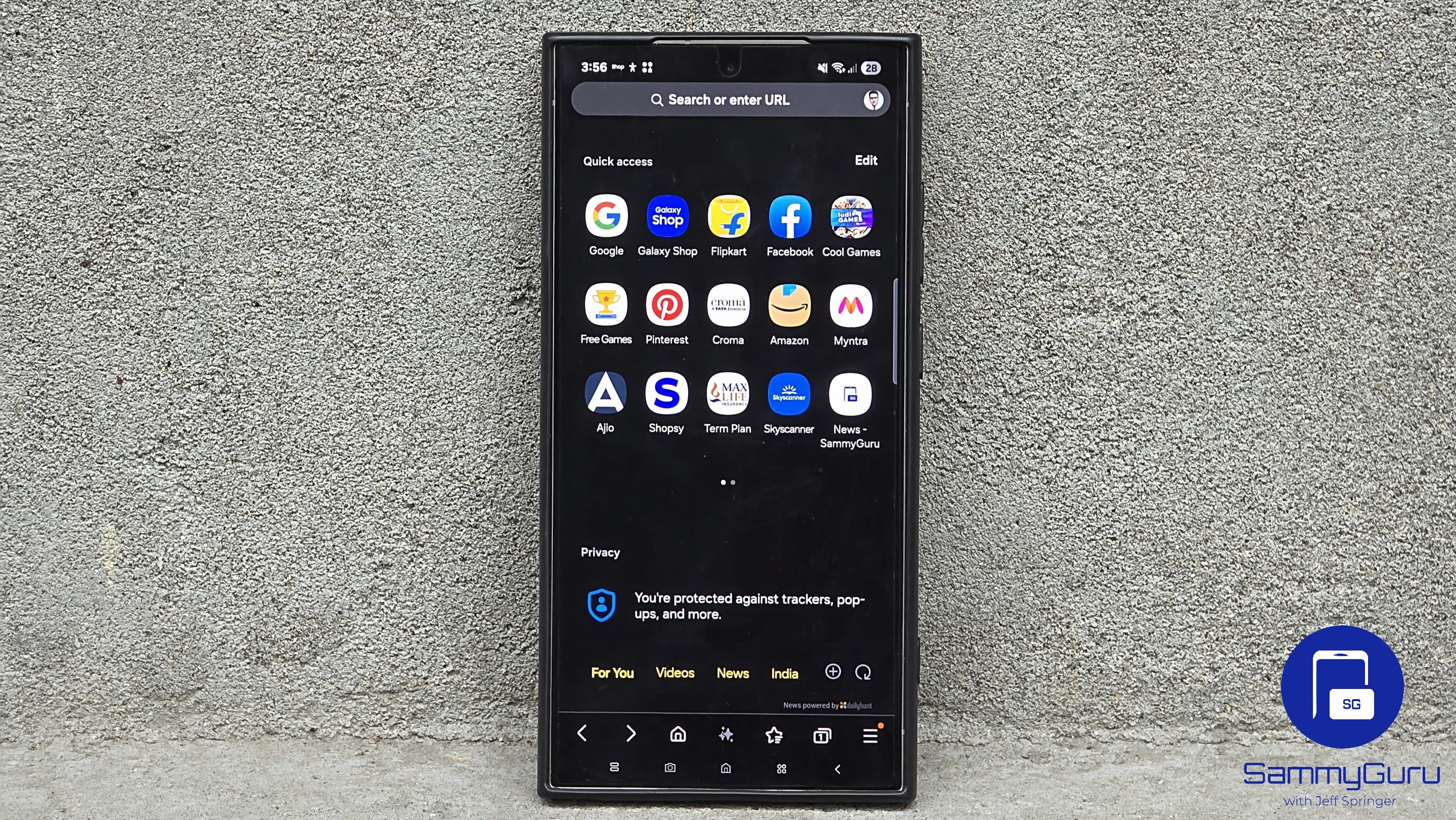
To activate Automatic Verification on your Galaxy phone, launch Samsung Internet, tap the Menu button (Hamburger icon in the bottom right corner), select Privacy (or go to Settings > Privacy dashboard), select Smart anti-tracking, and toggle on ‘Automatic Verification’. It was enabled by default for us, but you can always check for yourself.
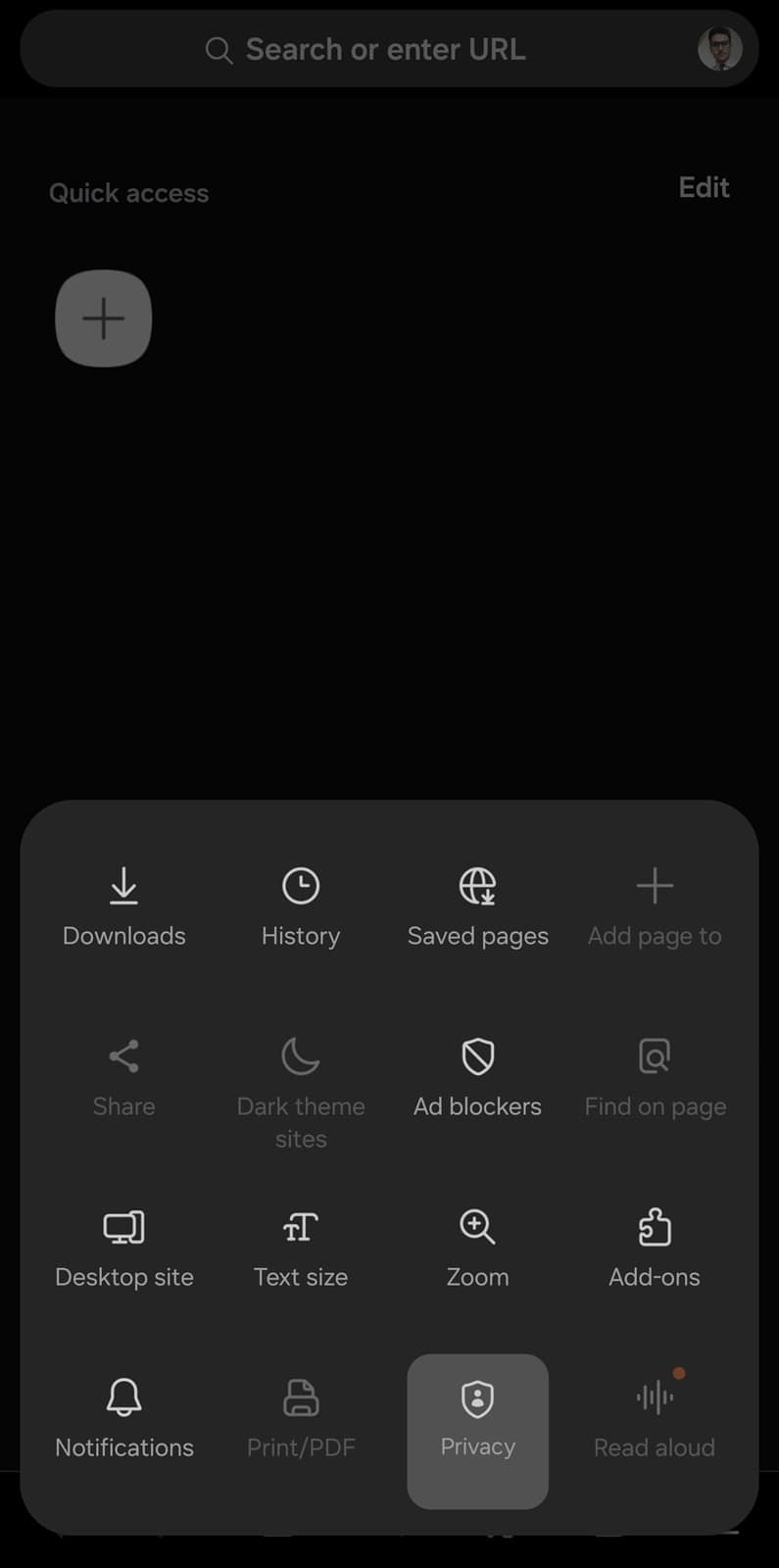
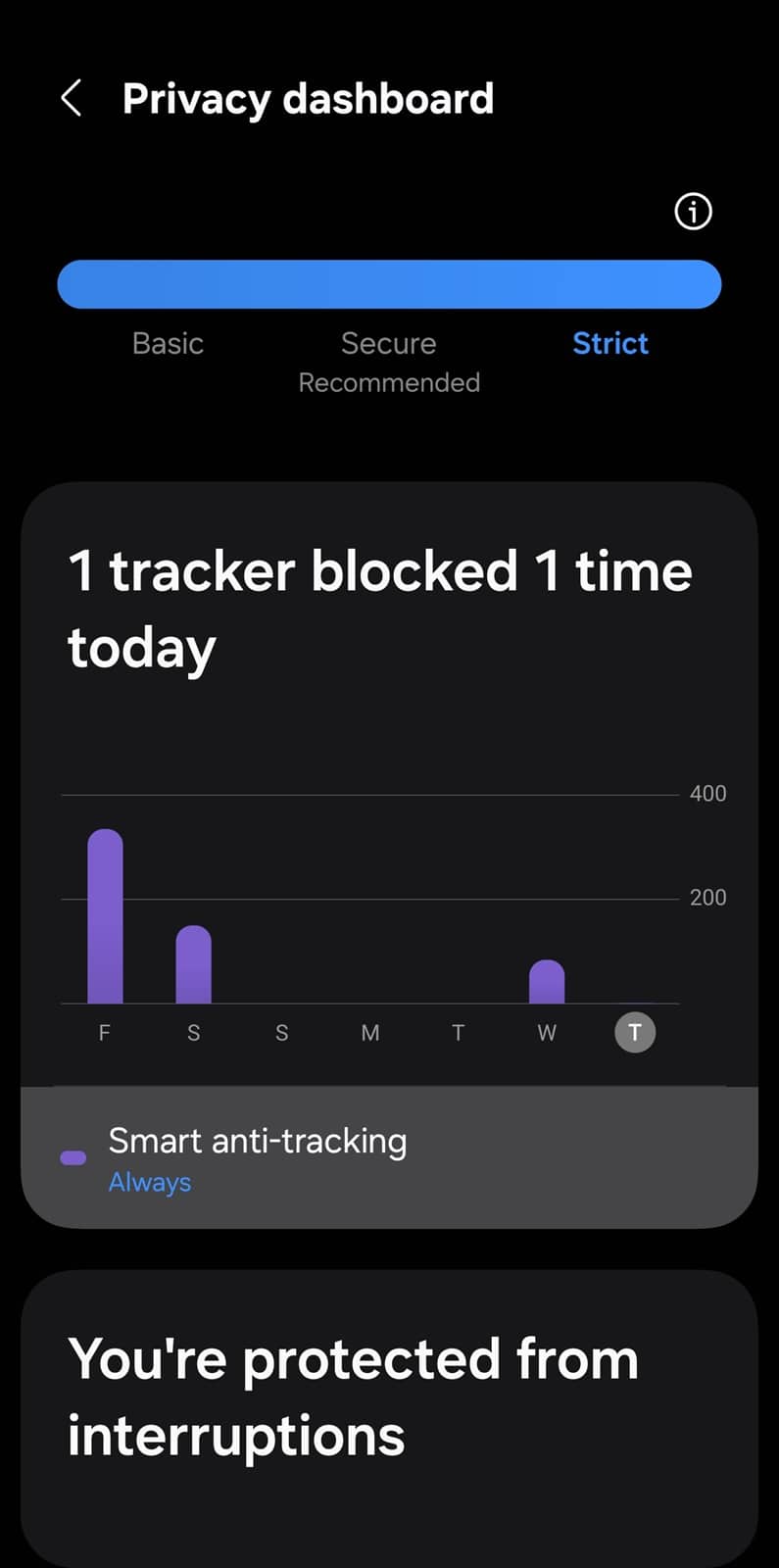
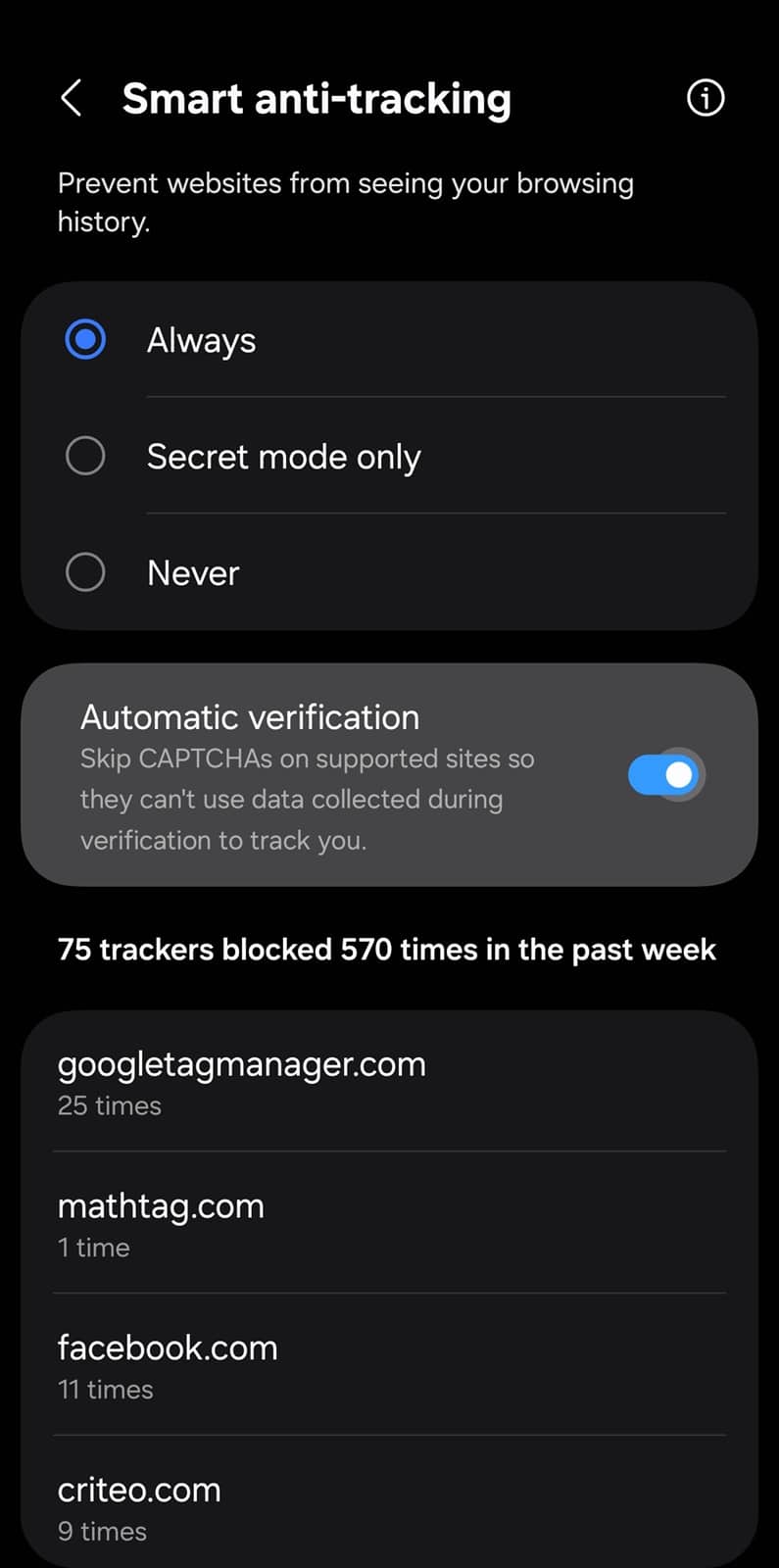
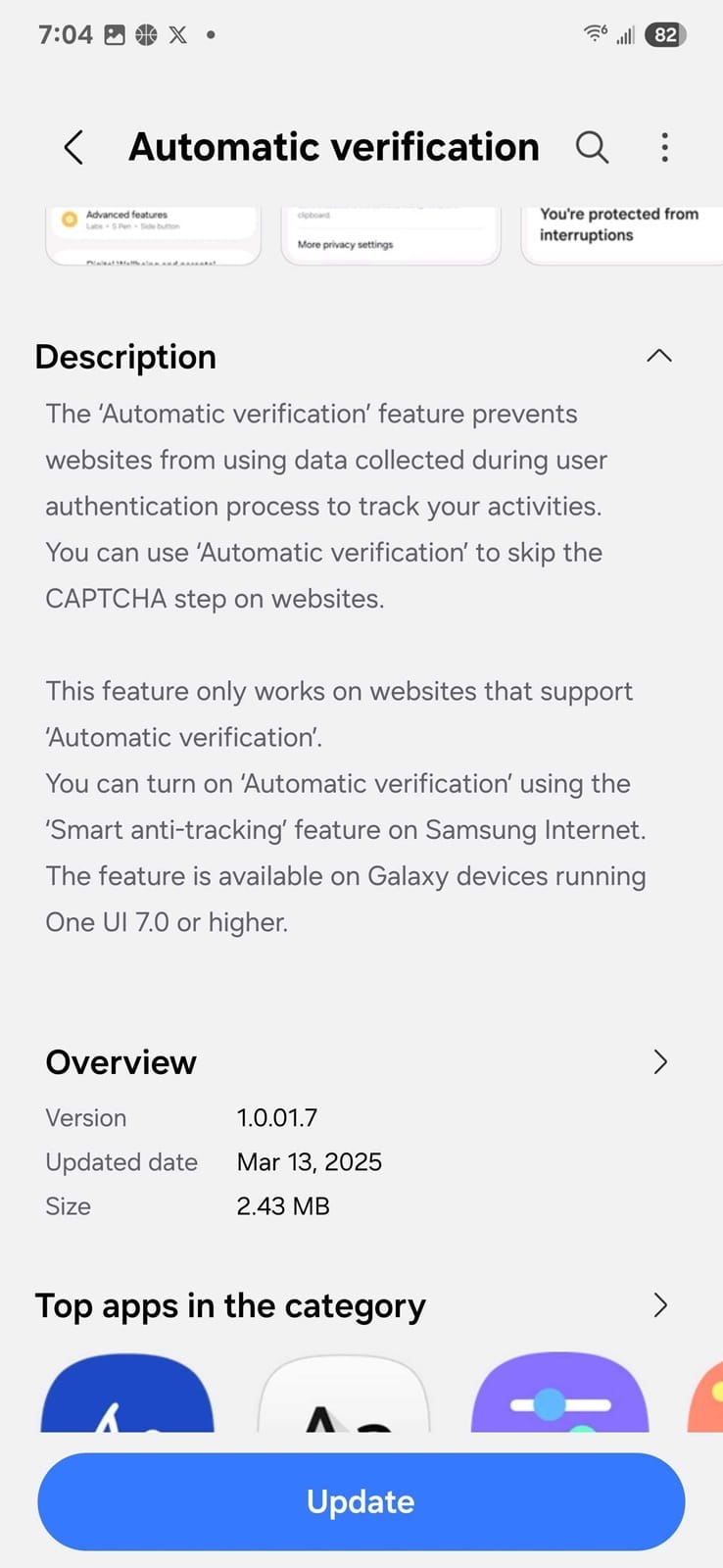
We also recently received an update for this tool on the Galaxy Store, so keep an eye out for it. The new version may offer a more stable and reliable experience. Hopefully, more websites will adopt support for Samsung’s Automatic Verification, enabling a more seamless and secure browsing experience. You can download Samsung Internet here.

Written by
Sumit AdhikariSumit, a life-long Samsung user, is passionate about technology and has been professionally writing on tech since 2017. He’s a mathematics graduate by education and enjoys teaching basic mathematics tricks to school kids in his spare time. Sumit believes in artificial intelligence and dreams of a fully open, intelligent and connected world.

Follow us on Google Discover & set us as a preferred source in Google News
Share this Post
___________________________


New Blog Posts
___________________________

Exynos 2700 Could Run Cooler Thanks to a Major Hardware Change
Will Exynos finally outshine competition with this trick?
Google Maps May Soon Let Ask Maps Order Food for You With Gemini
Are you excited?

Missed Prime Day? This Galaxy A57 Deal Is Back
Your chance to save $100 on the Galaxy A57