Samsung Internet Adds E2EE & Settings Search, Drops Scroll Bar Customizations
SammyGuru is reader-supported. We have affiliate and sponsored partnerships, so we may earn a commission when you buy through links on our site — at no extra cost to you. Learn more.
Samsung has released a major new update for its Internet browser app. The latest version introduces a search option in settings and end-to-end encryption for data synced across your devices. It also removes scroll bar customizations. The update is rolling out widely via the Galaxy Store.
Samsung Internet adds settings search, drops scroll bar customizations
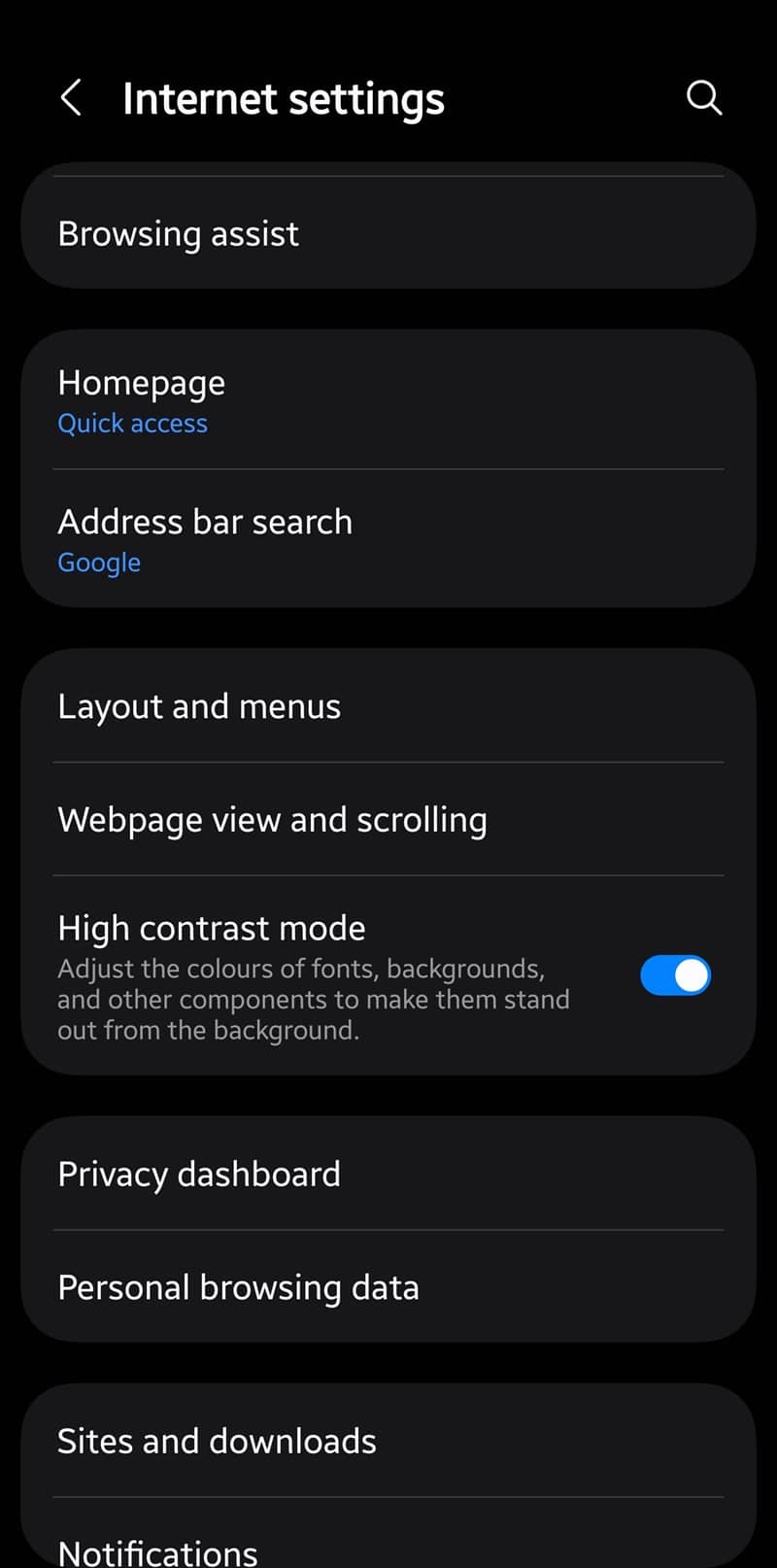
A few days ago, Samsung released version 27.0.0.79 of the Internet app with three major changes. First, the new version lets users search for settings menus and options. You get a new search button on the top right corner of the settings homepage. You can quickly find the desired option by typing out a few letters. Most browser apps lack this convenience feature, including Chrome, Firefox, and Edge.
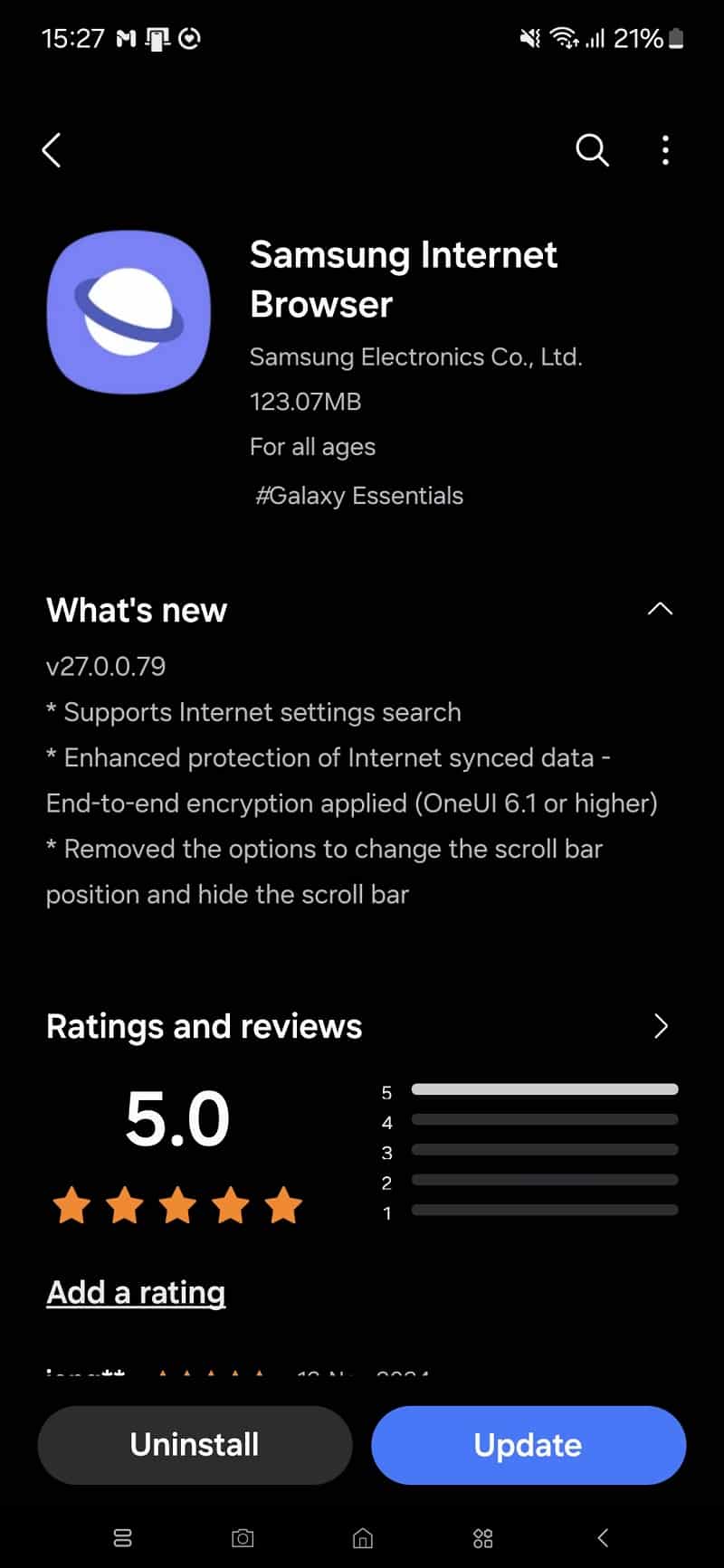
The latest update also enhances data security with end-to-end encryption for synced data. If you use Samsung Internet on multiple devices and have signed in with the same Samsung account across all devices, you can sync your bookmarks and other data for easy access no matter which device you pick up. End-to-end encryption ensures maximum security of your internet-synced data.
Alongside these handy enhancements, the new version of Samsung Internet drops a customization tool. The update removes the Scroll bar menu from settings. You can no longer change the scroll bar position or hide it. The scroll bar is now enabled by default and always appears on the right edge of your phone;’s screen when browsing a website. You can’t hide it or move it to the left side like before.
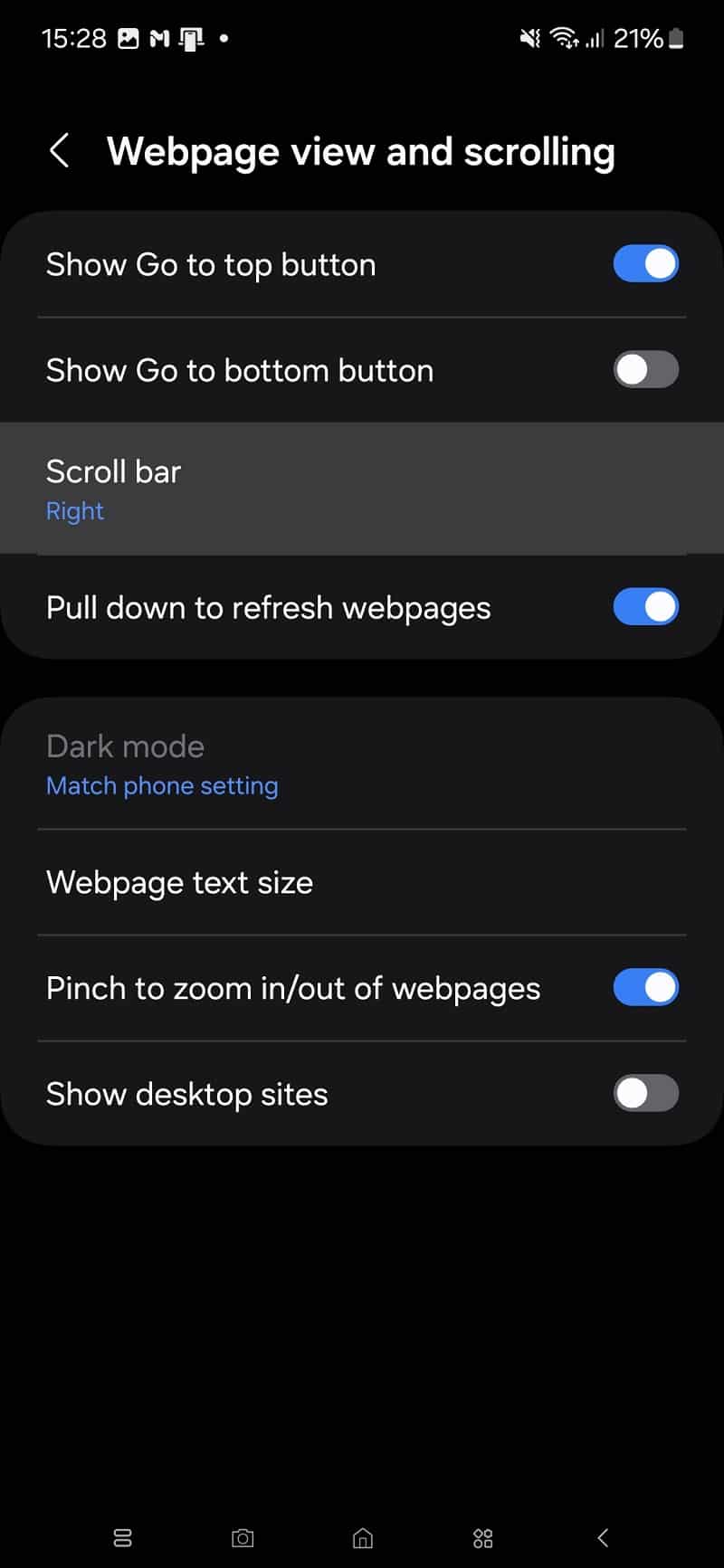
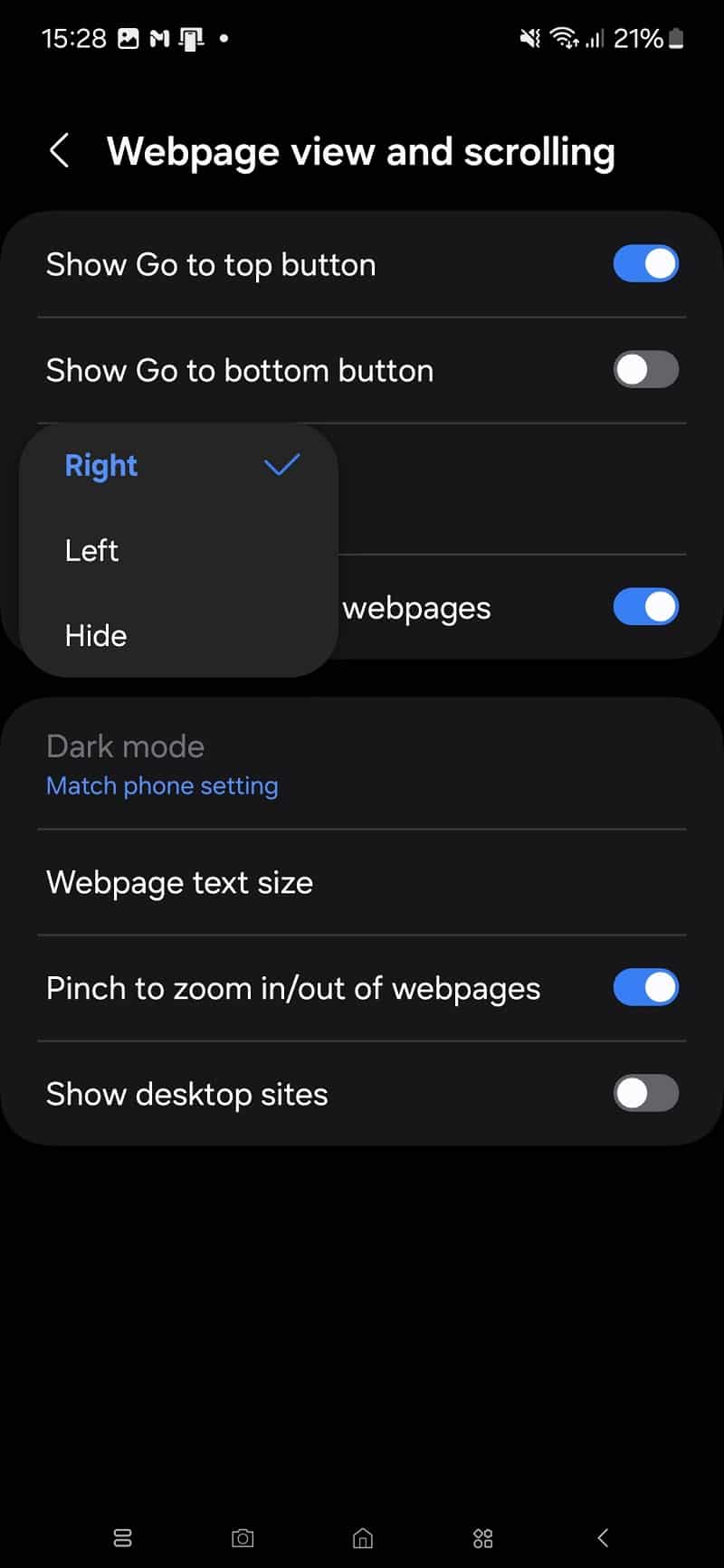

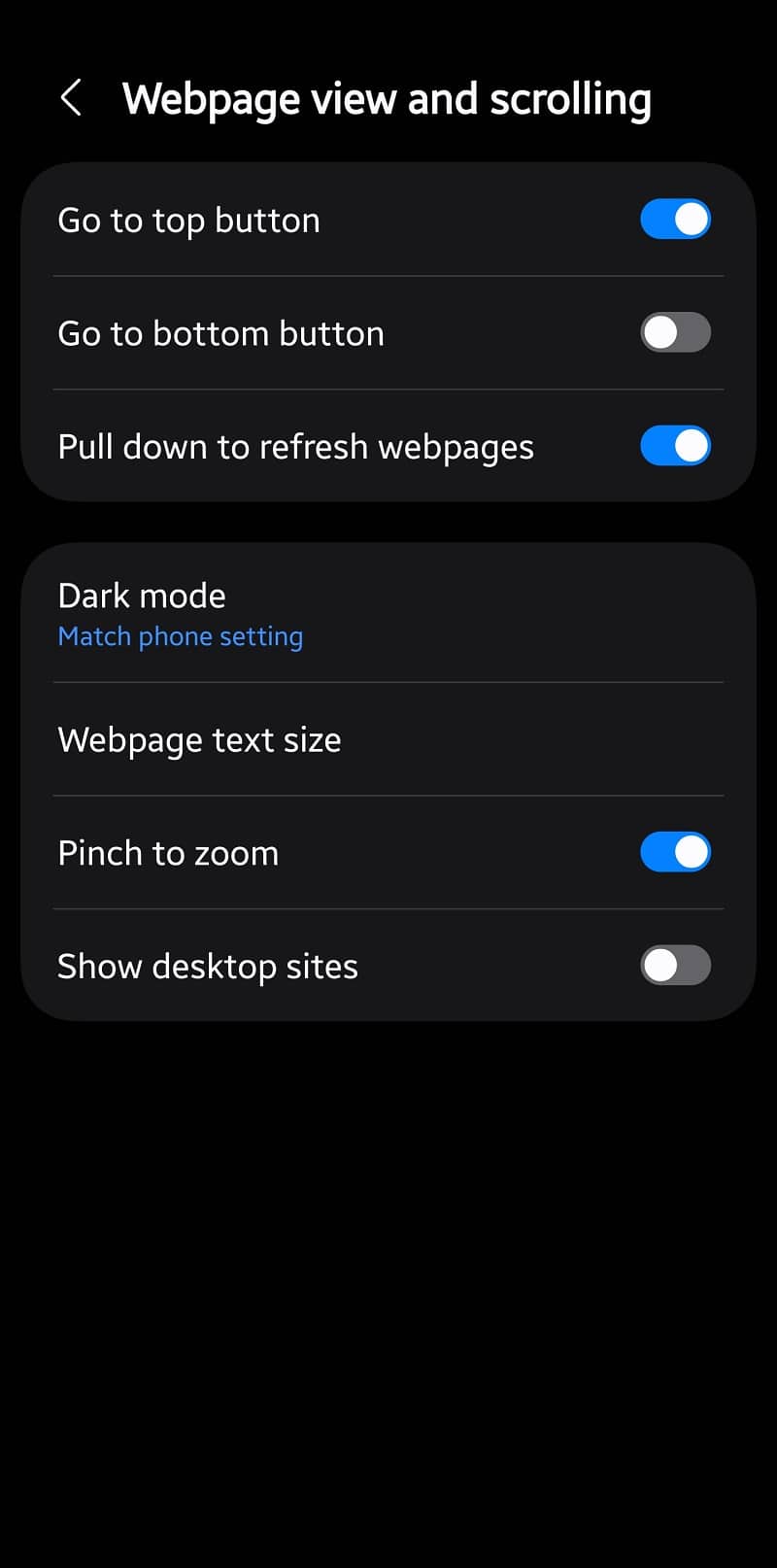

In the previous version, scroll bar customizations were available under the Webpage view and scrolling menu in settings. Version 27.0.0.79 of the app lacks this option. We do occasionally use the scroll bar to quickly scroll to the bottom or top of a long webpage. If someone prefers the scroll bar on the left side, it’s no longer an option. We’ll let you know if Samsung ever reinstates this ability.

Written by
Sumit AdhikariSumit, a life-long Samsung user, is passionate about technology and has been professionally writing on tech since 2017. He’s a mathematics graduate by education and enjoys teaching basic mathematics tricks to school kids in his spare time. Sumit believes in artificial intelligence and dreams of a fully open, intelligent and connected world.

Follow us on Google Discover & set us as a preferred source in Google News
Share this Post
___________________________


New Blog Posts
___________________________
Google Chrome for Android Finally Gets a Dedicated Back Button
Small change, big impact
Google Photos Rolls Out New Floating Bottom Bar on Android
It floats

Introducing SammyGuru Rewards — Read, Earn, and Redeem
Our biggest update yet