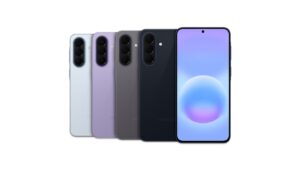
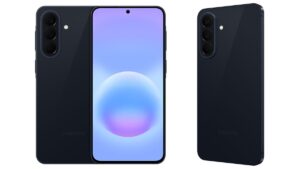
Galaxy Devices That Have Received June 2026 Security Update
SammyGuru is reader-supported. We have affiliate and sponsored partnerships, so we may earn a commission when you buy through links on our site — at no extra cost to you. Learn more.
Samsung has finally begun rolling out the June 2026 security update to Galaxy devices. The rollout started with the Galaxy S26 series and has now expanded to a few more devices. The list is expected to grow in the coming days, and as rumors suggested, the update also brings several new features to select devices. Last updated on June 30.
List of Galaxy devices picking up June 2026 security update
We’ve put together a list so you can quickly see whether the update has begun rolling out to your device. That said, there are a couple of things worth noting. Samsung typically releases updates in phases, which means users with the same device model may receive it at different times depending on their region.
Samsung’s June 2026 security update resolves 45 vulnerabilities across Android, One UI, and Exynos chips, including several critical and high-risk issues. It also fixes multiple Samsung-specific flaws in system apps and services. The update is expected to roll out gradually to eligible Galaxy devices in the coming weeks.
Galaxy S
- Galaxy S26, Galaxy S26+, Galaxy S26 Ultra
- Galaxy S25, Galaxy S25+, Galaxy S25 Ultra, Galaxy S25 Edge, Galaxy S25 FE
- Galaxy S24, Galaxy S24+, Galaxy S24 Ultra, Galaxy S24 FE
- Galaxy S23, Galaxy S23+, Galaxy S23 Ultra, Galaxy S23 FE
- Galaxy S22, Galaxy S22+, Galaxy S22 Ultra, Galaxy S21 FE
Galaxy Z
- Galaxy Z TriFold
- Galaxy Z Fold 7, Galaxy Z Flip 7, Galaxy Z Flip 7 FE
- Galaxy Z Fold Special Edition
- Galaxy Z Fold 6, Galaxy Z Flip 6
- Galaxy Z Fold 5, Galaxy Z Flip 5
- Galaxy Z Fold 4, Galaxy Z Flip 4
Galaxy A
- Galaxy A57, Galaxy A56, Galaxy A55, Galaxy A54, Galaxy A53
- Galaxy A37, Galaxy A36
- Galaxy A26
- Galaxy A17, Galaxy A16, Galaxy A15
- Galaxy A07, Galaxy A07 4G, Galaxy A06, Galaxy A05
Galaxy M
Galaxy F
Galaxy Tabs
- Galaxy Tab S11, Galaxy Tab S11 Ultra
- Galaxy Tab S10+, Galaxy Tab S10 Ultra, Galaxy Tab S10 FE, Galaxy Tab S10 FE+, Galaxy Tab S10 Lite
- Galaxy Tab S9, Galaxy Tab S9+, Galaxy Tab S9 Ultra, Galaxy Tab S9 FE, Galaxy Tab S9 FE+
- Galaxy Tab S8+
- Galaxy Tab A11, Galaxy Tab A11+
- Galaxy Tab Active 5, Galaxy Tab Active 5 Pro
Galaxy XCover
After the update becomes available, go to Settings > Software update > Download and install. Once the file finishes downloading, tap Install now. Your Galaxy device will then restart automatically and apply the latest security patch.

Written by
Abhinav AnandAbhinav Anand is the News Editor at SammyGuru and a technology journalist based in New Delhi. Before joining SammyGuru, he contributed to numerous outlets, including Android Headlines, ExtremeTech, The Mac Observer, Financial Express, Economic Times, iGeeksBlog, KnowTechie, PhonesWiki, SlashGear, and more. You can reach him at [email protected].

Follow us on Google Discover & set us as a preferred source in Google News
Share this Post
___________________________


New Blog Posts
___________________________

Samsung Accidentally Confirms Galaxy Watch 9 and Galaxy Watch Ultra 2
Coming very soon

Exynos 2700 Could Run Cooler Thanks to a Major Hardware Change
Will Exynos finally outshine competition with this trick?
Google Maps May Soon Let Ask Maps Order Food for You With Gemini
Are you excited?