Home Up Update Brings New DIY Features and Foldable Support

SammyGuru is reader-supported. We have affiliate and sponsored partnerships, so we may earn a commission when you buy through links on our site — at no extra cost to you. Learn more.
Samsung has released a new update for Home Up, the Good Lock module for customizing the home screen experience. It introduces a couple of exciting new features alongside expanded support for large-screen devices, such as foldables and tablets. The new version also contains bug fixes for enhanced stability.
Home Up gets new features with the latest update
The latest Home Up update is rolling out to Galaxy devices with version number 16.0.00.82. First spotted by X user @theordysm, the update adds two new features to DIY Home: Animate overlapping items and Align guide line. DIY Home is a “do-it-yourself” toolkit introduced with One UI 7 to decorate your home screen.
Animate overlapping items expectedly animates overlapping items when launching apps, creating a more fluid and dynamic transition. Users can enable it by turning on the “Animate overlapping items when the app launch” option in the DIY Home settings. You can see it in action below.
Here’s an example of the difference between having “animate overlapping items” off and on
Left: feature off
Right: feature on pic.twitter.com/HlMKn6W3tH— Theordysm (@theordysm) April 27, 2025
Align guide line is available from the same DIY Home menu and lets you add alignment guides during home screen editing. Simply enable the “Use align guide line in edit mode” toggle to easily line up your icons and widgets for a cleaner layout. As our own @thatjoshguy69 confirms, the alignment lines vibrate to indicate a perfect alignment.
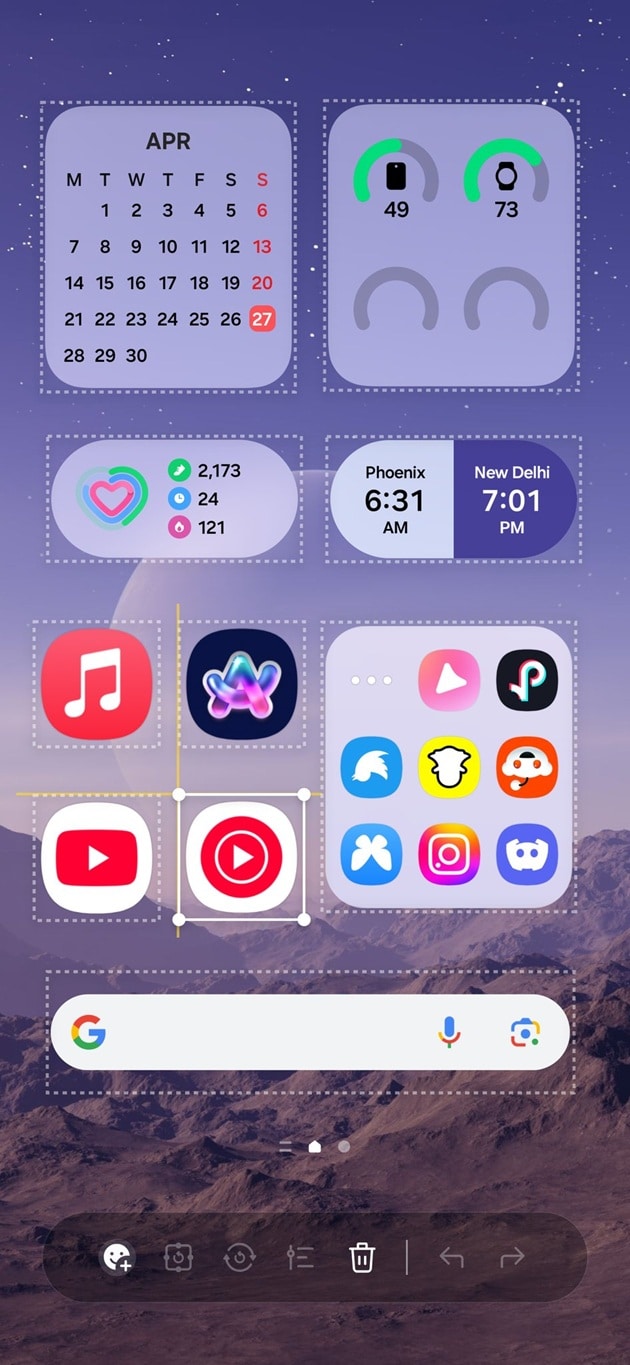
Besides these two new features, the latest Home Up update brings expanded support for Samsung’s Fold and tablet devices. Previously, Home Up wasn’t fully compatible with these large-screen devices. This update allows foldable and tablet users to enjoy nearly all the customization options that this Good Lock module offers.
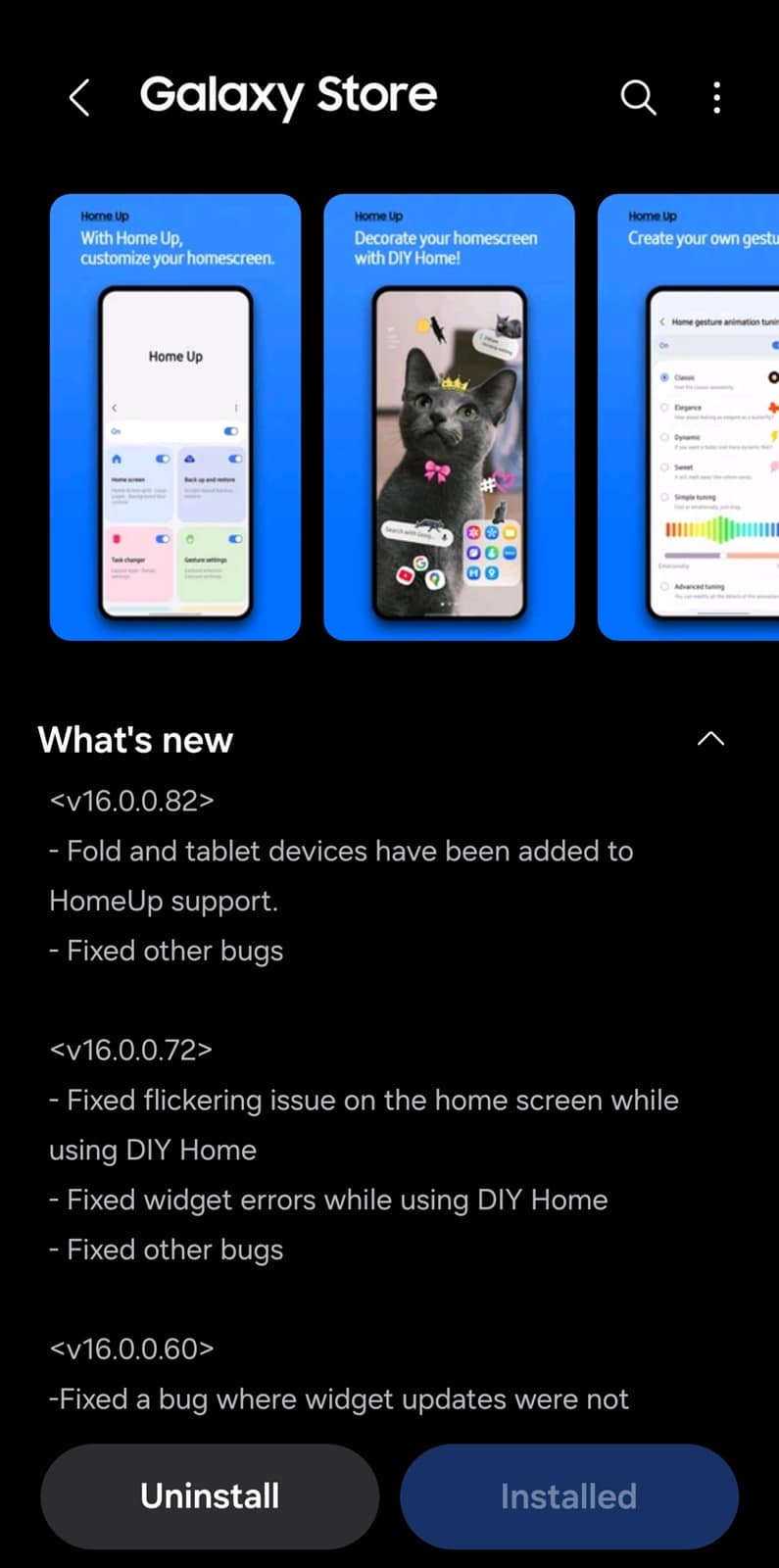
Samsung’s official release notes also mention general bug fixes aimed at improving the app’s stability and performance. Users can expect a smoother, more reliable experience when using Home Up after updating. You can update the app from the Galaxy Store. If the update isn’t available yet, wait a few days and check again. Avoid installing APK packages unless necessary.

Written by
Sumit AdhikariSumit, a life-long Samsung user, is passionate about technology and has been professionally writing on tech since 2017. He’s a mathematics graduate by education and enjoys teaching basic mathematics tricks to school kids in his spare time. Sumit believes in artificial intelligence and dreams of a fully open, intelligent and connected world.

Follow us on Google Discover & set us as a preferred source in Google News
Share this Post
___________________________


New Blog Posts
___________________________
Google Wallet Finally Fixes One of Its Most Annoying Wear OS Quirks
Finally, one can manage all of my receipts from both devices

Samsung Quietly Listed a New Entry Level 990 PCIe 4.0 SSD
It drops DRAM for HMB

Samsung’s First Bone-Conduction Earbuds May Be Called Galaxy Able
Name hidden no more