Top 10 Best Galaxy S26 Ultra Features: Privacy Display Isn’t All

SammyGuru is reader-supported. We have affiliate and sponsored partnerships, so we may earn a commission when you buy through links on our site — at no extra cost to you. Learn more.
In this article
- 1. Privacy Display — pixel-level side-view protection built into the screen
- 3. Steady video with Horizon Lock (360° horizon stabilization)
- 4. Notification Highlights & Summaries
- 5. Galaxy Call Screening & Scam Detection
- 6. Camera improvements
- 7. APV codec — higher quality video at smaller sizes
- 8. Quick Share – AirDrop compatibility (cross-platform file sharing)
- 9. Improved & new Galaxy AI features (editing, assistants, automation)
- 10. Faster wired and wireless charging
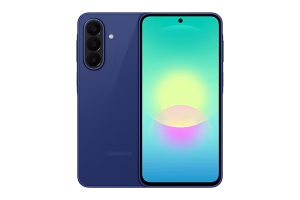
Samsung recently launched the Galaxy S26 Ultra, positioning it as an AI-led, creator-focused flagship. The device brings several notable upgrades, though it leaves a little to be desired in certain areas. Having used the phonje for a few days, here are my top 10 best features that make the Galaxy S26 Ultra special.
Pre-order the Galaxy S26 series through our Mystery Box program to receive a bundle of free gifts. Each box includes 65W GaN charger, USB-C wired earbuds, case, screen protector, desktop stand, cleaning kit, screen protector, and a few extra surprises. Shipping is on us (US only). Fill out this verification form to claim your box. Open the link in Chrome, Samsung Internet, or any web browser (not in the Shop Samsung app) to avoid errors.
1. Privacy Display — pixel-level side-view protection built into the screen
This is a hardware-level privacy mode that narrows the viewing cone so the display remains readable head-on but becomes hard to read from side angles. It is effectively a built-in privacy filter implemented into the panel. Samsung uses panel-level control and system hooks to let the OS automatically enable different privacy levels, such as when opening banking apps. Users can also manually toggle it on anytime.
This feature protects sensitive content (banking, 2FA codes, private messages) from shoulder-surfing without adding an external screen protector or a major loss of image quality. It’s an especially handy feature in crowded public transit or classrooms.
2. Audio Eraser — system-level noise removal for third-party apps
Audio Eraser is an AI audio tool that identifies and reduces unwanted sounds (wind, background chatter, traffic) and isolates voices. On the Galaxy S26 Ultra, Samsung extended the capability so it can be applied at the system level to audio coming from third-party apps (YouTube, Instagram, Netflix, TikTok, etc.), not just locally recorded videos in Gallery.
This upgrade allows creators and viewers to get cleaner audio for livestreams and playback without needing third-party apps to implement their own filters. It’s especially useful for on-the-fly editing or watching noisy livestreams. You can also use this feature to nearly remove background music on the highest setting. Samsung may add support for more apps with subsequent updates.
3. Steady video with Horizon Lock (360° horizon stabilization)
This is a next-generation stabilization mode (often called Horizon Lock) that keeps the video’s horizon steady even when you rotate the phone or perform extreme camera motion. It preserves a level horizon through full rotations, creating smooth, cinematic handheld footage that previously required gimbals. This feature is ideal for action shots, POV-style clips, and creators who move a lot while filming.
You really have to try this in person to see how impressive it really is. You can literally flip your camera 360 degrees in the air, and the video still comes out relatively stable.
4. Notification Highlights & Summaries
On-device notification prioritization and summarization that surfaces the most relevant alerts first and condenses long, busy threads into short summaries. The phone learns which senders/conversations matter and creates a 24-hour summary for noisy apps. This reduces notification overload, so you get fewer interruptions and can quickly scan what’s important without diving into dozens of messages.
This feature must be enabled on a per-app basis, and summaries are currently limited to messaging apps. It is a bit strange that Gmail is not included for summaries, but perhaps Samsung and Google will add this in the future.
5. Galaxy Call Screening & Scam Detection
Enhanced on-device call screening and scam detection that warns about likely scams in calls and SMS, provides context, and can auto-block or suggest actions. Google and Samsung’s AI integrations power identification. It offers stronger protection against voice phishing (vishing) and scam SMS/texts, reduces risk, and nuisance calls.
The new automatic call screening works similarly to Pixel Call Screening, which Google pioneered years back. You no longer need to interact with the caller via screen taps (as you do with Bixby Text Call). You can even set automatic screening to run on every Unknown Caller, which, sadly, seems needed with the volume of spam calls in 2026.
6. Camera improvements
Despite a largely unchanged hardware setup, the Galaxy S26 Ultra delivers noticeable improvements in camera performance and image quality. In my testing, I noticed improvements in telephoto shots across both 3x and 5x lenses. Better contrast and highlight handling produce images that retain detail in bright highlights while preserving shadow detail.
Samsung also added a 24MP capture mode to the stock camera. It offers a balance between full-resolution detail and smaller file sizes. Virtual Aperture in Portrait Mode (now available in the main camera app), meanwhile, simulates aperture changes after capture, improving subject separation and bokeh realism.
7. APV codec — higher quality video at smaller sizes
The Galaxy S26 Ultra is the first phone to support the APV video codec, which improves perceptual quality for a given bitrate. This gives you similar visual quality at smaller files or better quality at the same size. For creators and users who record long 4K/8K clips, APV can reduce storage pressure and speed up sharing without visible loss in quality. It also benefits cloud uploads and streaming scenarios.
8. Quick Share – AirDrop compatibility (cross-platform file sharing)
Samsung introduced Quick Share compatibility with Apple’s AirDrop protocols, allowing you to transfer files between your Galaxy S26 Ultra and iPhones. It solves a long-standing cross-platform friction. Sharing photos, videos, and documents between Galaxy phones and Apple devices becomes nearly seamless.
I couldn’t get this feature to work on my S26 Ultra, but it is likely a temporary software restriction that could be lifted with an update. I’ll make sure to let you know when Quick Share starts finding iPhones nearby.
9. Improved & new Galaxy AI features (editing, assistants, automation)
Galaxy AI gets a major overhaul on the Galaxy S26 Ultra: natural-language photo editing (Photo Assist), Auto Trim and smart video edits, Now Nudge (proactive text/help), and system automation that lets AI suggest or run multi-step tasks.
10. Faster wired and wireless charging
After years of no movement, Samsung boosted charging speeds on the Galaxy S26 Ultra. The device supports faster wired (60W instead of 45W) and wireless (25W instead of 15) charging. It is important to note that the upgraded wireless charging will not work with all cases. In fact, Samsung’s own fast-charging magnetic puck fails to work with many popular cases (Benks, Spigen are a few that I tested).

Written by
Jeff SpringerJeff Springer is the Founder and Managing Editor at SammyGuru. Pursuing his passion for mobile tech, he started covering Samsung and Android on his Youtube channel in 2014 and continues to post daily Samsung tutorial videos. As a past staff writer at XDA Developers and Android Police, Jeff has a wealth of experience managing written content as well. In 2023, Jeff started SammyGuru to offer a different type of Samsung news site. He firmly believes that providing great value to readers is the core mission of our coverage. Jeff lives in Phoenix, AZ with his wife and two kids. In his small amount of free time, he collects fountain pens, stationery, and Pokémon cards.

Follow us on Google Discover & set us as a preferred source in Google News
Share this Post
___________________________


New Blog Posts
___________________________
Galaxy Watch 9 and Watch Ultra 2 Bands Leak in Dozens of Colors
Massive leak
Save 39% on Samsung’s 34-Inch ViewFinity Monitor Before Prime Day Ends
Best excuse to upgrade your desk setup
Hurry, Galaxy S26 Ultra’s Best Prime Day Deal Ends in a Few Hours
Your last chance, probably