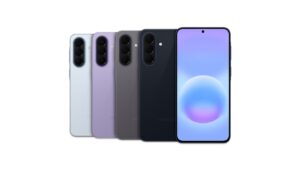
March 2026 Security Update Now Rolling Out for Galaxy S25 Series

SammyGuru is reader-supported. We have affiliate and sponsored partnerships, so we may earn a commission when you buy through links on our site — at no extra cost to you. Learn more.
Samsung has finally started rolling out the March 2026 security update for Galaxy devices. The Galaxy S25 series is the first to pick up the new security patch. It brings more than 60 vulnerability fixes across One UI and Android components. Other devices should receive the update soon.
Galaxy S25 series grabs Samsung’s March 2026 security update
Samsung’s latest security fixes are now rolling out to the Galaxy S25, S25+, S25 Ultra, S25 Edge, and S25 FE in South Korea. The update carries firmware version BZC1 for the former four models, and AZC1 for the Galaxy S25 FE. The download size varies depending on the model, but it mostly weighs over 500MB. Samsung should soon push the new security patch to more Galaxy devices in Korea and beyond.
It’s worth noting that this update is not available for Galaxy S25, S25+, and S25 Ultra units running One UI 8.5 Beta (no beta program for S25 FE and S25 Edge). Samsung may bundle the March patch with the next beta release for these models. Or if it doesn’t plan another beta update, it could include the latest security fixes with the stable One UI 8.5 release.
While Samsung hasn’t announced the stable rollout yet, we hope the update arrives before the end of this month or in early April. A wider release of the One UI 8.5 update may begin in late April. We will let you know when we have more information.
As mentioned above, the March 2026 SMR (Security Maintenance Release) for Samsung’s Android-powered smartphones and tablets contains more than 60 fixes. These patches address a wide range of security vulnerabilities discovered in Android OS and One UI components. More Galaxy devices will receive the patch in the coming days. To check for updates, go to Settings > Software update > Download and install.

Written by
Sumit AdhikariSumit, a life-long Samsung user, is passionate about technology and has been professionally writing on tech since 2017. He’s a mathematics graduate by education and enjoys teaching basic mathematics tricks to school kids in his spare time. Sumit believes in artificial intelligence and dreams of a fully open, intelligent and connected world.

Follow us on Google Discover & set us as a preferred source in Google News
Share this Post
___________________________


New Blog Posts
___________________________

Exynos 2700 Could Run Cooler Thanks to a Major Hardware Change
Will Exynos finally outshine competition with this trick?
Google Maps May Soon Let Ask Maps Order Food for You With Gemini
Are you excited?

Missed Prime Day? This Galaxy A57 Deal Is Back
Your chance to save $100 on the Galaxy A57