Breaking! Samsung Rolls Out One UI 6 Watch Stable Update
SammyGuru is reader-supported. We have affiliate and sponsored partnerships, so we may earn a commission when you buy through links on our site — at no extra cost to you. Learn more.
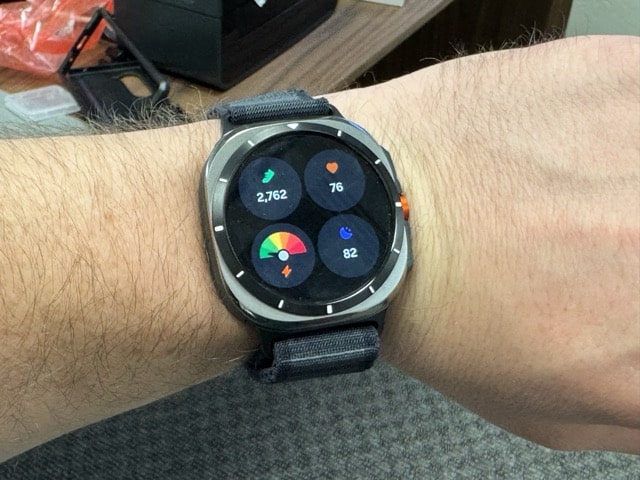
The wait is finally over. Samsung has released the stable One UI 6 Watch update for the Galaxy Watch lineup. The stable build is currently rolling out to beta participants in the US and South Korea. The company should soon expand the rollout to non-beta users globally. One UI 6 Watch will be available for the Galaxy Watch 6, Watch 5, Watch 4, and Watch FE. The Galaxy Watch 7 and Watch Ultra shipped with the new One UI version.
One UI 6 Watch stable update is rolling out to Galaxy Watch users
Samsung has been running One UI 6 Watch beta programs since June. It released eight different beta builds for the Galaxy Watch 6 series and seven for other models (the beta program wasn’t available for the Wwatch FE). The company has now started rolling out the stable build to the Watch 6 lineup. As expected, beta testers are getting a relatively small OTA (over the air) package weighing around 130MB.
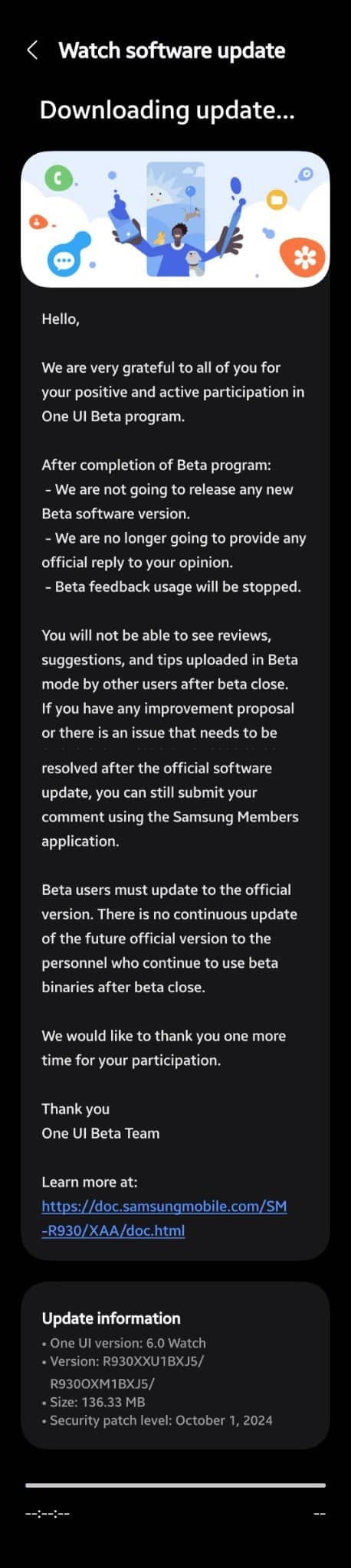
The stable One UI 6 Watch update for the Galaxy Watch 6 series bears the firmware build number BXJ5 (last four characters). The update size and build number may vary depending on the model and region, though the content should remain the same. Samsung is pushing a host of new features and functional improvements to its smartwatches. Galaxy Watch users get enhanced Samsung Health, new faces, new gestures, improved routines, and many more changes.
This update also brings some Wear OS 5 goodies from Google and the latest security fixes. As usual, some new features may not be compatible with older models. If you are using a Galaxy Watch 6, Watch 5, Watch 4, or Watch FE model, watch (pun unintended) out for a new software update in the coming days. You can also manually check for updates from the Settings app on the watch or via the Galaxy Wearable app on your phone.

Written by
Sumit AdhikariSumit, a life-long Samsung user, is passionate about technology and has been professionally writing on tech since 2017. He’s a mathematics graduate by education and enjoys teaching basic mathematics tricks to school kids in his spare time. Sumit believes in artificial intelligence and dreams of a fully open, intelligent and connected world.

Follow us on Google Discover & set us as a preferred source in Google News
Share this Post
___________________________


New Blog Posts
___________________________

Missed Prime Day? This Galaxy A57 Deal Is Back
Your chance to save $100 on the Galaxy A57

Galaxy A57 Spotted Running One UI 9 on Geekbench
It was launched running One UI 8.5
Gemini Throws Error 1099, but There Are a Few Workarounds
Several Android users have reported the issue over the past few days