
What One UI 8.5 Brings to the Galaxy S25 Ultra Camera
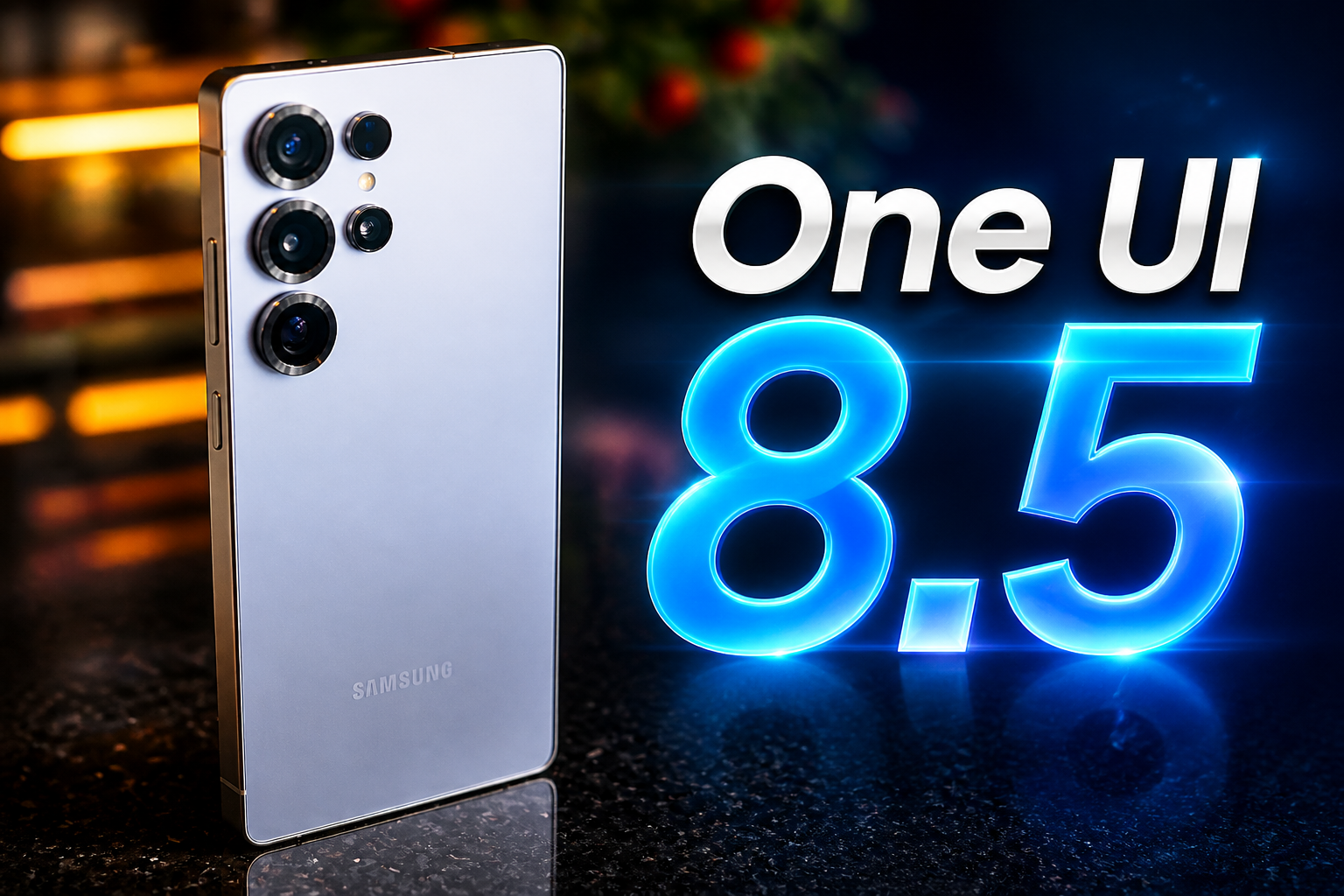
Samsung has officially started rolling out One UI 8.5 to eligible Galaxy devices, beginning with the Galaxy S25 series. This update brings many of the core camera and software features introduced on the Galaxy S26 Ultra to its predecessor. While some hardware-level limitations (or maybe not) still separate the two generations, the S25 Ultra gets almost 90% of the S26 Ultra’s camera experience. Let’s dive in.
Auto Mode Finally Gets the S26 Ultra Processing Direction
The biggest change users will immediately notice is the new image processing behavior inside Auto Mode. Samsung has integrated parts of the Galaxy S26 Ultra’s computational pipeline into the S25 Ultra, bringing cleaner tonal mapping, improved dynamic balance, and a far more controlled sharpening profile compared to older One UI builds.
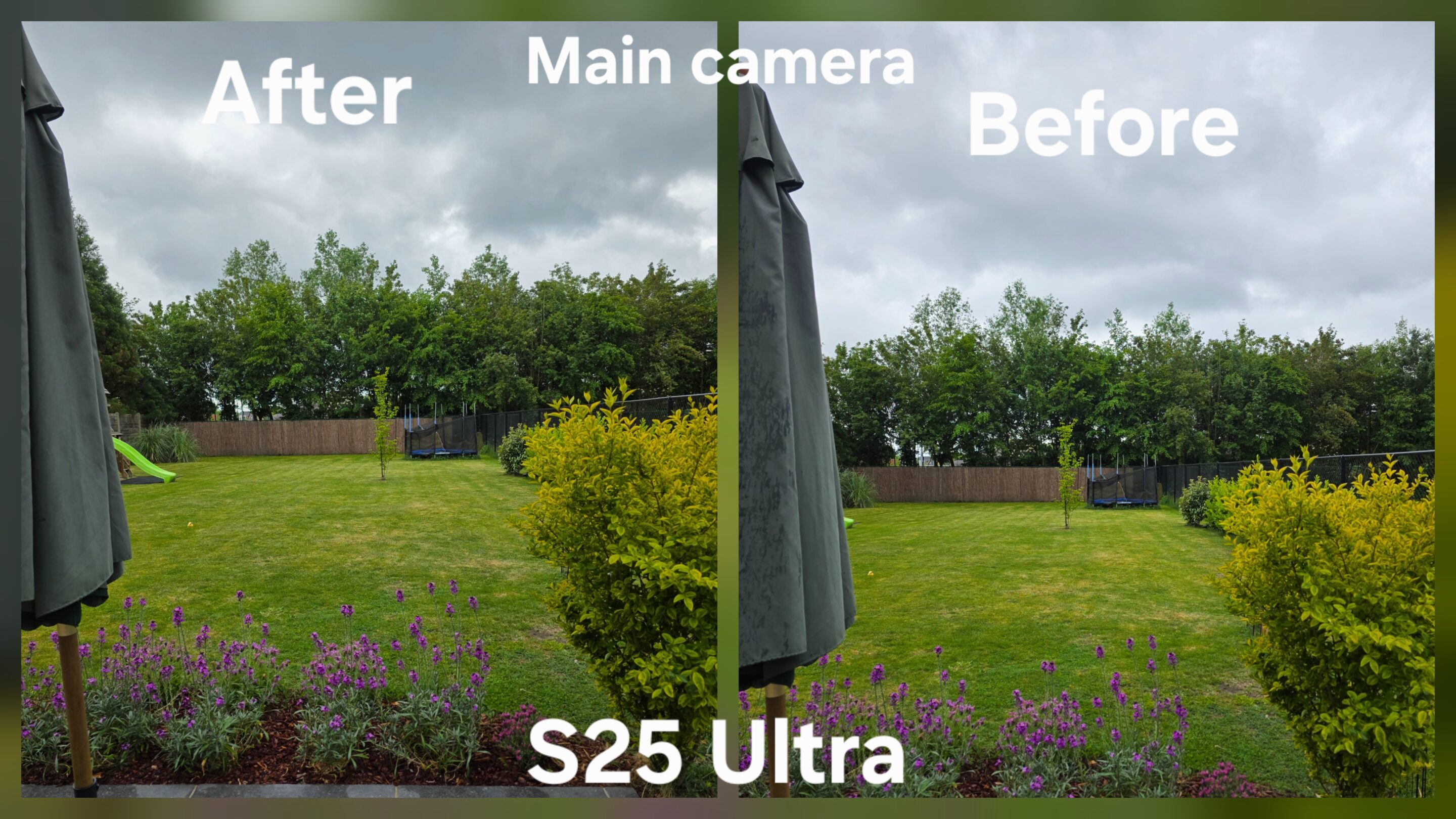
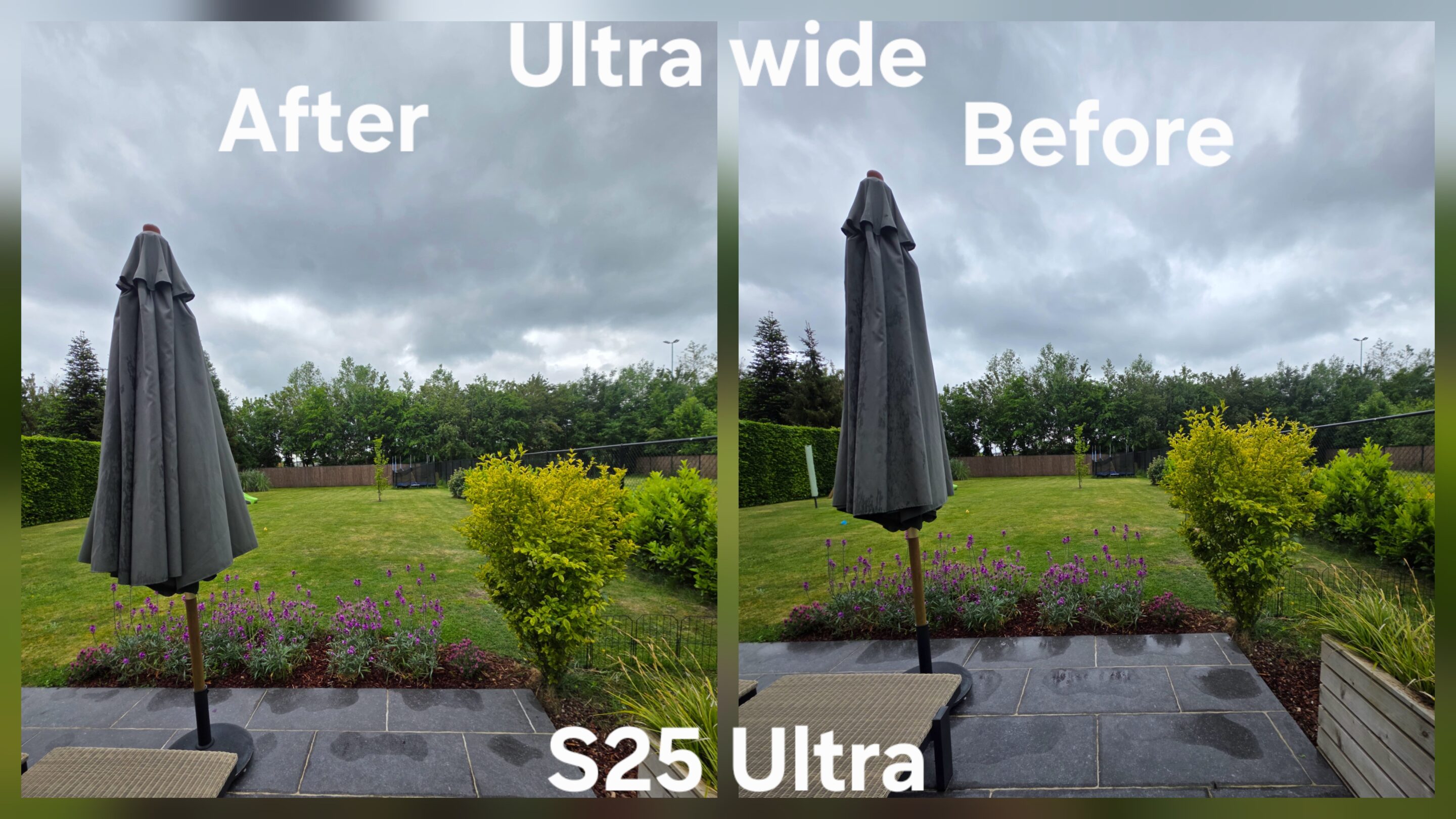
However, the output is still not identical. The difference in aperture capability, ISP behavior, NPU processing power, and Samsung’s updated fusion system means the S25 Ultra still reacts differently once scenes become difficult. The S26 Ultra continues to process faster and behaves with more consistency overall. This is no longer purely about camera hardware. It is about computational confidence combined with aperture capability.
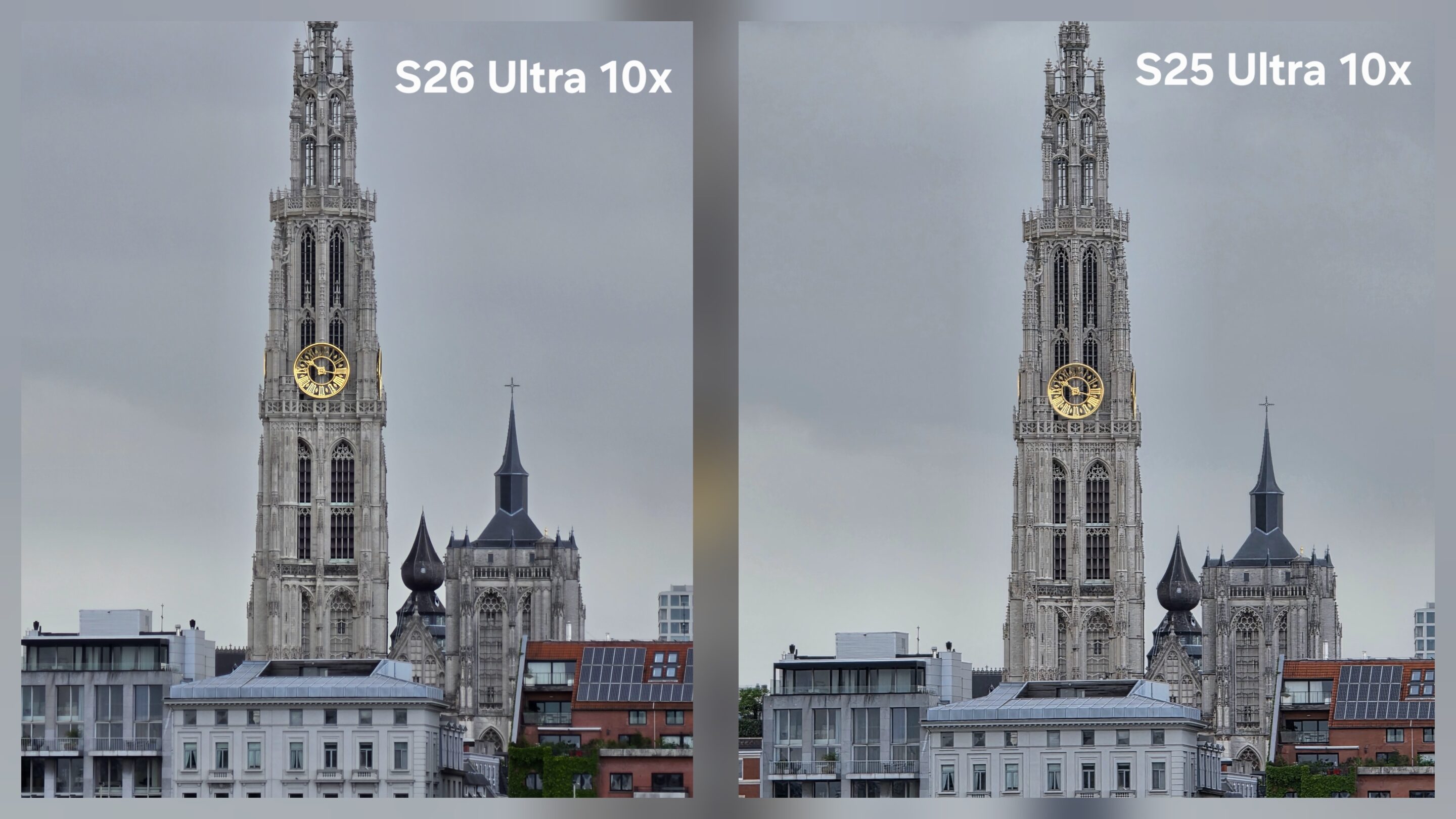
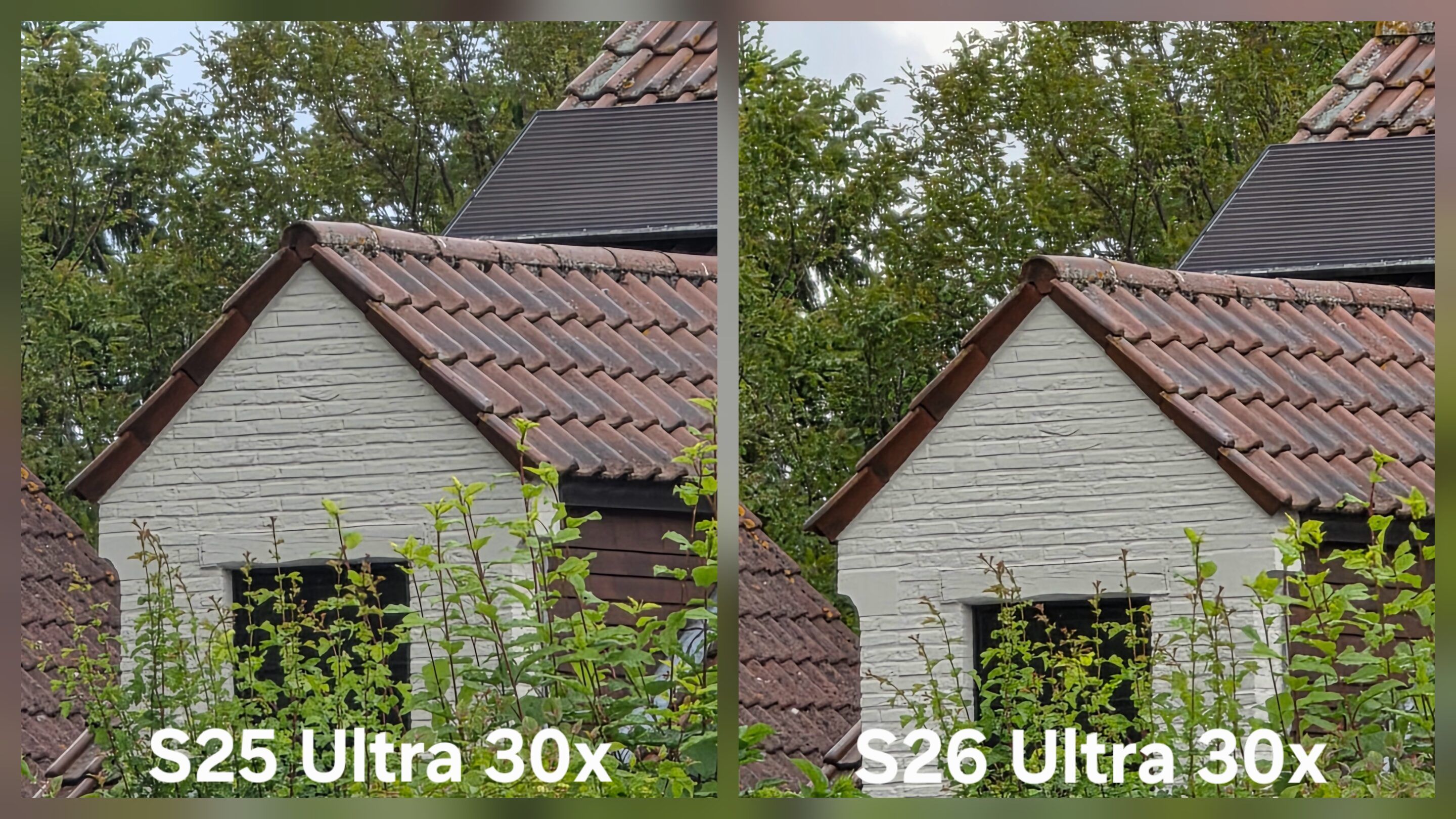
Samsung’s newer processing philosophy also feels far less obsessed with artificial clarity. Instead of aggressively sharpening every object inside the frame, the system now focuses more on preserving atmosphere, depth, and natural scene contrast first.
Virtual Aperture Finally Feels Mature
One of the more important camera changes in One UI 8.5 is the expansion of Virtual Aperture support across all lenses on the S25 Ultra, matching the behavior introduced on the S26 Ultra.
On previous One UI versions, the feature often felt limited and experimental because support mainly focused on the primary lens. But with One UI 8.5, Samsung finally refined the experience into something that feels more practical for real-world photography instead of simply acting as a software showcase.
Background separation now appears cleaner, edge detection behaves more naturally, and transitions between the subject and surrounding areas feel significantly smoother than before. More importantly, Samsung improved consistency between lenses. Users can now move between 1x, 3x, and 5x while maintaining a far more unified rendering style, making the overall shooting experience feel less fragmented during portrait or cinematic photography sessions.
Virtual Reflector Mode Quietly Becomes One of Samsung’s Best Additions
Samsung also introduced the new Virtual Reflector mode to the S25 Ultra, matching the functionality available on the S26 Ultra. And surprisingly, this may end up becoming one of the most underrated additions inside One UI 8.5.
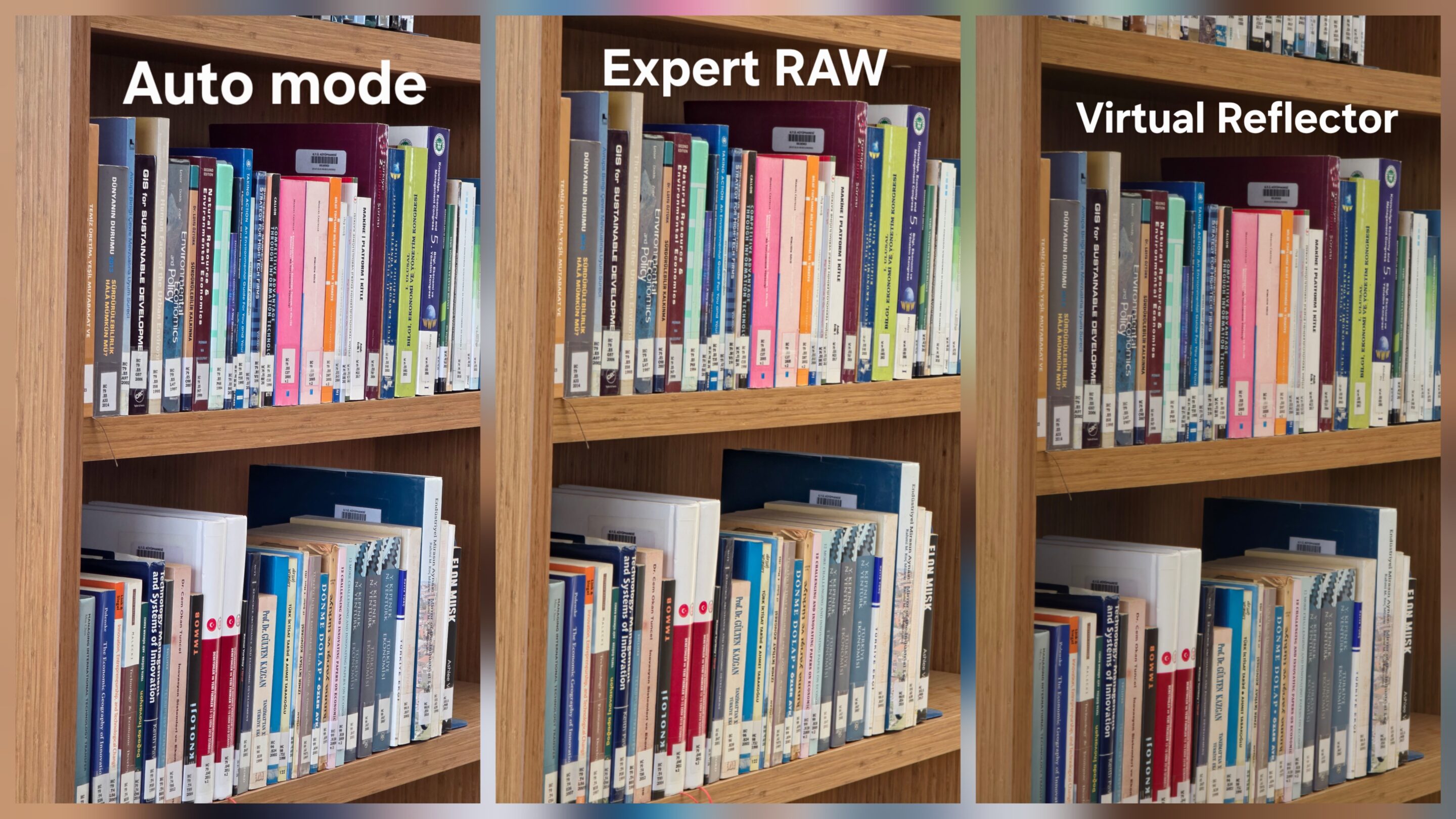
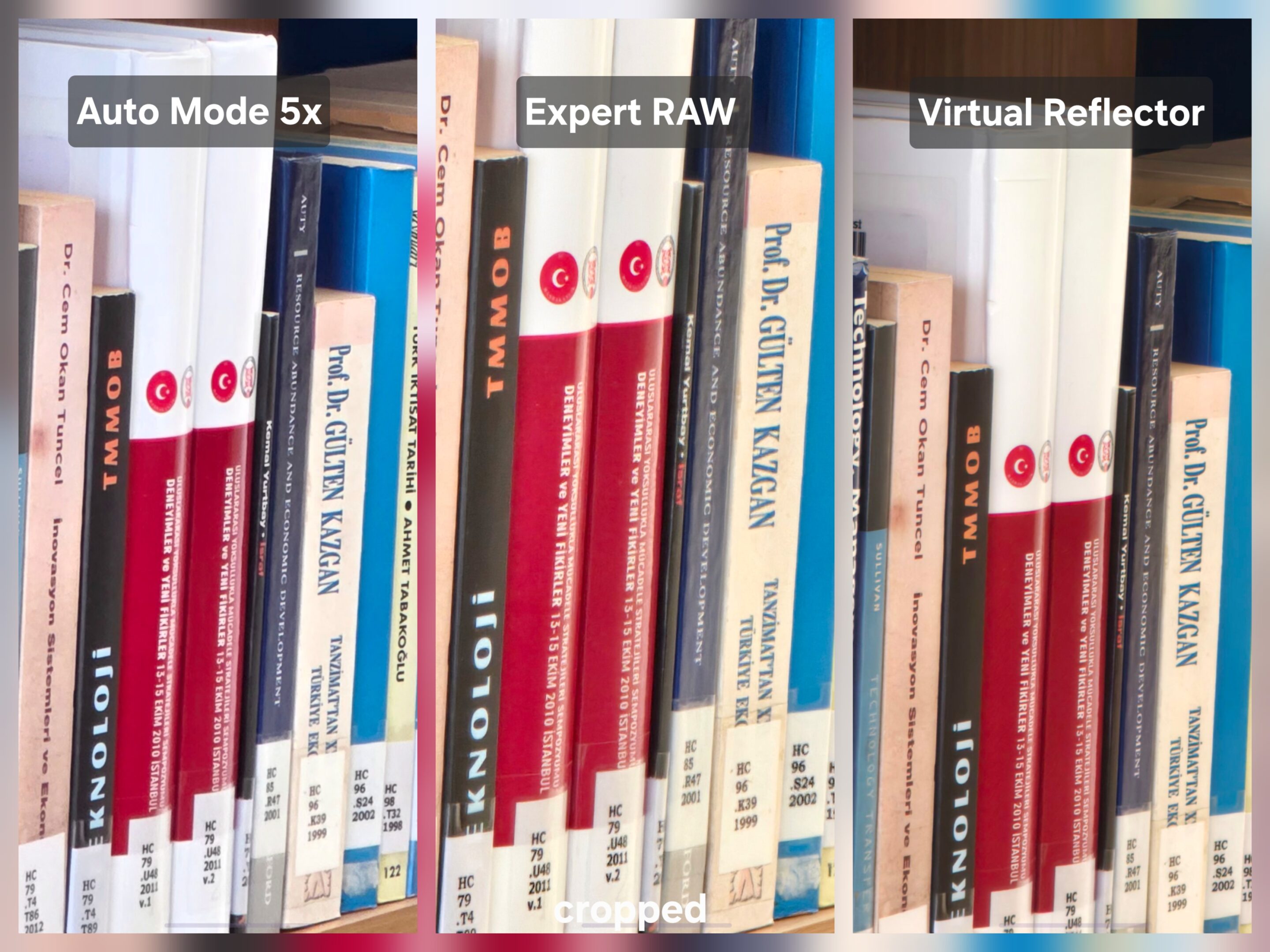
It supports 1x, 3x, and 5x lenses while delivering some of Samsung’s cleanest computational output to date. Processing looks less destructive, textures remain more stable, and images feel more intentional instead of excessively corrected or overprocessed.
This is where Samsung’s newer imaging philosophy becomes visible. Rather than pushing maximum HDR intensity or artificial sharpness, the system now prioritizes scene atmosphere, tonal realism, and depth preservation first, something many Galaxy users have wanted Samsung to improve for years. The result feels less synthetic. And far more premium.
Expert RAW Gets 25x Zoom Support
One UI 8.5 also expands Expert RAW capabilities by bringing 25x zoom support to the Galaxy S25 Ultra. This significantly improves the flexibility of Samsung’s computational RAW workflow.
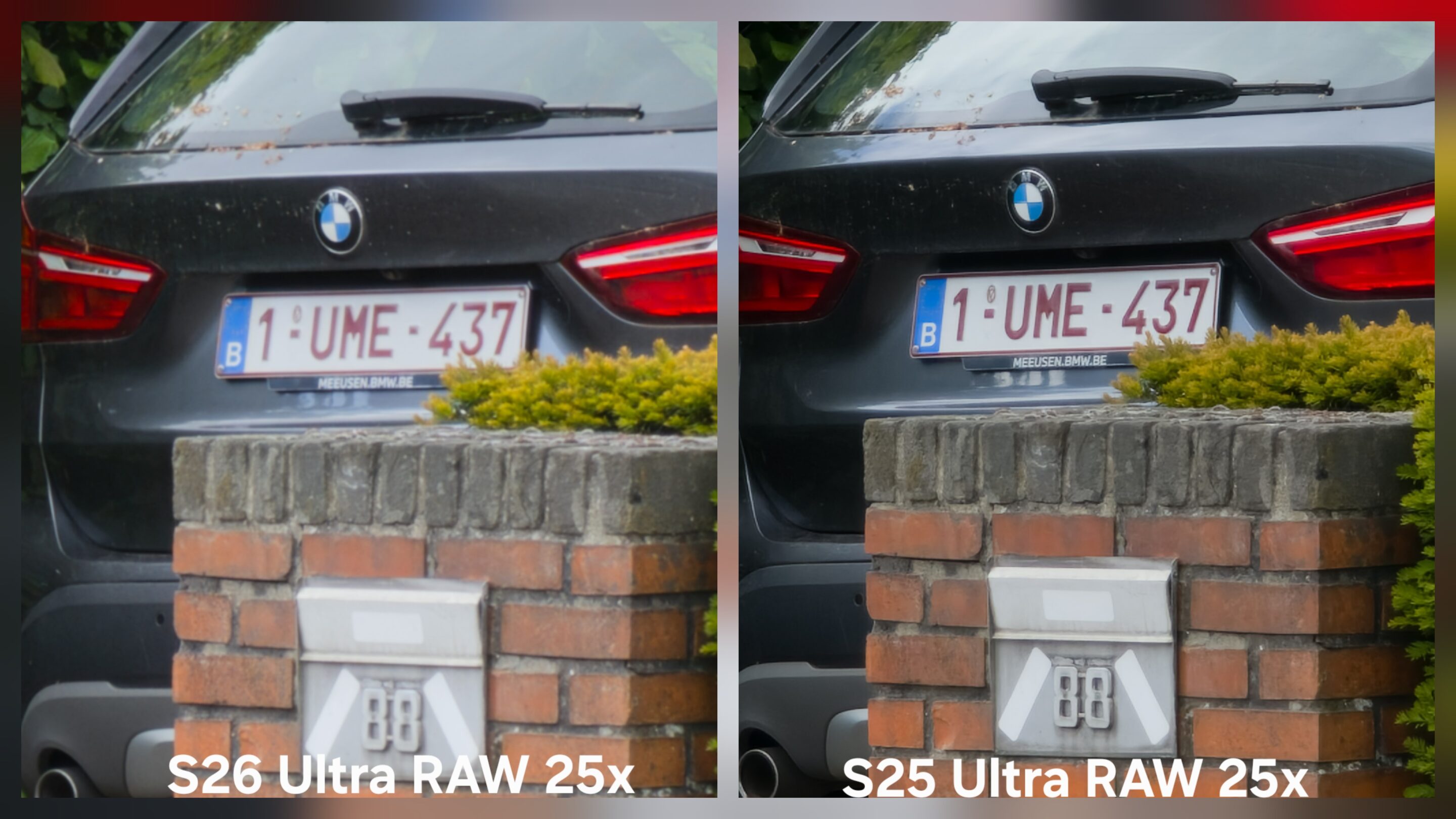
Previously, higher zoom ranges inside Expert RAW felt restricted to 20x compared to Samsung’s standard camera processing pipeline. But with 25x support now available, users now gain more freedom when shooting distant subjects while still maintaining access to RAW processing behavior and manual controls.
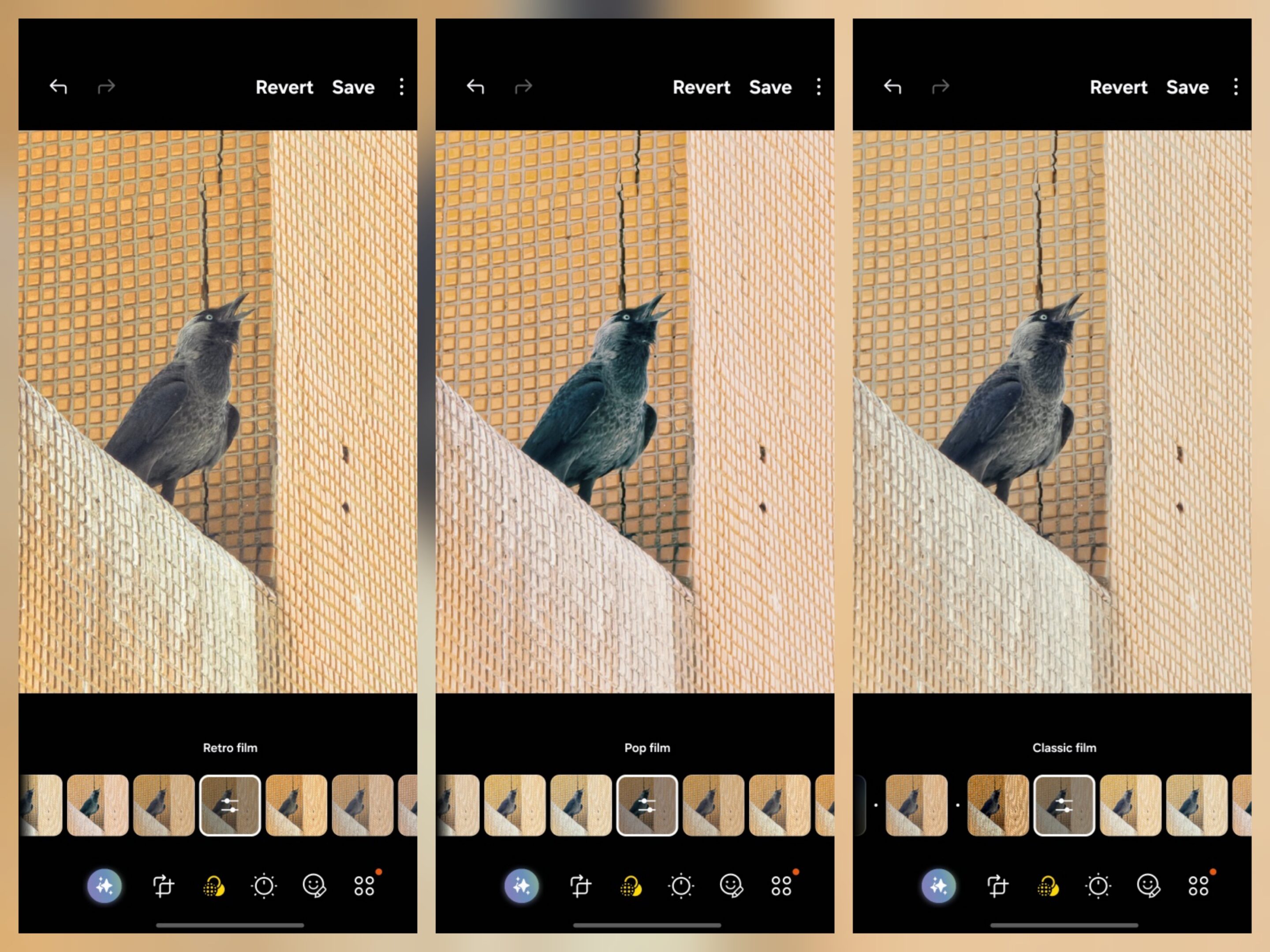
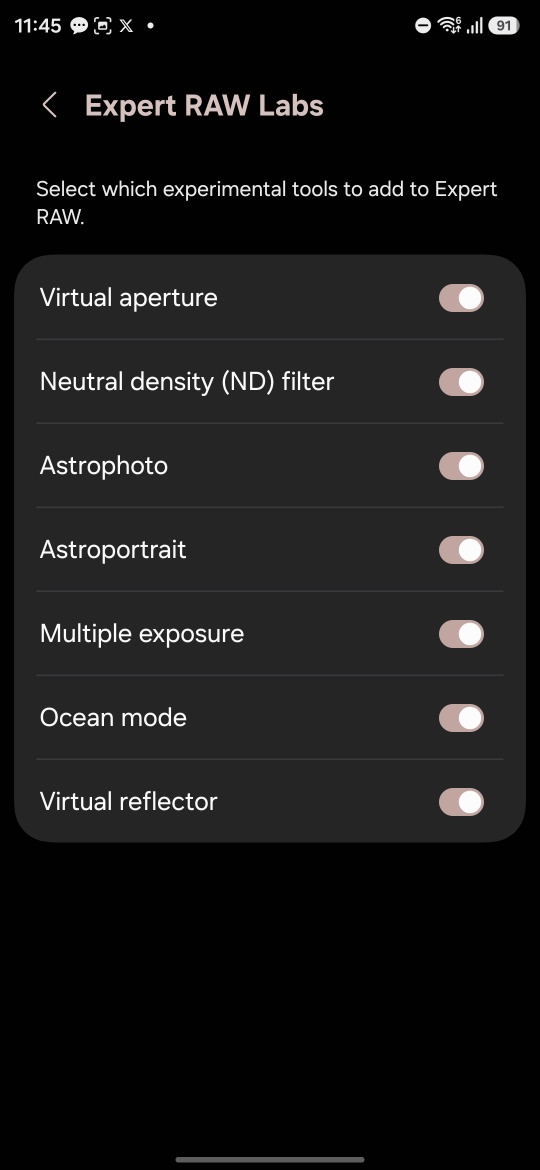
Combined with the new Ocean mode and updated Auto Mode filters, One UI 8.5 starts pushing Galaxy devices toward a more creator-focused identity instead of purely point-and-shoot behavior. And unlike some previous Samsung additions, these features finally feel connected to each other instead of isolated software experiments.
LUT Profiles and Log Video Finally Get Serious
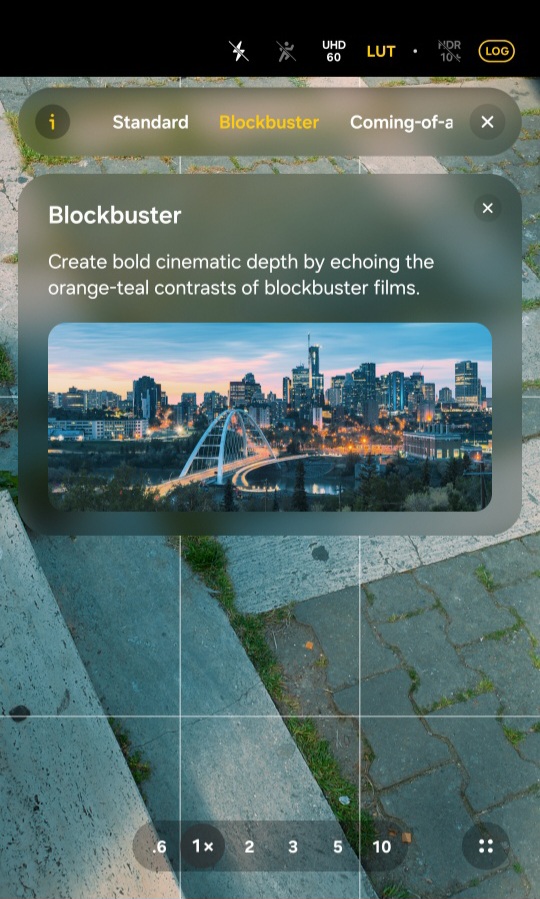
Samsung is also bringing LUT profile support directly into Log video workflows. For creators and mobile videographers, this changes the experience significantly. Users who shoot cinematic footage or color-grade videos now gain far more flexibility directly inside Samsung’s ecosystem without depending entirely on third-party apps or complicated editing workflows. The result is a much more complete creator pipeline directly from the device itself.
Camera Assistant Gets Real Usability Improvements
One UI 8.5 upgrades Camera Assistant with several genuinely practical additions rather than cosmetic tweaks. Advanced Photo Control gives users deeper flexibility over image behavior, while Focus Peaking now works properly inside Pro Mode alongside AE/AF monitoring controls.
Samsung also added customizable indicators, allowing users to personalize or clean up the shooting interface depending on workflow preference. These are not flashy upgrades. But in daily usage, they make the camera system feel significantly more mature and creator-oriented.
What the Galaxy S25 Ultra Still Does Not Get
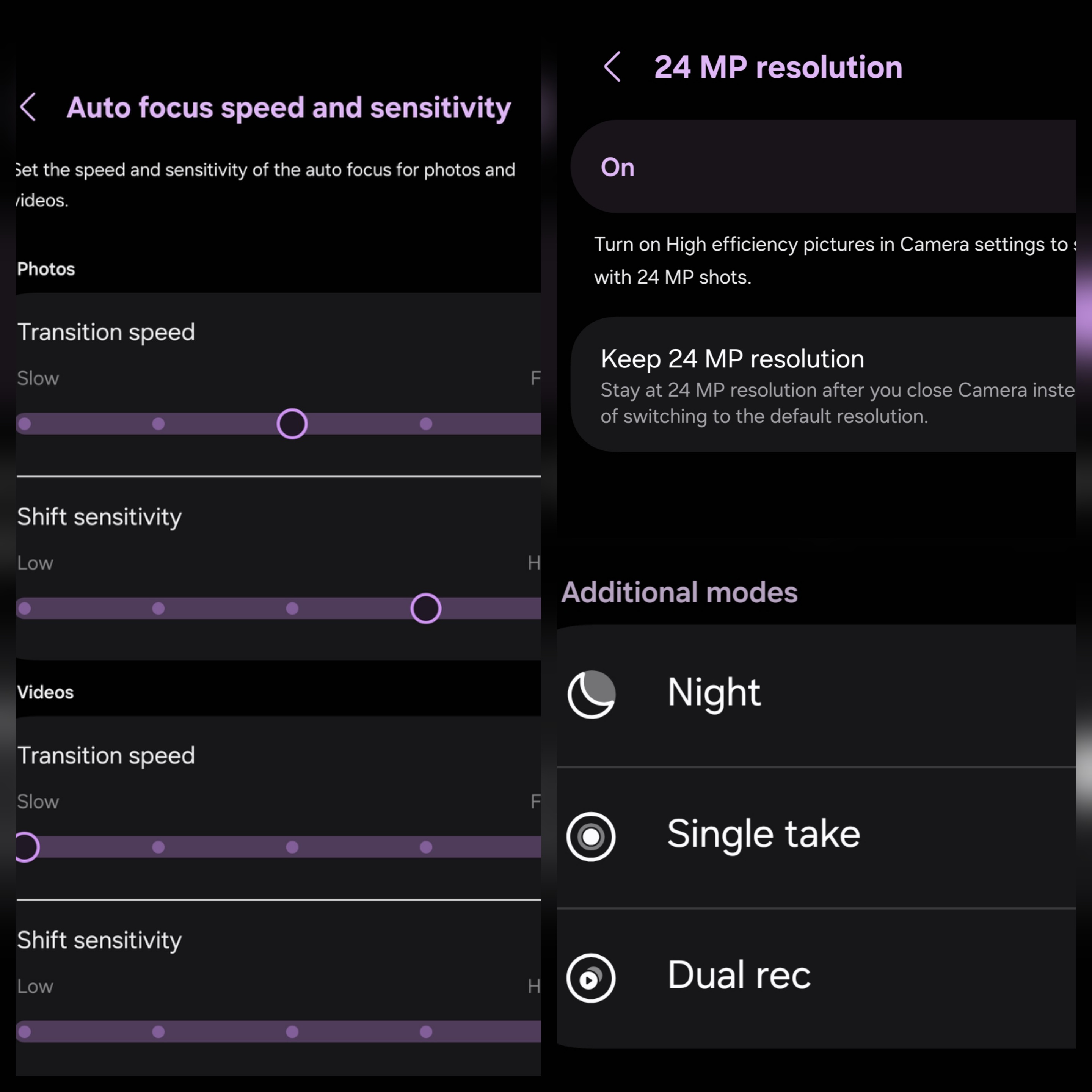
Despite the large feature transfer, Samsung still left several important S26 Ultra capabilities behind. The most obvious missing features are APV codec support, Horizontal lock, and New Night mode. More interestingly, Samsung also refused to bring 24MP Auto Mode output to the S25 Ultra. Auto focus speed tuning and sensitivity control are also still missing, alongside the newer video softening behavior introduced on the S26 Ultra Camera Assistant app.
Some of these may be due to hardware-level limitations, while others appear to be software restrictions. Perhaps Samsung doesn’t fully trust the older ISP, NPU behavior, thermal handling, or memory pipeline to maintain stable computational performance consistently across all shooting conditions.
The Update Still Feels Slightly Unfinished
While One UI 8.5 introduces major improvements, some users are already reporting inconsistencies and bugs after updating. 300x Hyperlapse reportedly struggles with focus consistency, while Expert RAW Astro Mode sometimes fails to focus correctly altogether. Gallery performance also feels slower when opening albums, suggesting Samsung still needs additional optimization work around media indexing and memory handling.
Nonetheless, the One UI 8.5 update reveals that Samsung is slowly moving away from overprocessed, hyper-artificial computational photography toward a more balanced and atmosphere-preserving imaging style. The S25 Ultra may never fully become an S26 Ultra through software alone, but this update clearly shows the company is trying to unify the flagship experience across generations.
Special thanks to X/@swiggah1 and X/@Ntechs18 for contributing additional Galaxy S25 Ultra camera samples that helped evaluate several One UI 8.5 imaging behaviors.

Follow us on Google Discover & set us as a preferred source in Google News
Share this Post
___________________________


New Blog Posts
___________________________

Meta May Be Building Facial Recognition System for Its Smart Glasses
Researchers found face recognition code within the Meta AI app
Google May Be Testing Troubleshooting Mode for Gemini
Troubleshooting mode could simplify problem-solving
Samsung Bets on Galaxy Z Fold 8 (Wide) in Revised Shipment Plans
The firm lowers shipment targets for its next-gen foldable lineup


