
Galaxy Buds 4 Review: Perfecting the Basics
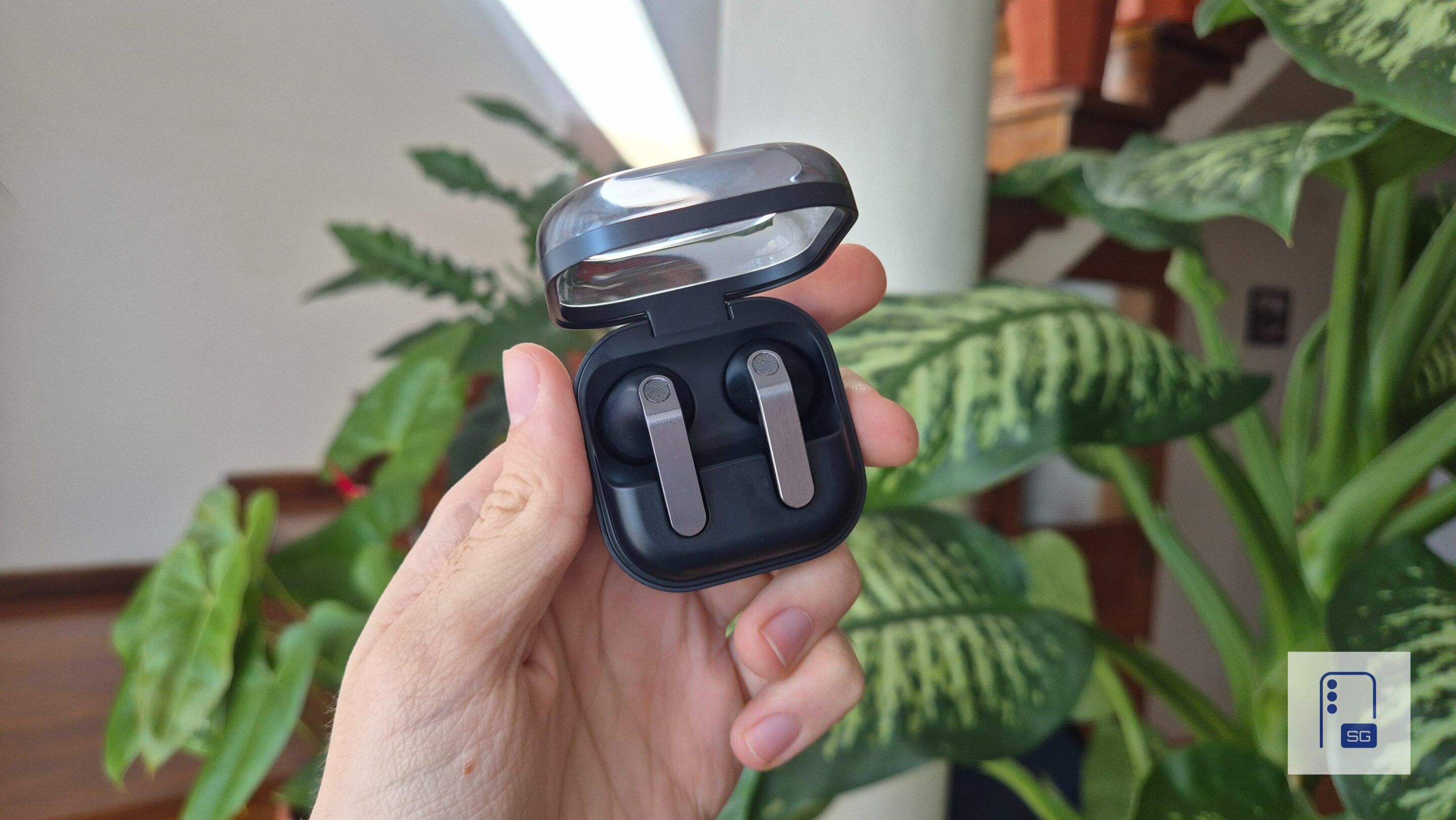
Samsung launched the Galaxy Buds 4 series alongside the Galaxy S26 lineup, and after what happened with Galaxy Buds 3 and Buds 3 Pro in 2024, it feels like Samsung actually learned from some of its mistakes. I’ve been using the standard Galaxy Buds 4 for about a month now, and this review is based on that experience. There are some noticeable changes, a few familiar elements, and a couple of things that might catch you off guard. So what’s actually new here, what’s changed, and what could’ve been better?
Disclaimer: Samsung had no involvement in the creation of this Galaxy Buds 4 review, nor has the company seen it before publication.
Table of Contents
- Unboxing
- Design and comfort
- Sound and performance
- Microphone quality
- Battery life and charging
- App and features
- Extras
- Pros and cons
- Verdict
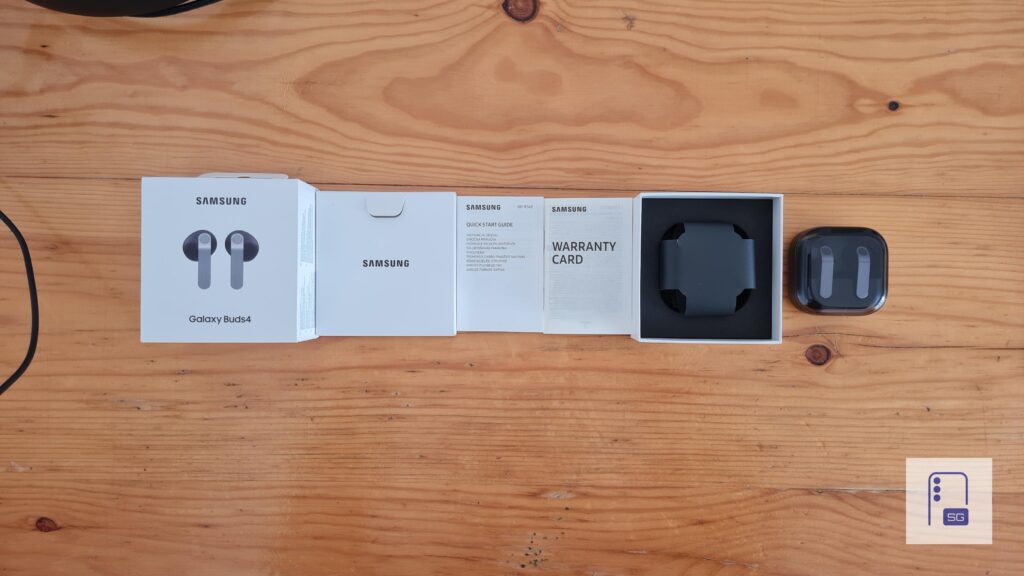
What’s in the box?
Samsung trimmed the package this time. There’s no charging cable in the box anymore, just like with the Galaxy Buds 3 FE (review). You only get the Buds 4, the charging case, the warranty card, and a quick start guide. My unit is in Black, but Samsung also sells them in White.
Design and comfort
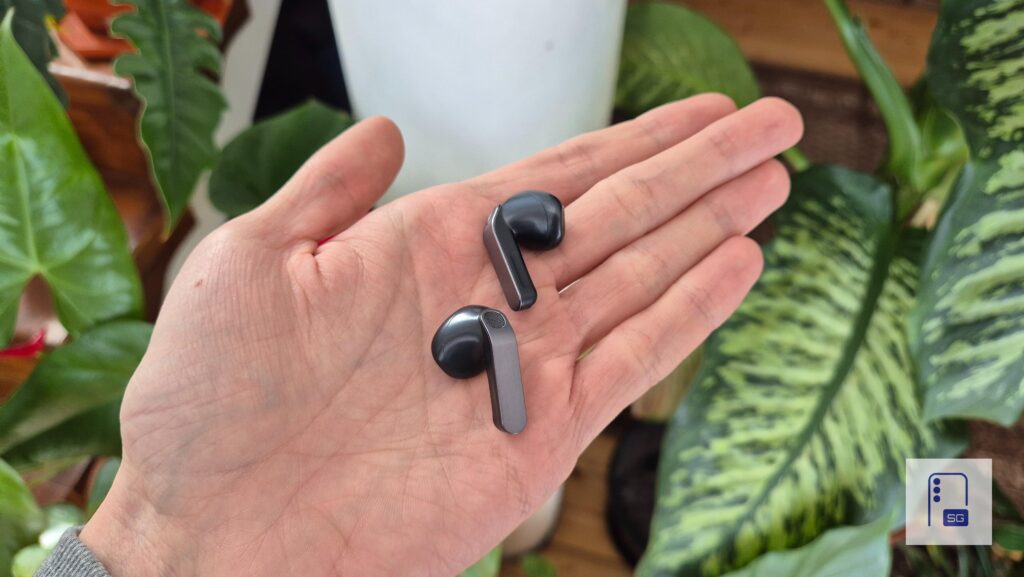
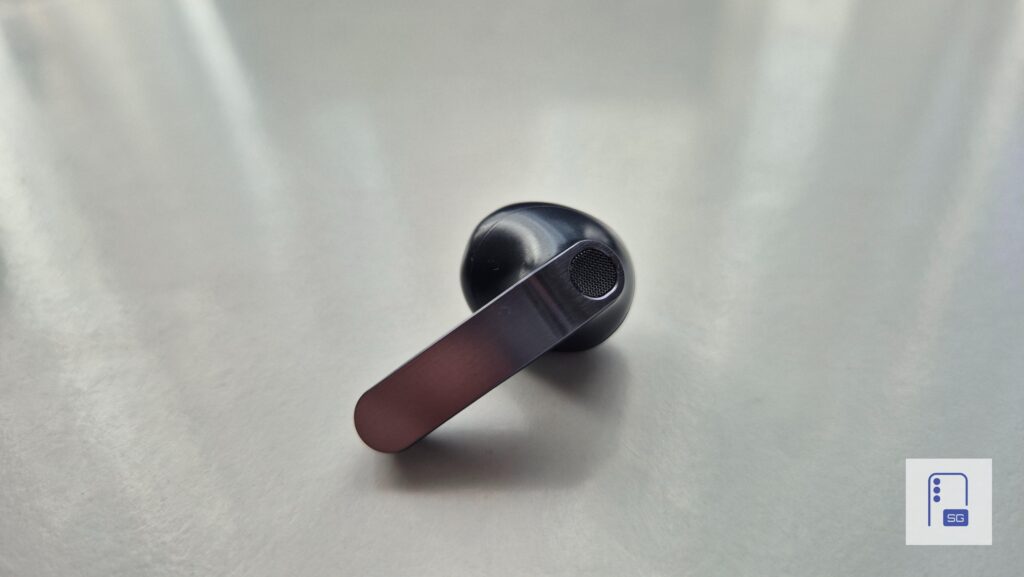
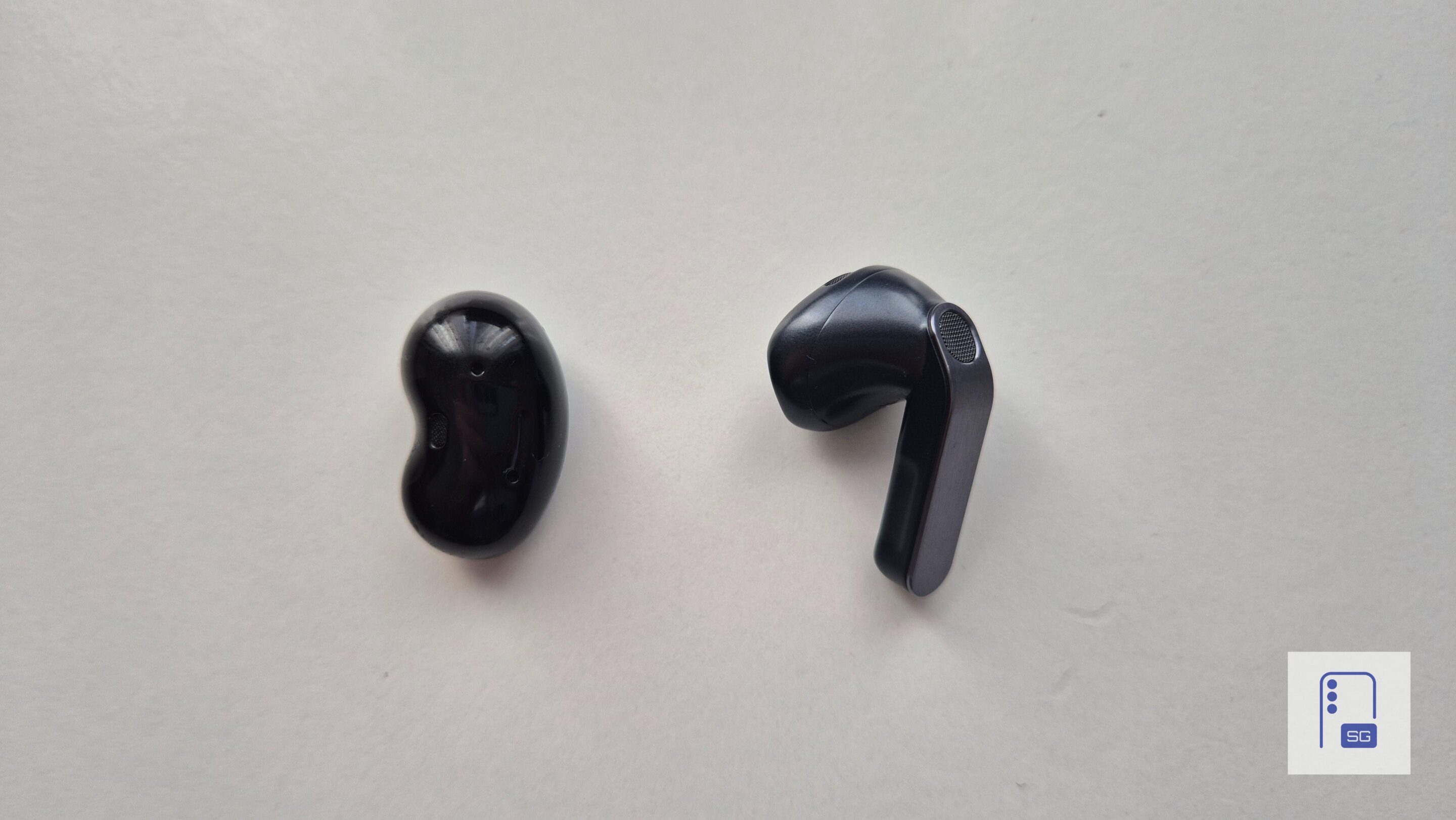
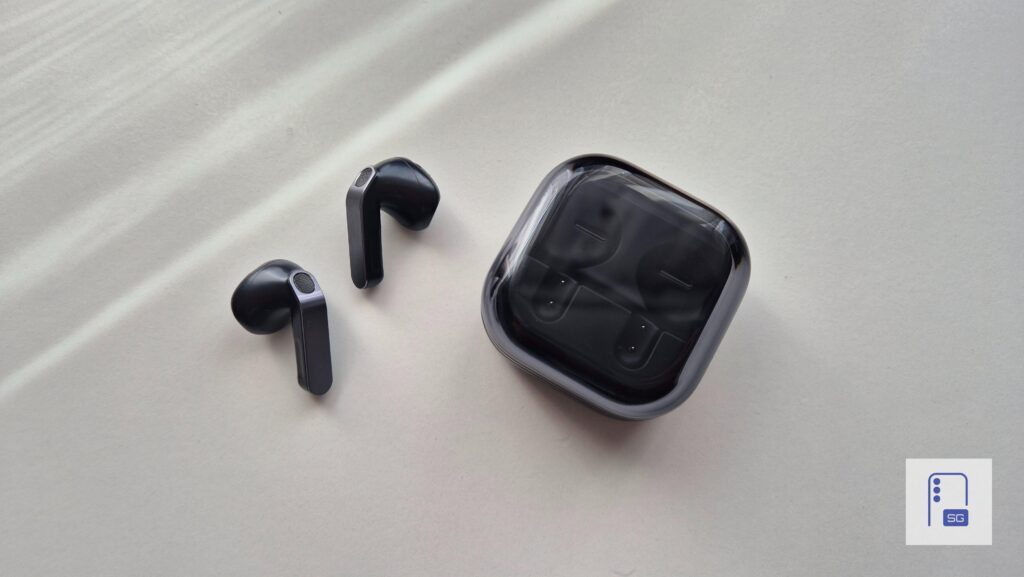
One of the biggest upgrades, or glow-ups, I should say, is the design this time around. The futuristic, almost Cybertruck-like look from the Galaxy Buds 3 is gone, and that’s a very good thing. The Galaxy Buds 4 still use a stem, or “Blade” as Samsung calls it, but this time the stems are rounded with a flat, brushed metal finish. They look more refined and feel more like an actual Samsung product.
Design
To be honest, they remind me of Samsung’s Bespoke vacuum cleaner lineup. It looks elegant. Even my friends and family praised the new look of the Galaxy Buds 4. They look simple and elegant, and they definitely turn heads when you open the case.
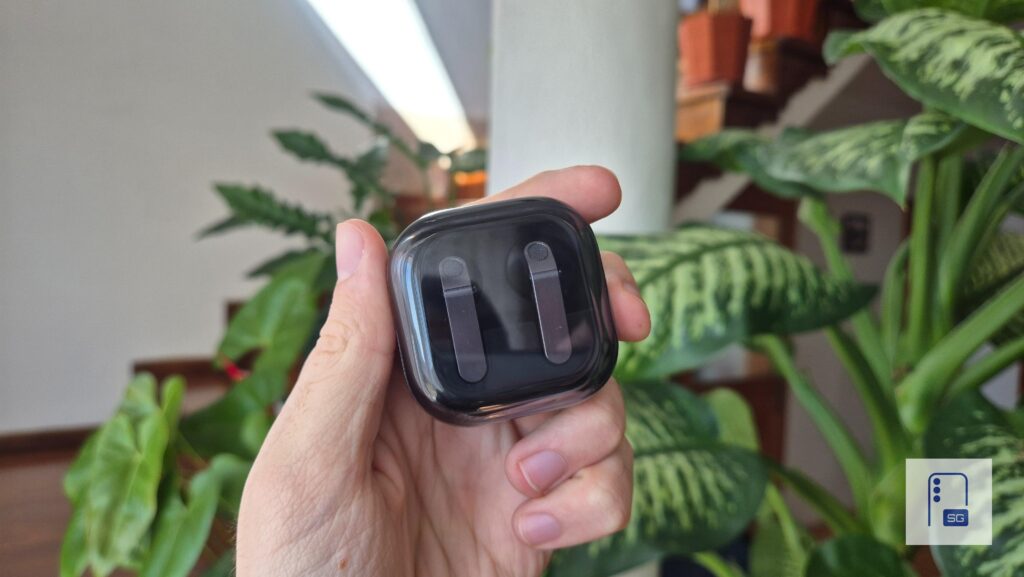
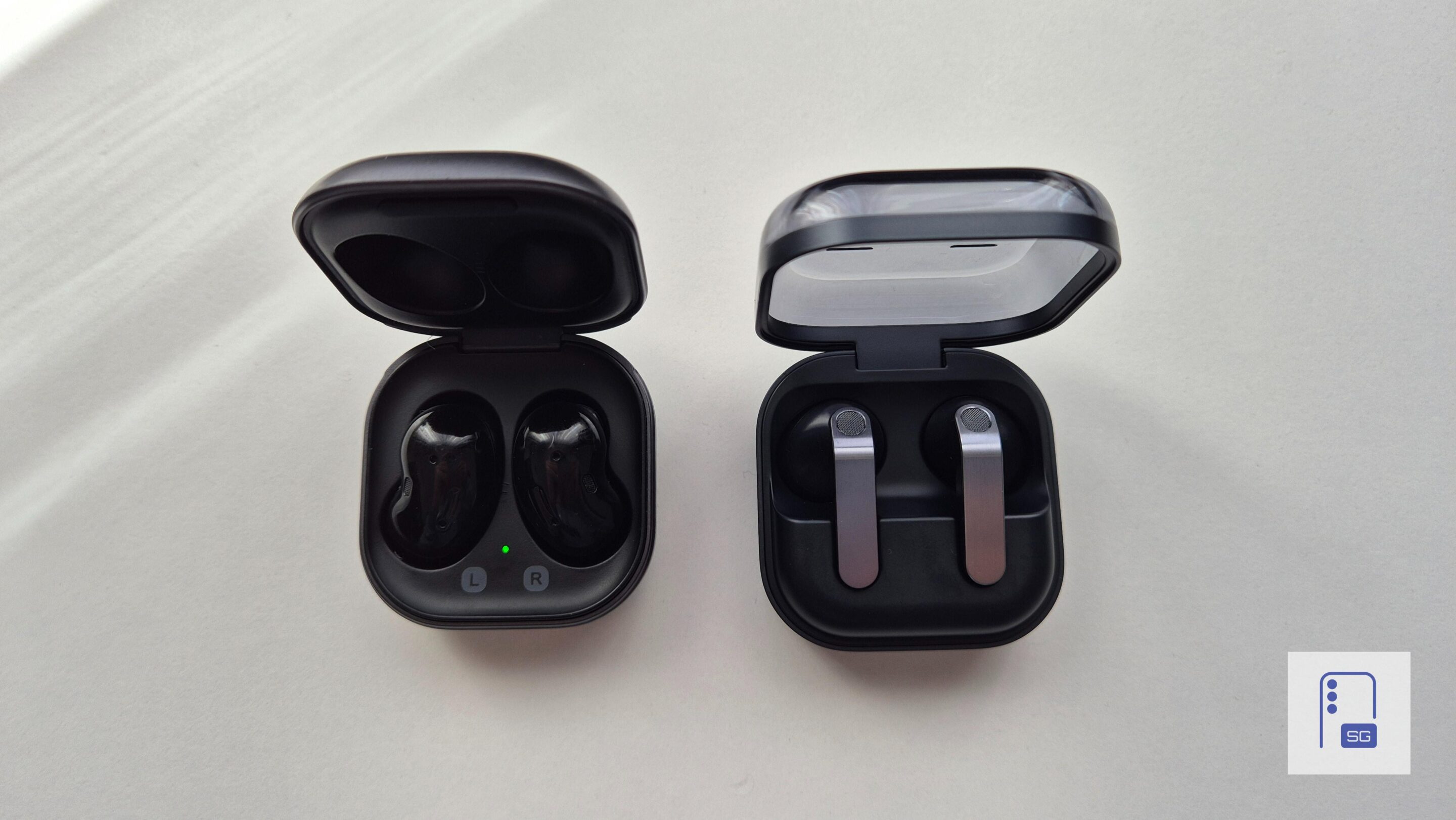
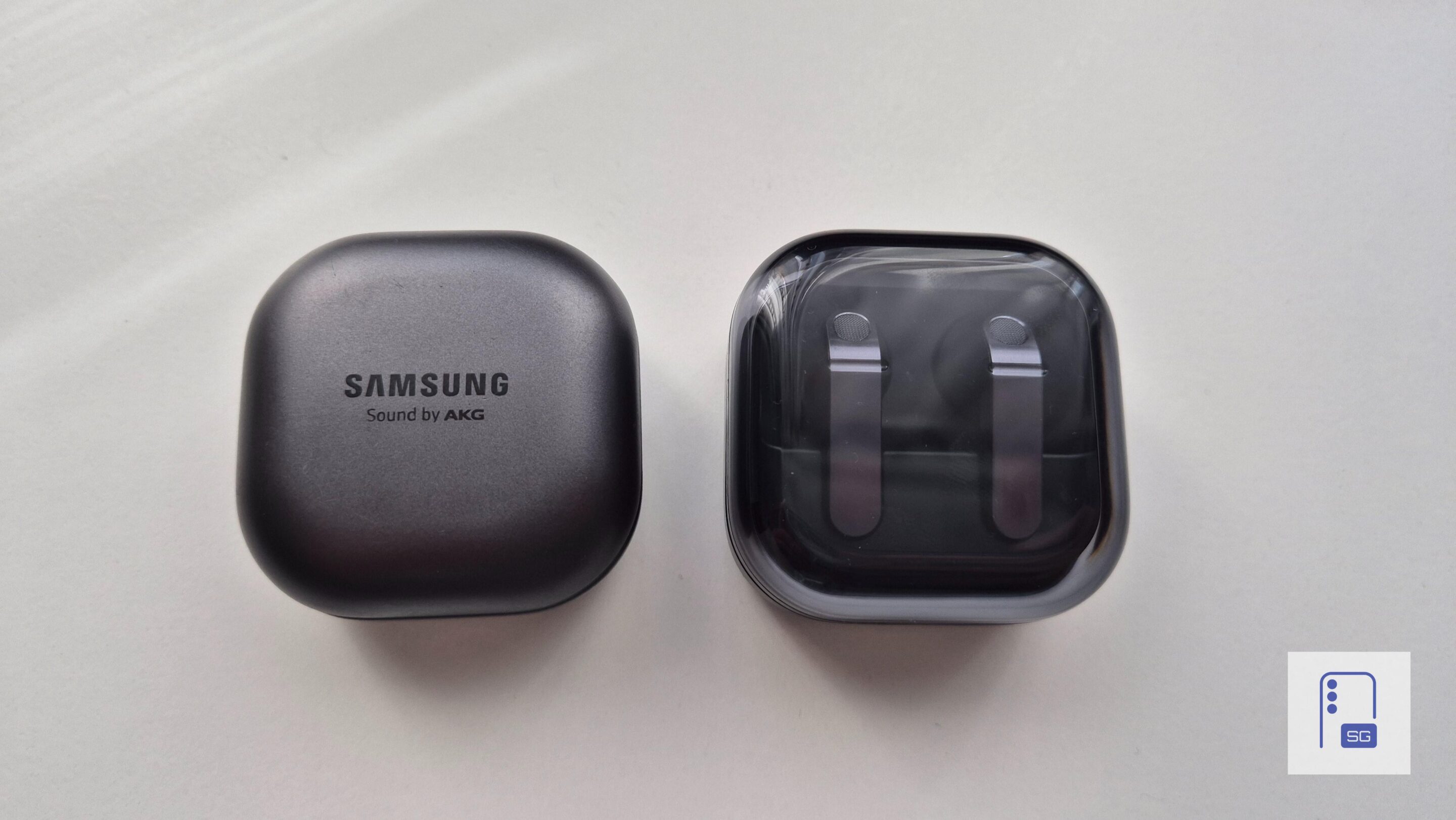
They’re also easier to handle. Taking them out of your ears feels more natural, and using the controls is less awkward than before. The charging case is much better, too. Samsung has gone back to a more classic style, and the case now resembles the older Galaxy Buds charging case, like a ring box with a transparent lid.
You can see the earbuds without opening the case, and placing them back in the case is much easier. With the previous generation, you had to fiddle with the earbuds and rotate them to insert them into place. That annoyance is mostly gone.
The earbuds themselves have a slightly glossy finish, which helps with comfort in the ear. That said, Samsung made one downgrade that some people will notice immediately: the IP rating. The Galaxy Buds 4 are rated IP54, compared to IP57 on the Galaxy Buds 3. That means they’re still protected against dust and splashes, but not to the same level as before.
Comfort
As for comfort, this will depend heavily on your ears. In my case, they fit well enough. They stay in place and don’t fall out, but the fit isn’t universal. These are open-type earbuds, so they’re clearly made for people who don’t like silicone ear tips.
I also compared them to my old (still kicking!) Galaxy Buds Live, and if you never liked the fit of the Buds Live, there’s a good chance you’ll like the Buds 4 much more. For this style of earbuds, they’re among the more comfortable options I’ve used for everyday listening.
Sound and performance
The sound quality surprised me in a good way. Since these earbuds don’t use silicone ear tips, I expected weaker audio, especially in the bass. That didn’t really happen. The Galaxy Buds 4 sound very good for open-type earbuds. The bass is present, the overall tuning feels balanced, and the sound is enjoyable without trying too hard to impress.
Not as powerful as the Buds 4 Pro, but that’s expected
They are not as powerful or full-sounding as the Buds 4 Pro, especially in the low end, but that’s expected. For earbuds without a proper seal, they perform better than I thought they would.
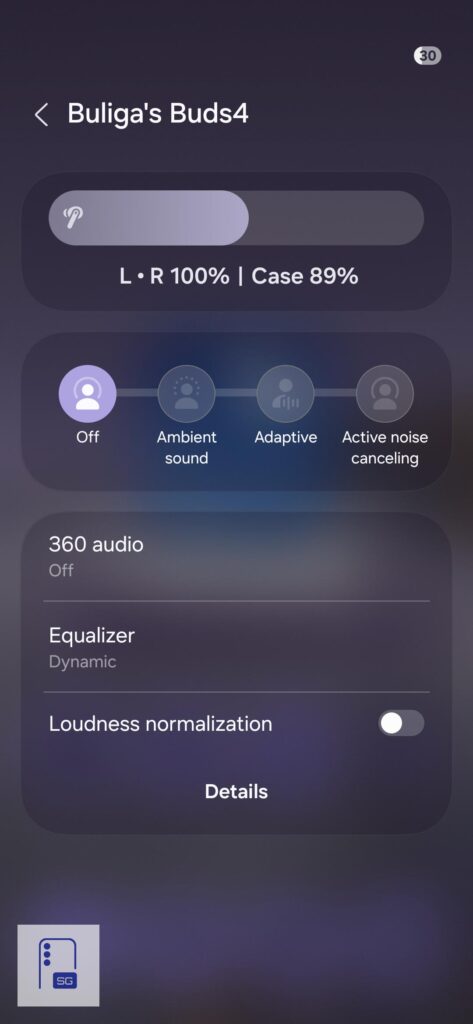
Samsung also added Ambient Sound and Adaptive Noise Control, which weren’t available on Buds 3. These additions are welcome, especially Ambient Sound when walking outside. However, you don’t get Voice Detect or Siren Detect here.
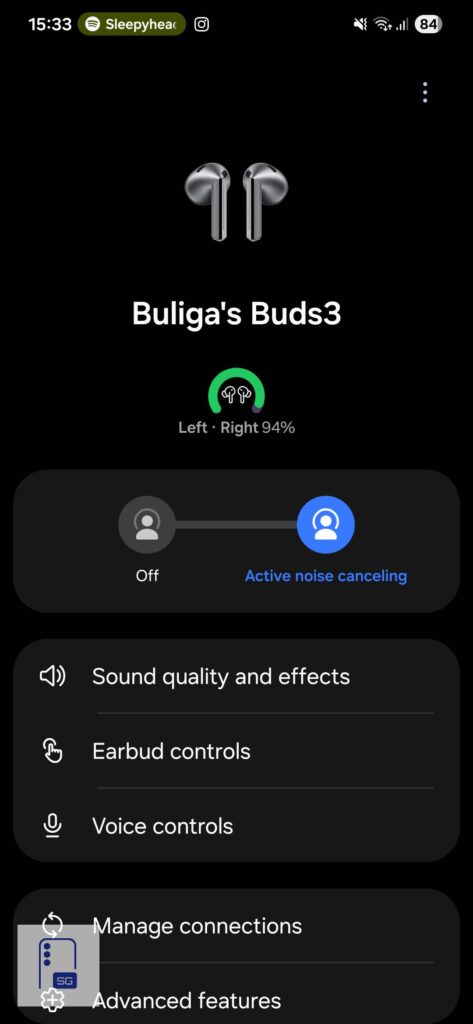
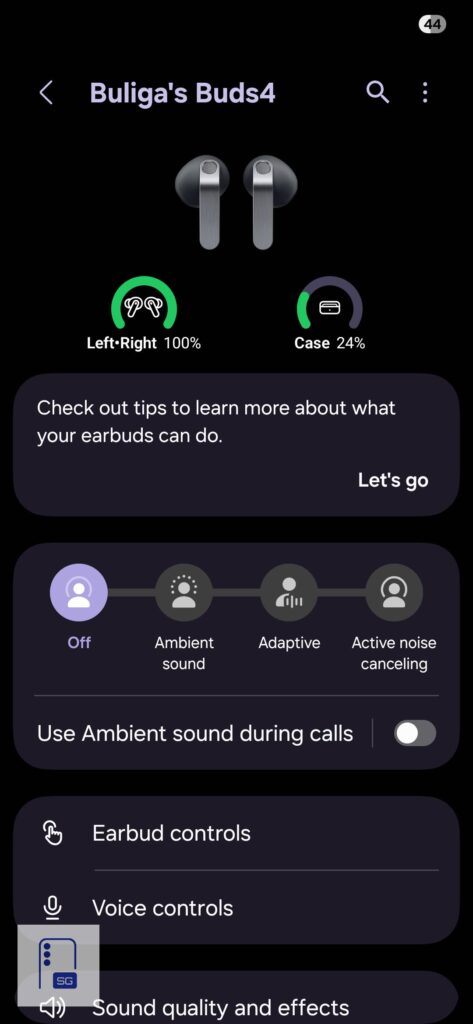
ANC works, but it isn’t a strong point. It reduces some background noise, but don’t expect the kind of isolation you get from earbuds with silicone tips. That’s simply a limitation of this design. Adaptive mode also felt a bit vague to me. It’s supposed to switch automatically between ANC and Ambient Sound depending on your surroundings, but in daily use, I didn’t notice a major difference. I found it more practical to switch between modes manually.
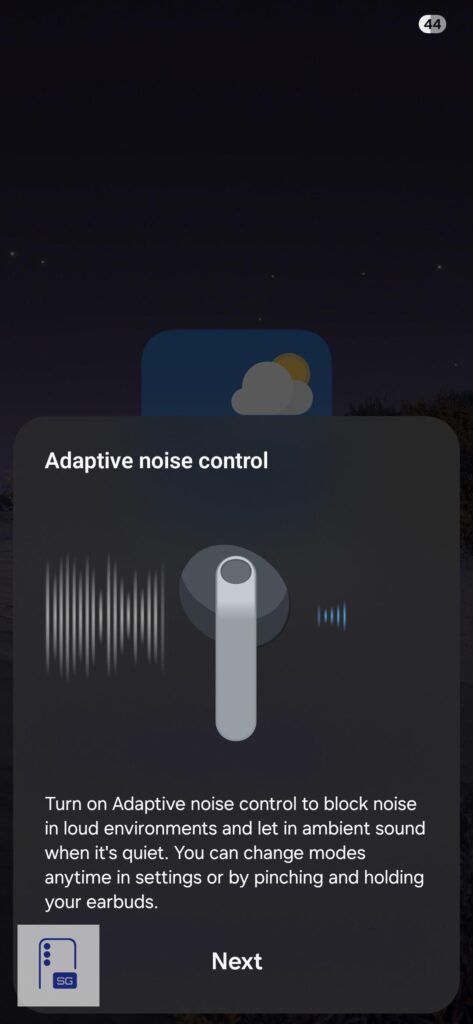
Also, unlike the Buds 4 Pro, there’s no slider to adjust ANC or Ambient Sound intensity. Again, that likely comes down to the open-ear design and the lack of a tight seal.
Microphone quality
Microphone quality is also solid. I tested them during calls, and friends and family told me they couldn’t really tell I was using earbuds. My voice sounded clear even in noisier or windier environments. One thing to keep in mind is that wearing a thick winter hat over them is probably not a great idea, since one of the microphones sits above the stem and helps with noise control features.
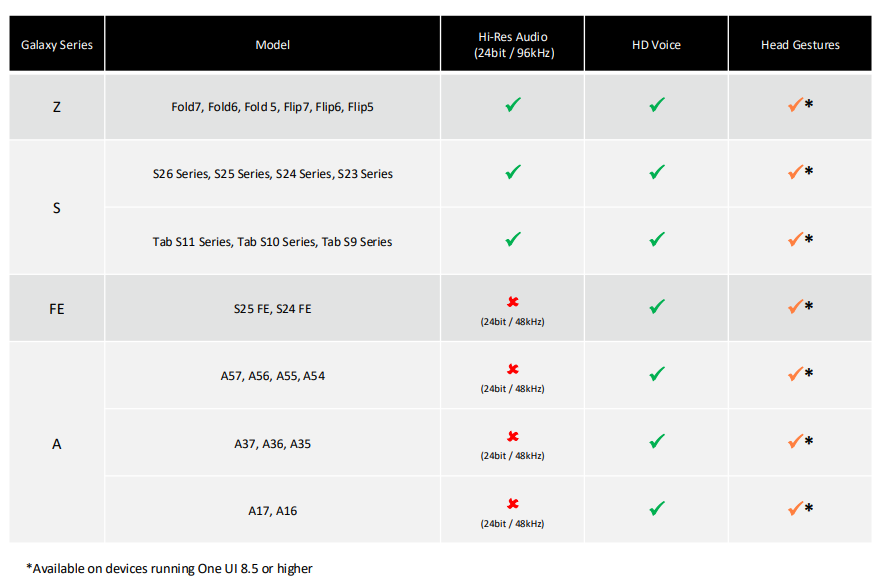
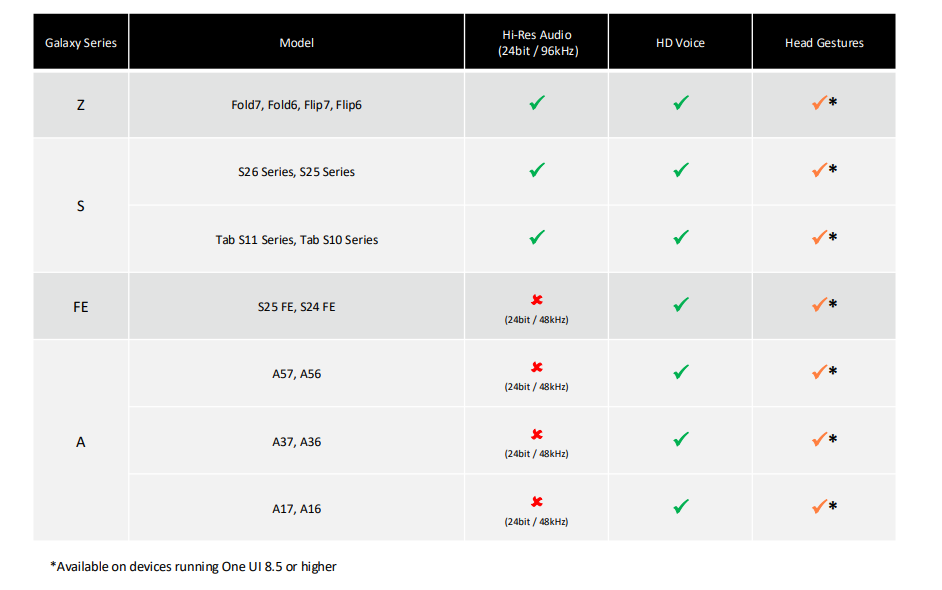
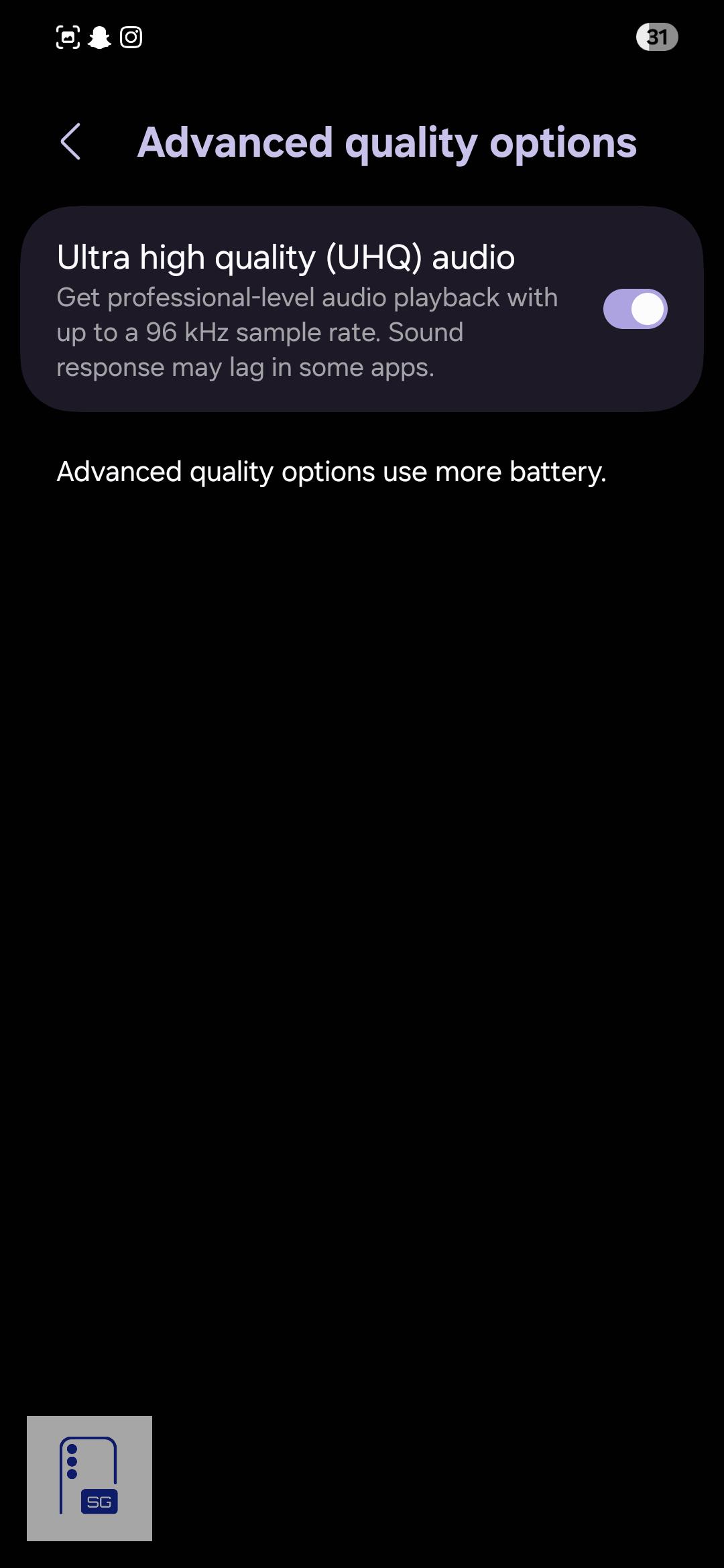
I couldn’t properly test Samsung’s 16kHz Super Wideband Speech feature. I am using Galaxy S24 on One UI 8.0, which should support it, but Samsung’s own product page has not been very clear. At one point, it mentioned the feature, then the wording changed. Someone from Reddit also noticed this, and luckily, he got a screenshot of the old statement. I will attach it below. Maybe it will become clearer with the One UI 8.5 update, but right now the situation is a bit confusing, and I hope Samsung gives an official word about this.
Battery life and charging
Battery life is decent, but not impressive. With ANC turned on and volume at around 50%, I got a little over five hours of use. That’s acceptable for casual listening, but I found it a bit limiting during longer phone calls or Google Meet sessions. With ANC off, battery life improved to a little over six hours, which is better, but still not class-leading.
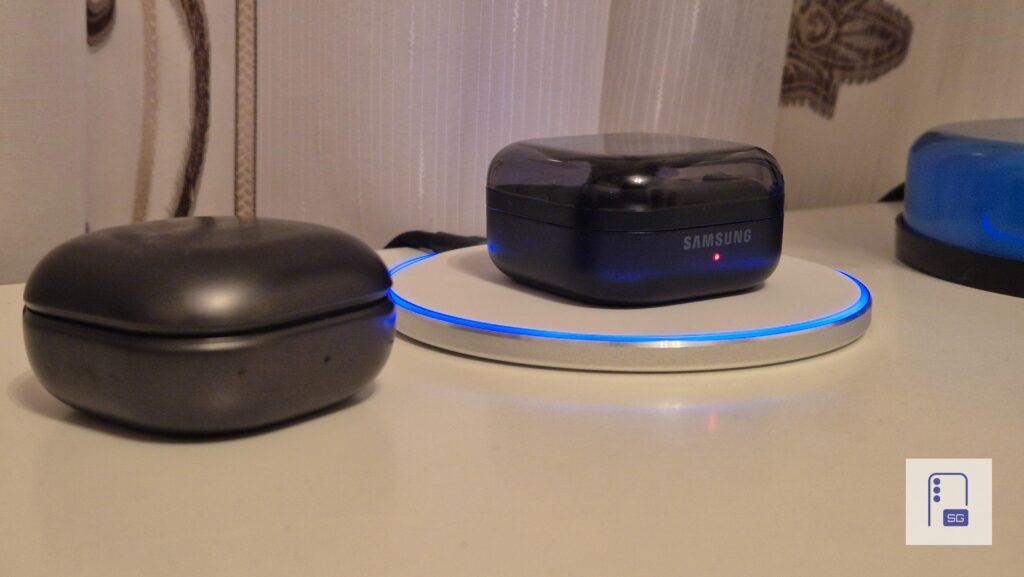
Charging speeds help make up for that. The earbuds charge fairly quickly. Going from 5% to 100% took about one hour in my testing. The case went from 1% to 100% in about 1 hour and 32 minutes with wireless charging, and wired, it took about 1 hour and 10 minutes, which isn’t bad. If you need to quickly charge your earbuds on the go, you can use Wireless PowerShare functionality on supported Galaxy smartphones.
App and features
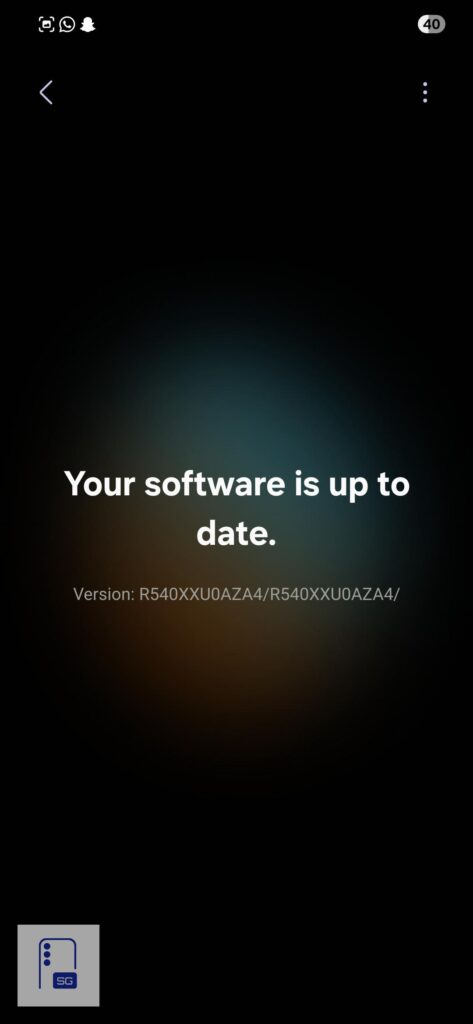
If your Galaxy phone or tablet runs One UI 8.0 or newer, you’ll find the Buds 4 settings directly in the Settings app. If you’re on One UI 7.0 or older, or using a non-Samsung Android phone, you can still manage everything through the Galaxy Wearable app.
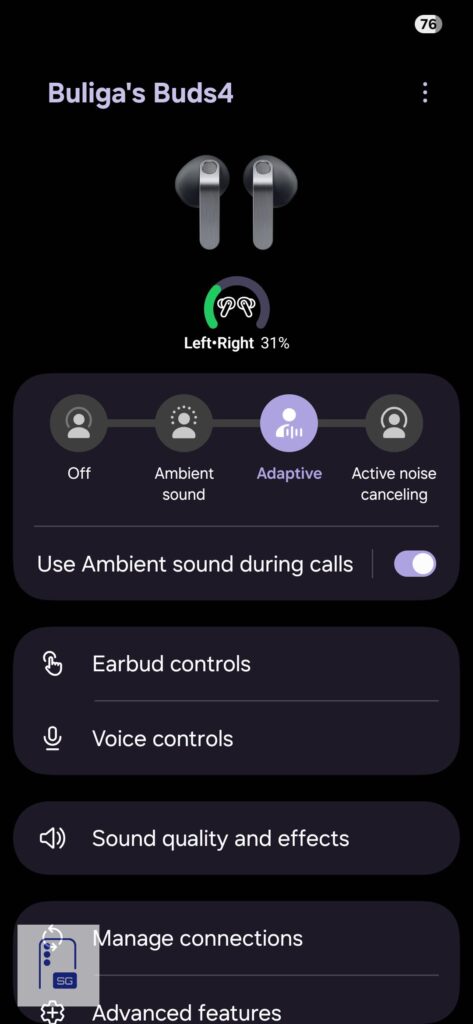
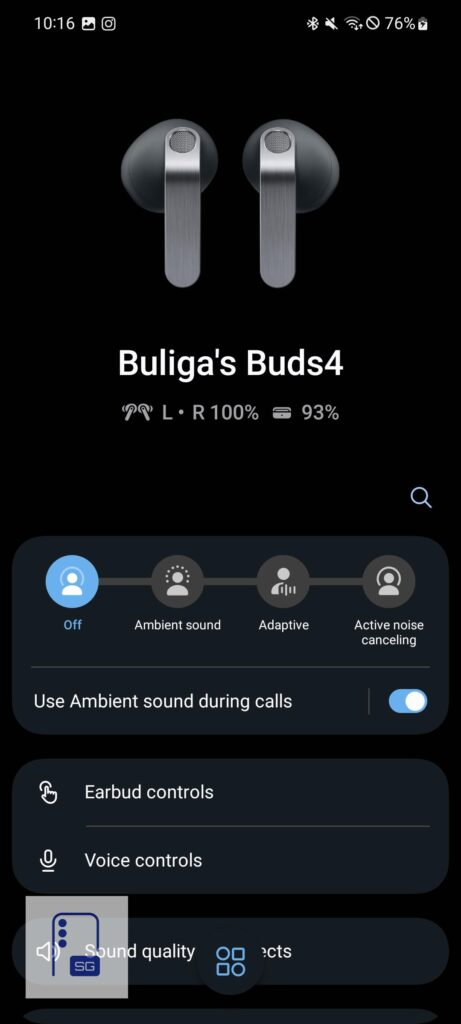
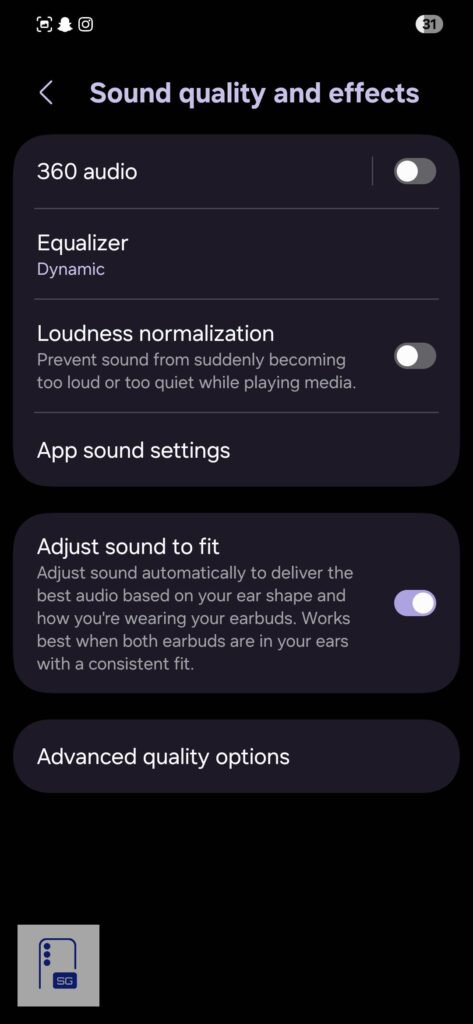
The software experience is familiar if you have used recent Samsung earbuds. You can create your custom EQ profile or choose from presets. I personally use Dynamic.
You can customize pinch controls, customize pinch and hold action, enable switching to Ambient Sound during calls, and adjust sound automatically based on fit.
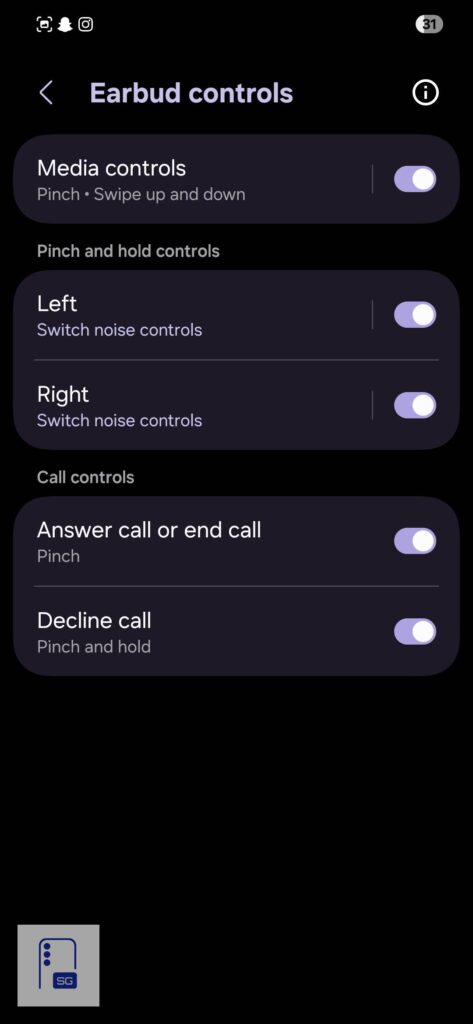
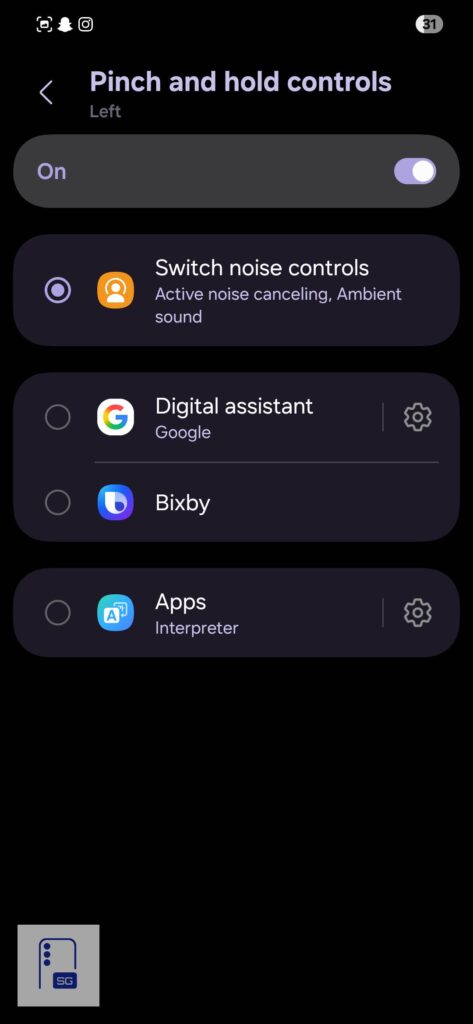
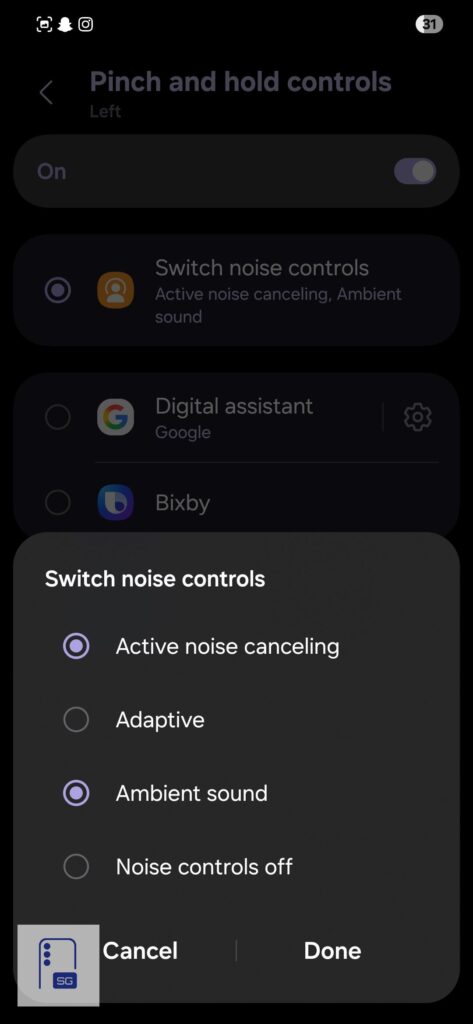
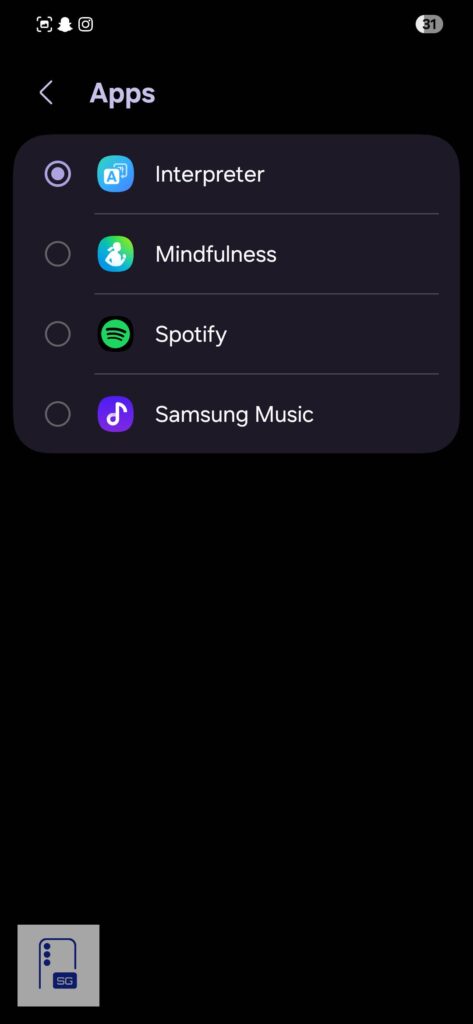
The touch control area has been moved from the back of the stem to the front, and touch controls work really well.
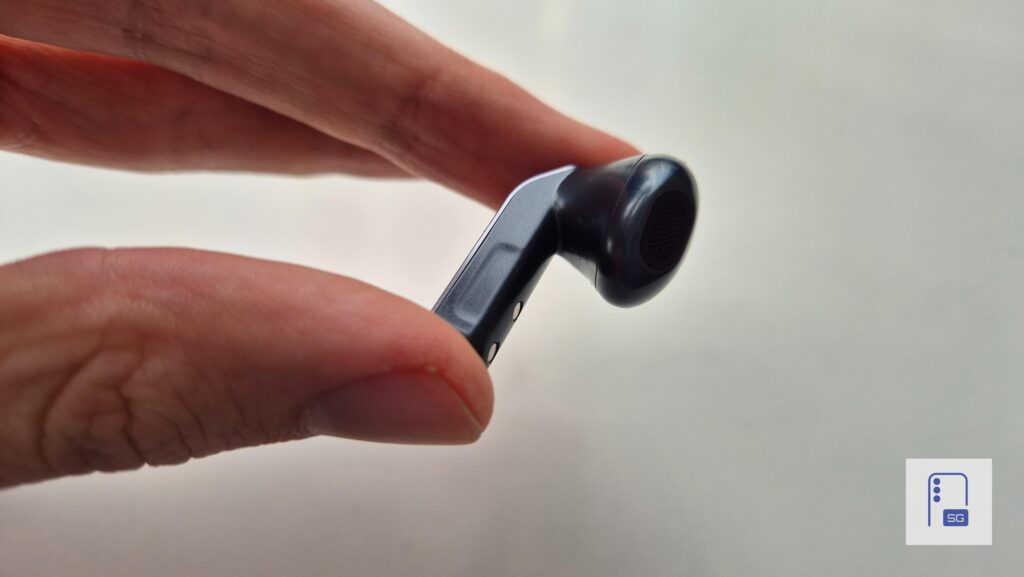
- Single pinch: Play/Pause
- Double pinch: Skip track
- Triple pinch: Previous track
- Pinch and hold: Noise controls (customizable)
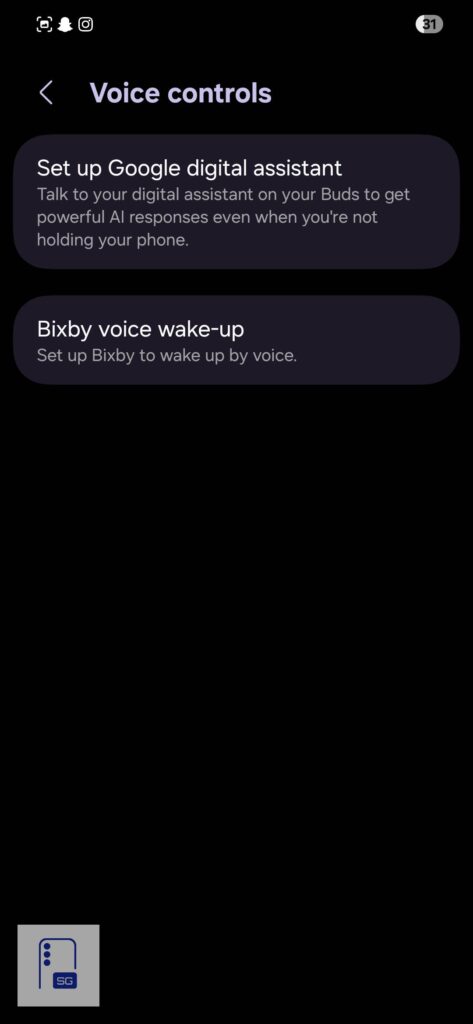
You also have Voice Commands, and you can control your earbuds without Gemini or Bixby. Just simply say “Play/Pause Music”, “Next Song”, “Previous Song”, “Volume up/down”.
Features
On the voice assistants’ side, you can choose between Gemini or Bixby.
Head Gestures are a new addition in the Galaxy Buds 4 series. You can nod “yes” to answer a call or respond to Bixby questions or shake your head “no” to decline calls, dismiss alarms, reminders, notifications read aloud, or answer “no” to Bixby. You need One UI 8.5 to use this feature. I couldn’t test it, since my Galaxy S24 is running One UI 8.0 at this moment.
Samsung also includes 360 Audio with or without head tracking, plus Loudness Normalization to keep volume levels more consistent. Software updates are handled through the app as well. Under connection settings, you can enable Auto Switch between Galaxy devices signed in to the same Samsung account, and you can reset the earbuds there, too.
I tested the Auto Switch Buds feature with my Galaxy S24 and Galaxy Note 20, and it works well, with no issues so far. The transition between devices is almost instant.

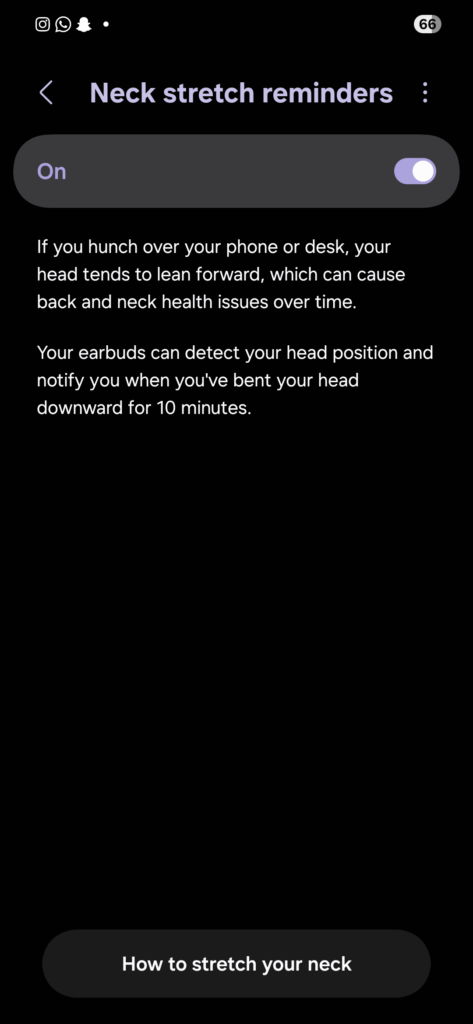
In the Advanced section, you get features like neck stretch reminders, in-ear detection for calls, and read notifications aloud. There is also a Labs menu with Gaming Mode for lower latency, although it does not work when UHQ Audio is enabled. Read notifications aloud is now turned on by default, and it is set for 5 apps: Missed calls, Calendar, Clock, Gmail, and Google Messages. It will read briefly, but you can switch to read in detail, or to turn it off, or you could play while you are using the phone.


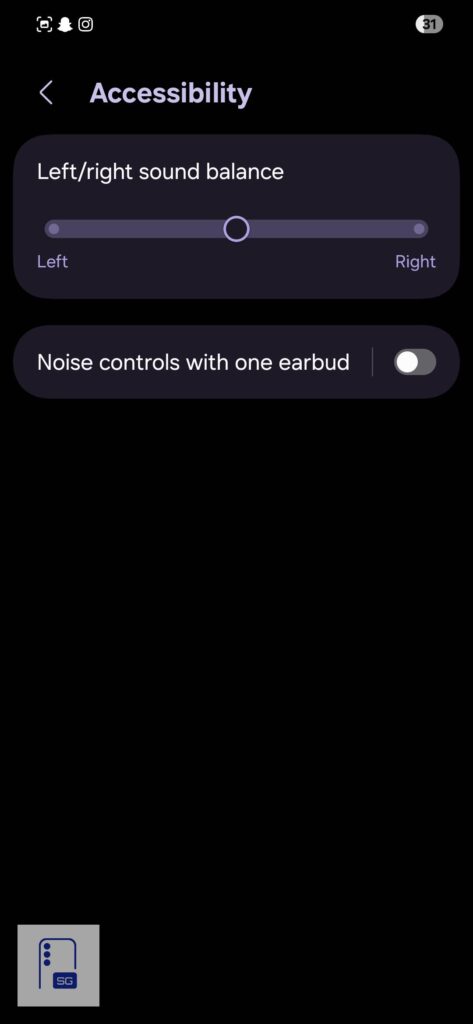
Accessibility features aren’t quite extensive. You get left and right sound balance and a one-ear noise control option if you want to use ANC with only one earbud.
Extras
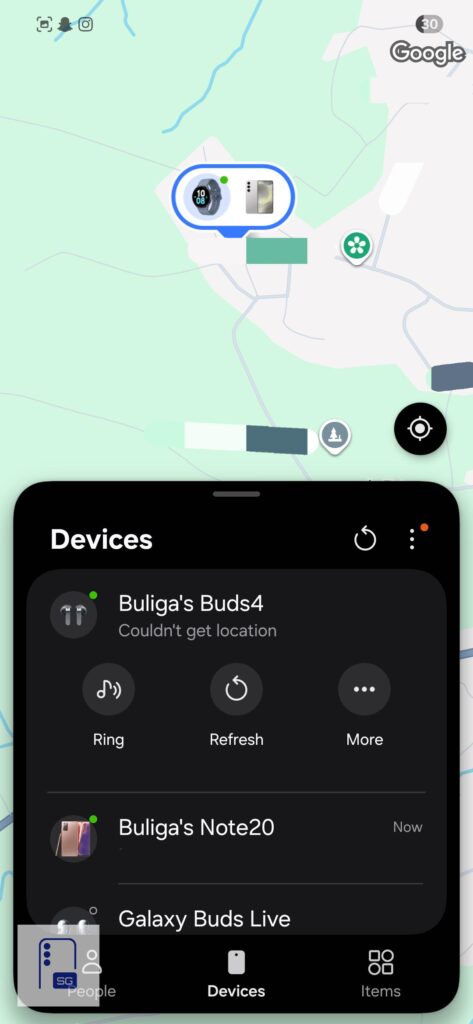
There is also Find My Earbuds support through Samsung Find. You can make the earbuds chime, see their last known location, and even use them with the case closed. Samsung’s location-finding system also includes that “hot and cold” style indicator that helps you figure out if you are moving closer or farther away. You can also toggle on “Lost Mode” if you can’t find your earbuds.
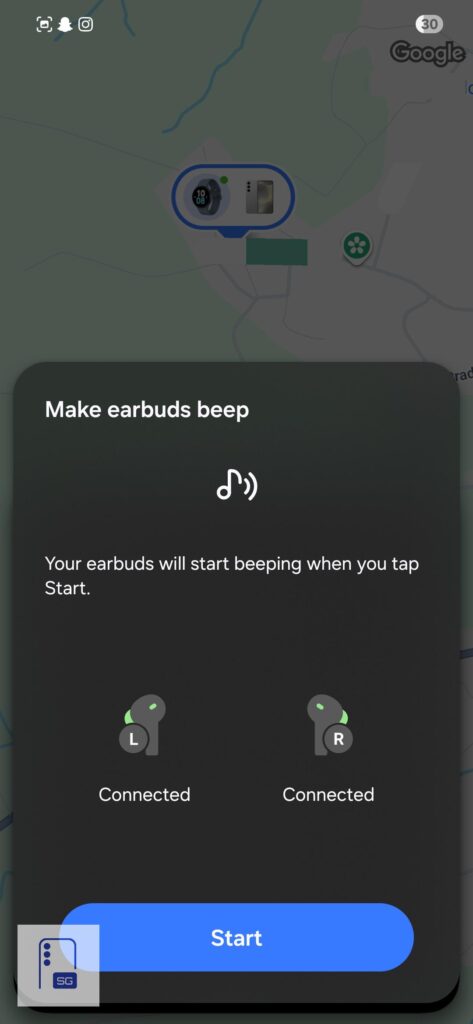
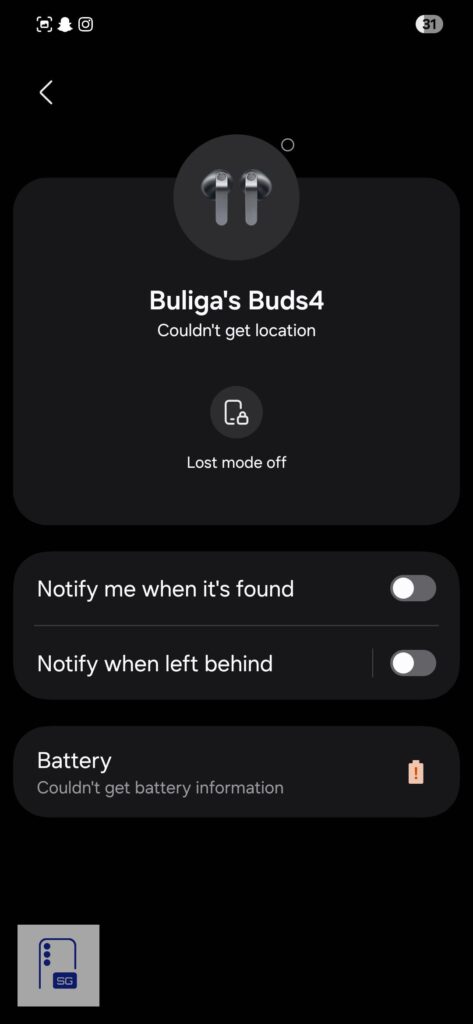
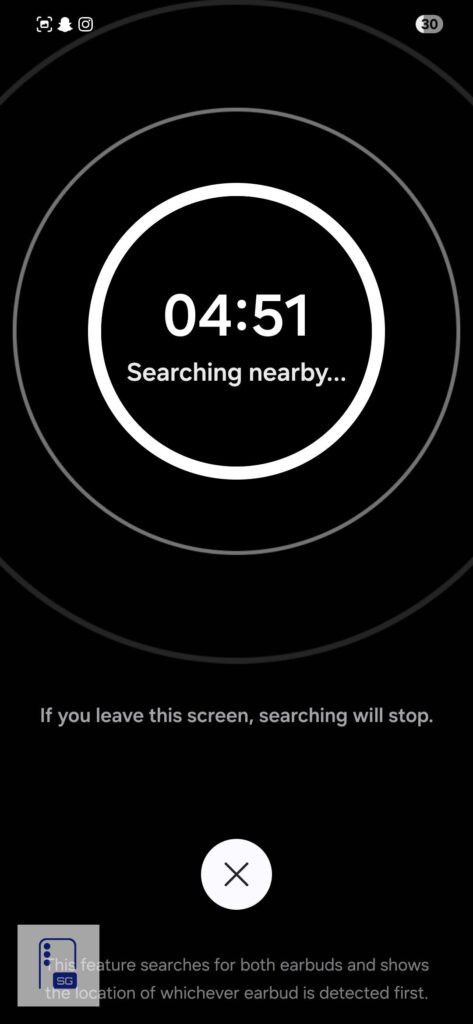
Auracast is included as well. This is one of the more future-facing Bluetooth LE Audio features, and it allows one device to broadcast audio to multiple compatible receivers, including earbuds, speakers, and hearing aids.

You also have 360 Audio Recording for videos from the camera app. Make sure you toggle it on inside camera settings. When you are recording videos with your phone, it will use your earbuds’ mics to record 3D Audio with 360 Audio Recording.
If you also use a Windows PC, Samsung has a Galaxy Buds app on the Microsoft Store with similar controls and features.
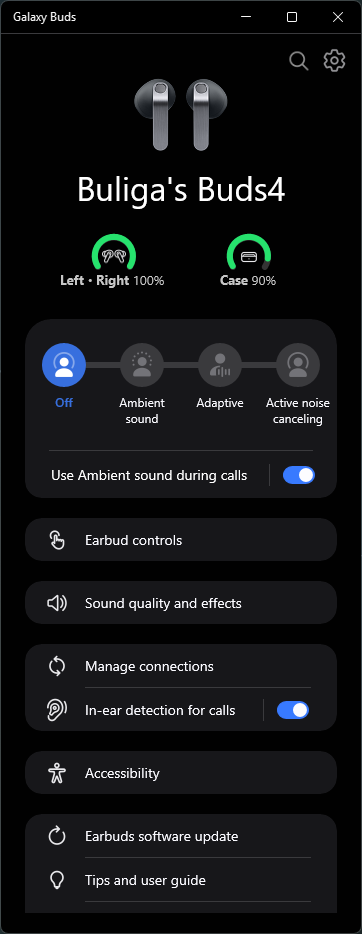
If you own a Galaxy Watch 4 or newer, you can control the Buds from your wrist through the Buds Controller app and widget.
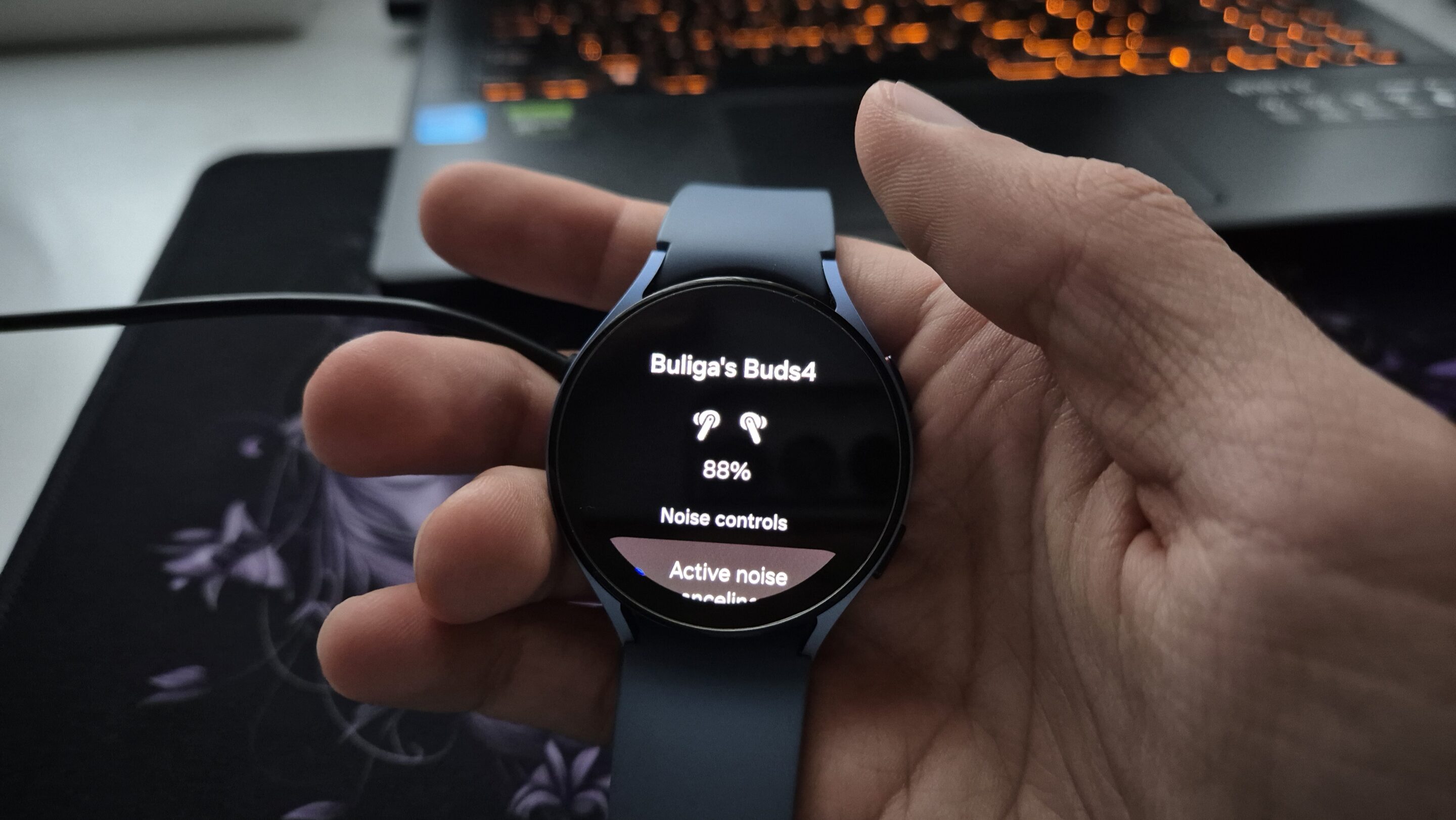
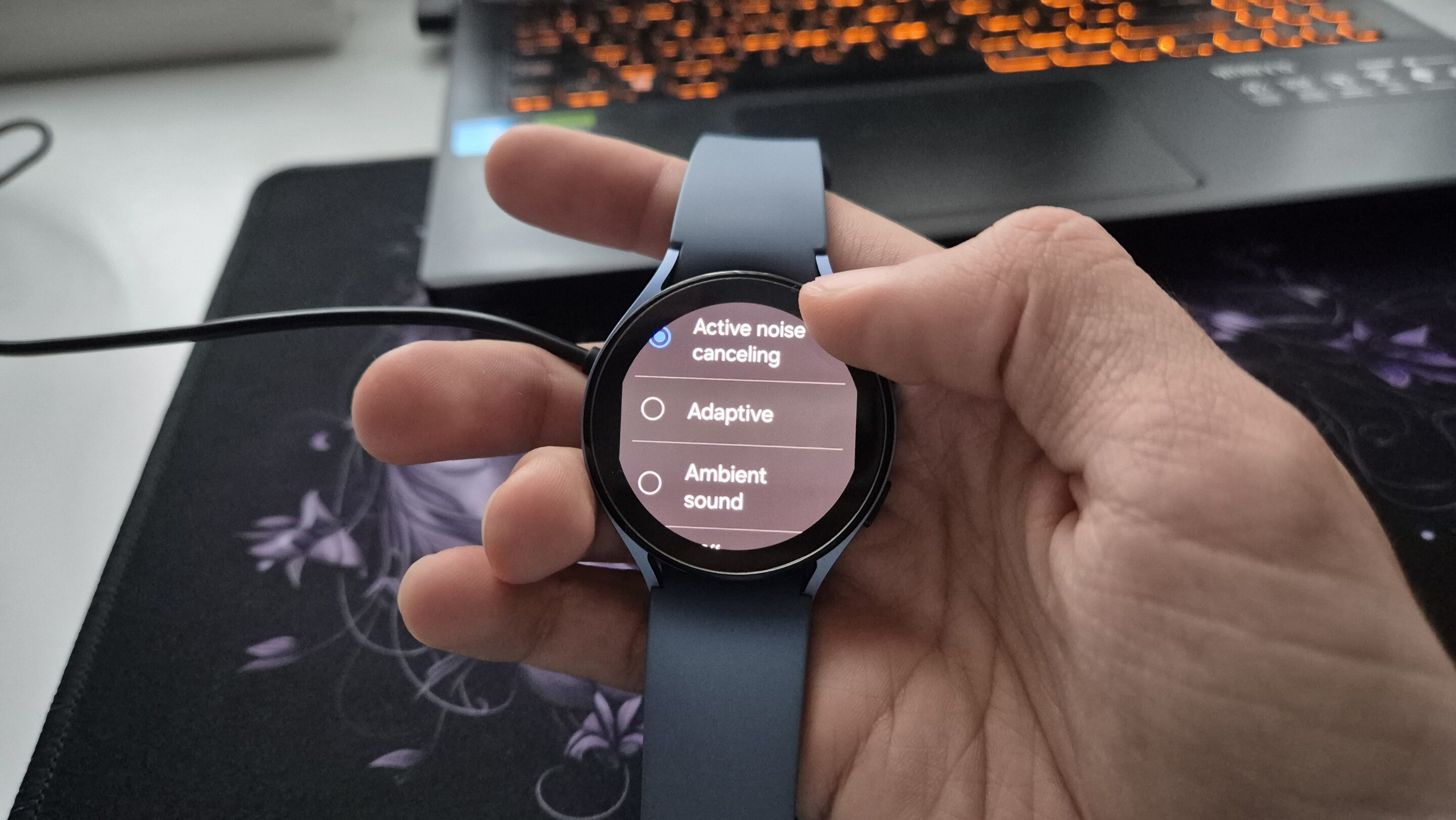
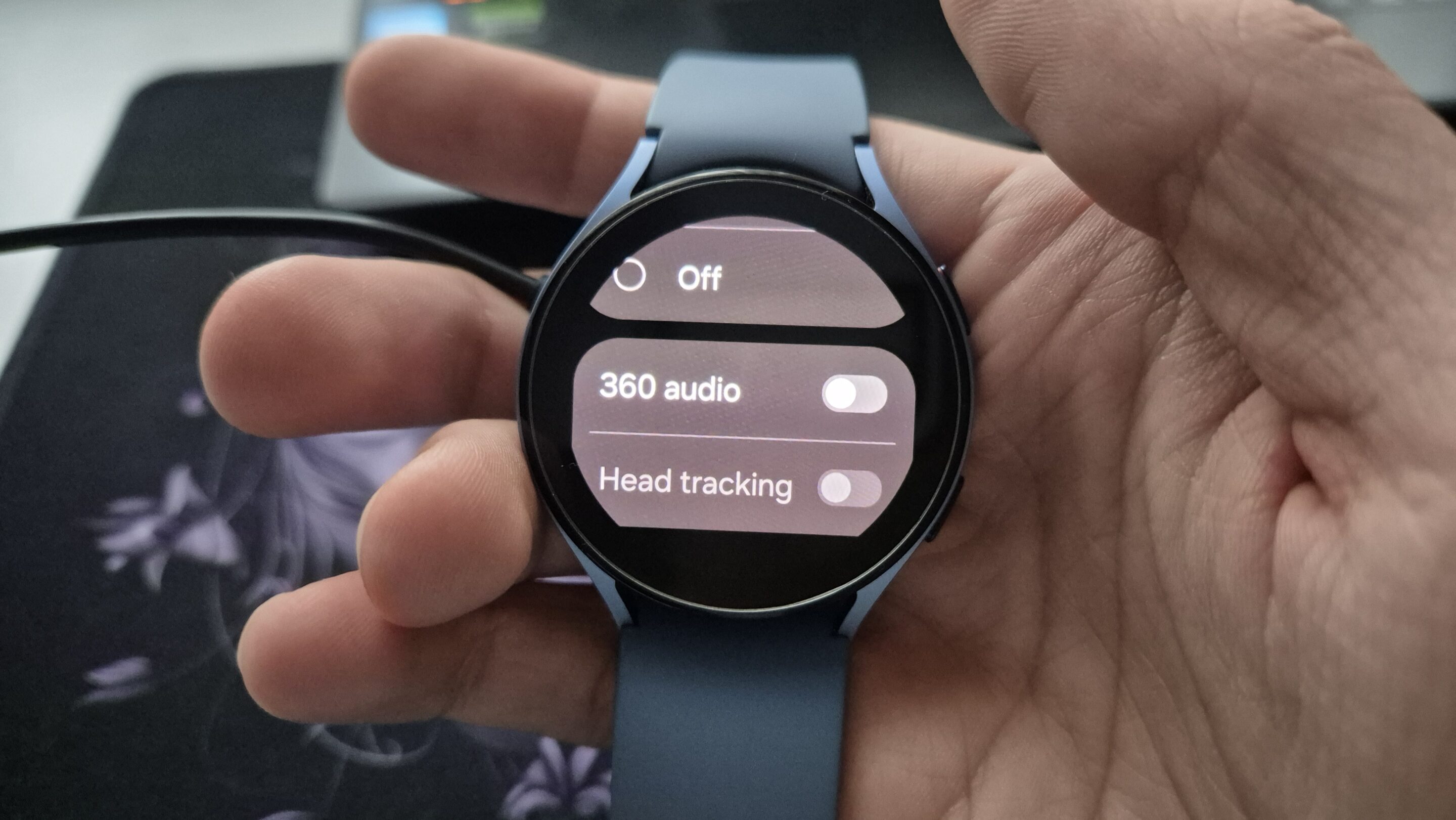
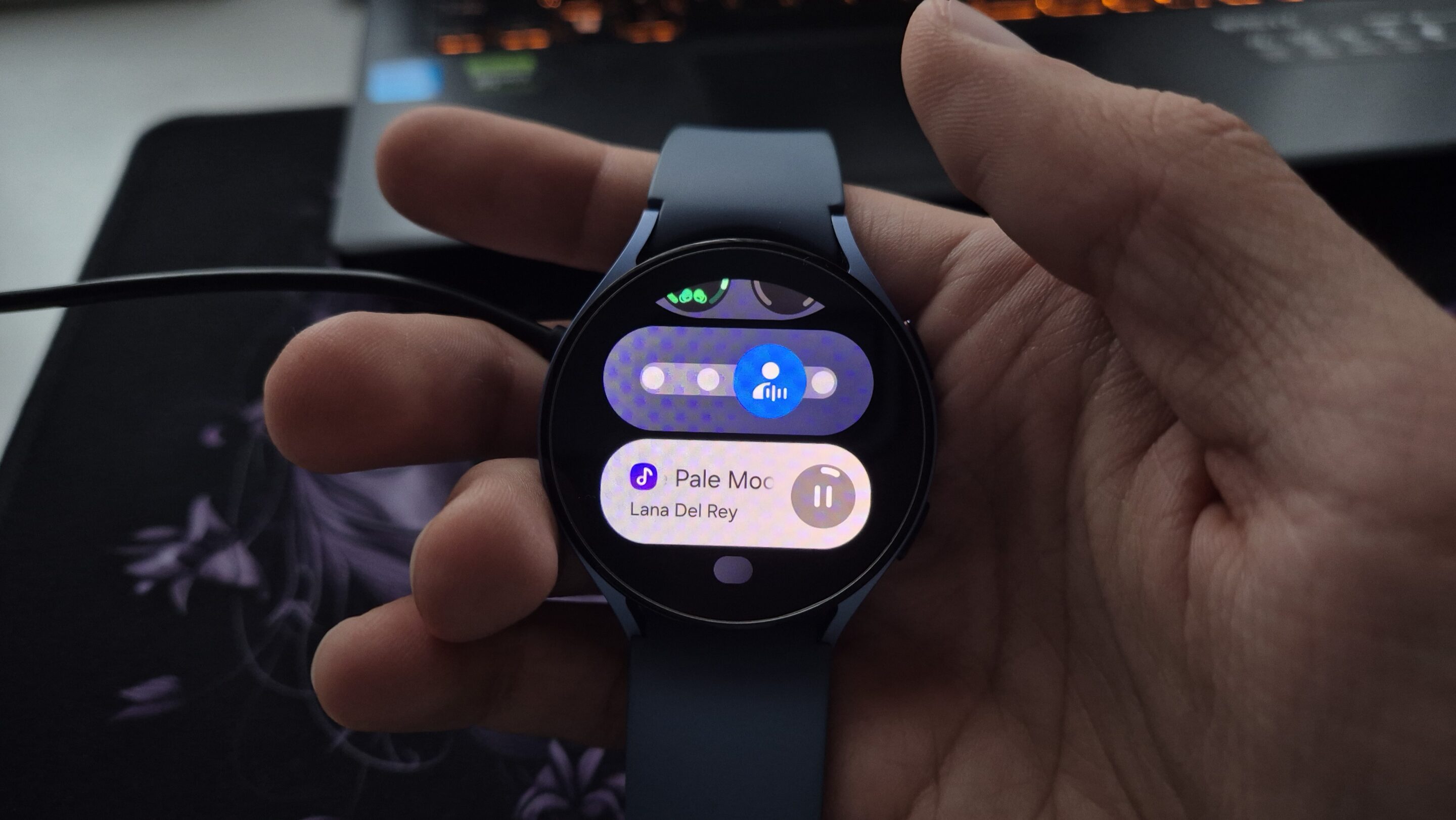
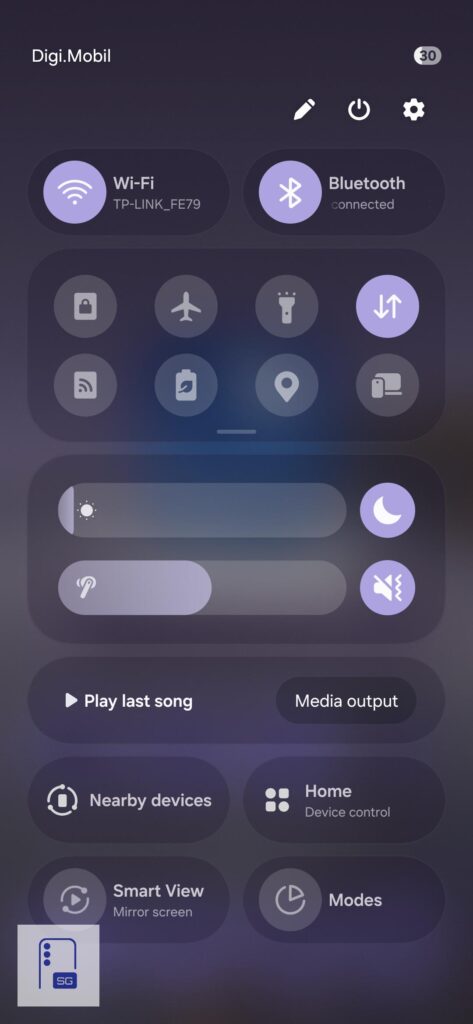
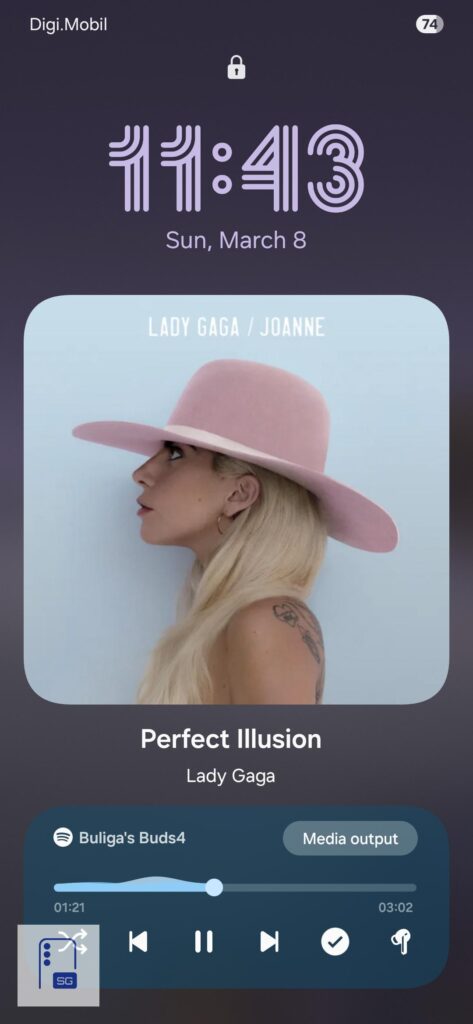
On One UI 7.0 and above, many of these controls are also available directly from the media player inside NowBar and volume panel. You can quickly switch between ANC, Adaptive, Ambient Sound, and Off, change EQ presets, toggle 360 Audio, and manage Loudness Normalization without opening the full app.
Pros and Cons
Pros:
- Comfortable open-type fit for people who dislike silicone ear tips
- Good sound quality for non-sealed earbuds
- Clear microphone performance during calls
- Better and more practical charging case design
- Seamless experience inside the Samsung ecosystem
- Auracast support adds some future-proofing
Cons:
- Weaker IP rating than the Galaxy Buds 3
- ANC is average at best
- Adaptive mode does not feel very useful in practice
- Battery life is not class-leading
- Missing advanced features like Voice Detect and Siren Detect
- Price feels a bit high for what the base model offers
Verdict
The Galaxy Buds 4 feel like a more thoughtful take on Samsung’s open earbuds. The design is cleaner, the case is easier to use, and the overall experience feels more natural day to day. They’re comfortable, sound surprisingly good for this style, and work seamlessly within the Galaxy ecosystem. For casual listening and everyday use, they’re easy to enjoy.
That said, they do come with some expected limitations. ANC is modest, battery life is just okay, and the fit won’t work for everyone. These aren’t meant to deliver the most immersive audio experience, but rather a comfortable and convenient one. If that’s what you’re looking for, the Buds 4 do a really good job.


Follow us on Google Discover & set us as a preferred source in Google News
Share this Post
___________________________


New Blog Posts
___________________________

Samsung’s Shipbuilding Arm Pushes Floating Data Centers for AI Boom
Samsung is building ships designed to run AI data centers

World Cup 2026 Could Decide Samsung vs Hisense MiniLED Battle: Counterpoint
Samsung leads MiniLED race, but World Cup may flip it, says Counterpoint
Galaxy S25 FE Drops to $449 in Solid 31% Discount Deal
Galaxy S25 FE gets a nice price cut to $449


